Read on Twitter
Reading more papers won't help your Literature Review.
If you don't structure what you know smartly, you slow yourself down.
Here is how to speed up your Lit Review using canvas:
(with some help from ChatGPT)
👇
If you don't structure what you know smartly, you slow yourself down.
Here is how to speed up your Lit Review using canvas:
(with some help from ChatGPT)
👇

What you don't review, you quickly forget - this is the famous "forgetting curve".
A typical literature review can include ~100 papers, impossible to keep in the mind all at once.
Instead we can build a system of reviewing them AND creating a narrative for our paper.
A typical literature review can include ~100 papers, impossible to keep in the mind all at once.
Instead we can build a system of reviewing them AND creating a narrative for our paper.
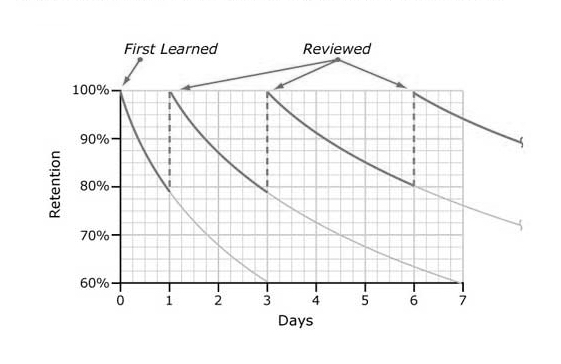
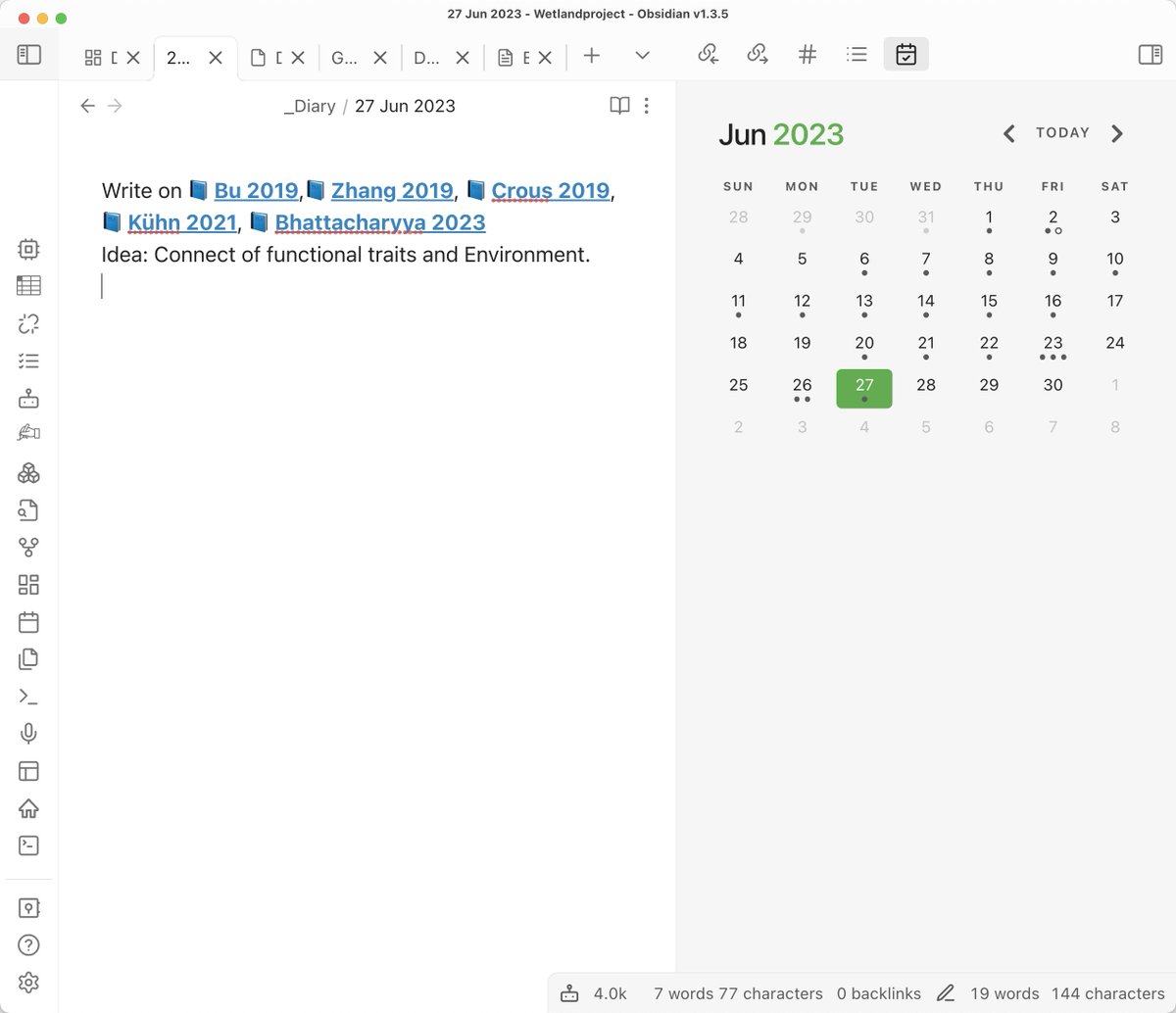
@obsdmd 1. Make a note to review a set of papers
I read 5 papers yesterday and I probably will forget them in a few days.
Instead: I make a note to myself to start writing on them tomorrow.
As they are fresh I have an idea what the TOPIC will be - note it down.
I read 5 papers yesterday and I probably will forget them in a few days.
Instead: I make a note to myself to start writing on them tomorrow.
As they are fresh I have an idea what the TOPIC will be - note it down.
@obsdmd 2. Write a paragraph about each
Place those on your canvas.
This process boosts your UNDERSTANDING at least several times imho.
While re-reading you notice how much you missed.
Plus you can use those paragraphs in your own publication!
Place those on your canvas.
This process boosts your UNDERSTANDING at least several times imho.
While re-reading you notice how much you missed.
Plus you can use those paragraphs in your own publication!

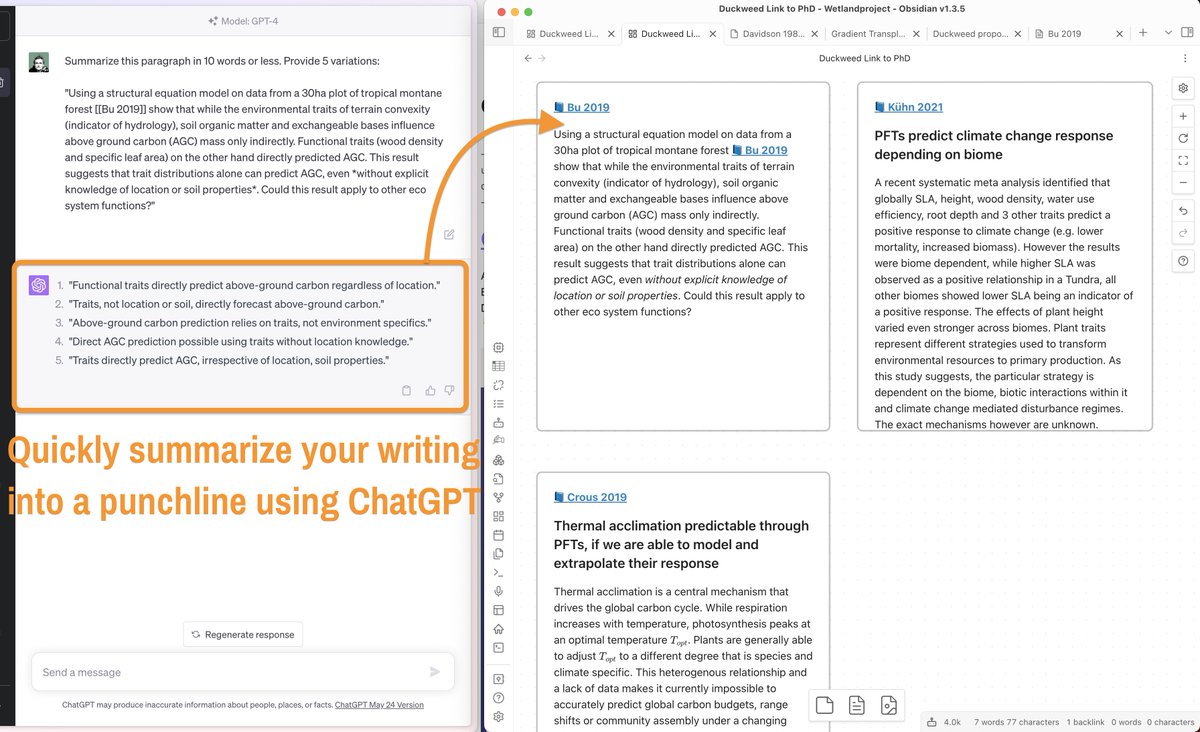
@obsdmd 3. Create a punchline or argument for each of the paragraphs
ChatGPT is perfect for this, just ask it to create multiple title variations.
Adjust and paste them back into your canvas.
This will help you NAVIGATE your argument as the number of papers grows.
ChatGPT is perfect for this, just ask it to create multiple title variations.
Adjust and paste them back into your canvas.
This will help you NAVIGATE your argument as the number of papers grows.
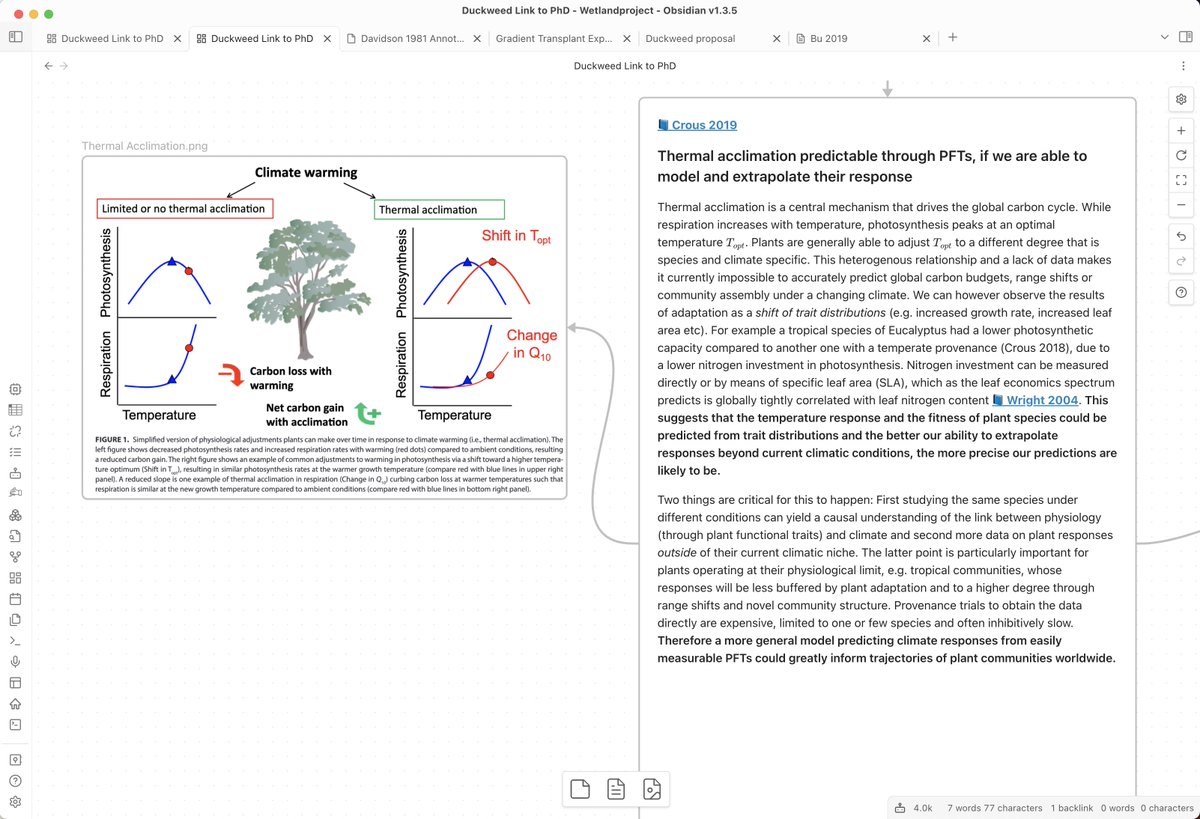
@obsdmd 4. Add key figures to support your text
Canvas allows you to add images, PDFs and screenshots directly next to the notes.
Use it as a visual summary and anchor for your text.
Canvas allows you to add images, PDFs and screenshots directly next to the notes.
Use it as a visual summary and anchor for your text.
@obsdmd 5. Color code elements & use abbreviations
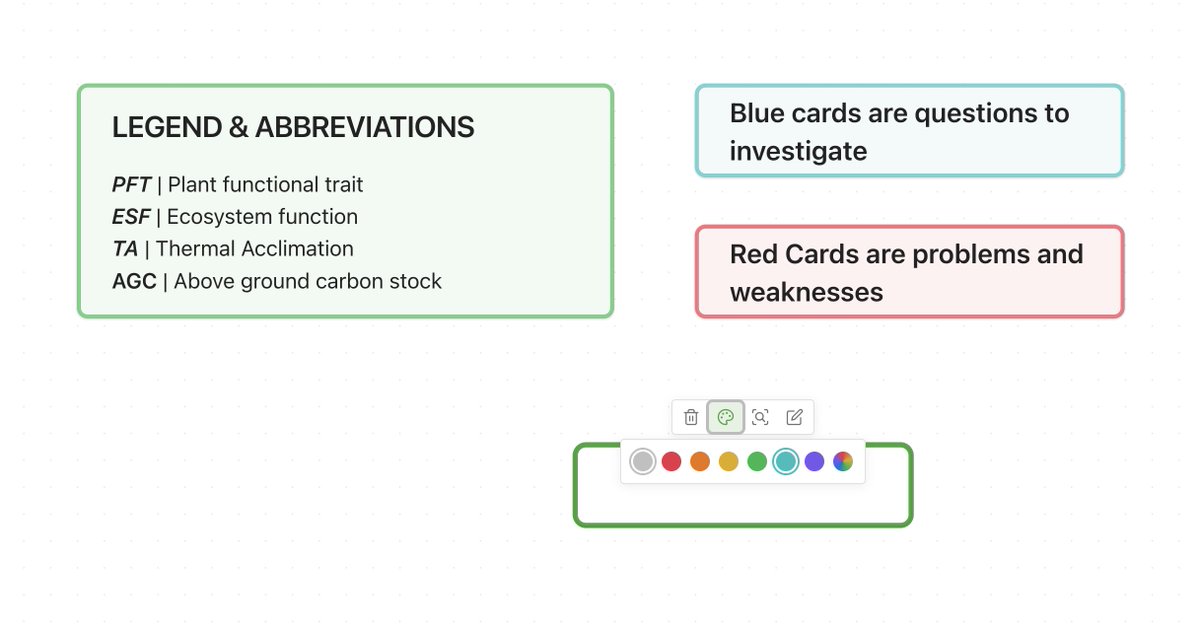
@obsdmd Canvas allows you to add a colour to your cards.
Use this to navigate easier in your literature review canvas.
@obsdmd Canvas allows you to add a colour to your cards.
Use this to navigate easier in your literature review canvas.
@obsdmd 6. Connect with questions
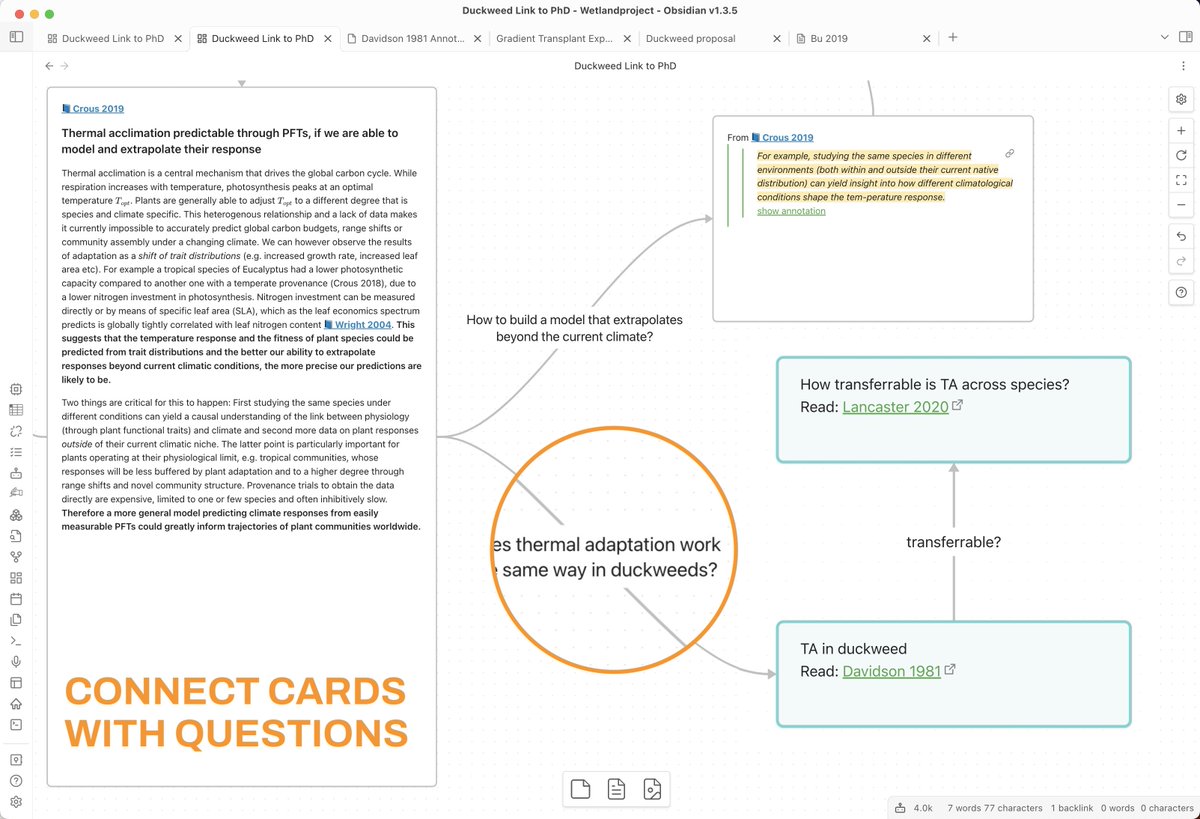
I read a paper on how plants adapt to temperature.
However these are TERRESTRIAL plants, my plant is AQUATIC.
Naturally I ask: "Does it work the same way?"
Google a paper that might answer it, then create a connection to the link.
I read a paper on how plants adapt to temperature.
However these are TERRESTRIAL plants, my plant is AQUATIC.
Naturally I ask: "Does it work the same way?"
Google a paper that might answer it, then create a connection to the link.
@obsdmd 7. Always note down problems
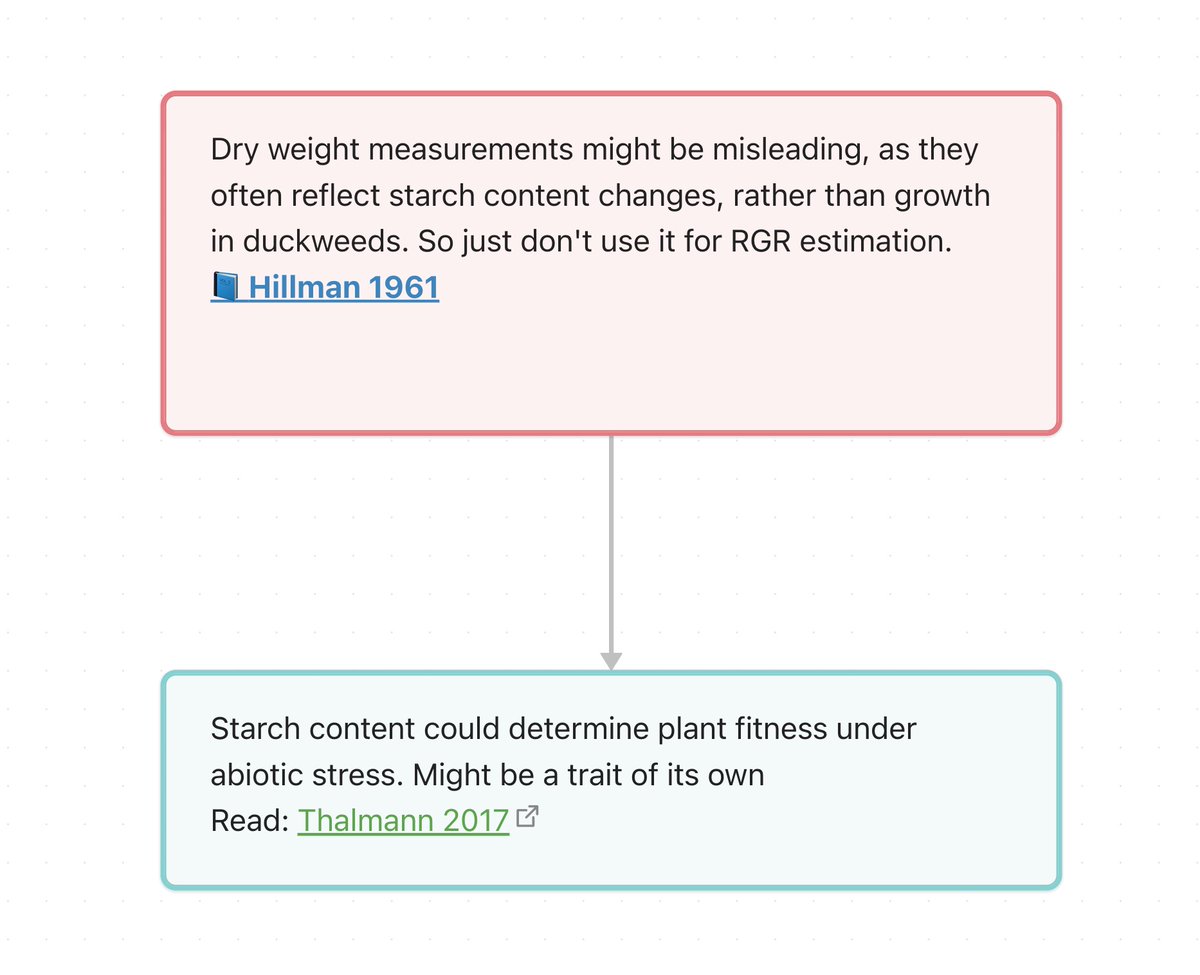
I use red cards to indicate problems with the idea I am researching.
But very often problems spark solutions, these can become (blue) idea cards.
I use red cards to indicate problems with the idea I am researching.
But very often problems spark solutions, these can become (blue) idea cards.
@obsdmd ✅ As you connect, ideas grow together into a NARRATIVE.
✅ A reading list is ready based on WHY you want to read a paper
✅ 100s of words are prewritten for your publication
✅ Every time you change something, you automatically REVIEW it
Narratives are easier to remember!
✅ A reading list is ready based on WHY you want to read a paper
✅ 100s of words are prewritten for your publication
✅ Every time you change something, you automatically REVIEW it
Narratives are easier to remember!
@obsdmd If you enjoyed this post, please give your loved ones a hug, and leave a heart for the first post in this thread.
The link in my bio has a few free resources for you to use.
The link in my bio has a few free resources for you to use.
• • •
Missing some Tweet in this thread? You can try to
force a refresh