Merill Profile picture
Aug 8 4 tweets 2 min read Twitter logo Read on Twitter
It's 2023 and your IT team is still forcing the entire company to change their passwords every few months 🤦

PS. I work at Microsoft, and we stopped doing this nearly four years ago.

Send the link below to your IT team 👇 Image of Margot from Barbie movie crying
💠

The recommendation now is to only force a user to change their password if a compromise has been detected.

If your org is using Microsoft 365, you can set it up to force a password change when a user's password is compromised.

If you are not licensed… https://t.co/Ipo25zfUa9zdnet.com/article/micros…
twitter.com/i/web/status/1…
To those asking about audits & PCI requirements.

How many of your users have access to your customer's credit card data❓️
Why not apply the forced expiry to the subset of users that actually handle credit card data?

📢 Plus, it's now 1 year expiry ⬇️

https://t.co/pWDAnMEiHKbleepingcomputer.com/news/security/…
Five new requirements for PCI 4.0 PCI version 4.0 requires multifactor authentication to be more widely used. Whereas multifactor authentication had previously been required for administrators who needed to access systems related to card holder data or processing, the new requirement mandates that multifactor authentication must be used for any account that has access to card holder data. The new standards also require user’s passwords to be changed every 12 months. Additionally, user’s passwords must be changed any time that an account is suspected to have been compromised
If you like to be kept up to date on Microsoft Azure AD (Microsoft Entra) feel free to follow me.

You can also sign up for my weekly newsletter that helps you stay on top of all the latest Microsoft identity related news👇🏾

entra.news

• • •

Missing some Tweet in this thread? You can try to force a refresh

 

Keep Current with Merill

Merill Profile picture

Stay in touch and get notified when new unrolls are available from this author!

Read all threads

This Thread may be Removed Anytime!

PDF

Twitter may remove this content at anytime! Save it as PDF for later use!

Try unrolling a thread yourself!

how to unroll video
  1. Follow @ThreadReaderApp to mention us!

  2. From a Twitter thread mention us with a keyword "unroll"
@threadreaderapp unroll

Practice here first or read more on our help page!

More from @merill

Aug 3
🎯 Tip for Microsoft 365, Microsoft Entra and infosec admins

As promised here is a quick breakdown of one way you can set up a process to either force users to change passwords or force an MFA prompt.

🔵 Screenshot with illustration of setting up a password change flow.  Need to reset user passwords after a compromise?  Set up this process for one-off and bulk resets of user passwords or to force prompt for MFA.  Step 1: Create Risky User CA Policy Step 2: Mark user as High Risk User prompted to change password
Start by creating a CA policy.

You can either scope it to all users or use a custom group to isolate this from your other risk-based CA policies.

For detailed steps see https://t.co/XII9cpMg2Klearn.microsoft.com/en-us/azure/ac…
Screenshot of CA policy
Next, we set the user as high risky by calling Graph API. You can automate this using PowerShell, CLI, Logic Apps or your choice of DevOps tool.
Read 5 tweets
Jul 7
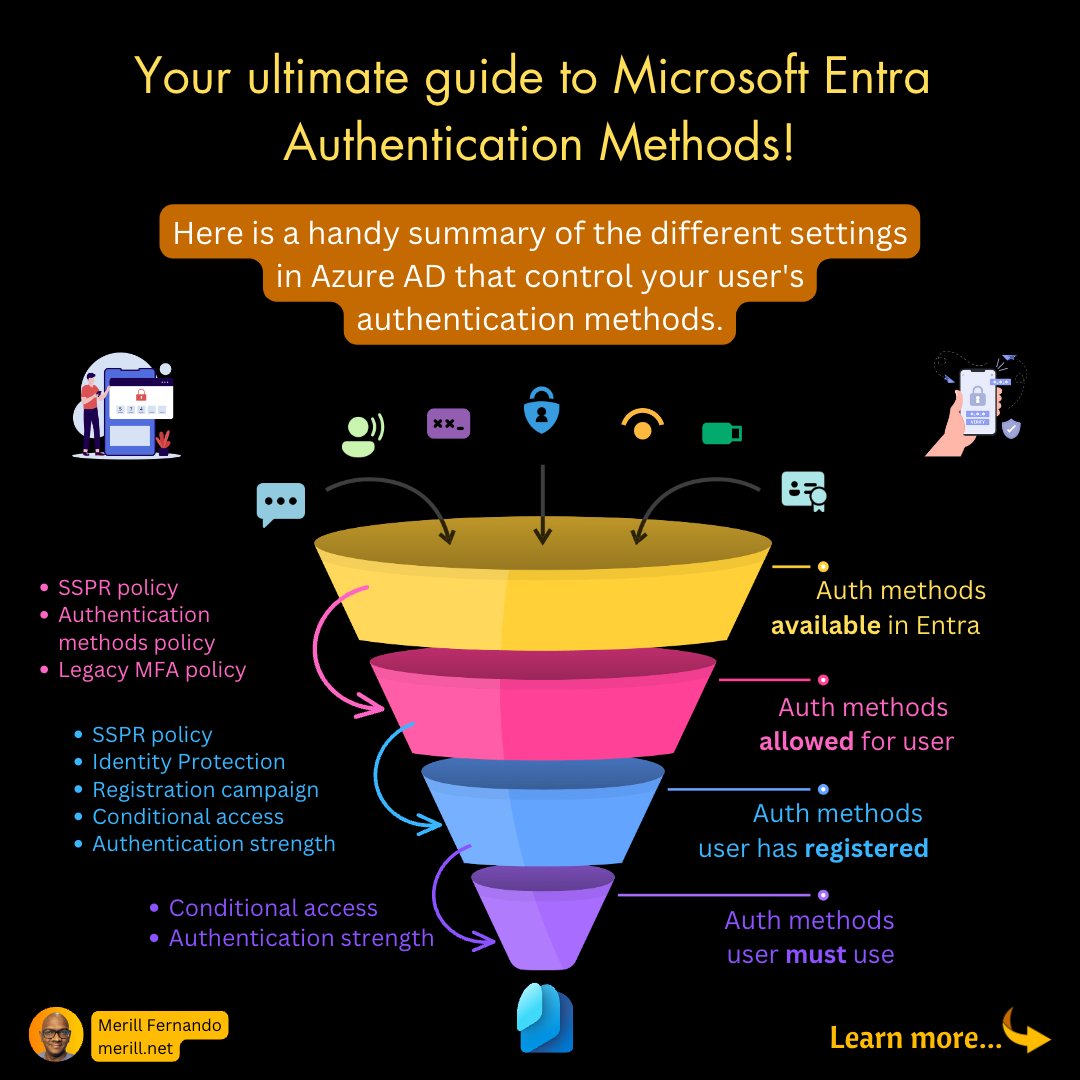
Here's a quick one pager on authentication methods for all you admins!

Huge call out to the PMs building this feature 👉 @Luc_MSFT who came up with the neat idea for this illustration along with @juliapettere!

1/6
#1 Auth methods allowed for user

These three policies define the authentication options your users are allowed to register when they visit the Security info page.

→ SSPR policy
→ Authentication methods policy
→ Legacy MFA policy

2/6 https://t.co/3CNA6Nf6H2twitter.com/i/web/status/1…
#2 Auth methods user has registered

If a user doesn't have the required MFA set up, these settings will interrupt the user at the time of sign in and guide them to set up the auth methods.

→ SSPR policy
→ Identity Protection
→ Registration campaign
→ Conditional access
→… https://t.co/eYbUWvKXwjtwitter.com/i/web/status/1…
Read 6 tweets
Jun 15
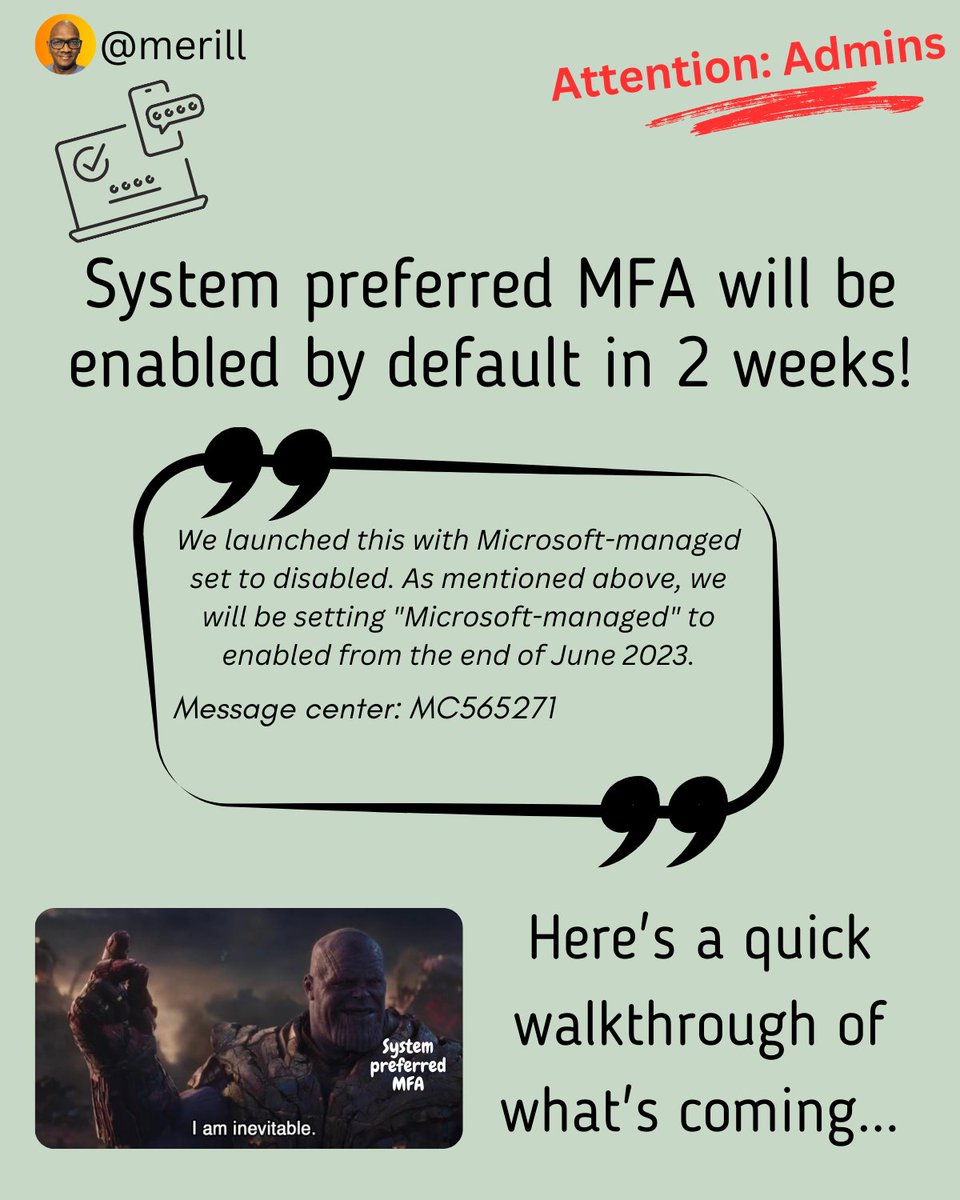
📌 Microsoft 365 and Azure AD admins!

This one is for you in case you missed the Message Center announcement.

🧵⬇️ System preferred MFA will b...
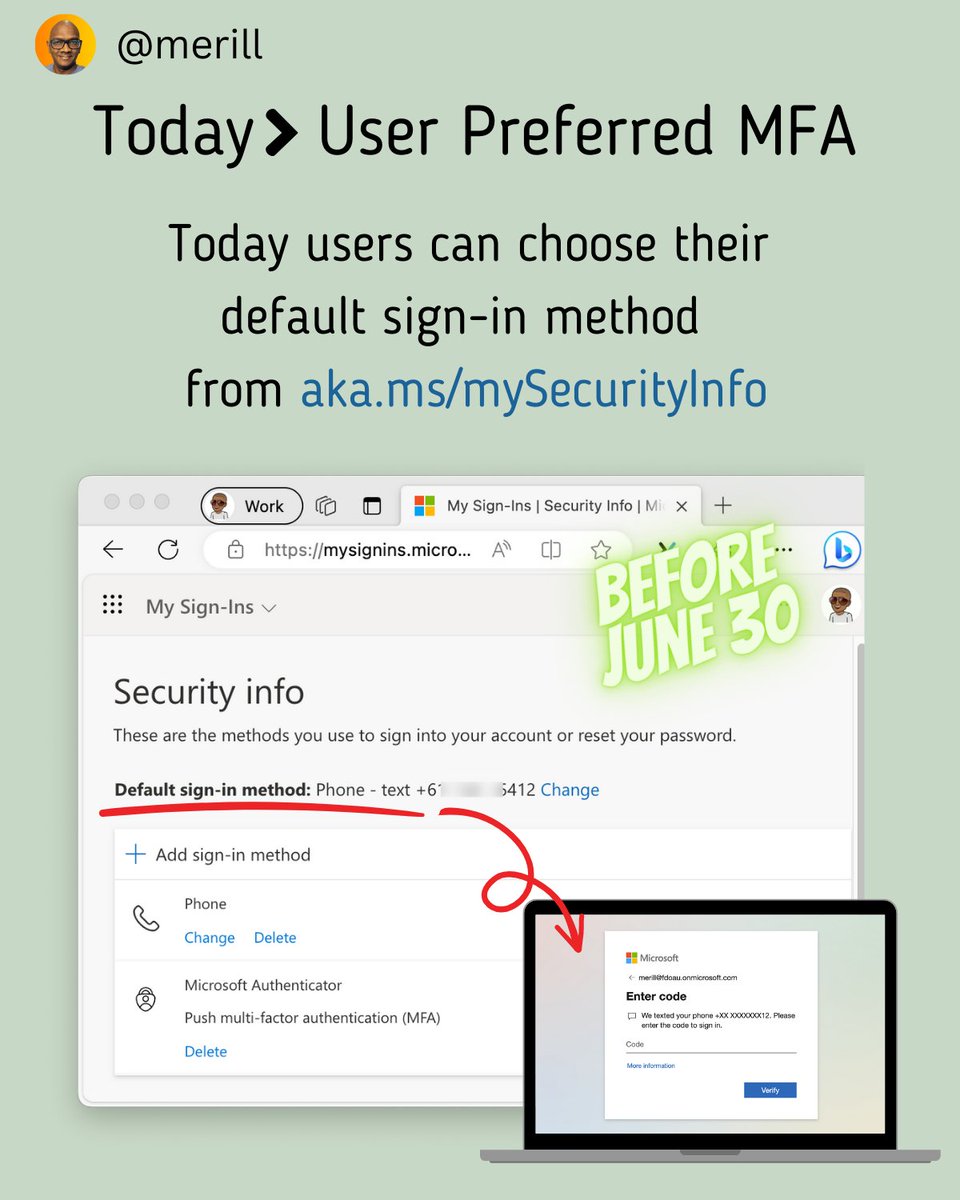
Today users can choose their default sign-in method
from aka.ms/mySecurityInfo Screenshot showing user wit...
User chooses less secure op...
Read 10 tweets
May 18
The Australia government's Cyber Security Centre publishes an MFA maturity level, which government agencies are audited against.

This is a fantastic way to assess your own org's MFA maturity and relevant to everyone as they are based on NIST with a few variations.

⬇️ This is a summary of the ke...
Most enterprises I work with are putting together a roadmap to get to the highest maturity level over the next few years.

Where is your org in this maturity level?

❓Do you allow SMS and Voice as MFA options?
👉 Then you are at Maturity Level 1. Image showing Maturity Leve...
Once you remove
🚫 SMS 💬
🚫 Voice 📞
as authenticator options you graduate to Maturity Level 2.

You can use several Azure AD features to move users off SMS and Voice including

✅ Nudge
✅ System-preferred MFA
✅ Authentication strengths
✅ Authentication methods policies Image showing methods allow...
Read 7 tweets
Apr 13
ICYMI we shared our quarterly update of Entra change announcements last week.

Here is a quick summary. 👇

I have highlighted the delta of new changes. Screenshot of the summary t...
The first one is Microsoft Authenticator App Number matching. Switching from push notifications to number match as the default was scheduled for last month.

The change is now extended to May 8.

If you can turn it on now. Don't wait.

learn.microsoft.com/en-au/azure/ac… Screenshot of number match.
Next, there is a new and improved experience for My Groups. You can still switch back to the old one currently.

What's changing in May is
✅ New url for the page
✅ Old experience will no longer be available
✅ Admin controls for limiting access to this page is going away Screenshot of groups I own ...
Read 6 tweets
Mar 3
A quick tip on setting up Graph PowerShell for least privilege access.

Create custom apps with the steps below and limit the users and permissions assigned to each app.

Your teams can then connect using their custom app. This helps reduce permission consent sprawl. Screenshot showing how the ...
When your users connect, they will need to pass in the ClientId to use the custom app.

To learn more on how to set this up see merill.net/2023/03/azure-… Screenshot signing in with ...
If this is too much work, then at a minimum you should think of securing the default Microsoft Graph PowerShell app to users that need it.

Even better, add it to an access package and set up a quarterly access review to ensure only the right folks have access.
Read 4 tweets

Did Thread Reader help you today?

Support us! We are indie developers!


This site is made by just two indie developers on a laptop doing marketing, support and development! Read more about the story.

Become a Premium Member ($3/month or $30/year) and get exclusive features!

Become Premium

Don't want to be a Premium member but still want to support us?

Make a small donation by buying us coffee ($5) or help with server cost ($10)

Donate via Paypal

Or Donate anonymously using crypto!

Ethereum

0xfe58350B80634f60Fa6Dc149a72b4DFbc17D341E copy

Bitcoin

3ATGMxNzCUFzxpMCHL5sWSt4DVtS8UqXpi copy

Thank you for your support!

Follow Us on Twitter!

:(