Read on Twitter
Templates are a shortcut to organized notes.
Don't waste time on repetitive tasks - use templates.
Here are my 5 go-to templates for academic efficiency:
👇
Don't waste time on repetitive tasks - use templates.
Here are my 5 go-to templates for academic efficiency:
👇
What are Templates?
Snippets you set up in advance, so when you create new notes you don't have to start from scratch.
It adds better structure and saves you time.
All of the major note-taking apps: @obsdmd, @logseq, @notionhq support them.
Here is how it looks:
Snippets you set up in advance, so when you create new notes you don't have to start from scratch.
It adds better structure and saves you time.
All of the major note-taking apps: @obsdmd, @logseq, @notionhq support them.
Here is how it looks:
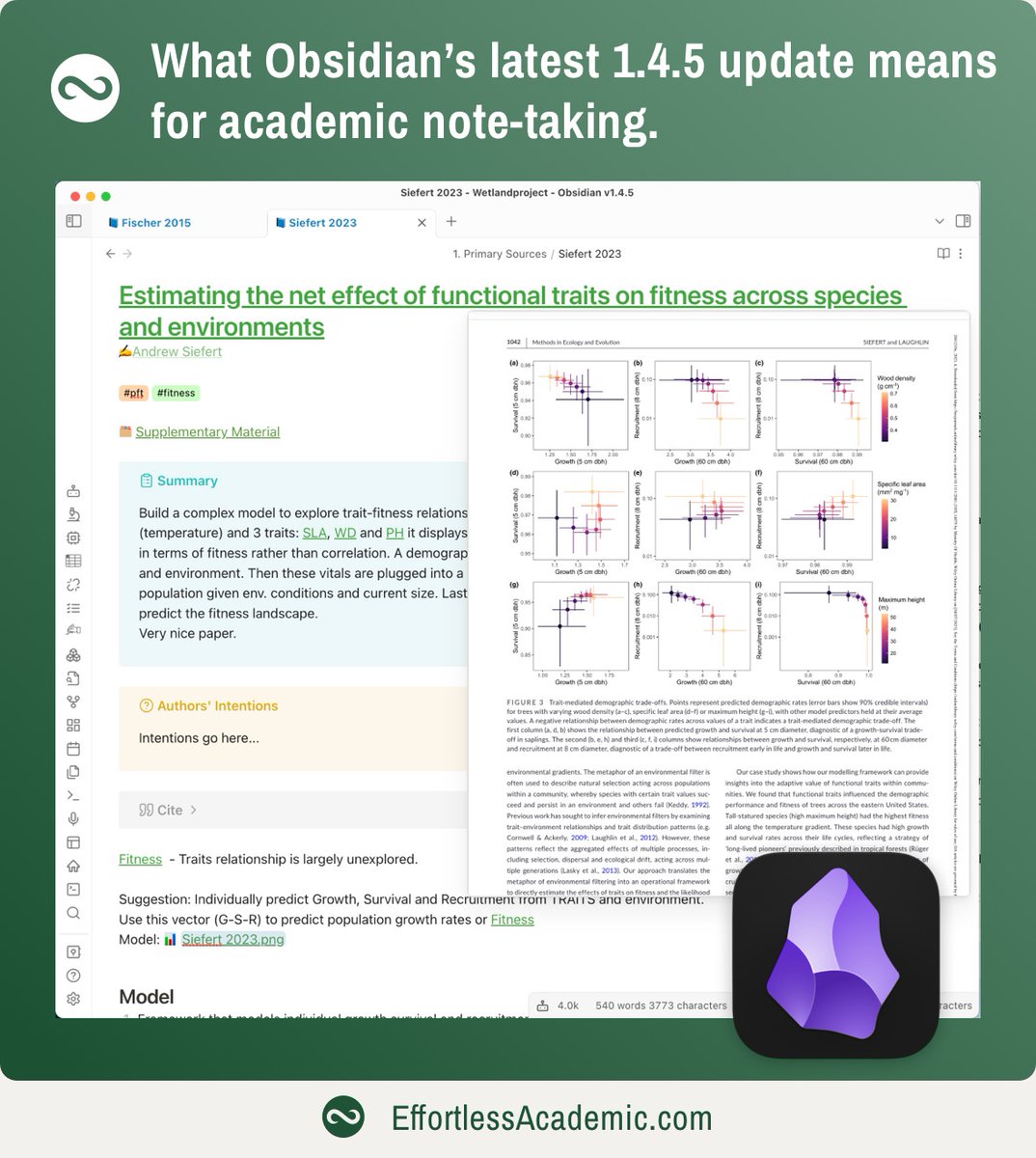
@obsdmd @logseq @NotionHQ 1. Source Note Template
Every paper I read has a source note. These come from elaborate templates. This ensures that all papers have some extra data, like Year or Journal or PDF linked.
Using the same structure makes it much faster to find what you are looking for.
Every paper I read has a source note. These come from elaborate templates. This ensures that all papers have some extra data, like Year or Journal or PDF linked.
Using the same structure makes it much faster to find what you are looking for.

@obsdmd @logseq @NotionHQ In fact, source notes are so central to my workflow, that I wrote a whole thread on creating them:
https://twitter.com/Artifexx/status/1629063929547612160
@obsdmd @logseq @NotionHQ 2. Authors
Quite often it is useful to see all papers by an author in my notes.
That is why the author template contains a query that pulls all papers by this author automatically.
I only add author notes, for authors closely related to my work.
Quite often it is useful to see all papers by an author in my notes.
That is why the author template contains a query that pulls all papers by this author automatically.
I only add author notes, for authors closely related to my work.

@obsdmd @logseq @NotionHQ 3. Stub
The most generic template for new notes, but also my most used one.
The stub tag allows me to find all notes that are "work in progress".
The "Alias" property allows to find/link to this note using an alternative name, e.g. an acronym.
The most generic template for new notes, but also my most used one.
The stub tag allows me to find all notes that are "work in progress".
The "Alias" property allows to find/link to this note using an alternative name, e.g. an acronym.

@obsdmd @logseq @NotionHQ Templates are one of a 100 brilliant features in Obsidian.
If you have never worked with Obsidian sign up for my free 8-day starter course.
If you want to master it try the "Effortless Academic's Manual".
If you have never worked with Obsidian sign up for my free 8-day starter course.
If you want to master it try the "Effortless Academic's Manual".
https://twitter.com/Artifexx/status/1694596305815806285
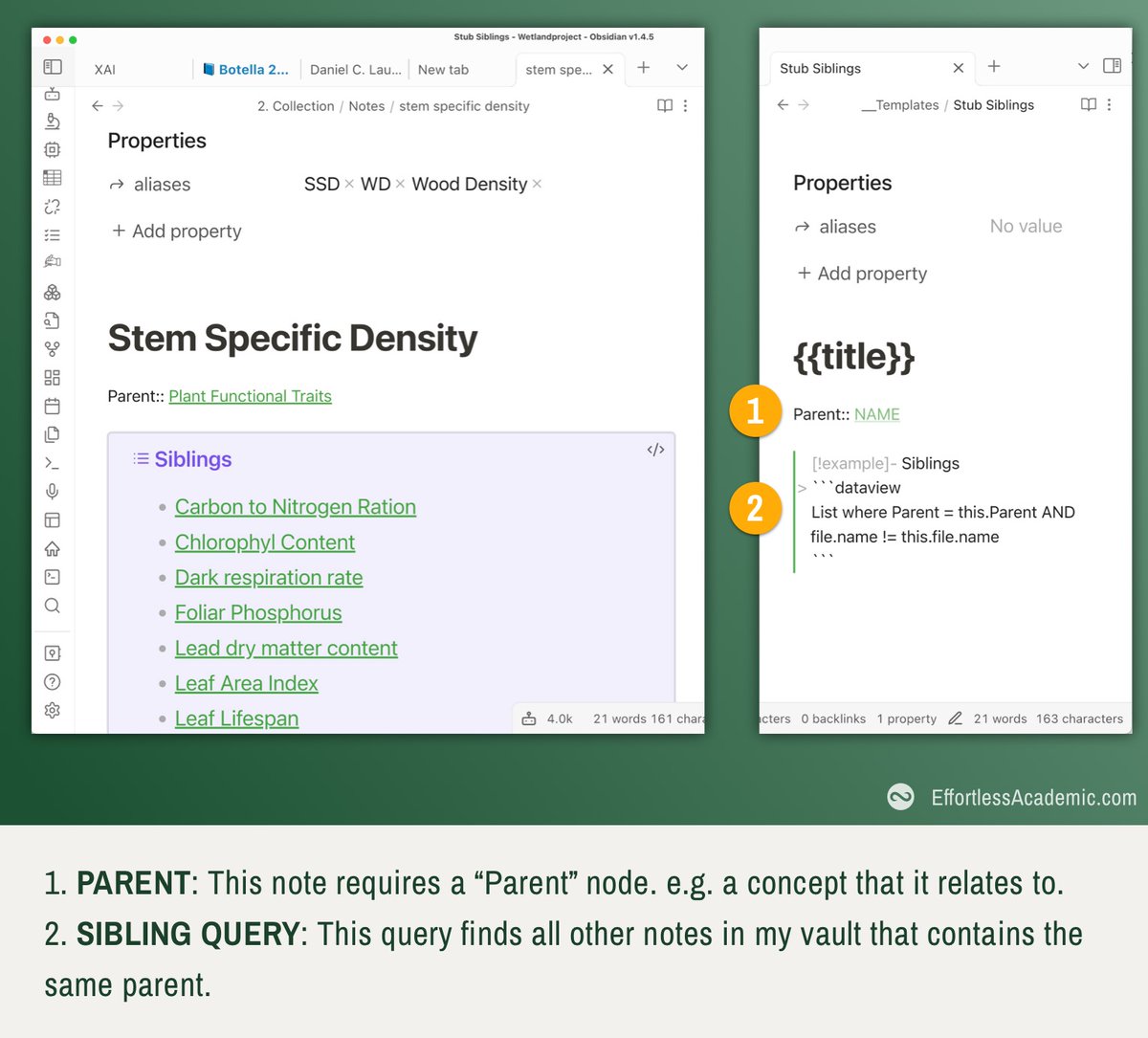
@obsdmd @logseq @NotionHQ 4. Stub with Siblings
This template allows me to set a "PARENT" note for my note.
And display all other notes that have the same parent. i.e. siblings.
A very powerful way of organizing hierarchical information.
This template allows me to set a "PARENT" note for my note.
And display all other notes that have the same parent. i.e. siblings.
A very powerful way of organizing hierarchical information.
@obsdmd @logseq @NotionHQ This method is very useful, I wrote a whole thread about it previously:
https://twitter.com/Artifexx/status/1663472744800067585
@obsdmd @logseq @NotionHQ 5. Supervisor Meeting
I use it together with the calendar plugin. The title becomes the date.
I add Checkboxes for my todos so after creating the note, the todos show up in my main dashboard.
I use it together with the calendar plugin. The title becomes the date.
I add Checkboxes for my todos so after creating the note, the todos show up in my main dashboard.

@obsdmd @logseq @NotionHQ Here is how to pull together ALL your todos/checkboxes into a single dashboard.
https://twitter.com/Artifexx/status/1653333798308790277
@obsdmd @logseq @NotionHQ Templates are easy to set up and can be as elaborate or simple as you wish.
In fact the simple ones tend to be more useful.
@obsdmd allows you to add a hotkey for adding a template.
I press CMD+SHIFT+T to choose the template. It takes less than a second.
In fact the simple ones tend to be more useful.
@obsdmd allows you to add a hotkey for adding a template.
I press CMD+SHIFT+T to choose the template. It takes less than a second.

@obsdmd @logseq @NotionHQ If you like this niche content on Obsidian and academic note-taking, check out the link in my bio for more interesting content.
Consider giving this tweet some love or even a retweet to help me reach more people on Twitter.
Consider giving this tweet some love or even a retweet to help me reach more people on Twitter.
• • •
Missing some Tweet in this thread? You can try to
force a refresh