Read on Twitter
Someone asked about recreating Security Defaults in Conditional Access so similar policies still apply but with more flexibility
This short thread is my best attempt based on the information available here:
Note: Entra ID P2 required for full replacementlearn.microsoft.com/en-us/microsof…
This short thread is my best attempt based on the information available here:
Note: Entra ID P2 required for full replacementlearn.microsoft.com/en-us/microsof…
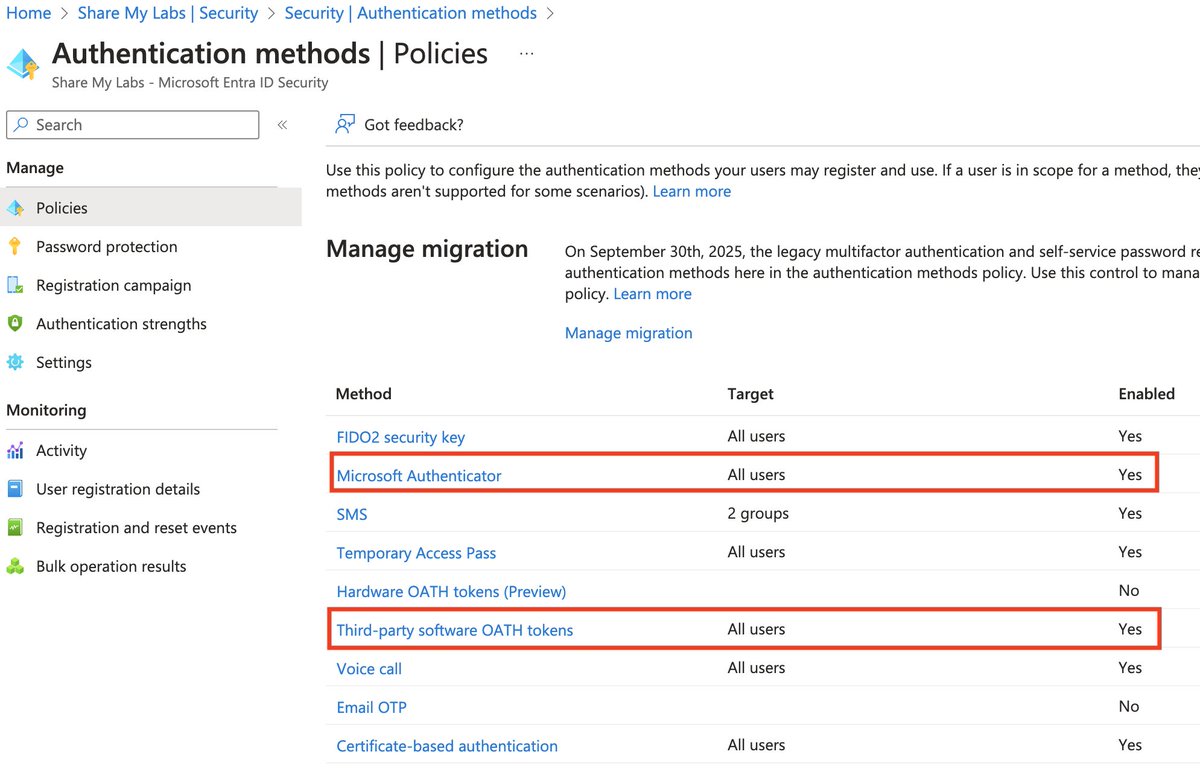
1) "Requiring all users and admins to register for MFA using the Microsoft Authenticator app or any third-party application using OATH TOTP"
For this, we need to combine the "Require multifactor authentication for all users" template with limiting use of Authentication methods
For this, we need to combine the "Require multifactor authentication for all users" template with limiting use of Authentication methods

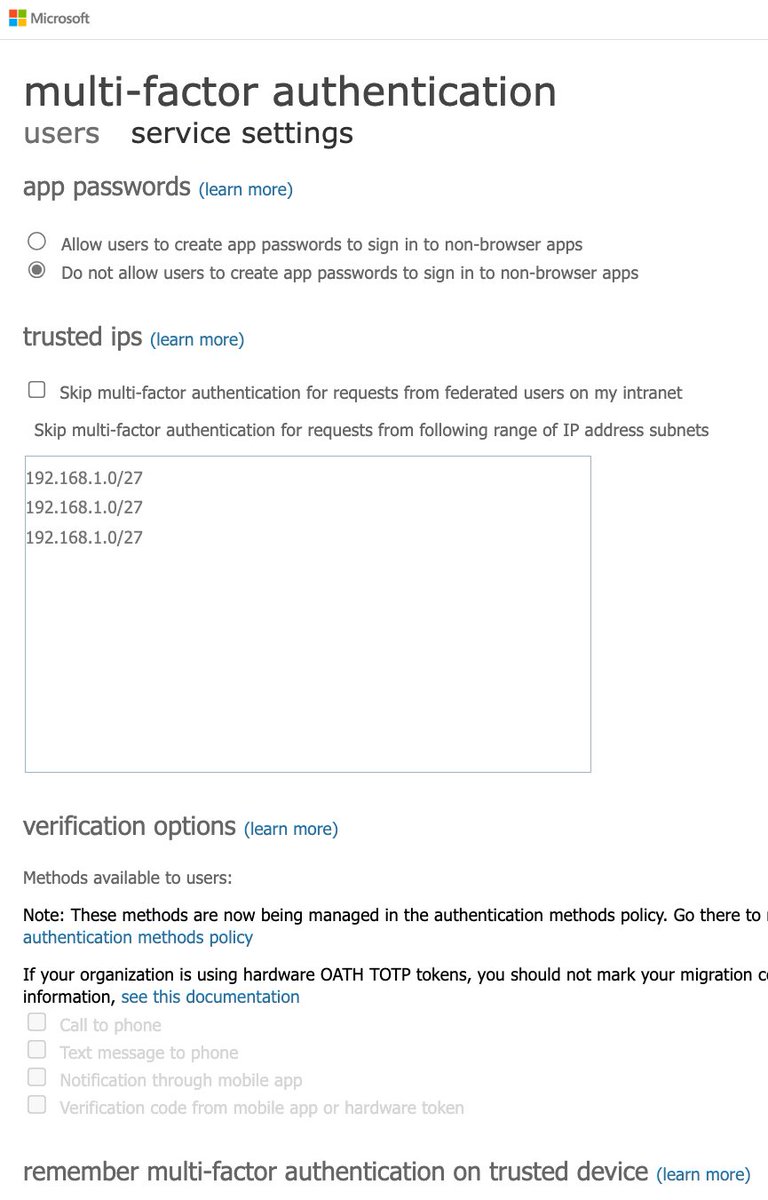
For this template, it is recommended to have a couple of emergency access accounts and ensure they are excluded
If you use Entra Connect, be sure to exclude the Directory Synchronization Accounts role
These are good practices on all MFA policies learn.microsoft.com/en-us/entra/id…
If you use Entra Connect, be sure to exclude the Directory Synchronization Accounts role
These are good practices on all MFA policies learn.microsoft.com/en-us/entra/id…
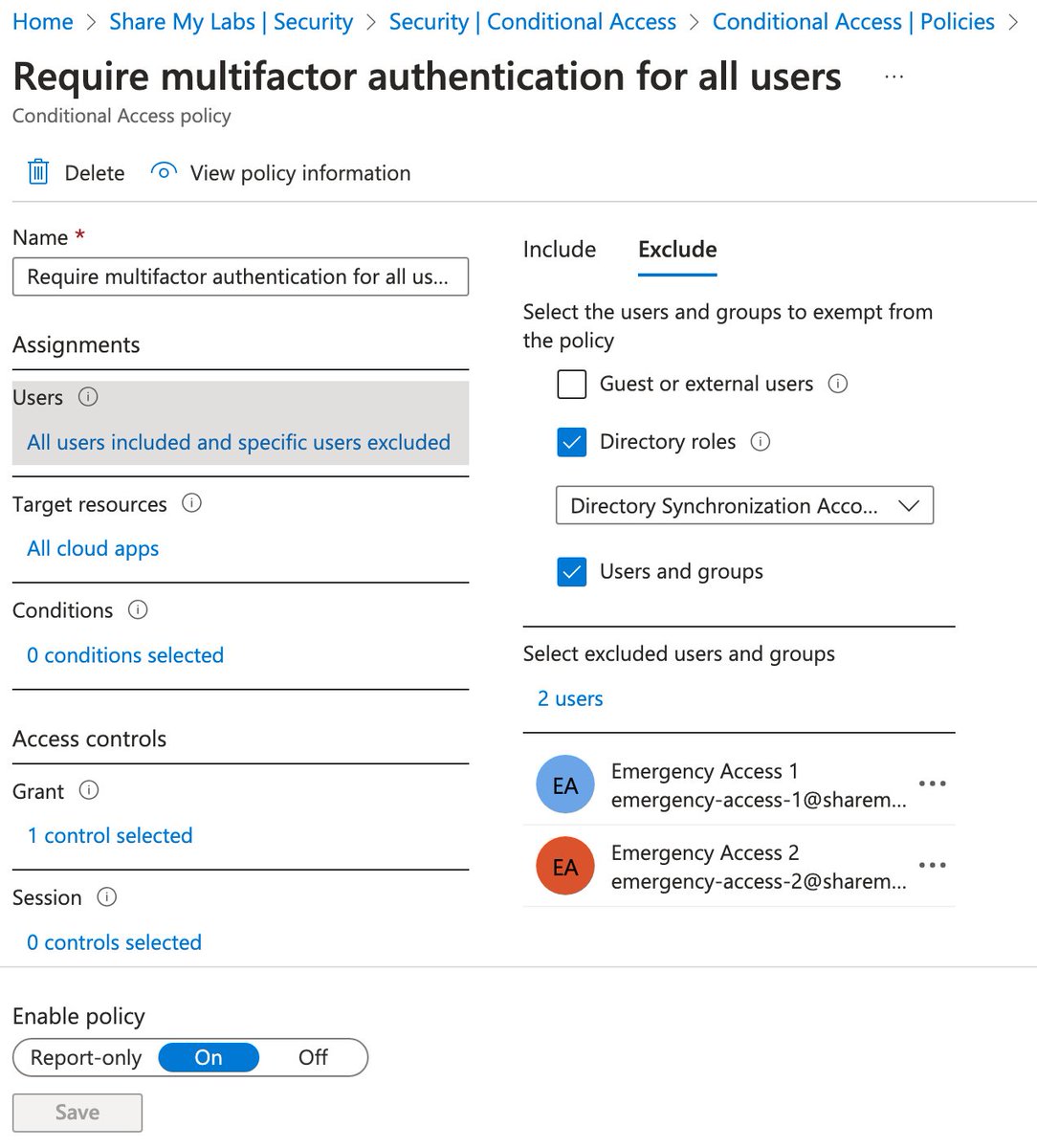
Auth methods gets a tricky because there are two places you can set them
For per-user MFA (legacy), only choose the last verification code option
For auth methods, only enable MS Authenticator and software OATH tokens
…ount.activedirectory.windowsazure.com/UserManagement…
portal.azure.com/#view/Microsof…
For per-user MFA (legacy), only choose the last verification code option
For auth methods, only enable MS Authenticator and software OATH tokens
…ount.activedirectory.windowsazure.com/UserManagement…
portal.azure.com/#view/Microsof…
2) "Challenging users with MFA, mostly when they show up on a new device or app, but more often for critical roles and tasks"
This requires Entra ID P2 licensing but very cool they give this for free with Security Defaults!
Use the Require MFA for risky sign-ins template
This requires Entra ID P2 licensing but very cool they give this for free with Security Defaults!
Use the Require MFA for risky sign-ins template
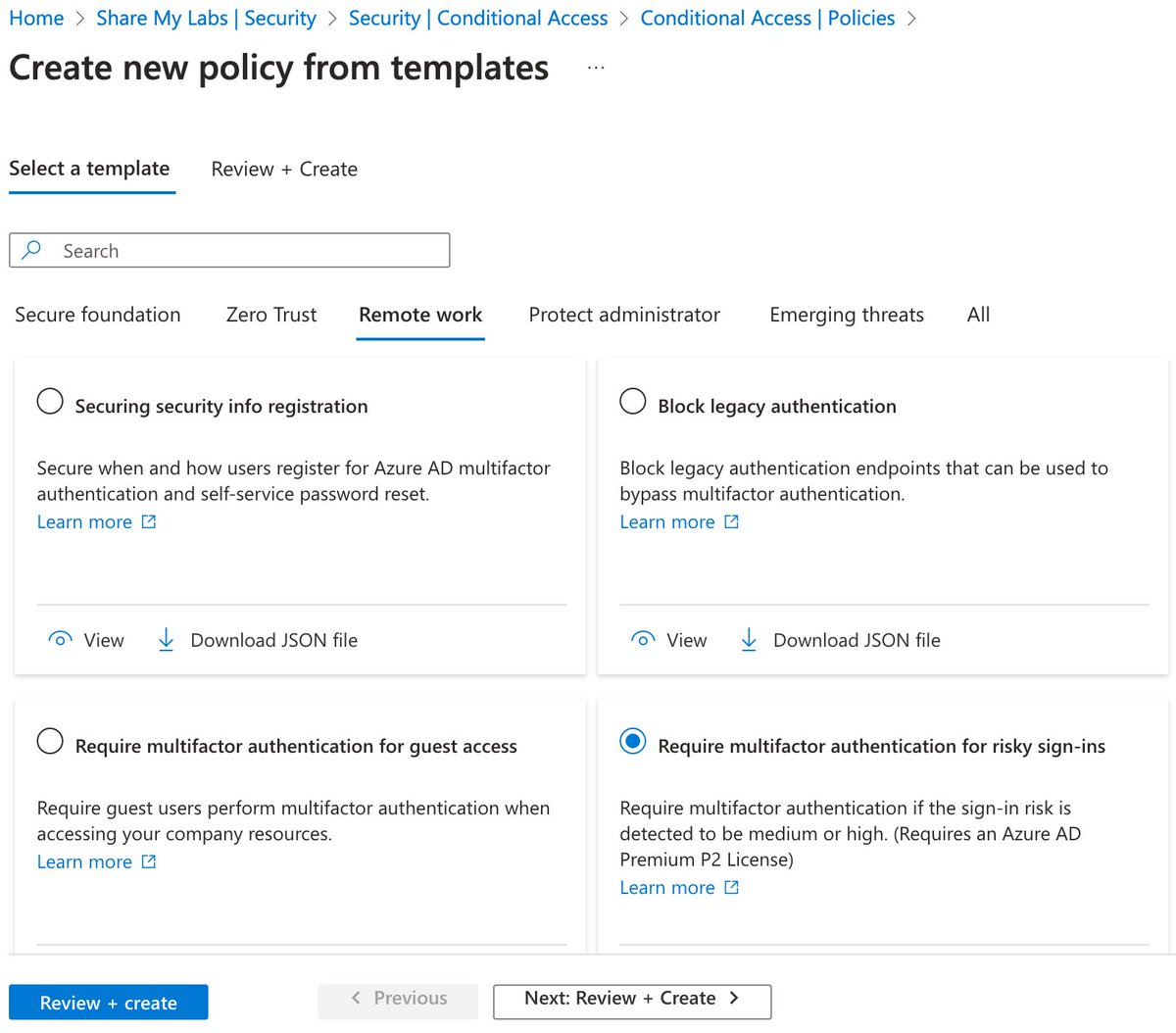
There may be some other logic they are using as part of this, but I don't believe that information is published anywhere
You can read more about this policy here as well:
I recommend a second policy for admins with risk set to high, medium, and low risklearn.microsoft.com/en-us/entra/id…
You can read more about this policy here as well:
I recommend a second policy for admins with risk set to high, medium, and low risklearn.microsoft.com/en-us/entra/id…
3) "Disabling authentication from legacy authentication clients that can't do MFA"
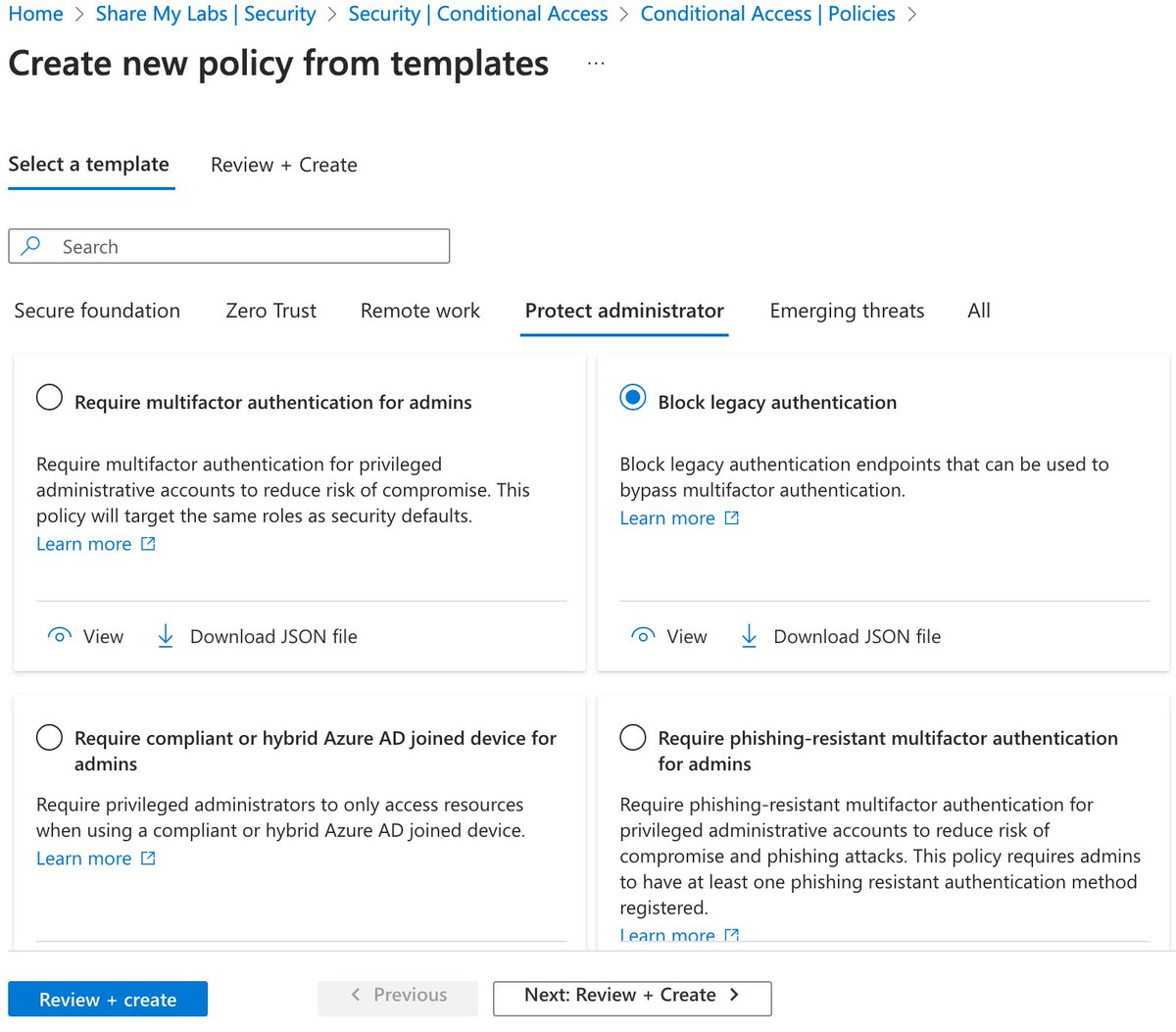
This one is easy - use the Block legacy authentication template
For more info, see:
⚠️ Note: This does not block credential validation. Disable protocols on the mailbox. learn.microsoft.com/en-us/entra/id…
This one is easy - use the Block legacy authentication template
For more info, see:
⚠️ Note: This does not block credential validation. Disable protocols on the mailbox. learn.microsoft.com/en-us/entra/id…
4) "Protecting admins by requiring extra authentication every time they sign in"
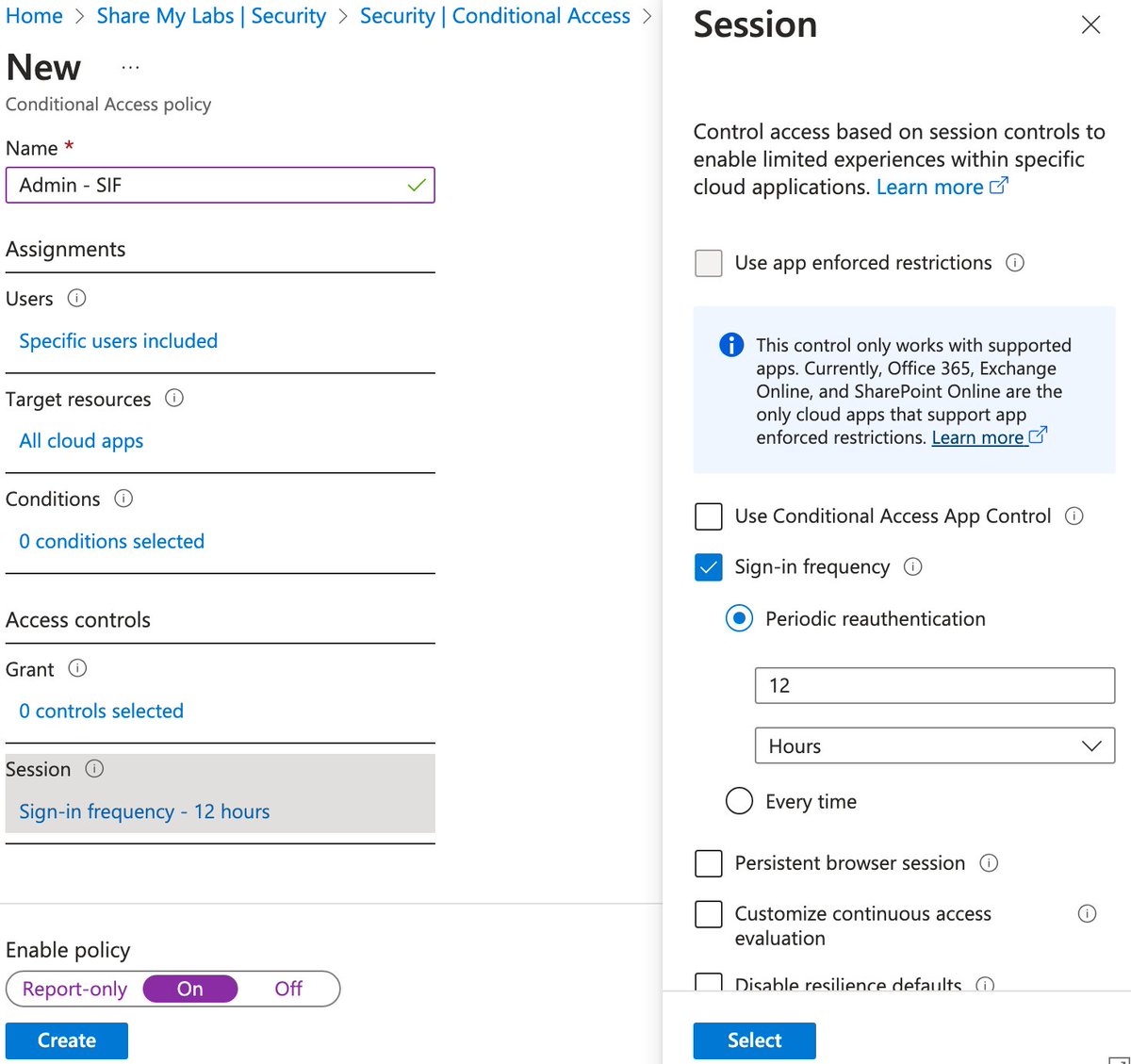
This one is very ambiguous. AFAICT, they are selecting admin roles under Users and using Sign-in frequency.
I haven't reverse engineered duration, but anything 12 hours or shorter is a good choice
This one is very ambiguous. AFAICT, they are selecting admin roles under Users and using Sign-in frequency.
I haven't reverse engineered duration, but anything 12 hours or shorter is a good choice
I hope this helps for anyone needing to disable Security Defaults due to some issues they've run into but still want to have similar protection
Hopefully if I've missed anything, others will chime in, and I might create a blog with some deployment automation tooling later :)
Hopefully if I've missed anything, others will chime in, and I might create a blog with some deployment automation tooling later :)
• • •
Missing some Tweet in this thread? You can try to
force a refresh