Trader Diego Profile picture
Mar 23, 2024 9 tweets 4 min read Read on X
Organized Collection of ICT short videos discussing MMXM: #ICT

(All credits to ICT)

Not for the lazy student!

Like, Repost, Bookmark🔖Image
MMXM 1st and 2nd stage redistribution
Using the left side of the curve on the right side of MMXM
This is the list of youtube videos on ICT MMXM.

This order was suggested by @LumiTraders and it's really good.

1.
2.
3.
4.
5.
6.

If you want more granularity, watch also ICT Price Action Model 7 on youtube.


• • •

Missing some Tweet in this thread? You can try to force a refresh

 

Keep Current with Trader Diego

Trader Diego Profile picture

Stay in touch and get notified when new unrolls are available from this author!

Read all threads

This Thread may be Removed Anytime!

PDF

Twitter may remove this content at anytime! Save it as PDF for later use!

Try unrolling a thread yourself!

how to unroll video
  1. Follow @ThreadReaderApp to mention us!

  2. From a Twitter thread mention us with a keyword "unroll"
@threadreaderapp unroll

Practice here first or read more on our help page!

More from @TraderDiegoX

Apr 17
I used Claude to code 2 TradingView indicators that are saving me hours every week.

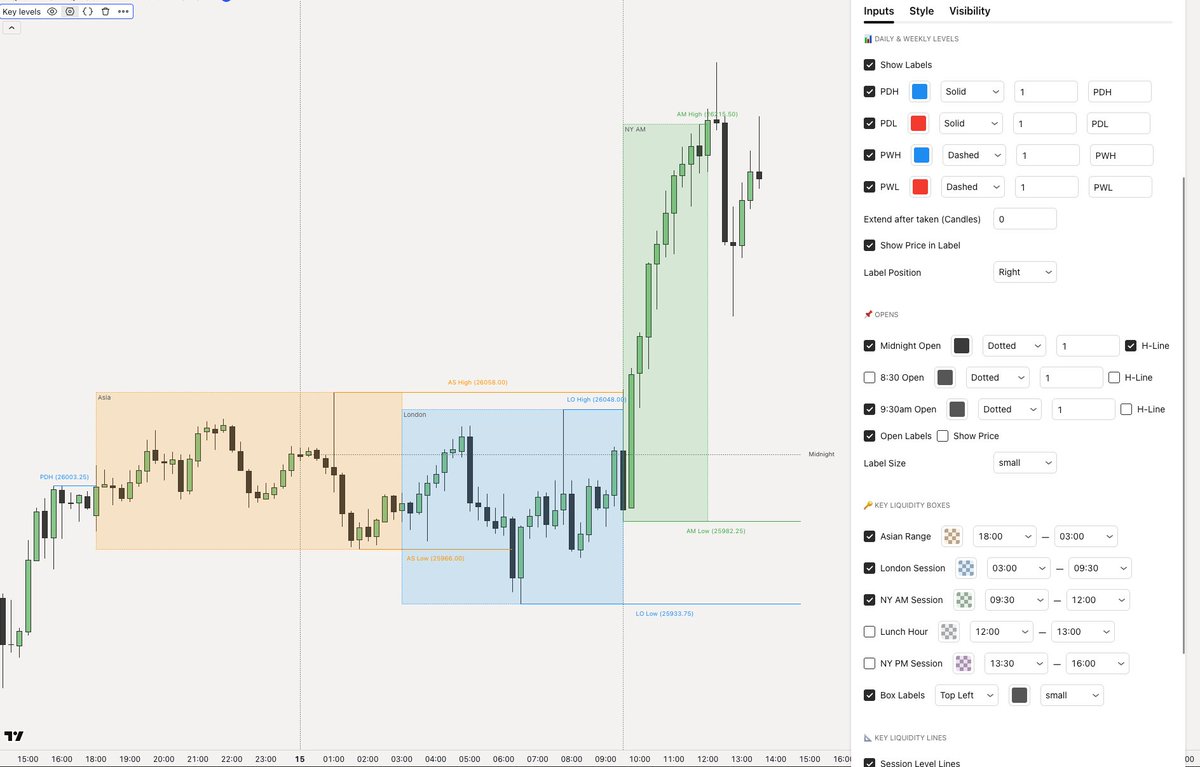
1. Intraday Key Levels
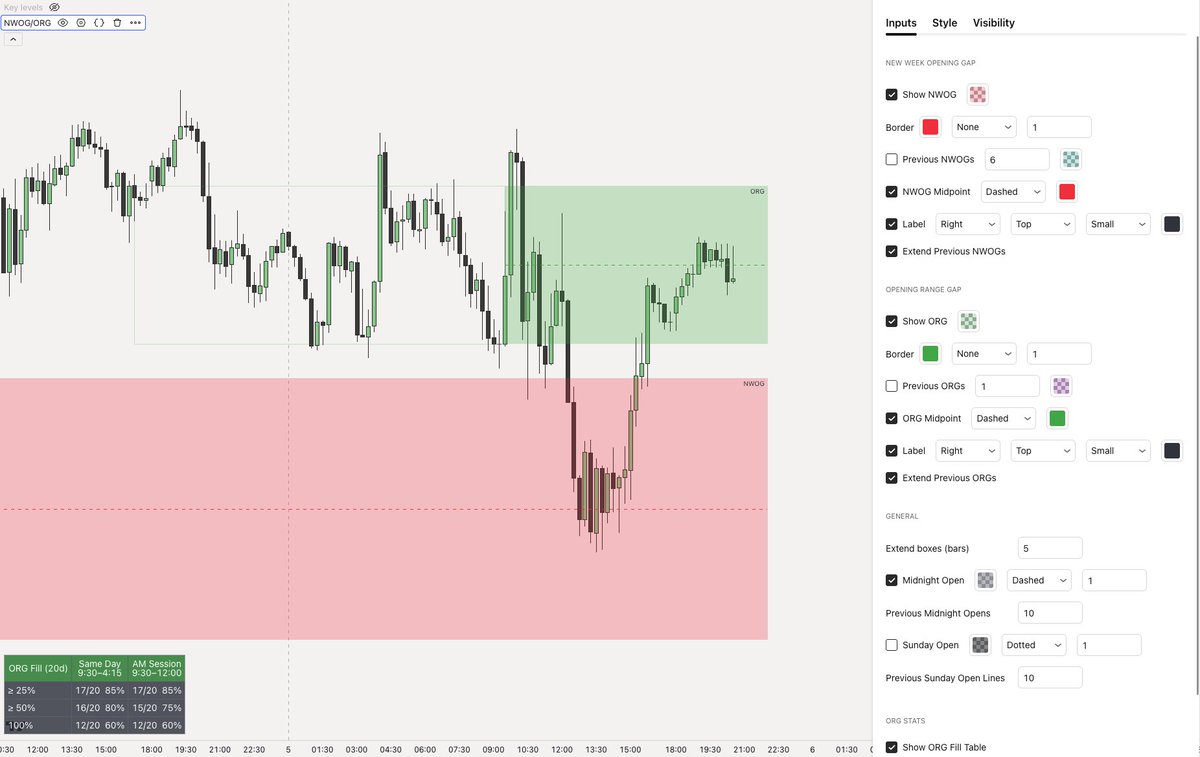
2. NWOG + ORG + Stats

I’m giving both away completely free.

Like + Comment “INDICATORS” and I’ll DM them to you.
(Must be following)
1. Intraday Key Liquidity Indicator has:

- Previous Day H/L
- Previous Week H/L
- Previous Sessions H/L
- Midnight Open Levels
- 8.30am Open Levels
- 9:30am Open Levels

I use this levels as high probability liquidity for either targets or reversals, the opens for intraday PO3. Image
2. NWOG + ORG Indicator:

- New Week Opening Gap
- Opening Range Gap
- ORG Statistics

I added ORG stats so that I could track real numbers instead of just trusting it.

I use the these gaps as a magnet for price, confluence and as soft bias when in consolidations. Image
Read 6 tweets
Jan 22
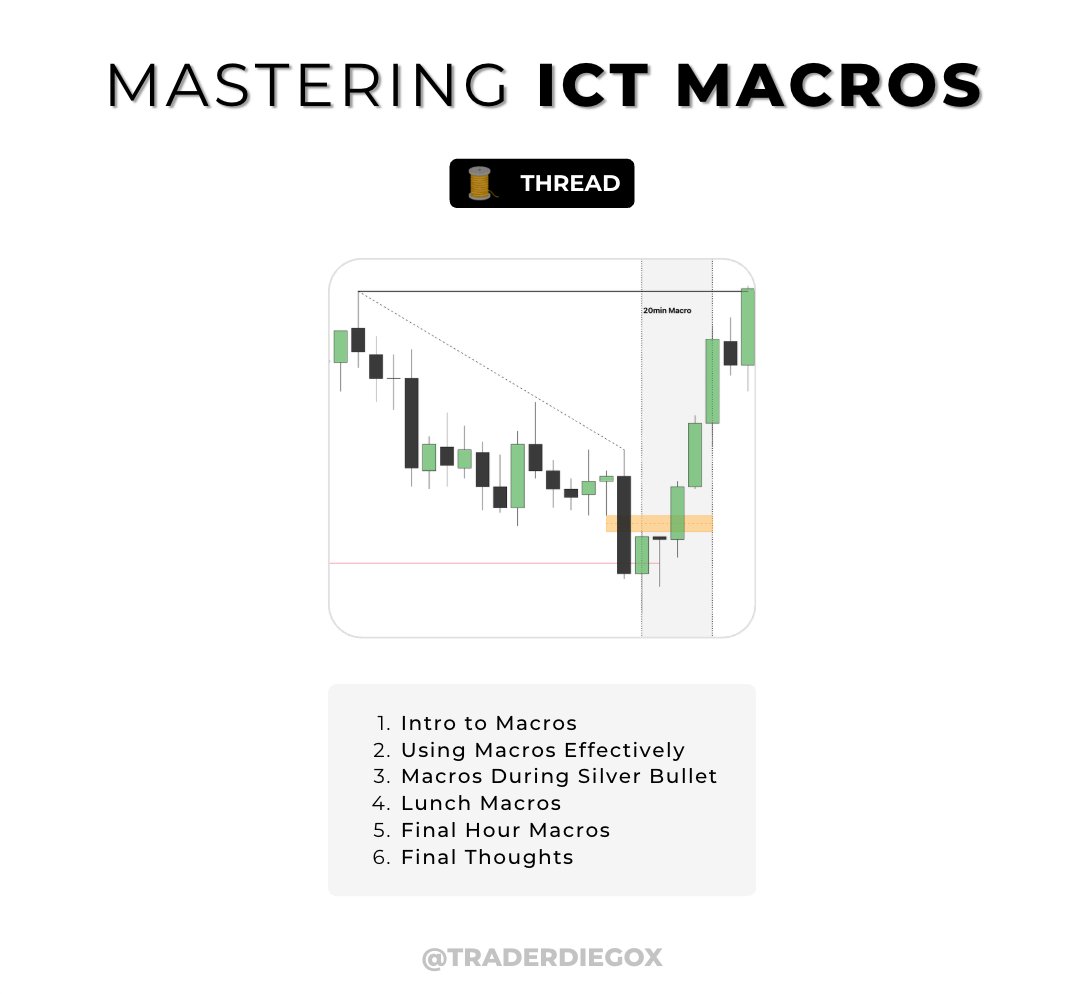
Complete Guide to Mastering ICT Macros

- Includes Examples

1. Intro to Macros
2. Using Macros Effectively
3. Macros During Silver Bullet
4. Lunch Macros
5. Final Hour Macros
6. Final Thoughts

🧵 (1/7) Image
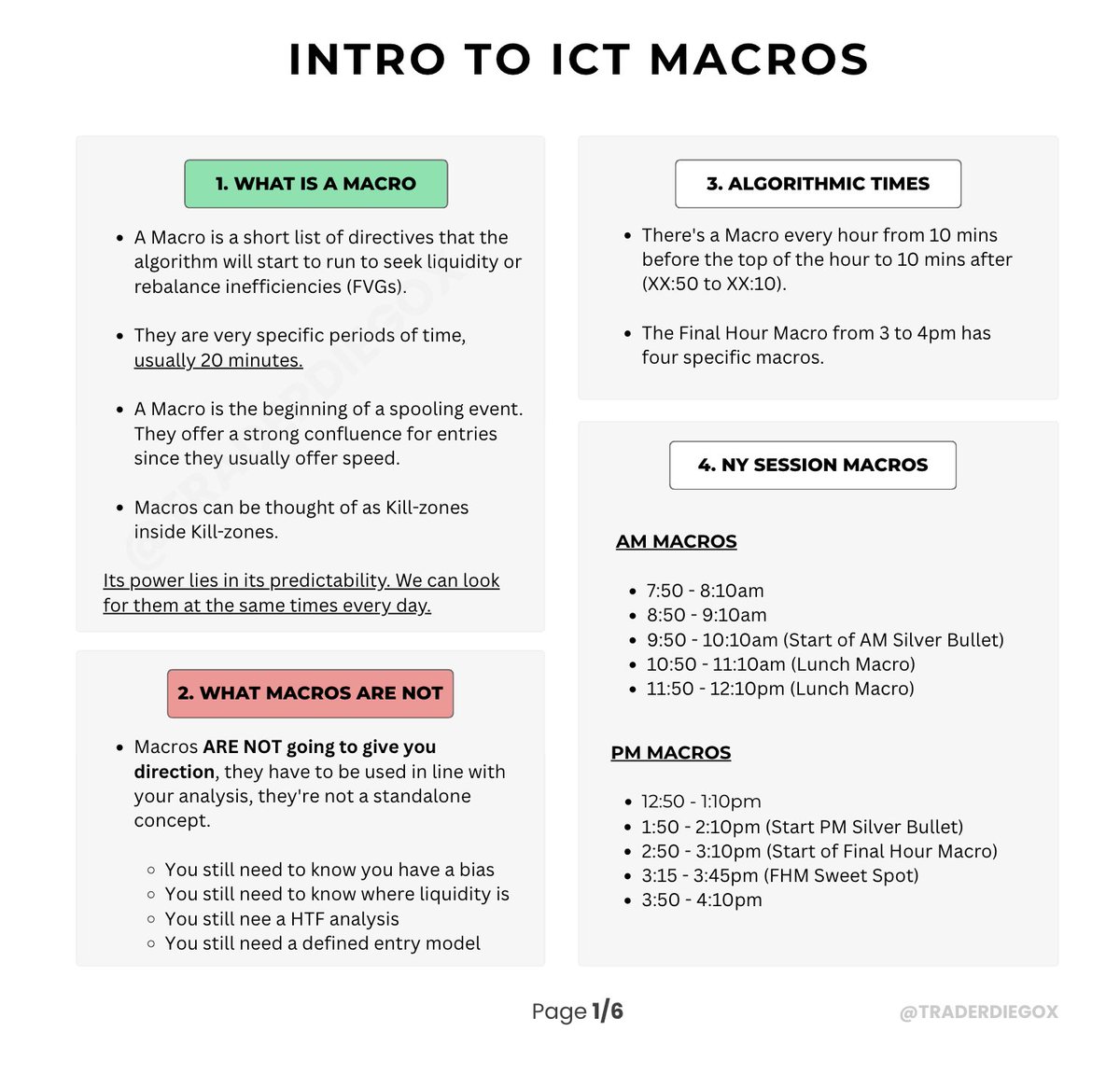
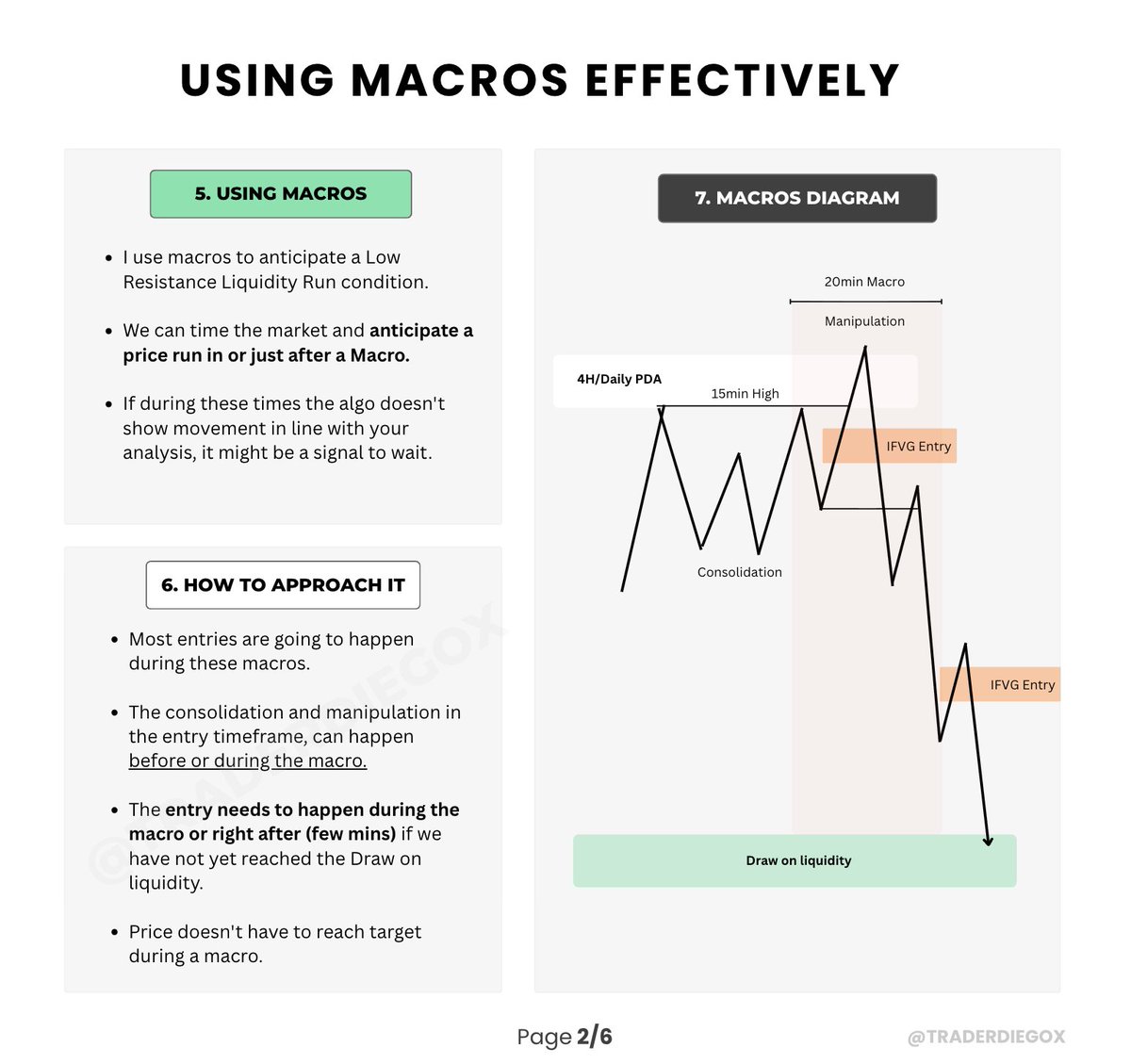
Macros are very specific periods of time, usually 20 minutes.

Macros can be thought of as Kill-zones inside Kill-zones.

Its power lies in their mechanical nature. We can look for them at the same times every day. Image
I use macros to anticipate a Low Resistance Liquidity Run condition, so I expect speed.

If during these times the algo doesn't show movement in line with your analysis, it might be a signal to wait. Image
Read 9 tweets
Jan 9
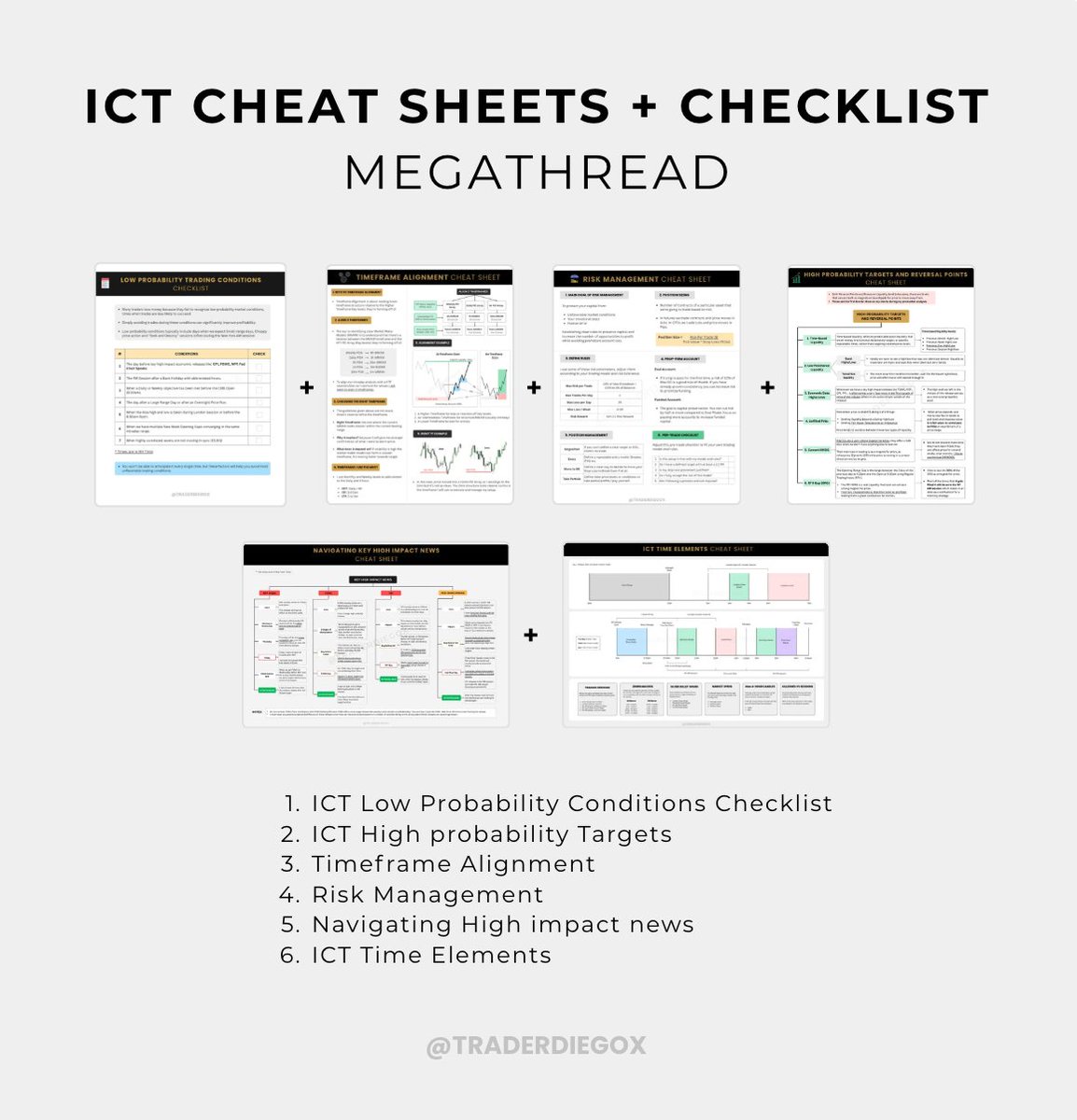
ICT CHEAT SHEETS + CHECKLIST MEGATHREAD

This is a compilation of simplified and actionable ICT cheat sheets and checklists I have crafted over time that might help you kickstart the year.

👉 If you want me to DM you the PDF, let me know in the comments.

(Must be following) Image
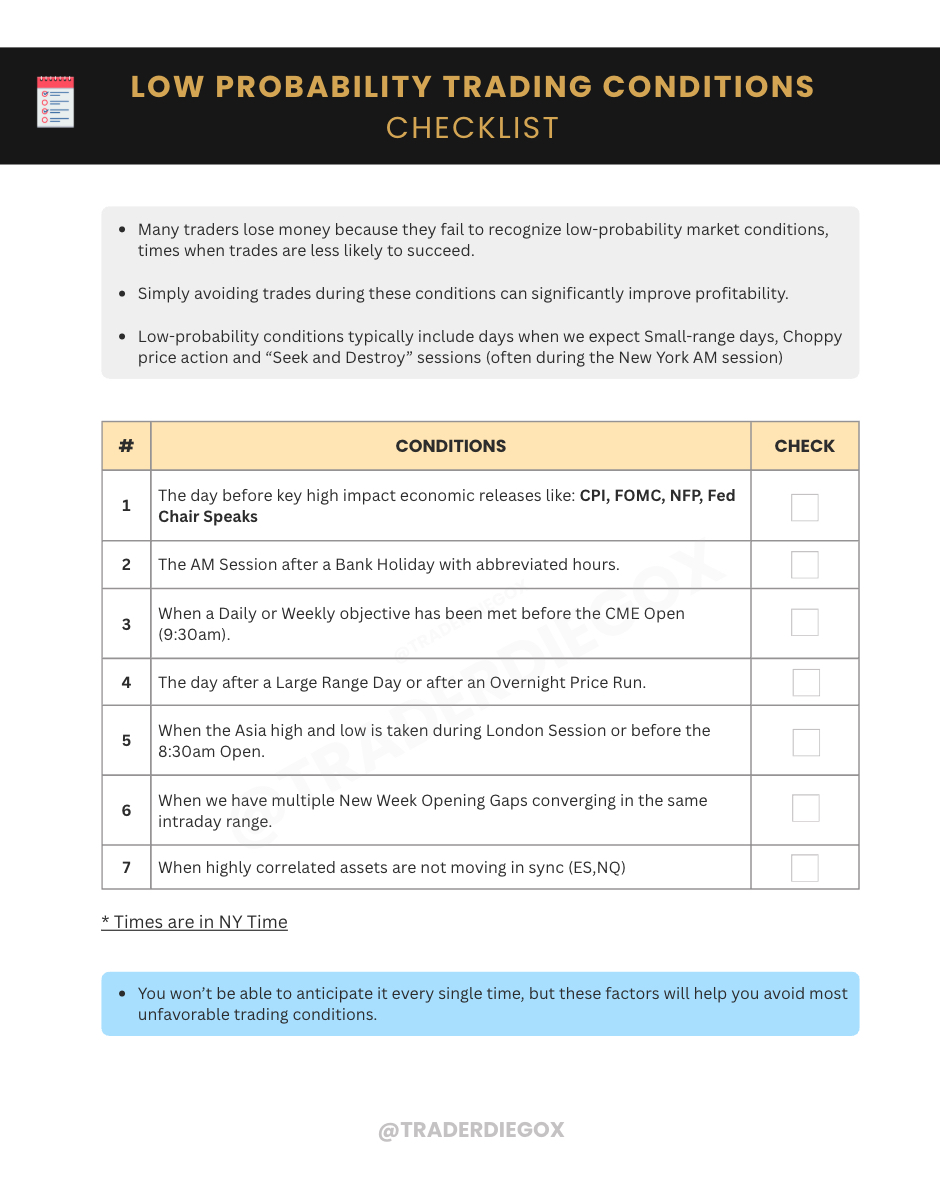
ICT Low Probability Trading Conditions Checklist Image
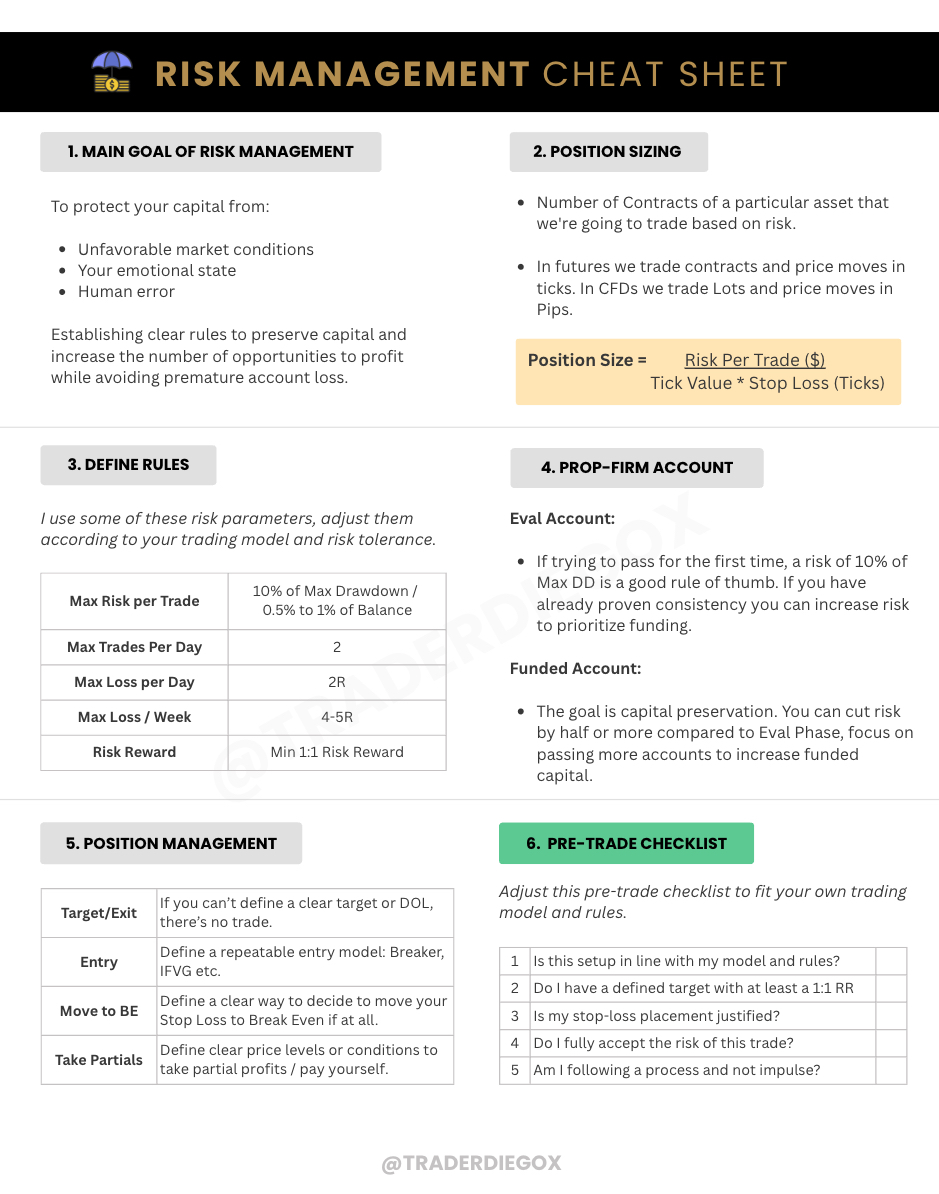
Risk Management Cheat Sheet Image
Read 8 tweets
Dec 9, 2025
FREE NOTION TRADING JOURNAL

Journaling is the most important habit for achieving consistency!

I’ve created a FREE Notion Journal to track and review your trades and finish the year with strong momentum.

👉 Leave a comment and I’ll DM you the link.

(Must be following)
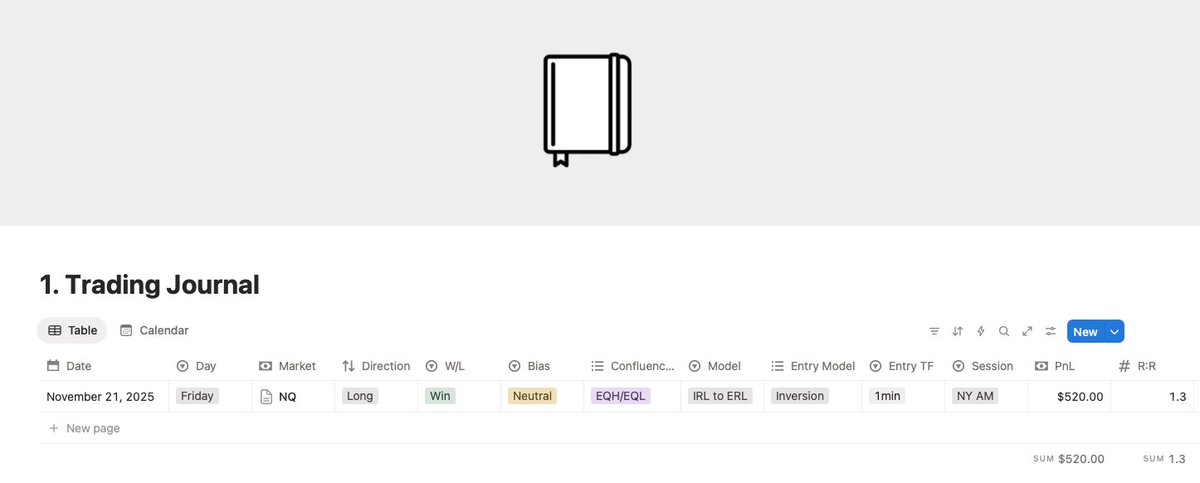
1. TRADING JOURNAL 📘

In this section, you can enter all your trade information.

These are the usual fields I use, but you can add others specific to your model that you need to measure. Image
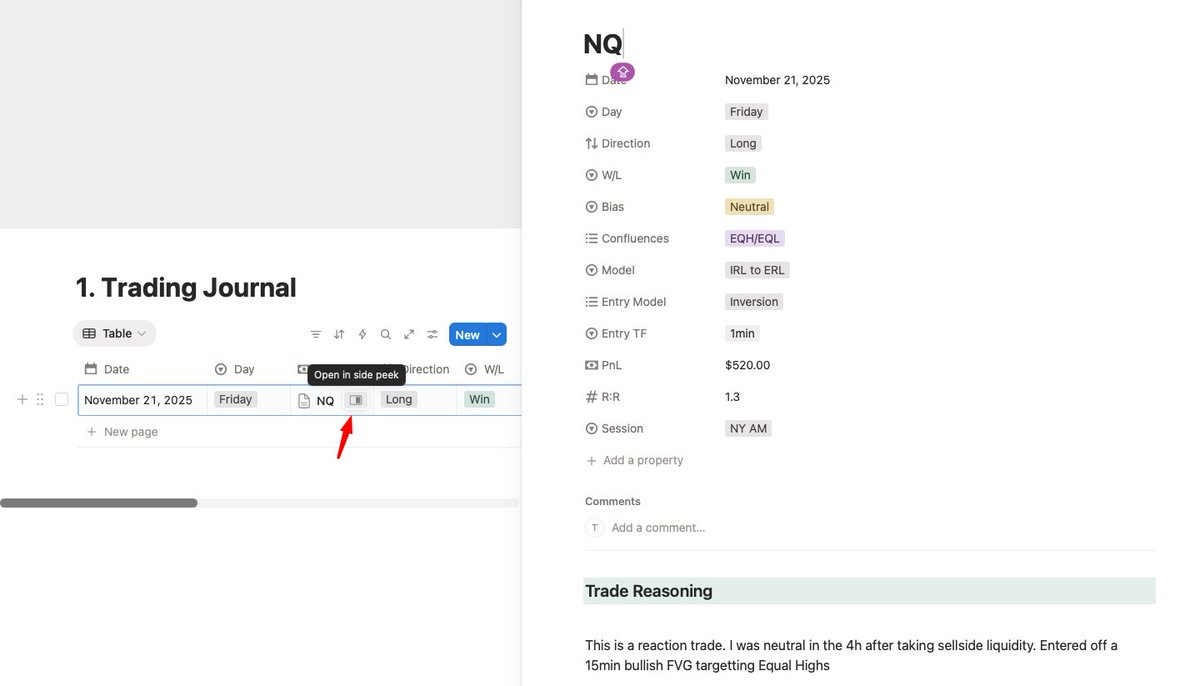
1.1. ACCESS COMPLETE JOURNAL PAGE

To open the Complete Journal page, navigate to the "Markets" column, locate the icon shown in the image, and click it. This icon is present in every section.

Here, you can write your Trade Reasoning and add screenshots.

❤️ Emotions Journaling:

I don't include this for simplicity, but you can easily add a section or column to journal your emotions if desired.Image
Read 8 tweets
Nov 5, 2025
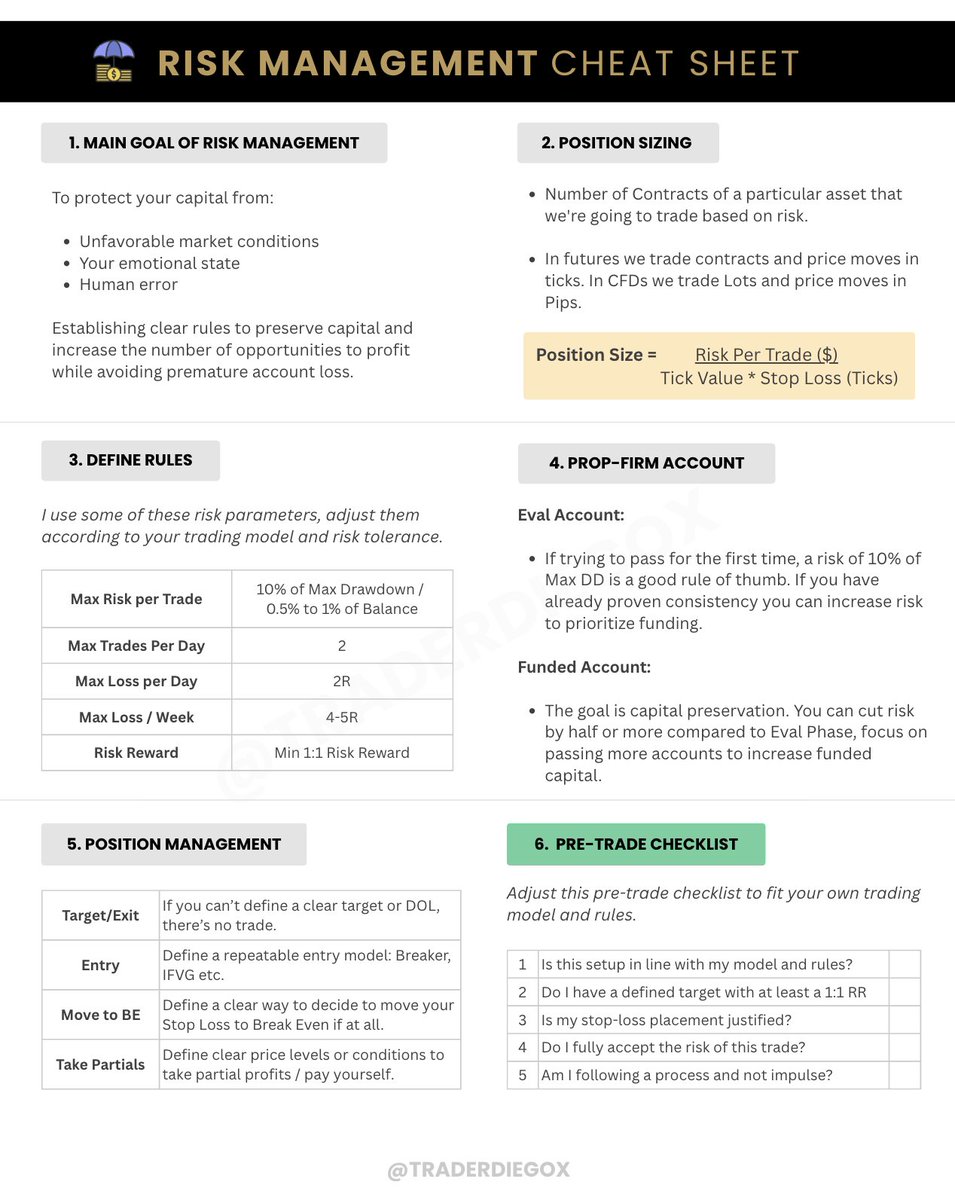
Quick Risk Management Cheat Sheet

Losses are inevitable but unchecked risk can turn a small loss into blown account. Learn to manage risk so you can focus on identifying profitable opportunities every day.

I get a lot of requests for this cheat so I decided to share it here.

🔖 Like, Repost, Bookmark.Image
Risk Tools to Consider!

- Use TradingView's Long/Short Position tool to set a default risk per trade, eliminating the need to calculate it each time.

- Platforms like Tradovate offer risk settings that let you set daily/weekly loss limits or maximum position sizing. Check your platform for similar settings.
The best price for a Core Flex Plan Ever: Only $59!

With Code 👉 TRADERDIEGO
🔗: myfundedfutures.com/?ref=3278Image
Read 4 tweets
Oct 7, 2025
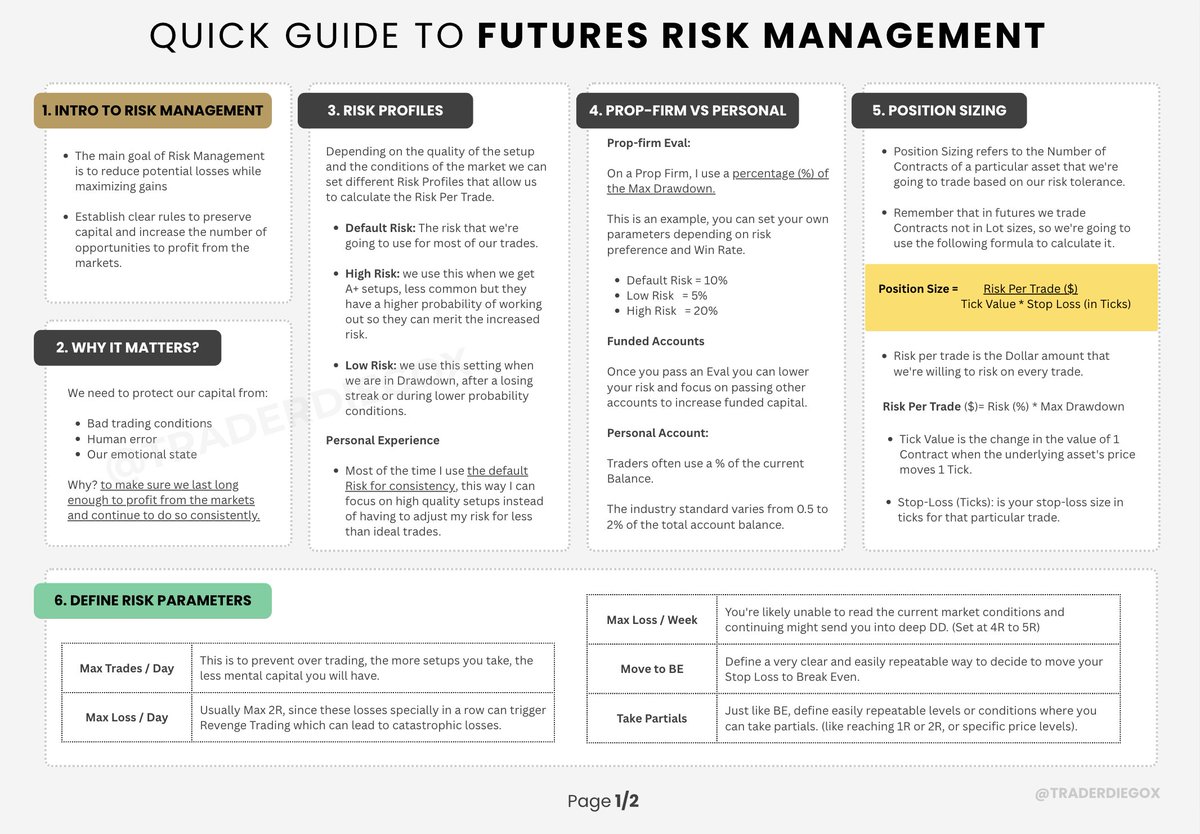
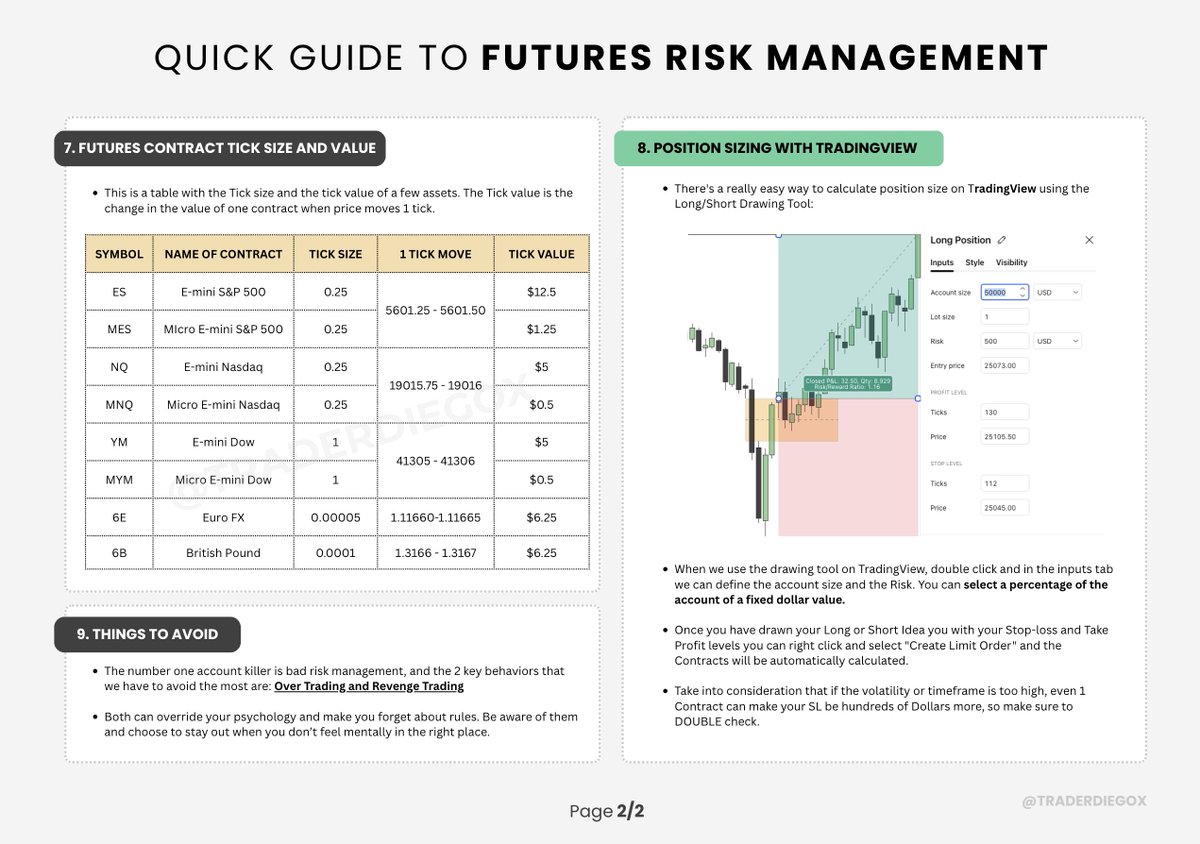
FUTURES RISK MANAGEMENT BLUEPRINT

💬 Comment, like, Bookmark! Image
Risk Management Blueprint - Page 2 Image
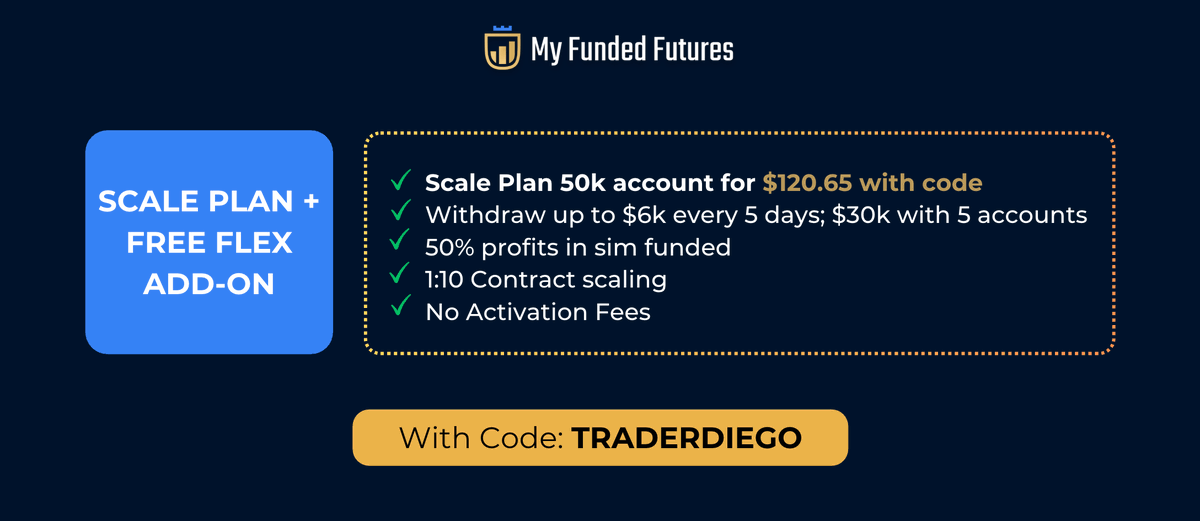
⚡Scale Plan + FREE Flex Add-on

Use Code 👉 TRADERDIEGO
🔗: myfundedfutures.com/?ref=3278Image
Read 4 tweets

Did Thread Reader help you today?

Support us! We are indie developers!


This site is made by just two indie developers on a laptop doing marketing, support and development! Read more about the story.

Become a Premium Member ($3/month or $30/year) and get exclusive features!

Become Premium

Don't want to be a Premium member but still want to support us?

Make a small donation by buying us coffee ($5) or help with server cost ($10)

Donate via Paypal

Or Donate anonymously using crypto!

Ethereum

0xfe58350B80634f60Fa6Dc149a72b4DFbc17D341E copy

Bitcoin

3ATGMxNzCUFzxpMCHL5sWSt4DVtS8UqXpi copy

Thank you for your support!

Follow Us!

:(