We’ve launched a new “Web” filter that shows only text-based links, just like you might filter to show other types of results, such as images or videos. The filter appears on the top of the results page alongside other filters or as part of the “More” option, rolling out today and tomorrow globally….
We’ve added this after hearing from some that there are times when they’d prefer to just see links to web pages in their search results, such as if they’re looking for longer-form text documents, using a device with limited internet access, or those who just prefer text-based results shown separately from search features. If you’re in that group, enjoy!
As I see some questions, on mobile (the first screenshot) we tend to show all filters, including this new Web one. You don't need to go to "More" for it. On desktop (the second screenshot), filters that seem most relevant are dynamically shown. Any filter you want that doesn't appear, those will be found under More. This also explains more about filters: support.google.com/websearch/answ…
• • •
Missing some Tweet in this thread? You can try to
force a refresh

Last week, I gave a presentation about Google Search results not being perfect, how we update to improve those results, and how our guidance to creators needs to improve. In this thread, I’ll share my slides and commentary for those who weren’t able to attend my talk…
Google’s results aren’t perfect. We do make mistakes. We don’t always get it right. We’ll never get everything right. But what we can do is keep working to show the most helpful content that we can. More here: blog.google/products/searc…
Our helpful content system is an example of improving Google Search:
It launched last year with the goal to ensure people see more original, helpful content created for people. In Sept, we improved the system. That sparked some creator questions & concerns developers.google.com/search/docs/ap…
@blairmacgregor@JohnMu As said before when asked about AI, content created primarily for search engine rankings, however it is done, is against our guidance. If content is helpful & created for people first, that's not an issue.
That's key to being successful with our helpful content system -- and if it's not helpful content, the system catches that. More here: developers.google.com/search/updates…
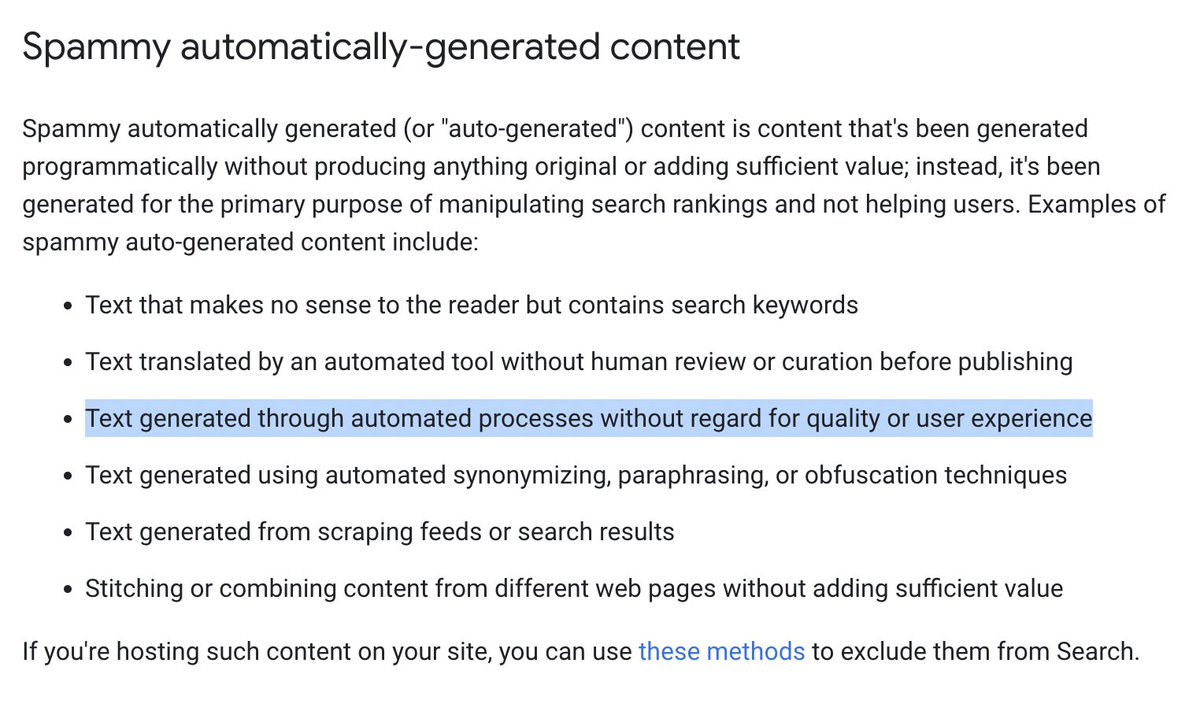
@blairmacgregor@JohnMu Our spam policies also address spammy automatically-generated content, where we will take action if content is "generated through automated processes without regard for quality or user experience" developers.google.com/search/docs/es…
Today at Search On, we discussed how Google is advancing visual search to be far more natural than ever before, and we're how helping people navigate information more intuitively. Here's a closer look at some of what we shared.... blog.google/products/searc…
Multisearch with Google Lens in the Google app lets you use a picture and add text to it to find relevant results for previously unaskable questions. It’s now available in English globally & coming to over 70 languages in the next few months. blog.google/products/searc…
“Multisearch near me” is coming to the US in English this fall. This is where multisearch works for “near me” queries. Use a picture of your favorite food dish or product you’re interested in, add “near me” and find local providers. blog.google/products/searc…
Today, Google Search announced new features & tools to transform your shopping search experience. First up, in the US, use “shop” ahead of whatever item you’re interested in & you'll get a visual feed of products, research tools & nearby inventory: blog.google/products/shopp…
"Shop the look" is coming this fall on Google Search in the US. Say you’re looking for a new fall wardrobe staple, like a bomber jacket. The tool will show you images of jackets & complementary pieces, plus options for where to buy them: blog.google/products/shopp…
Trending products is a new feature coming to Google Search in the US this fall to show you products that are popular right now within a category — helping you discover the latest models, styles and brands. blog.google/products/shopp…
Today, we're rolling out the “Results about you” tool for Google Search, making it easy to request the removal of search results that lead to content with personally identifying information, such as your personal phone number, home address or email address…
The tool is available from the Google app and the web beginning today, in the US for English to start (we’re looking to expand the tool globally in the future). Click the three dots next to any result to open the “About this results” panel, then use the “Remove result” option...
The tool also makes it easier to find info about requesting removals for other types of personal information, such as the sharing of non-consensual explicit images, content on sites with exploitive removal practices and more as explained here: support.google.com/websearch/trou…
Google's "About this result" feature will soon show how widely a source is circulated, reviews about a source, whether a company is owned by another, or even if our systems can’t find much info about a source, helpful context in evaluating information: blog.google/products/searc…
Since launching last year, "About this result" has been used more than 2.4 billion times. It's now launched to the Google App & later this year goes beyond English to support Portuguese, French, Italian, German, Dutch, Spanish, Japanese & Indonesian: blog.google/products/searc…
Callouts that sometimes highlight facts in featured snippets have been improved by using our AI-system called MUM. It now understands consensus, when multiple high-quality sources agree on the same fact. blog.google/products/searc…