In this thread, I will provide Graph PowerShell commands to find synced users with admin privileges
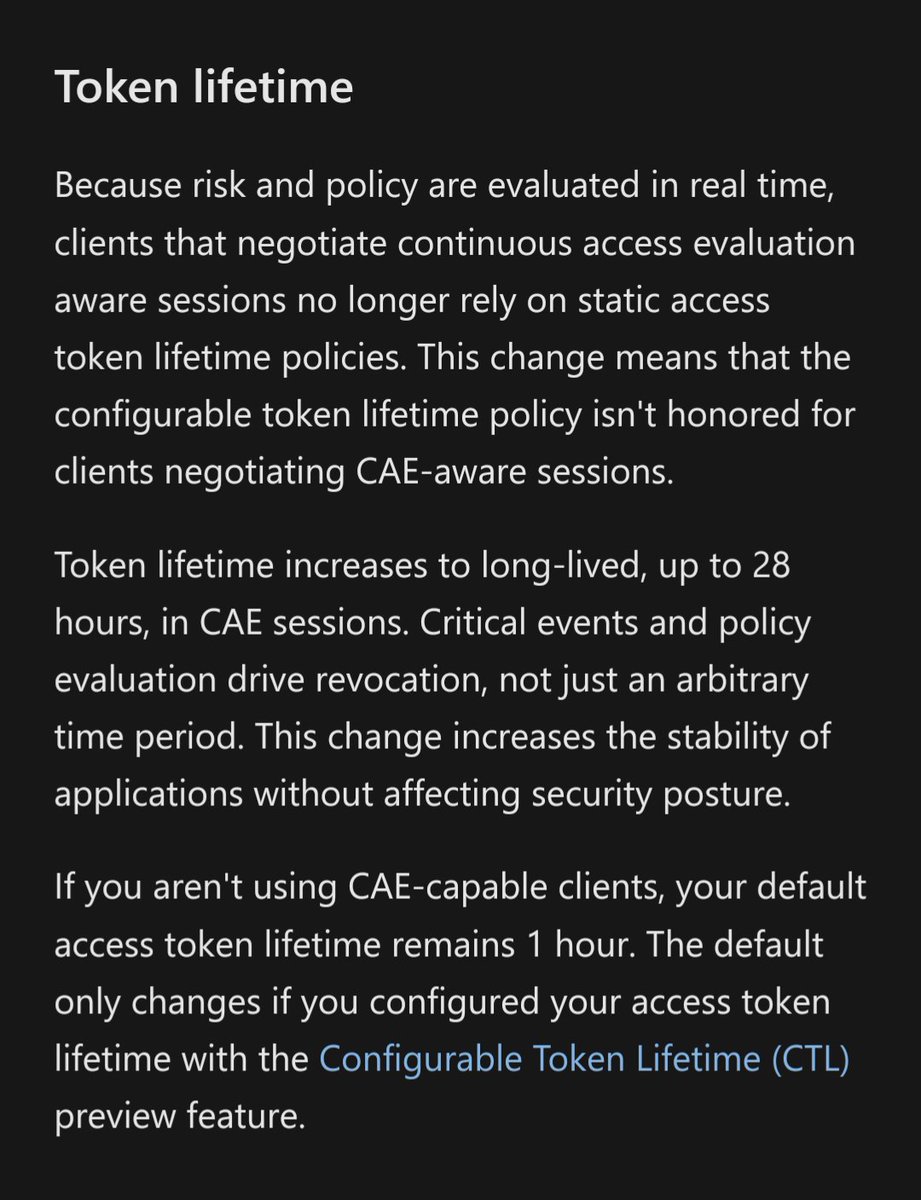
Microsoft has been very vocal about not granting privileges to synced accounts for about 4 years now
Read this post by @Alex_T_Weinert:
Then check below techcommunity.microsoft.com/t5/microsoft-e…
Microsoft has been very vocal about not granting privileges to synced accounts for about 4 years now
Read this post by @Alex_T_Weinert:
Then check below techcommunity.microsoft.com/t5/microsoft-e…
https://twitter.com/_wald0/status/1820951605333950947
@Alex_T_Weinert For those with PIM, these two scopes will help us get what we need (remove the /'s):
Connect-MgGraph -Scopes 'RoleAssignmentSchedule./Read.Directory','RoleEligibilitySchedule./Read.Directory'
If you don't use PIM, I believe you only need: RoleManagement./Read.Directory
Connect-MgGraph -Scopes 'RoleAssignmentSchedule./Read.Directory','RoleEligibilitySchedule./Read.Directory'
If you don't use PIM, I believe you only need: RoleManagement./Read.Directory
First, we can get a list of all synced users who have an active assignment:
# Get active assignments
Get-MgBetaRoleManagementDirectoryRoleAssignmentSchedule -ExpandProperty RoleDefinition,Principal,DirectoryScope -All | ForEach-Object {
if ($_.Principal.AdditionalProperties."@odata.type" -match '.user' -and $_.Principal.AdditionalProperties.onPremisesSyncEnabled -eq $true) {
Write-Output "$($_.RoleDefinition.DisplayName),$($_.Principal.AdditionalProperties.userPrincipalName)"
}
if ($_.Principal.AdditionalProperties."@odata.type" -match '.group') {
$roleName = $_.RoleDefinition.DisplayName
$members = (Get-MgGroupMember -GroupId $_.PrincipalId).AdditionalProperties.userPrincipalName
if ($members.Count -ne 0) { $members | ForEach-Object { Write-Output "$roleName,$_" }}
}
#if ($_.Principal.AdditionalProperties."@odata.type" -match '.servicePrincipal') {
# Write-Output "$($_.RoleDefinition.DisplayName),$($_.Principal.AdditionalProperties.appId)"
#}
}
# Get active assignments
Get-MgBetaRoleManagementDirectoryRoleAssignmentSchedule -ExpandProperty RoleDefinition,Principal,DirectoryScope -All | ForEach-Object {
if ($_.Principal.AdditionalProperties."@odata.type" -match '.user' -and $_.Principal.AdditionalProperties.onPremisesSyncEnabled -eq $true) {
Write-Output "$($_.RoleDefinition.DisplayName),$($_.Principal.AdditionalProperties.userPrincipalName)"
}
if ($_.Principal.AdditionalProperties."@odata.type" -match '.group') {
$roleName = $_.RoleDefinition.DisplayName
$members = (Get-MgGroupMember -GroupId $_.PrincipalId).AdditionalProperties.userPrincipalName
if ($members.Count -ne 0) { $members | ForEach-Object { Write-Output "$roleName,$_" }}
}
#if ($_.Principal.AdditionalProperties."@odata.type" -match '.servicePrincipal') {
# Write-Output "$($_.RoleDefinition.DisplayName),$($_.Principal.AdditionalProperties.appId)"
#}
}
And here's the one for eligible assignments:
# Get eligible assignments
Get-MgBetaRoleManagementDirectoryRoleEligibilitySchedule -ExpandProperty RoleDefinition,Principal,DirectoryScope -All | ForEach-Object {
if ($_.Principal.AdditionalProperties."@odata.type" -match '.user' -and $_.Principal.AdditionalProperties.onPremisesSyncEnabled -eq $true) {
Write-Output "$($_.RoleDefinition.DisplayName),$($_.Principal.AdditionalProperties.userPrincipalName)"
}
if ($_.Principal.AdditionalProperties."@odata.type" -match '.group') {
$roleName = $_.RoleDefinition.DisplayName
$members = (Get-MgGroupMember -GroupId $_.PrincipalId).AdditionalProperties.userPrincipalName
if ($members.Count -ne 0) { $members | ForEach-Object { Write-Output "$roleName,$_" }}
}
#if ($_.Principal.AdditionalProperties."@odata.type" -match '.servicePrincipal') {
# Write-Output "$($_.RoleDefinition.DisplayName),$($_.Principal.AdditionalProperties.appId)"
#}
}
# Get eligible assignments
Get-MgBetaRoleManagementDirectoryRoleEligibilitySchedule -ExpandProperty RoleDefinition,Principal,DirectoryScope -All | ForEach-Object {
if ($_.Principal.AdditionalProperties."@odata.type" -match '.user' -and $_.Principal.AdditionalProperties.onPremisesSyncEnabled -eq $true) {
Write-Output "$($_.RoleDefinition.DisplayName),$($_.Principal.AdditionalProperties.userPrincipalName)"
}
if ($_.Principal.AdditionalProperties."@odata.type" -match '.group') {
$roleName = $_.RoleDefinition.DisplayName
$members = (Get-MgGroupMember -GroupId $_.PrincipalId).AdditionalProperties.userPrincipalName
if ($members.Count -ne 0) { $members | ForEach-Object { Write-Output "$roleName,$_" }}
}
#if ($_.Principal.AdditionalProperties."@odata.type" -match '.servicePrincipal') {
# Write-Output "$($_.RoleDefinition.DisplayName),$($_.Principal.AdditionalProperties.appId)"
#}
}
@Alex_T_Weinert @odata This should enumerate direct user assignment and users who are a member of a role assigned group
I also left the code in there for those who were curious about service principals and maybe just wanted to trim the synced part and generate a full report
LMK if you find issues!
I also left the code in there for those who were curious about service principals and maybe just wanted to trim the synced part and generate a full report
LMK if you find issues!
Oh, and here's the one for if you don't have PIM:
Get-MgDirectoryRole -All | ForEach-Object {
$roleMembers = Get-MgDirectoryRoleMember -DirectoryRoleId $_.Id | Where-Object {
$_.AdditionalProperties.userPrincipalName -ne $null -and $_.AdditionalProperties.userPrincipalName -notmatch ".onmicrosoft.com"
}
if ($roleMembers.Count -ne 0) {
$roleName = $_.DisplayName
$roleMembers | ForEach-Object { if ((Get-MgUser -UserId $_.Id -Property OnPremisesSyncEnabled).OnPremisesSyncEnabled -ne $null) {
[array]$members += (Get-MgUser -UserId $_.Id).UserPrincipalName
}}
if ($members.Count -ne 0) { $members | Foreach-Object { Write-Output "$roleName,$_" }
Remove-Variable members
}
}
}
Get-MgDirectoryRole -All | ForEach-Object {
$roleMembers = Get-MgDirectoryRoleMember -DirectoryRoleId $_.Id | Where-Object {
$_.AdditionalProperties.userPrincipalName -ne $null -and $_.AdditionalProperties.userPrincipalName -notmatch ".onmicrosoft.com"
}
if ($roleMembers.Count -ne 0) {
$roleName = $_.DisplayName
$roleMembers | ForEach-Object { if ((Get-MgUser -UserId $_.Id -Property OnPremisesSyncEnabled).OnPremisesSyncEnabled -ne $null) {
[array]$members += (Get-MgUser -UserId $_.Id).UserPrincipalName
}}
if ($members.Count -ne 0) { $members | Foreach-Object { Write-Output "$roleName,$_" }
Remove-Variable members
}
}
}
• • •
Missing some Tweet in this thread? You can try to
force a refresh