Md Riyazuddin Profile picture
Nov 13, 2024 10 tweets 3 min read Read on X
Chat GPT is a cash machine

But most people don’t know how to make more than $6,200 a month with it

Here are my 4 simple steps to do it ↓ Image
Reminder: Make sure to read this thread until the end because I have a surprise for you.

In the meantime, here are the 4 simple steps to follow:
1/ Go to ChatGPT

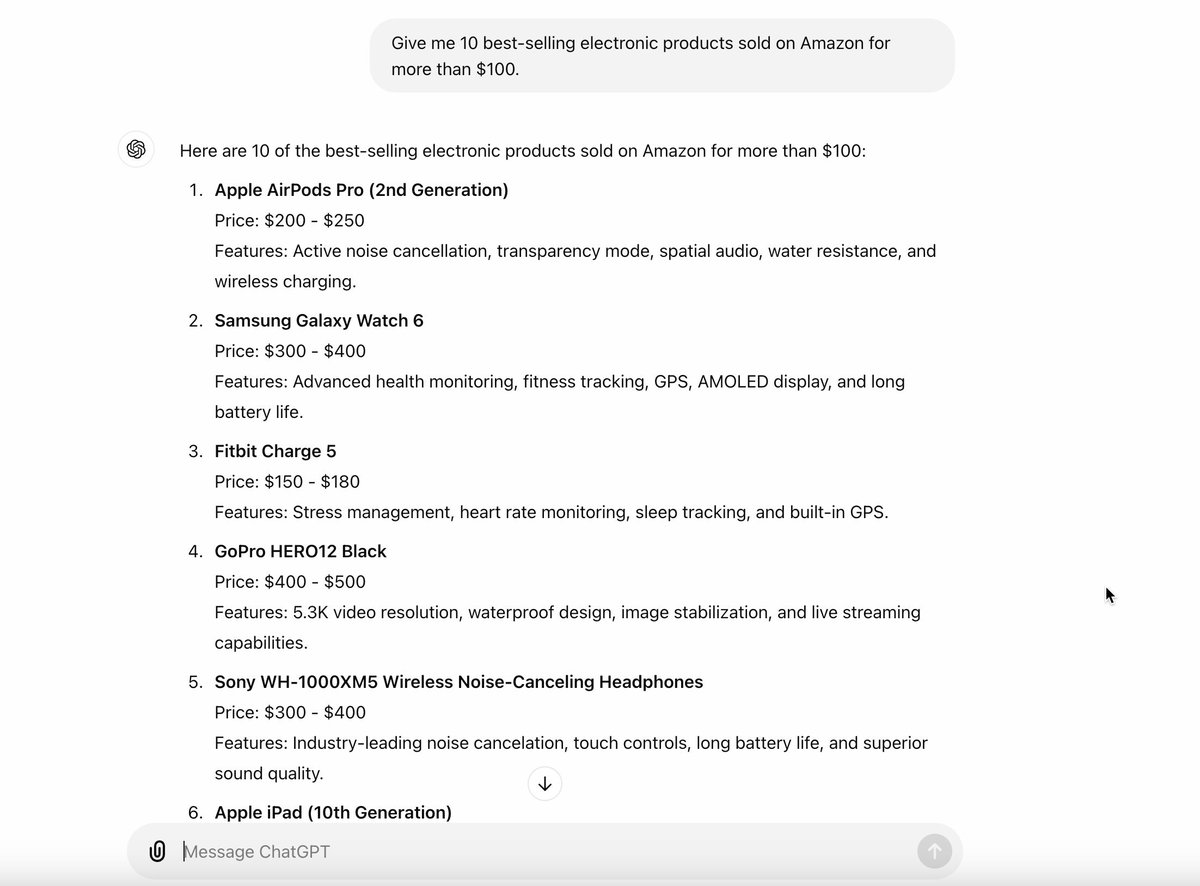
Once you're on ChatGPT, paste this message:

"List the top 10 best-selling automatic mower on Amazon that cost more than $100."

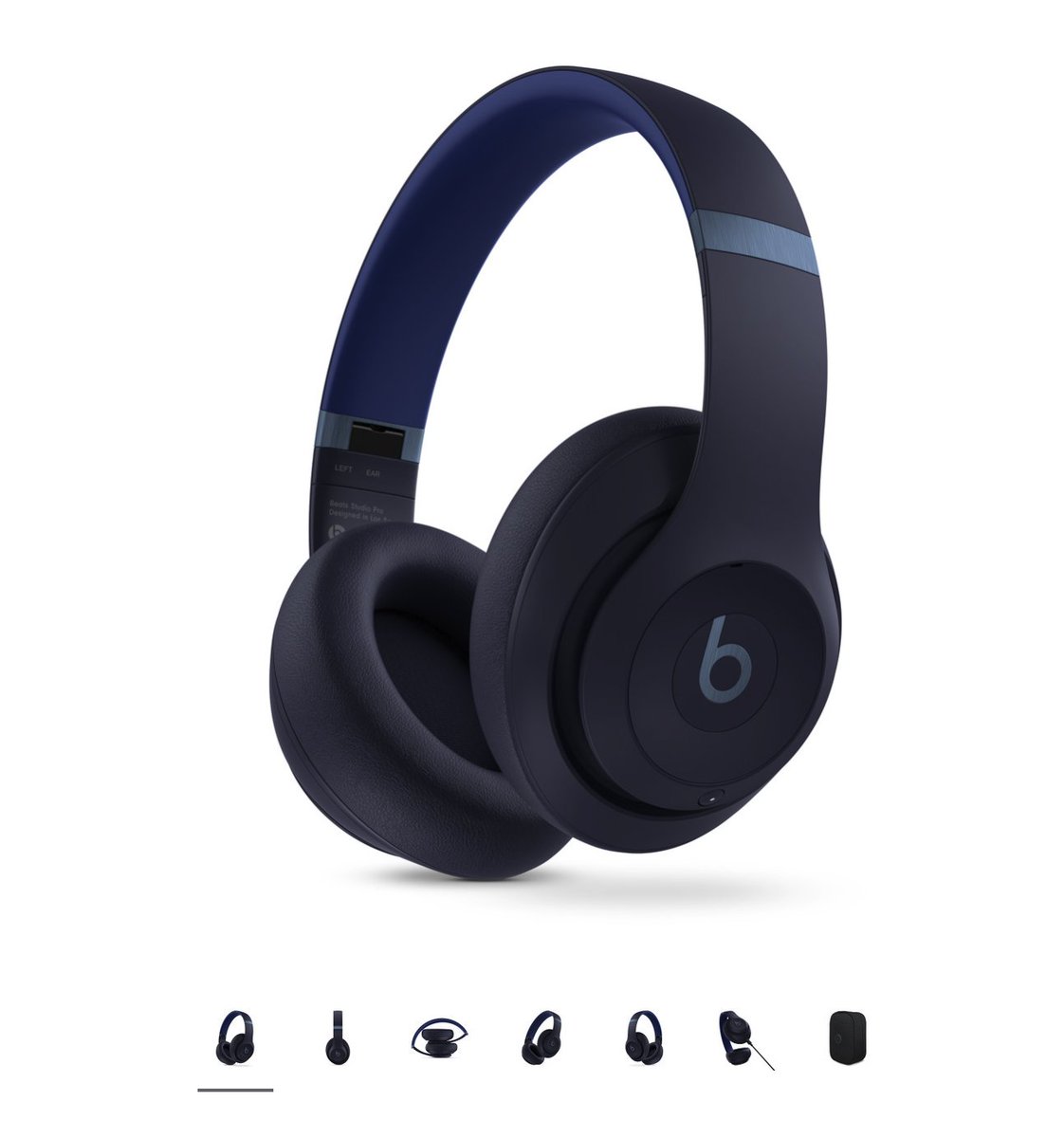
For this example, I’m going to choose the Husqvarna Automower 450XH Image
Image
2/ Ask ChatGPT to create a TOP 3

Then paste this message into ChatGPT:

"Now I want you to write a 1000-word TOP3 script with 2 competitors of Husqvarna Automower 450XH mentioning the pros and cons of each product"

Wondering how to turn this text into money? Read the next step
3/ Create a dynamic video using Fliki AI tool

Go to Fliki and paste the text generated by Chat GPT into the tool.

This will create a video with a professional avatar presenting the product comparison.

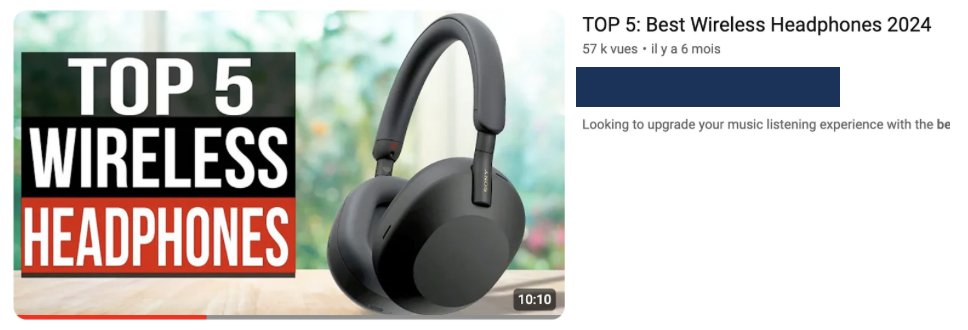
Here’s an example of a final video you can create in just 10 minutes:
4/ Publish the video on YouTube

Now, all you need to do is publish this video (you can do this even if you have 0 subscribers)

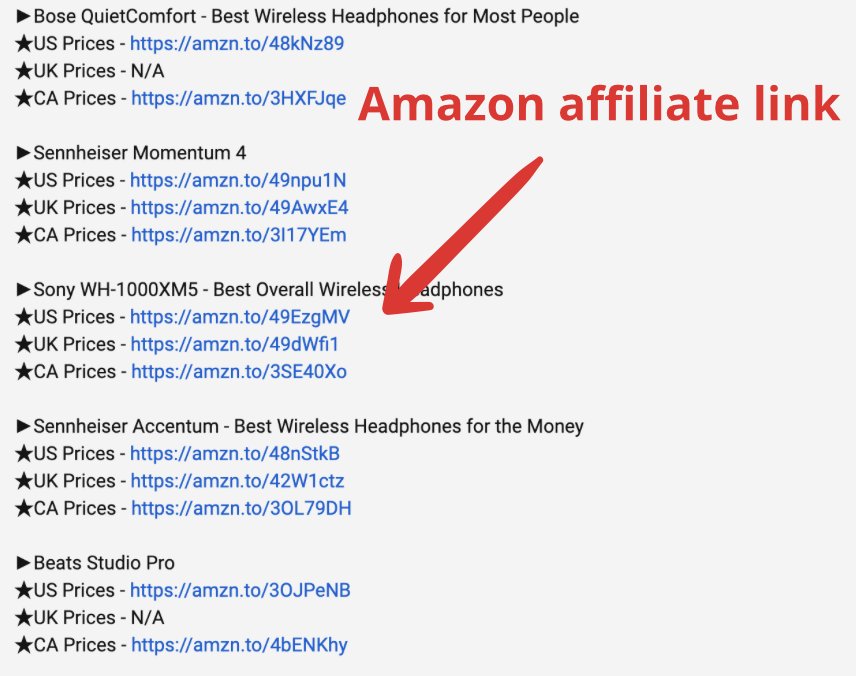
The most important thing is to include your affiliate link in the video description.

And in the next step, I’ll explain how much this can earn you: Image
Image
Result: Anyone interested in buying this product will find your video.

And every time they click on your affiliate link, you’ll earn up to $23.12 per sale.

(And the more expensive the product, the more money you'll make.) Image
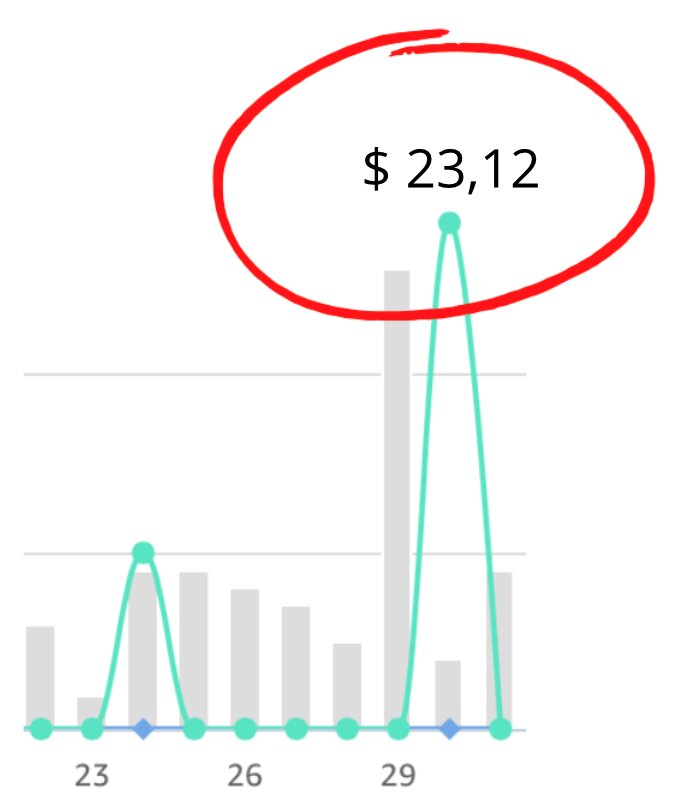
Step 5/ Simply repeat this process with dozens of products until you reach the $5,000 mark.

You can also create videos in different languages to earn even more commissions.

To optimize your visibility, you can follow @riyazmd774 Image
If you have any questions about any of the steps, don't hesitate to ask me in the comments section ↓😉
🚨To win a $100 transfer in my next contest, follow these 3 simple steps:

- Follow me @riyazmd774
-Like on this thread ❤️
-Retweet this thread 🔁
-Add a comment of at least 5 words related to this topic 📝

• • •

Missing some Tweet in this thread? You can try to force a refresh

 

Keep Current with Md Riyazuddin

Md Riyazuddin Profile picture

Stay in touch and get notified when new unrolls are available from this author!

Read all threads

This Thread may be Removed Anytime!

PDF

Twitter may remove this content at anytime! Save it as PDF for later use!

Try unrolling a thread yourself!

how to unroll video
  1. Follow @ThreadReaderApp to mention us!

  2. From a Twitter thread mention us with a keyword "unroll"
@threadreaderapp unroll

Practice here first or read more on our help page!

More from @riyazmd774

Feb 8
More than 200 million people use a Mac on a daily basis.

But 99% have no idea what it’s truly capable of.

Here are 12 amazing things your Mac can do:
1. Screen Recording

You can use the built-in Screenshot app for screen recording.

Shortcut: Shift + Command + 5
2. Split Screen View

Enhance your focus by using two apps side by side, such as Mail and Reminders or Safari and Notes.

To activate split-screen mode, press and hold the green full-screen button in the upper-left corner of a window, allowing both apps to run simultaneously.
Read 12 tweets
Feb 7
The Notes app on your iPhone is one of the most powerful tools available.

But 99% of people don’t know its true potential.

Here are 15 amazing features you must know:
1. Document Scanning

• Long-press on the Notes app until the submenu appears.
• Select "Scan Documents."
• Scan your document and tap save.
2. Password-Protect a Note

• Open your note, tap the "..." menu, and choose "Lock."

• Decide whether to use your iPhone’s code or create a custom one (note: forgotten manual codes can’t be recovered).

• Now, Face ID or a code is required to access this note.
Read 16 tweets
Feb 6
MY WIFE WAS STRESSED ABOUT MONEY EVERYDAY.

BILLS PAID. ZERO SAVINGS.
Then I uploaded our expenses to ChatGPT and things finally stabilized.

(The key change is at the last point read carefully)

Here are the 7 prompts I used :
1. Reality Check Audit

“Here are our last 3 months of expenses [paste]. Categorized by essentials, lifestyle, subscriptions, fees, and leaks.”
2. Spending Pattern Diagnosis

“Based on these categories [paste], highlight patterns causing stress (timing, categories, habits) and quantify the monthly damage.”
Read 8 tweets
Feb 6
MY WIFE USED CHATGPT AS HER DIGITAL PLANNER LAST YEAR.

8 MONTHS LATER, SHE HIT EVERY TARGET.

No physical planners.
No productivity apps.
No subscriptions.

COPY THESE 7 PROMPTS TO MAKE 2026 A SUCCESS:
1. Annual Goal Architect

Prompt:
“Act as my personal planning strategist. My main goals for the next [TIMEFRAME – e.g., 12 months] are: [GOAL 1], [GOAL 2], [GOAL 3].
My available time per week is [HOURS]. My biggest constraints are [TIME / ENERGY / MONEY / FAMILY]. Break these goals into quarterly, monthly, and weekly targets optimized for my constraints.”
2/ Weekly Execution Planner

Prompt:
“Using my current goals: [PASTE GOALS]
and fixed commitments: [WORK HOURS / FAMILY / OTHER], create a realistic weekly plan with no more than [X] focused hours per day.
Highlight my top [1–3] non-negotiable priorities per day.”
Read 8 tweets
Feb 5
MY WIFE RESUME WAS INVISIBLE FOR MONTHS.

ChatGPT rewrote it in one sitting.
Recruiters finally replied.

Here are 7 prompts that fixed it :
1. Screener Criteria Diagnostic

“Evaluate this resume [paste] like a recruiter. Identify rejection triggers (relevance, clarity, impact, formatting, ATS). Be specific, not generic.”
2. Job Match Decoder

“From this job description [paste], extract the must-have skills, achievements, and keywords that actually drive interview decisions.”
Read 8 tweets
Feb 5
I just tested an AI assistant that lives inside my laptop reads my PDFs, decks, docs, spreadsheets and actually understands my projects.

No cloud uploads.
No data anxiety.
Just pure local intelligence.

Meet Skywork Desktop 👇 Image
Skywork Desktop is a Windows-based local AI coworker built for professionals drowning in files and long-term projects.

Think Claude-level reasoning
but running entirely on your computer.

Privacy-first. Fast. Context-aware.

Try it here: skywork.ai/p/zvJkSx
As a marketer, I build decks constantly.

With Skywork Desktop:
• It reads past presentations
• Understands brand tone
• Pulls data from spreadsheets
• References research PDFs
• Suggests slide structure automatically

No manual searching.
No re-uploading files.

Your entire knowledge base becomes searchable by plain English.
Read 7 tweets

Did Thread Reader help you today?

Support us! We are indie developers!


This site is made by just two indie developers on a laptop doing marketing, support and development! Read more about the story.

Become a Premium Member ($3/month or $30/year) and get exclusive features!

Become Premium

Don't want to be a Premium member but still want to support us?

Make a small donation by buying us coffee ($5) or help with server cost ($10)

Donate via Paypal

Or Donate anonymously using crypto!

Ethereum

0xfe58350B80634f60Fa6Dc149a72b4DFbc17D341E copy

Bitcoin

3ATGMxNzCUFzxpMCHL5sWSt4DVtS8UqXpi copy

Thank you for your support!

Follow Us!

:(