AI can build landing pages, but most look generic.
Here’s my structured approach using @lovable_dev + 21stdev to create high-converting, polished designs, FAST.
A complete breakdown:
Here’s my structured approach using @lovable_dev + 21stdev to create high-converting, polished designs, FAST.
A complete breakdown:
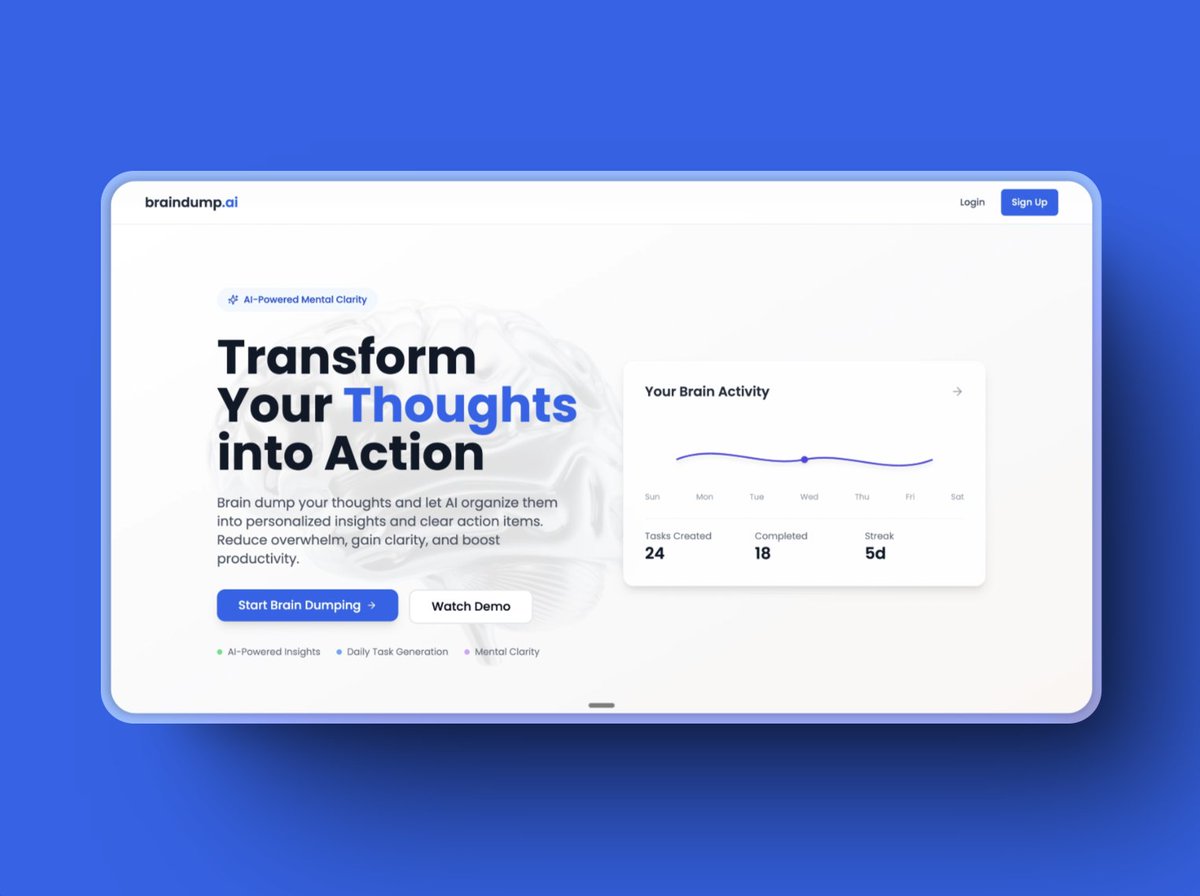
1. Start with Design Inspiration & Structure
Before touching Lovable, I gather design references from Dribbble, Behance, and top SaaS landing pages.
I focus on:
- Clean typography and spacing
- High-converting CTAs
- Smooth animations and interactions
Good design starts with understanding what works.
Before touching Lovable, I gather design references from Dribbble, Behance, and top SaaS landing pages.
I focus on:
- Clean typography and spacing
- High-converting CTAs
- Smooth animations and interactions
Good design starts with understanding what works.
2. Convert Ideas into a Structured Layout
Instead of randomly prompting Lovable, I generate a detailed landing page structure using a custom GPT prompt generator (will share the prompt tomorrow along with the video based on this topic)
This includes:
- Page sections (hero, features, CTA, FAQ, footer)
- UI elements, colors, and typography
- Hover states, animations, and micro-interactions
This ensures AI creates something well-planned, not random.
Instead of randomly prompting Lovable, I generate a detailed landing page structure using a custom GPT prompt generator (will share the prompt tomorrow along with the video based on this topic)
This includes:
- Page sections (hero, features, CTA, FAQ, footer)
- UI elements, colors, and typography
- Hover states, animations, and micro-interactions
This ensures AI creates something well-planned, not random.
3. Generate the First Draft in @lovable_dev
I feed Lovable two things:
- A detailed textual description of the page
- A design reference screenshot
This leads to a much more accurate output compared to vague prompts.
I feed Lovable two things:
- A detailed textual description of the page
- A design reference screenshot
This leads to a much more accurate output compared to vague prompts.
4. Refine with 21stdev for High-Quality UI
Lovable speeds up the base design, but I fine-tune it using 21stdev’s UI components to polish the final look.
Some key pre-built components:
- Navigation bars with hover effects
- Optimized hero sections
- Pre-styled feature blocks
- High-converting CTA sections
This eliminates unnecessary manual adjustments.
Lovable speeds up the base design, but I fine-tune it using 21stdev’s UI components to polish the final look.
Some key pre-built components:
- Navigation bars with hover effects
- Optimized hero sections
- Pre-styled feature blocks
- High-converting CTA sections
This eliminates unnecessary manual adjustments.
5. Fix AI Misinterpretations
AI-generated layouts always need refinement. I fix:
- Branding & colors (Lovable defaults to blue, I align it to the brand)
- Spacing & layout (proper padding and margins)
- Typography (ensuring readability and consistency)
- Backgrounds & depth (subtle gradients > flat colors)
This step makes the design feel intentional, not AI-generated.
AI-generated layouts always need refinement. I fix:
- Branding & colors (Lovable defaults to blue, I align it to the brand)
- Spacing & layout (proper padding and margins)
- Typography (ensuring readability and consistency)
- Backgrounds & depth (subtle gradients > flat colors)
This step makes the design feel intentional, not AI-generated.
6. Mobile Optimization is Non-Negotiable
Most users browse on mobile, so I make sure:
- Input fields go full-width for better usability
- Font sizes adjust for readability
- Buttons are tap-friendly
- Sections stack smoothly
Skipping this step kills conversions.
Most users browse on mobile, so I make sure:
- Input fields go full-width for better usability
- Font sizes adjust for readability
- Buttons are tap-friendly
- Sections stack smoothly
Skipping this step kills conversions.
7. Add Subtle Animations for a Modern Feel
A static page feels outdated. I add:
- Smooth fade-ins for hero sections
- Button hover effects
- Feature sections that slide in on scroll
- Background animations for depth
This makes the page feel polished without being overwhelming.
A static page feels outdated. I add:
- Smooth fade-ins for hero sections
- Button hover effects
- Feature sections that slide in on scroll
- Background animations for depth
This makes the page feel polished without being overwhelming.
8. Deploy with a single click
Lovable lets you launch your web app instantly. Once tested, connect a custom domain via Netlify, and your site is live, no extra setup needed.
Lovable lets you launch your web app instantly. Once tested, connect a custom domain via Netlify, and your site is live, no extra setup needed.
Why This Works Better Than Relying Purely on AI
Most people expect AI to generate a perfect design on its own. It doesn’t work like that.
With a structured approach:
- The AI output is much closer to the final version from the start
- I spend less time fixing errors
- The page has a clear layout instead of random sections thrown together
Lovable + 21stdev lets me build fast without sacrificing quality.
Most people expect AI to generate a perfect design on its own. It doesn’t work like that.
With a structured approach:
- The AI output is much closer to the final version from the start
- I spend less time fixing errors
- The page has a clear layout instead of random sections thrown together
Lovable + 21stdev lets me build fast without sacrificing quality.
Key Takeaways
- AI-generated designs need structure before prompting
- Lovable + 21stdev is a game-changer for AI-powered landing pages
- AI speeds up development, but manual refinements are still necessary
- Animations & interactions elevate the user experience
This is the fastest and most effective way I’ve found to build landing pages that look great and convert well.
A detailed video on this is coming tomorrow. Stay tuned!
- AI-generated designs need structure before prompting
- Lovable + 21stdev is a game-changer for AI-powered landing pages
- AI speeds up development, but manual refinements are still necessary
- Animations & interactions elevate the user experience
This is the fastest and most effective way I’ve found to build landing pages that look great and convert well.
A detailed video on this is coming tomorrow. Stay tuned!
• • •
Missing some Tweet in this thread? You can try to
force a refresh