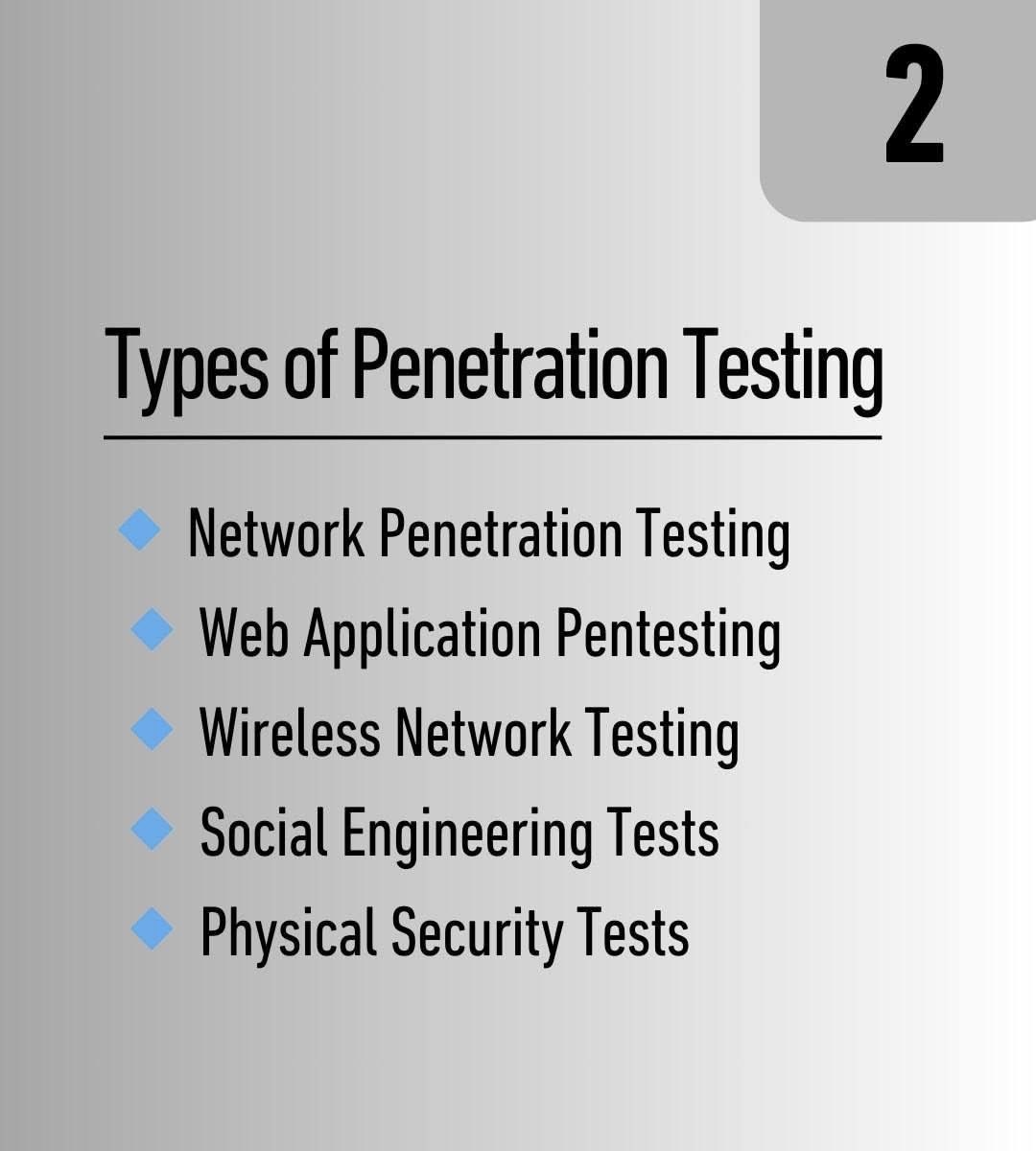
🛠️ Penetration Testing: DNS & DHCP
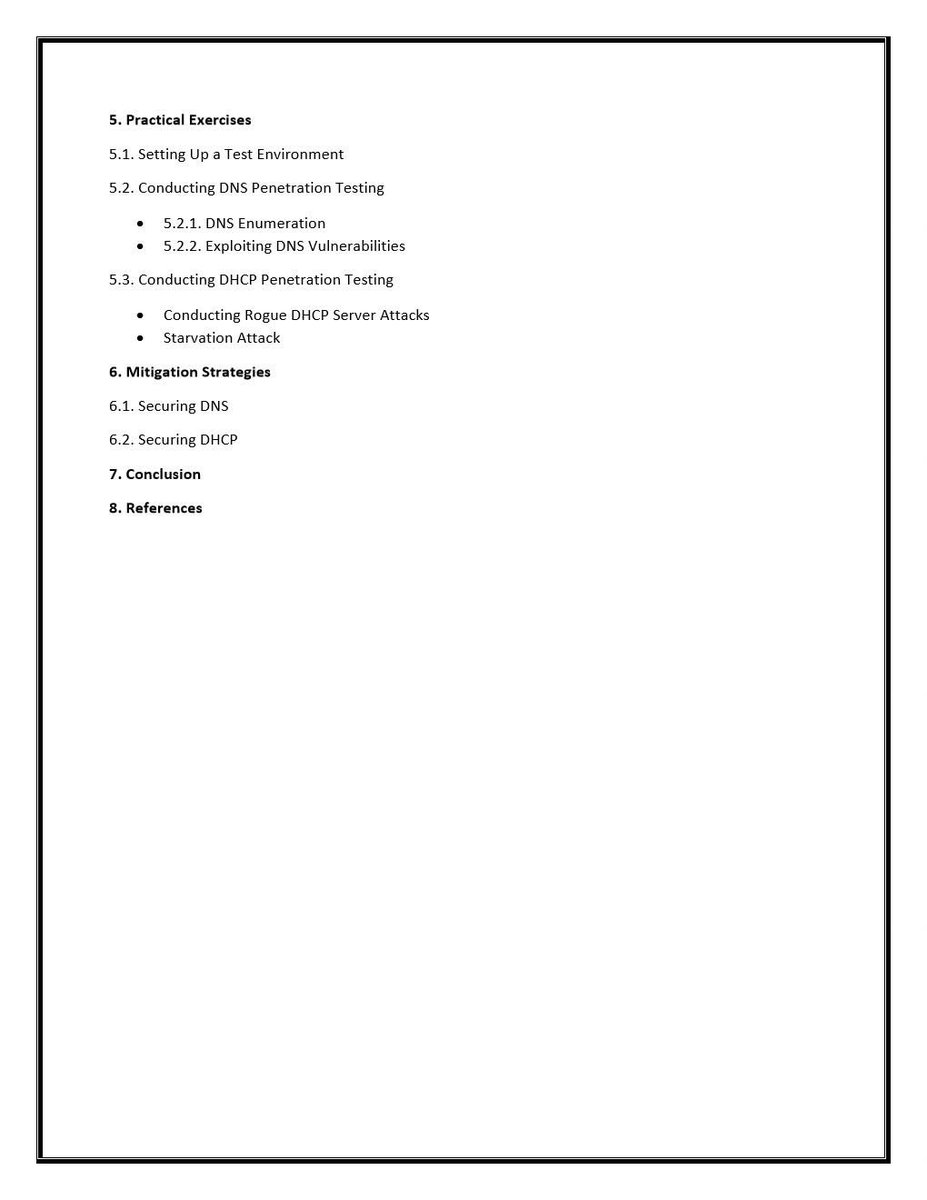
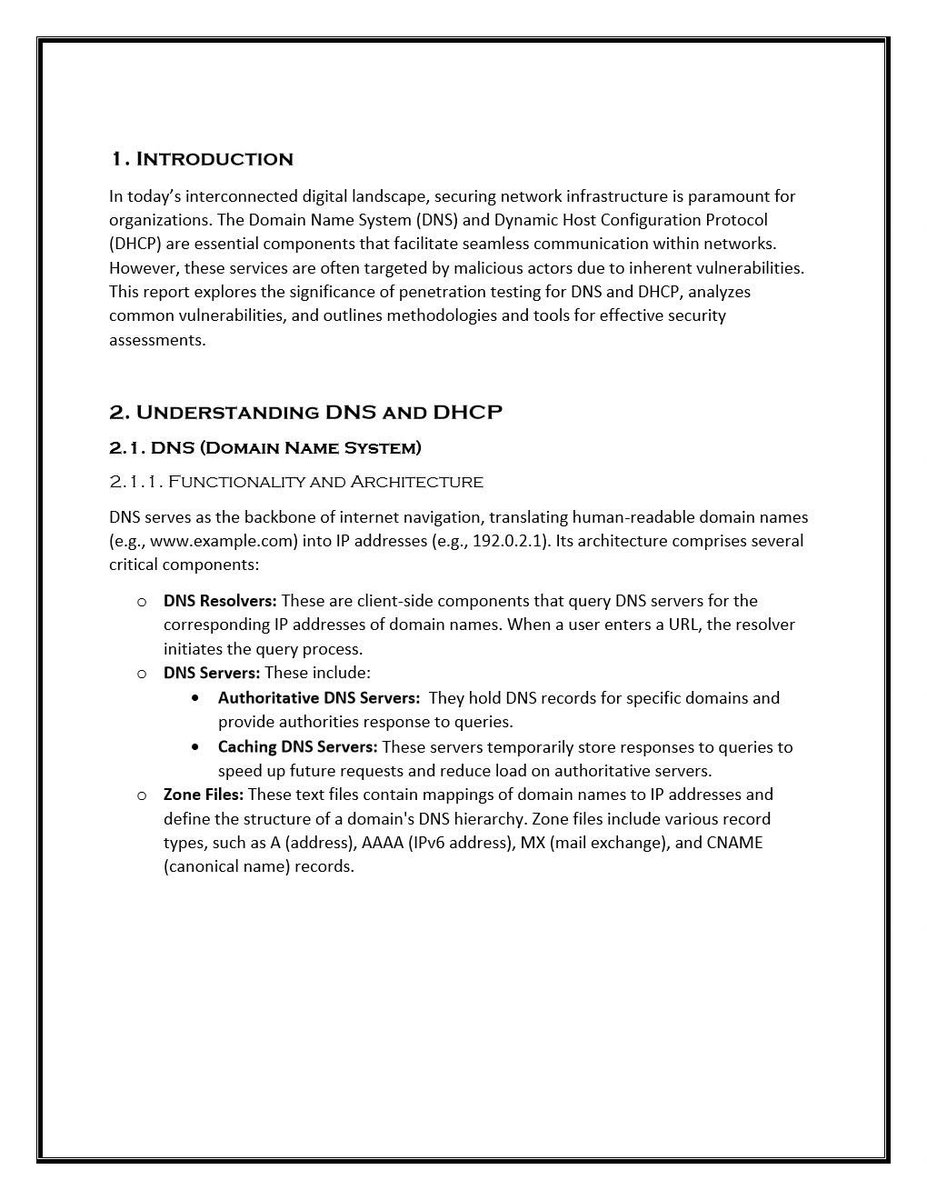
Penetration testing for DNS (Domain Name System) and DHCP (Dynamic Host Configuration Protocol) aims to uncover misconfigurations, vulnerabilities, or weaknesses that attackers might exploit to gain unauthorized access or disrupt services.
⤵️
Penetration testing for DNS (Domain Name System) and DHCP (Dynamic Host Configuration Protocol) aims to uncover misconfigurations, vulnerabilities, or weaknesses that attackers might exploit to gain unauthorized access or disrupt services.
⤵️

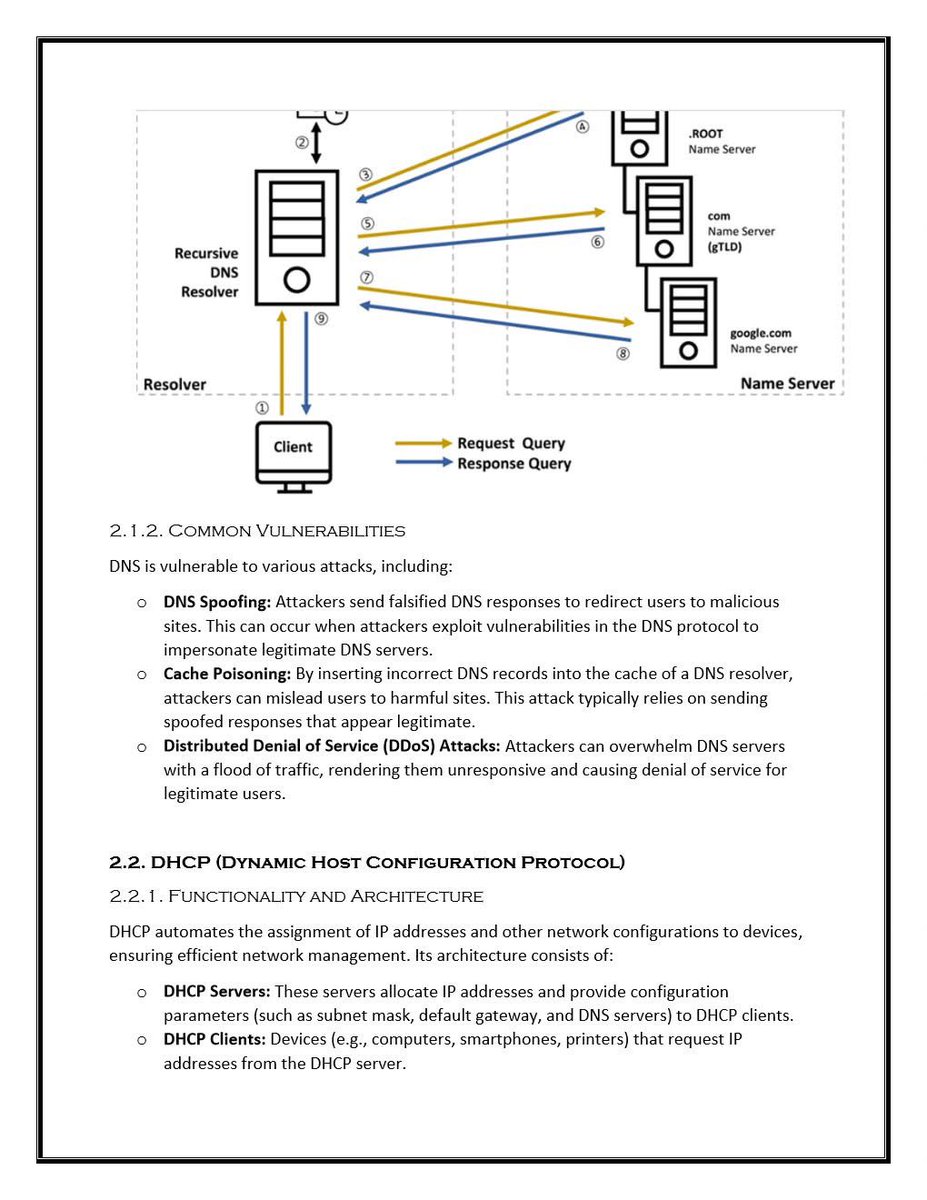
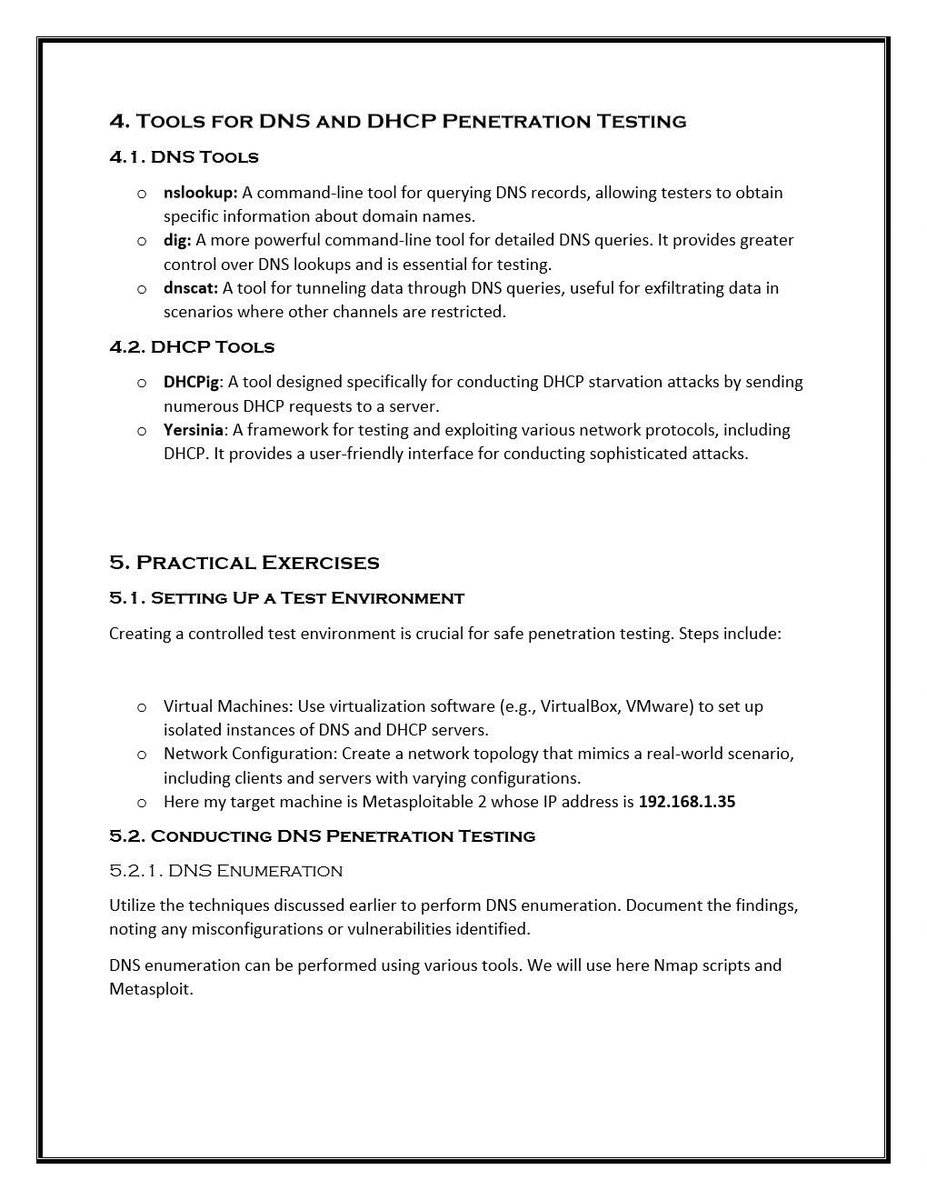
🔍 DNS Penetration Testing
1. DNS Reconnaissance
•Objective: Collect detailed information about the target domain.
•Common Tools:
•nslookup
•dig
•dnsenum
•fierce
•dnsrecon
1. DNS Reconnaissance
•Objective: Collect detailed information about the target domain.
•Common Tools:
•nslookup
•dig
•dnsenum
•fierce
•dnsrecon
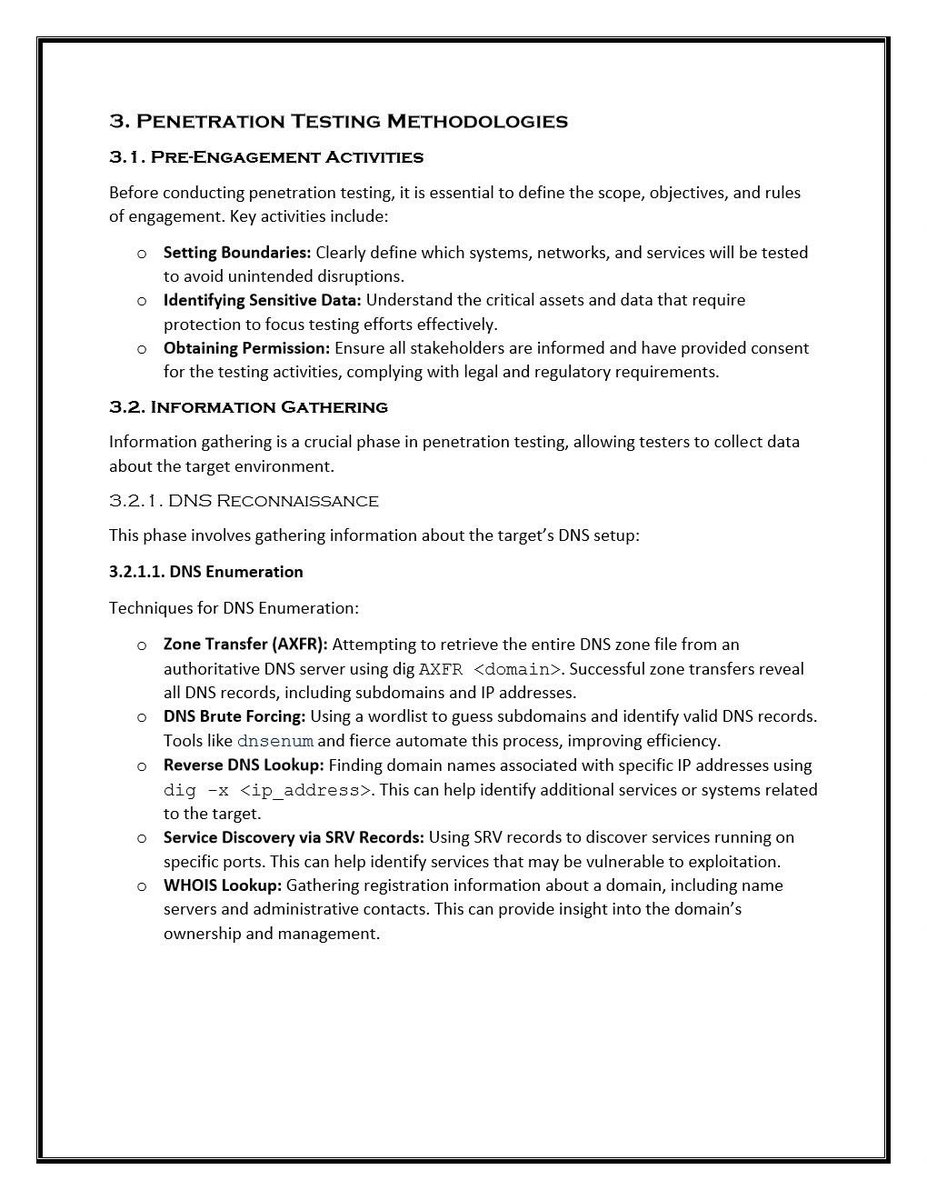
Key Techniques:
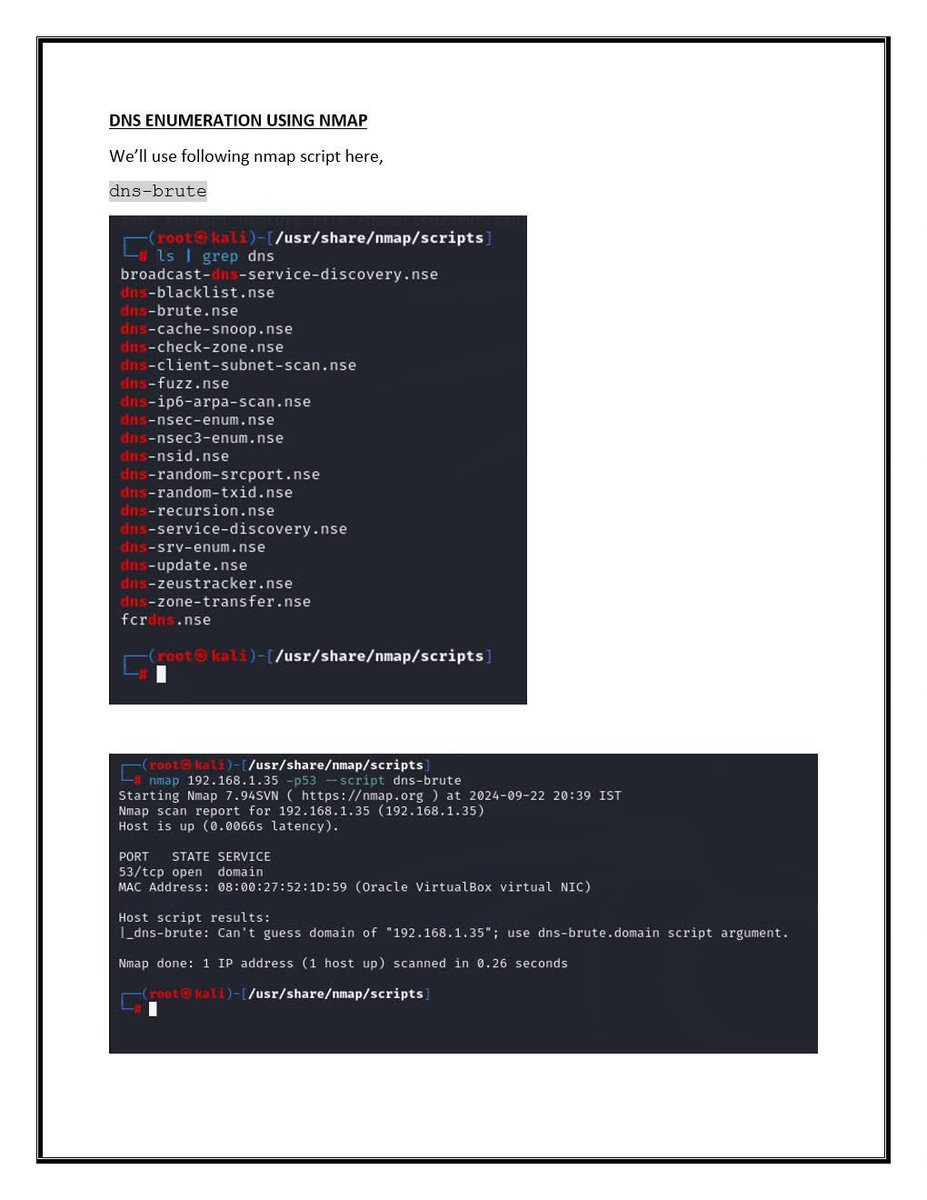
Zone Transfer Attack (AXFR):
dig @target.com AXFR
If successful, reveals all DNS records — a critical misconfiguration.
Subdomain Enumeration: Use wordlists to uncover hidden subdomains.
Reverse DNS Lookup: Associate IP addresses withtarget.com
Zone Transfer Attack (AXFR):
dig @target.com AXFR
If successful, reveals all DNS records — a critical misconfiguration.
Subdomain Enumeration: Use wordlists to uncover hidden subdomains.
Reverse DNS Lookup: Associate IP addresses withtarget.com
@Target 2. DNS Cache Snooping
•Goal: Determine if specific domains have been recently resolved.
•Tool: dig
dig @dns-server targetdomain.com
•Goal: Determine if specific domains have been recently resolved.
•Tool: dig
dig @dns-server targetdomain.com
@Target @dns 3. DNS Spoofing / Poisoning (For labs/simulations only)
•Tricks systems into resolving domain names to attacker-controlled IPs.
Tools:
•ettercap
•mitmproxy
•dnsspoof
⚠️ Requires a Man-in-the-Middle (MITM) position and often involves ARP spoofing.
•Tricks systems into resolving domain names to attacker-controlled IPs.
Tools:
•ettercap
•mitmproxy
•dnsspoof
⚠️ Requires a Man-in-the-Middle (MITM) position and often involves ARP spoofing.
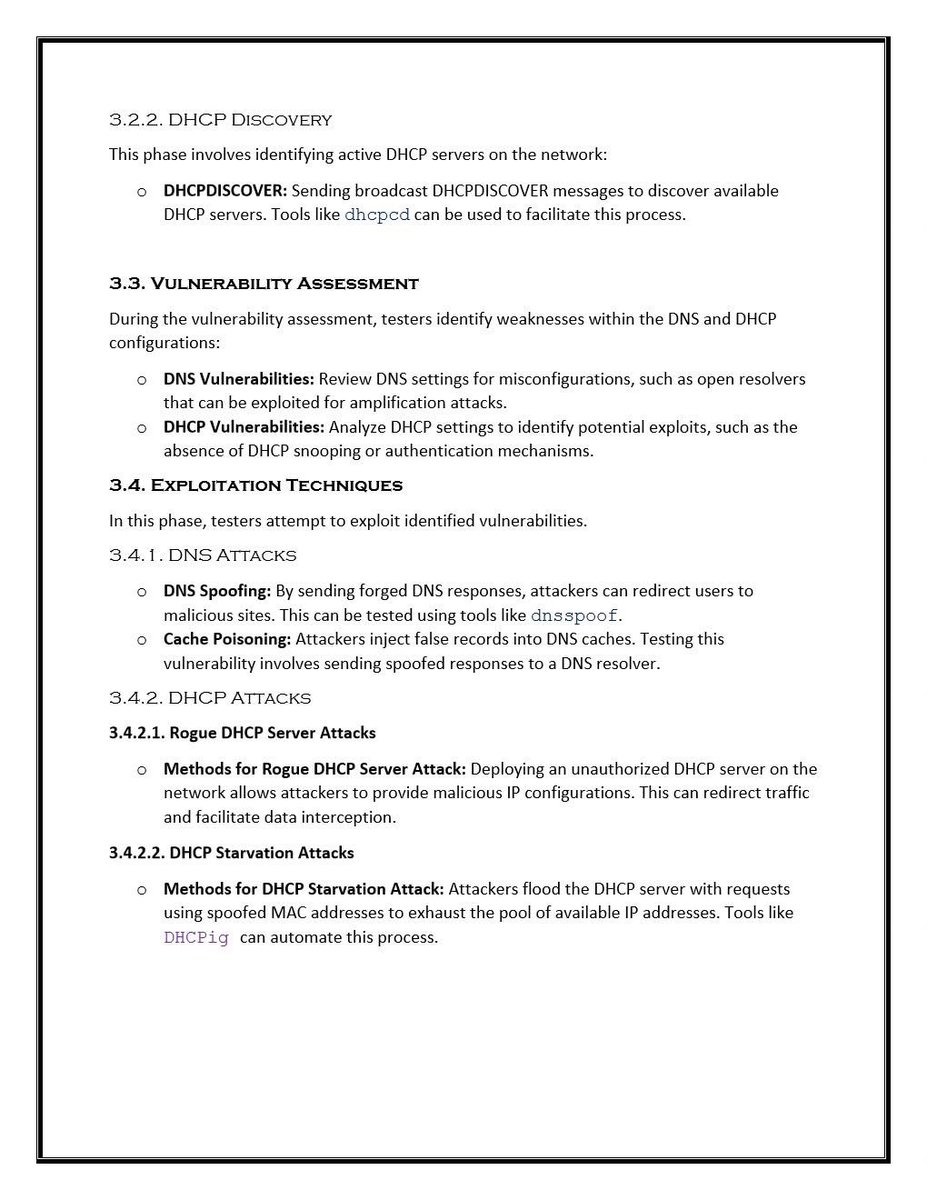
@Target @dns 📦 DHCP Penetration Testing
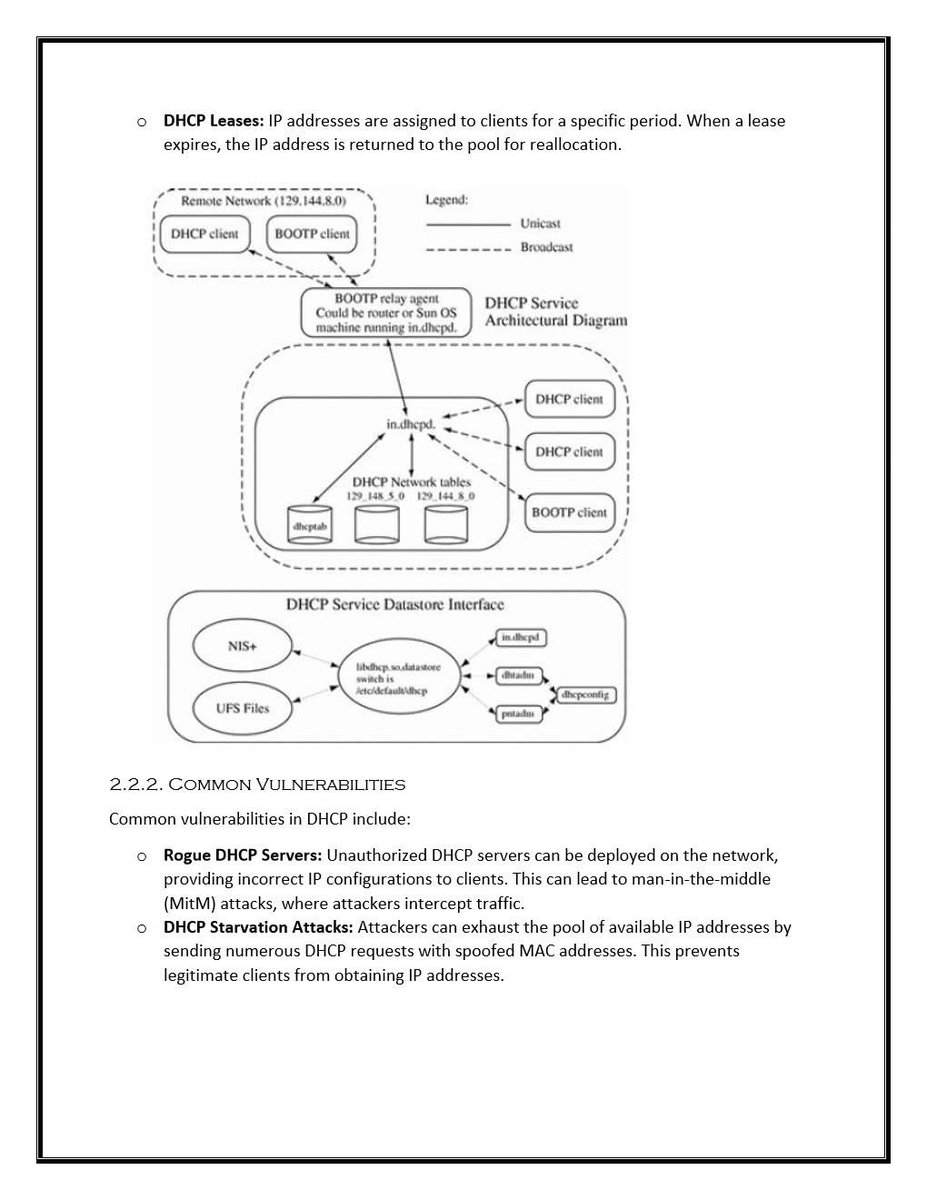
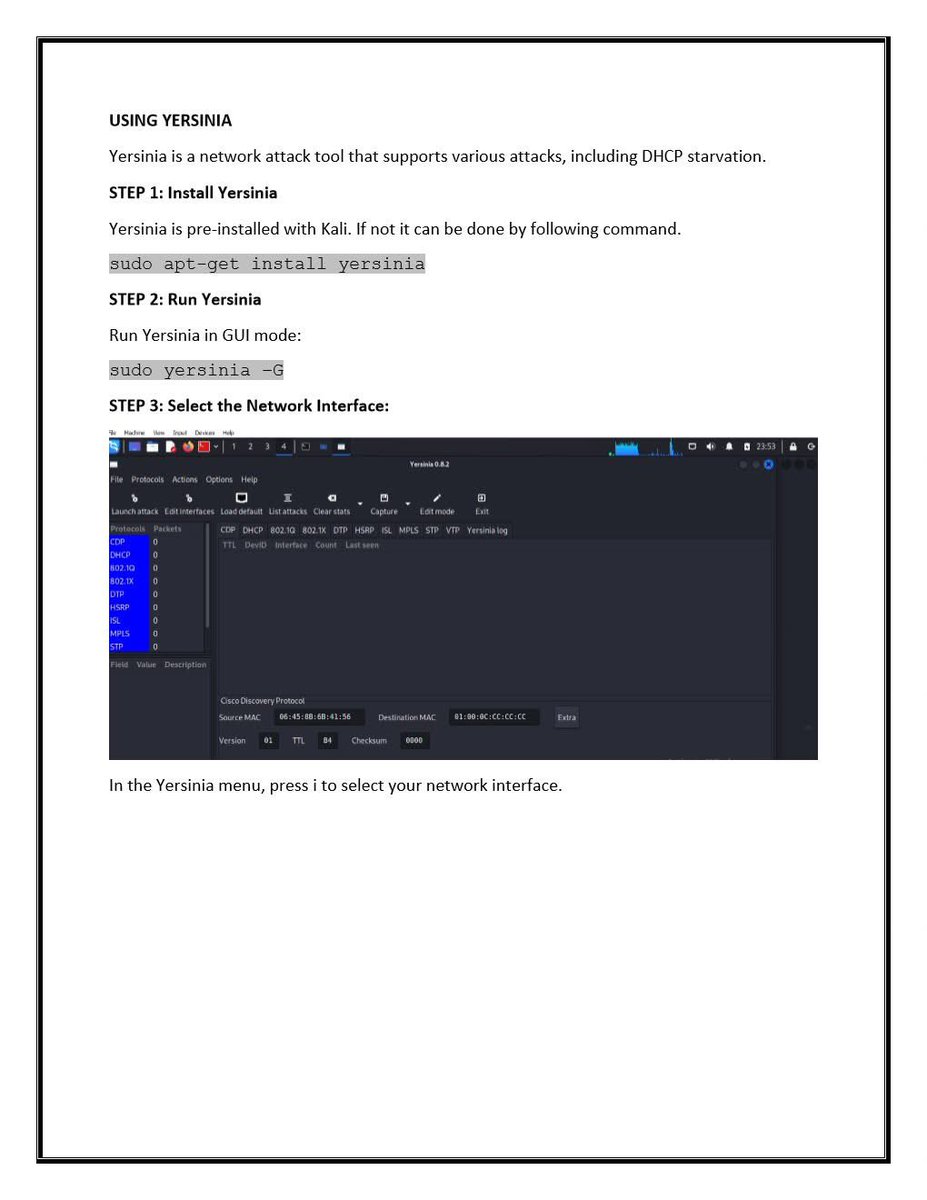
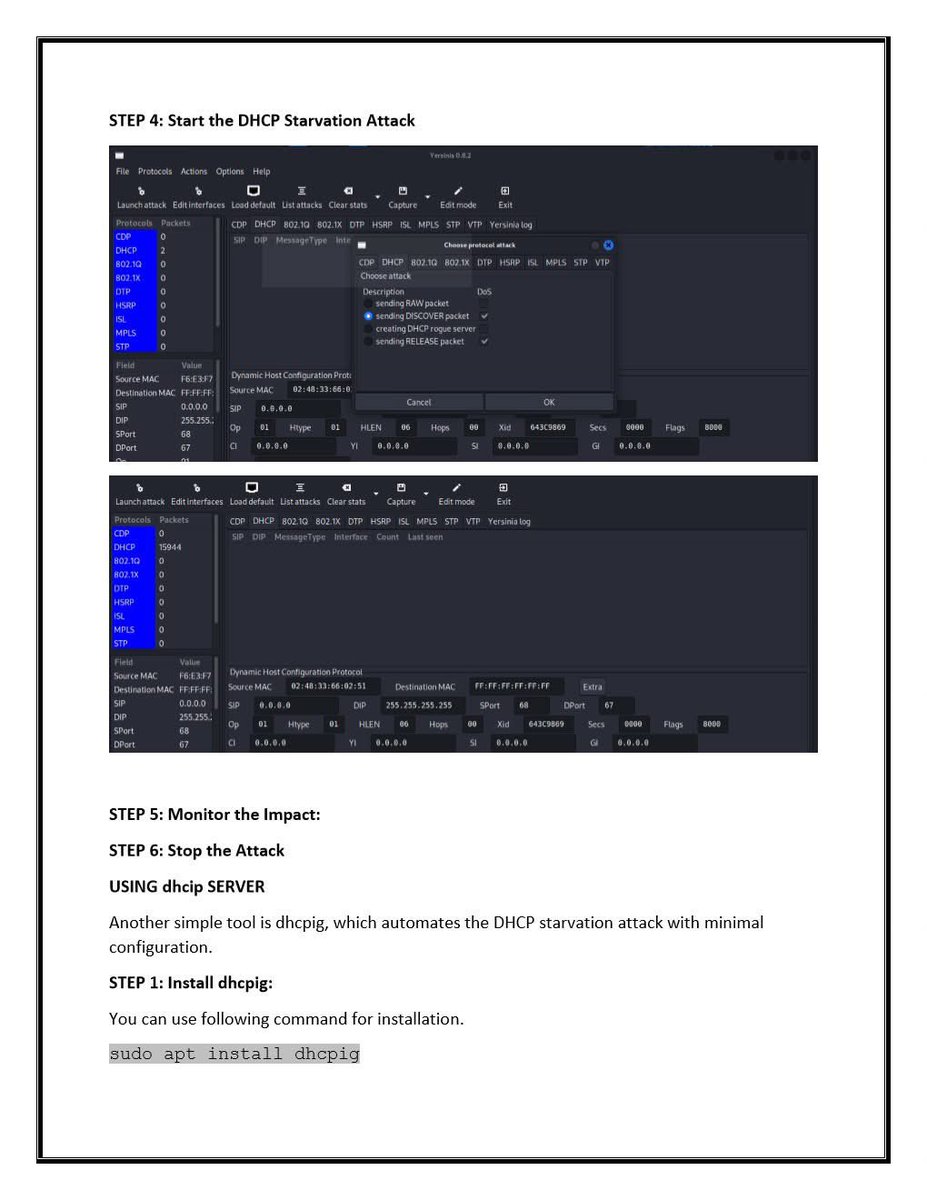
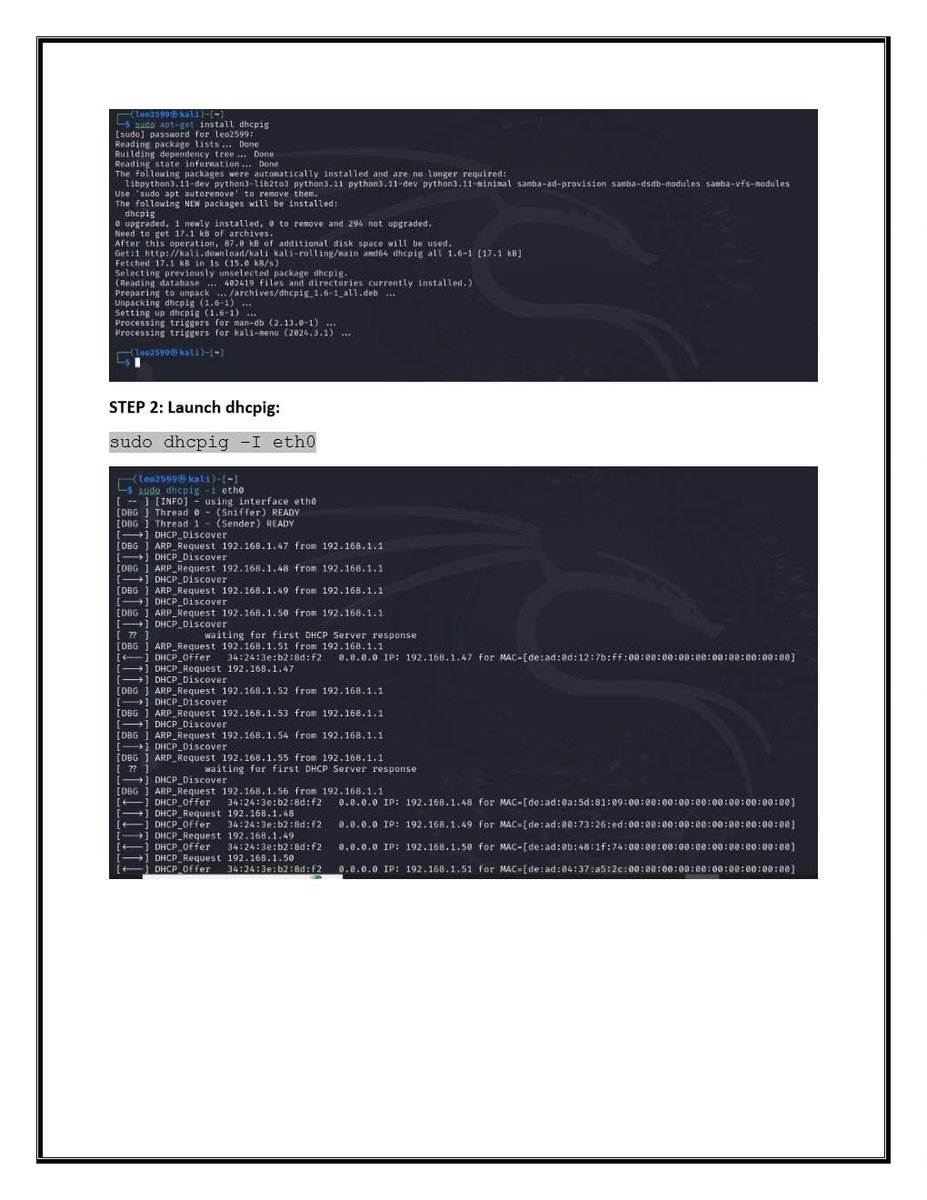
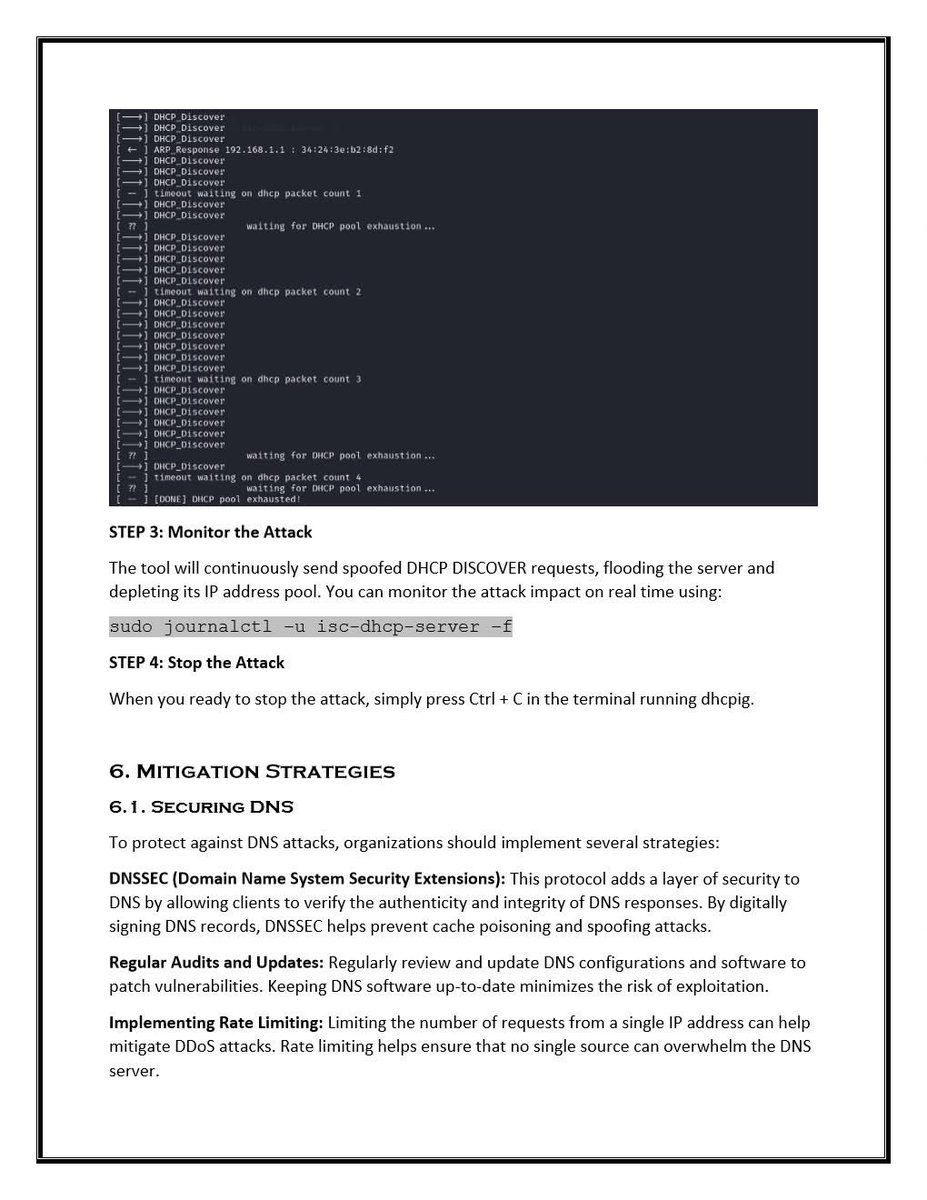
1. DHCP Starvation Attack
•Goal: Flood the DHCP server with requests to exhaust the IP address pool.
Tools:
•Yersinia
•dhcpstarv
•Dos-new-ip6 (for IPv6)
1. DHCP Starvation Attack
•Goal: Flood the DHCP server with requests to exhaust the IP address pool.
Tools:
•Yersinia
•dhcpstarv
•Dos-new-ip6 (for IPv6)
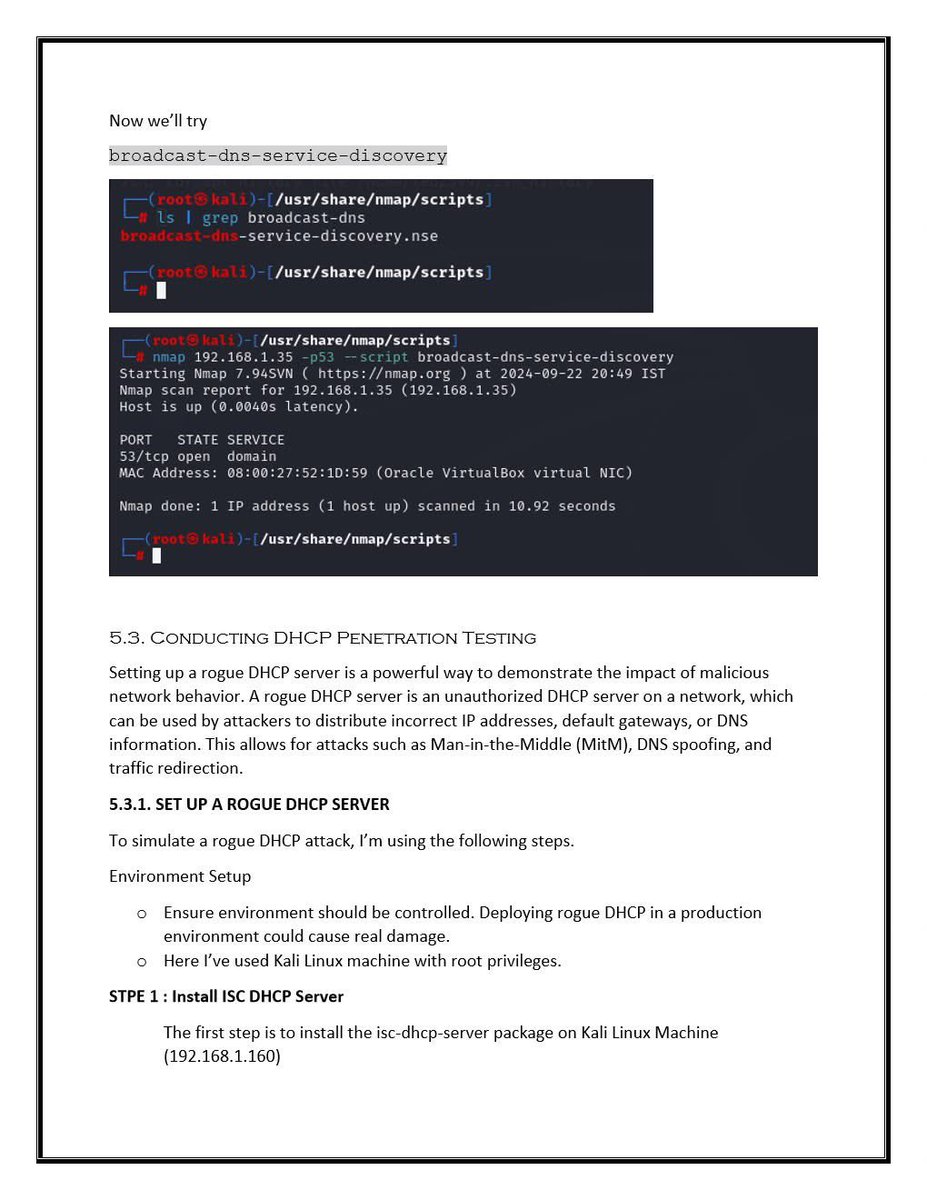
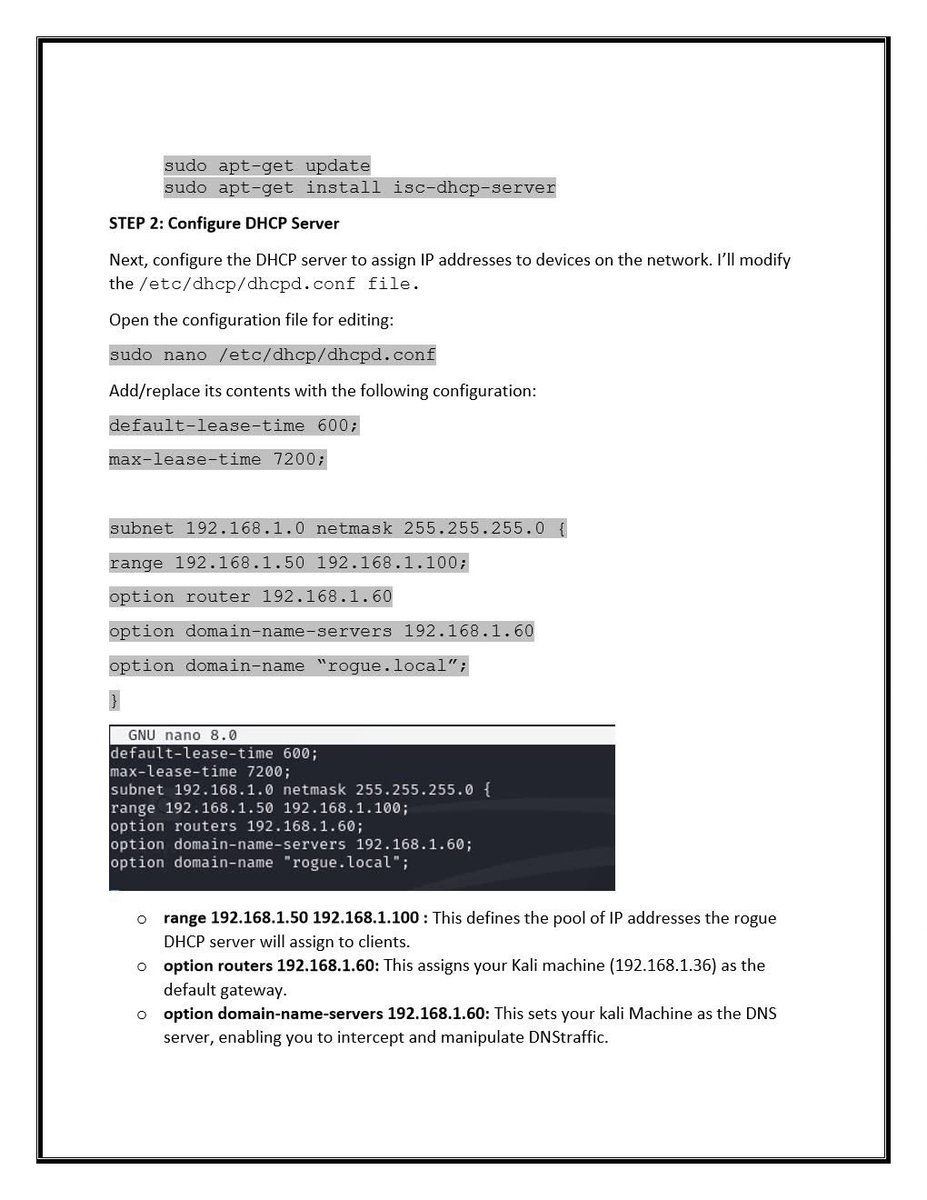
@Target @dns 2. Rogue DHCP Server Attack
Goal: Set up a fake DHCP server to assign malicious network settings.
Tools:
Yersinia
dhcpig
responder (includes rogue DHCP capability)
This attack can enable full MITM if clients accept the rogue server’s configuration.
Goal: Set up a fake DHCP server to assign malicious network settings.
Tools:
Yersinia
dhcpig
responder (includes rogue DHCP capability)
This attack can enable full MITM if clients accept the rogue server’s configuration.
@Target @dns 3. DHCP Information Leakage
Passive sniffing may reveal:
•Network topology
•Gateway IPs
•Internal DNS servers
•Domain naming conventions
Passive sniffing may reveal:
•Network topology
•Gateway IPs
•Internal DNS servers
•Domain naming conventions
@Target @dns ⤵️

@Target @dns ⤵️
@Target @dns ⤵️
@Target @dns ⤵️
@Target @dns ⤵️
@Target @dns 🛡️ Defense Strategies
For DNS:
•Restrict or disable zone transfers.
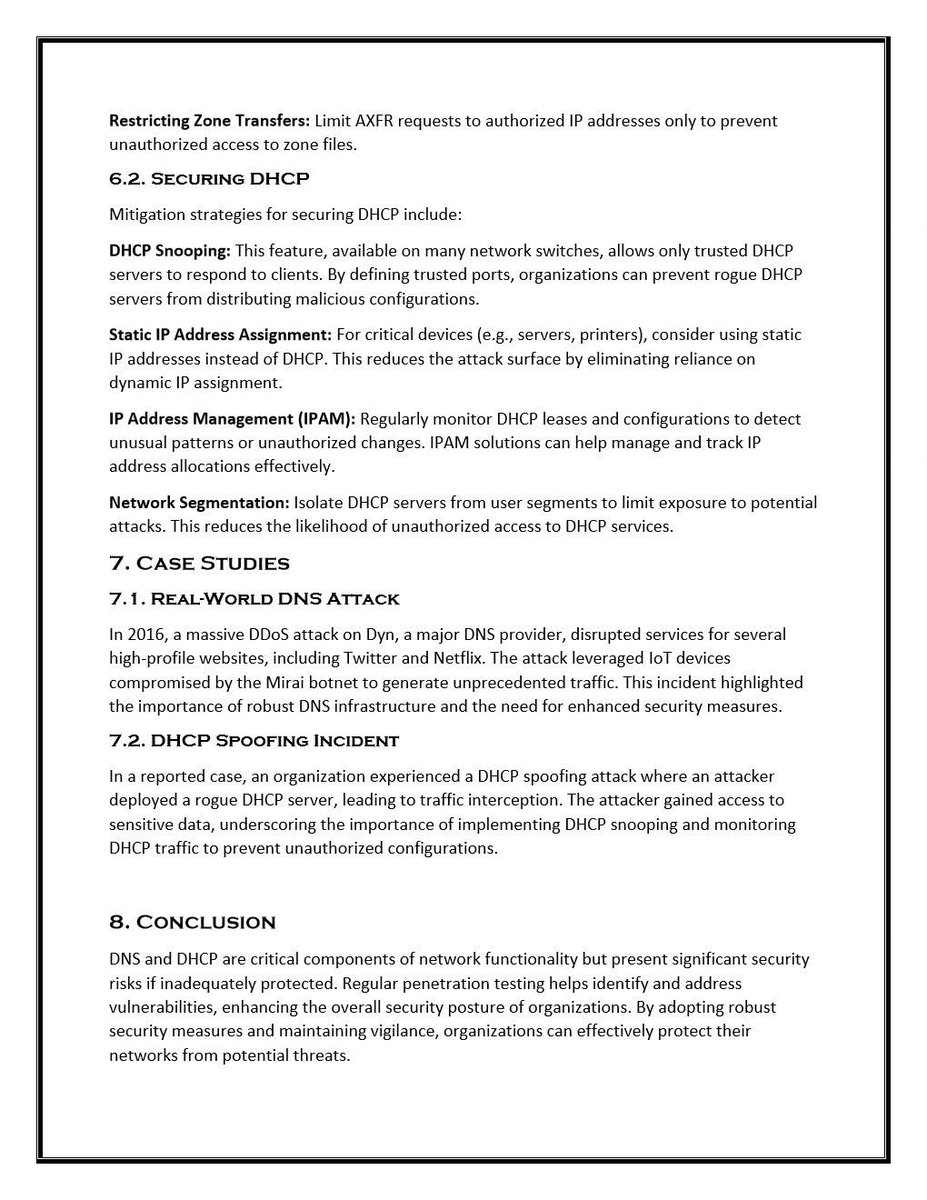
•Implement DNSSEC to verify DNS responses.
•Monitor and log unusual DNS query activity.
For DNS:
•Restrict or disable zone transfers.
•Implement DNSSEC to verify DNS responses.
•Monitor and log unusual DNS query activity.
• • •
Missing some Tweet in this thread? You can try to
force a refresh