TechHalla Profile picture
May 21, 2025 21 tweets 6 min read Read on X
Less than 24 hours since Google dropped Veo3 and people are already creating wild stuff!

13 insane examples 🧵👇

1. A giraffe riding a bike in NYC
2. A professor doing class on Gen Z
6. Un café con leche, por favor
10. A man rapping about Veo3
13. Pythagoras explaining his theorem
Hope you liked this roundup!

I’ll be testing my prompts on Veo3 very soon, so stay tuned to @techhalla and don’t forget to drop a like, repost, and bookmark on the main post, it really helps me out!
And don’t forget to check out the hottest AI event happening right now @upscaleconf in SFO!
@upscaleconf If you’re looking to try an amazing video model at an affordable price… @higgsfield_ai is the way to go!
@upscaleconf @higgsfield_ai And @minchoi recap, always a must
@upscaleconf @higgsfield_ai @minchoi A perfect pharmaceutical commercial 👇🏻
@upscaleconf @higgsfield_ai @minchoi They can talk! 🤯
@upscaleconf @higgsfield_ai @minchoi You can also check out my own roundup after testing it out on Freepik with early access

• • •

Missing some Tweet in this thread? You can try to force a refresh

 

Keep Current with TechHalla

TechHalla Profile picture

Stay in touch and get notified when new unrolls are available from this author!

Read all threads

This Thread may be Removed Anytime!

PDF

Twitter may remove this content at anytime! Save it as PDF for later use!

Try unrolling a thread yourself!

how to unroll video
  1. Follow @ThreadReaderApp to mention us!

  2. From a Twitter thread mention us with a keyword "unroll"
@threadreaderapp unroll

Practice here first or read more on our help page!

More from @techhalla

May 25
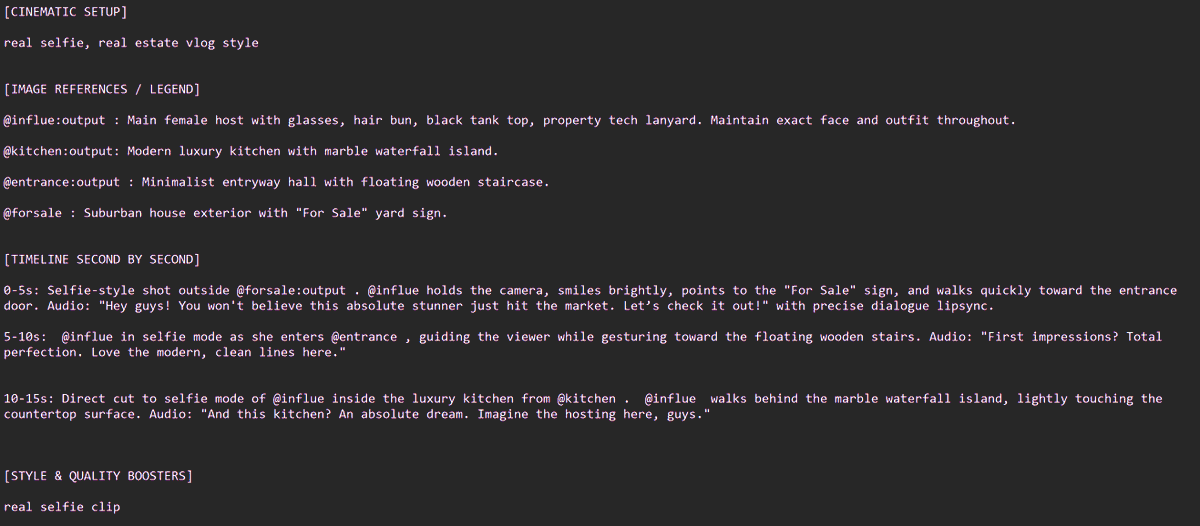
Real estate companies selling properties with AI guides videos now.

I know cause I've made a ton for them using this exact workflow 🧵
First we’re gonna create our AI sales agent.

Go into @magnific, select the GPT2 image model, and drop in the prompt from the screenshot.

Usually the clients will send you the real property photos… I just created this one as an example so you can follow along. Image
Image
Image
Now we’re gonna use the photo we just made, plus 2 or 3 other rooms or key elements we want to highlight.

Keep in mind you only have max 15 seconds total, since we’re gonna animate it all with Seedance using the prompt from the screenshot. Image

Image
Read 5 tweets
May 2
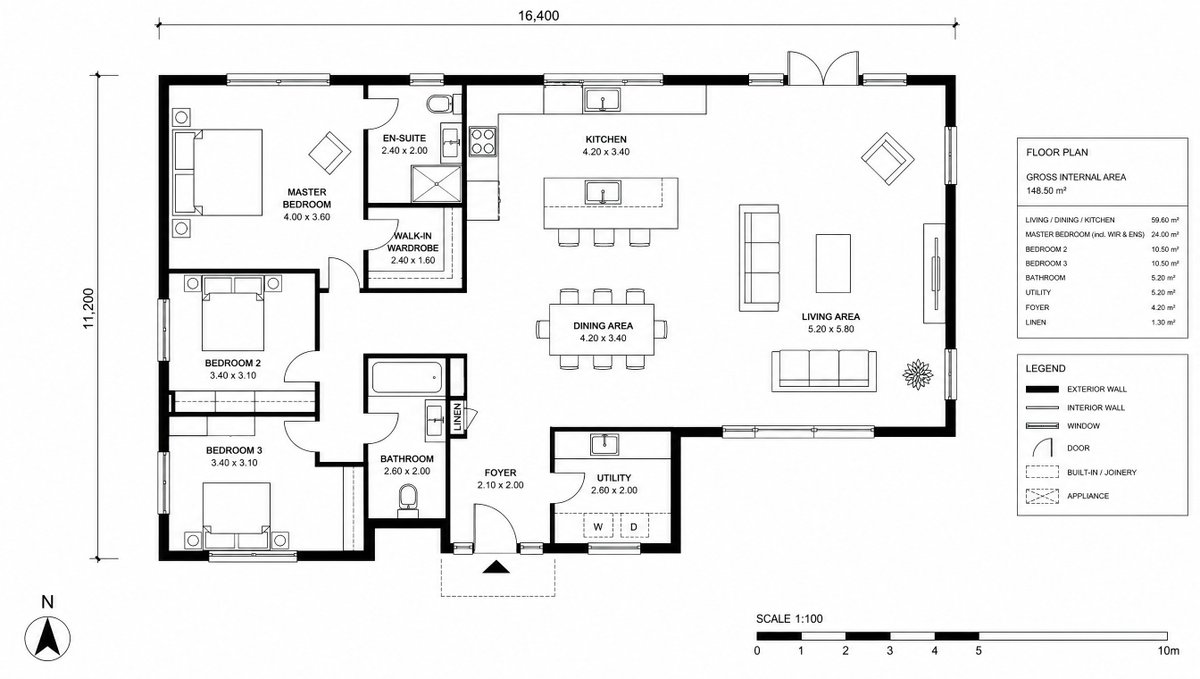
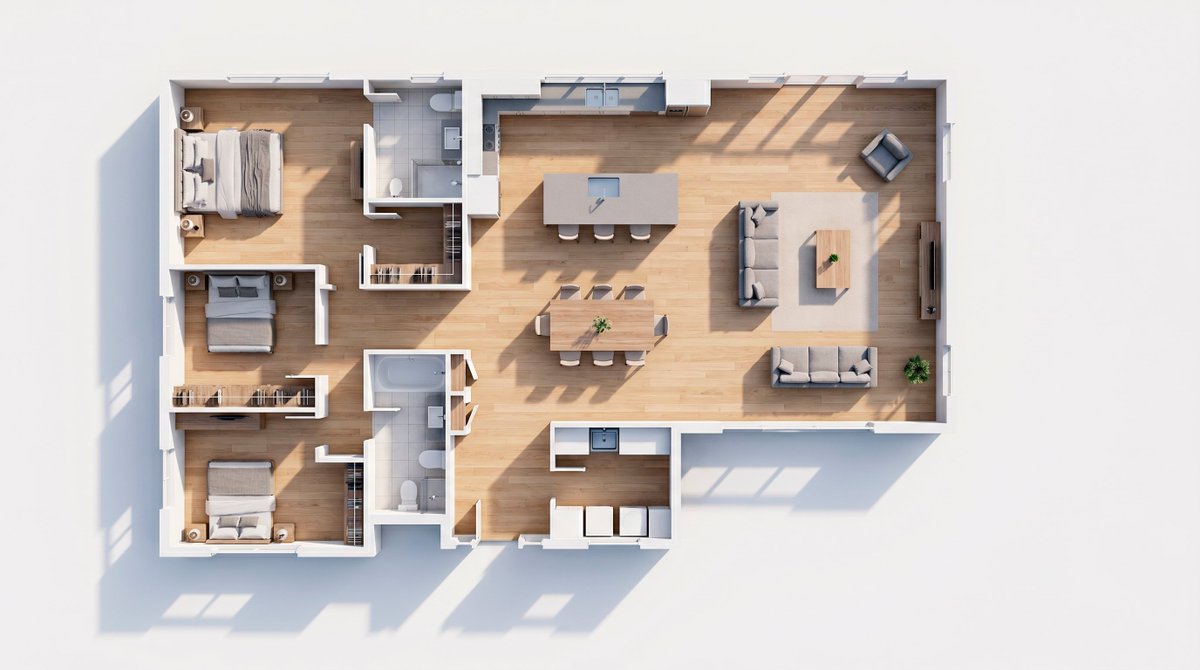
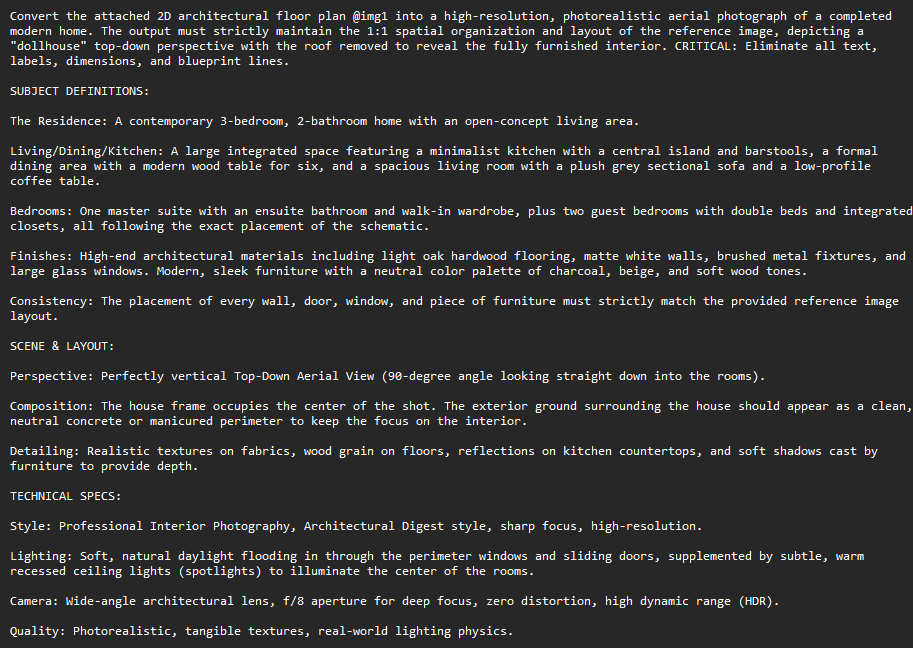
Real estate developers are shelling out $1,000 for these 3D ArchViz videos.

And here's how to whip 'em up in Magnific in 5 minutes for just five bucks 👇
Before we dive in, two quick things:

1. The numbers are legit, I’m not even kidding. I’ve actually sold these videos for over a grand myself.

2. The production cost for @magnific is based on the Premium+ annual plan.

Let's get into it 👇
Alright, first up: we’re gonna take the floor plan and use Nano Banana Pro to flip it into a 3D render.

You can grab the prompt from the screenshot. Image
Image
Image
Read 7 tweets
Mar 28
Been grinding on Seedance 2.0 like crazy for the last 2 months. Dropping my best prompts below 👇

1. Putting yourself in the NBA
The way it handles character consistency, environment stability and that cinematic look and feel is honestly mind blowing.

2. Netflix Original Cold Opener prompt
And the realism? It's insane.

Imagine the future of UGC. Will influencers stop filming IRL and just generate everything with AI?

3. Raw footage prompt
Read 9 tweets
Mar 24
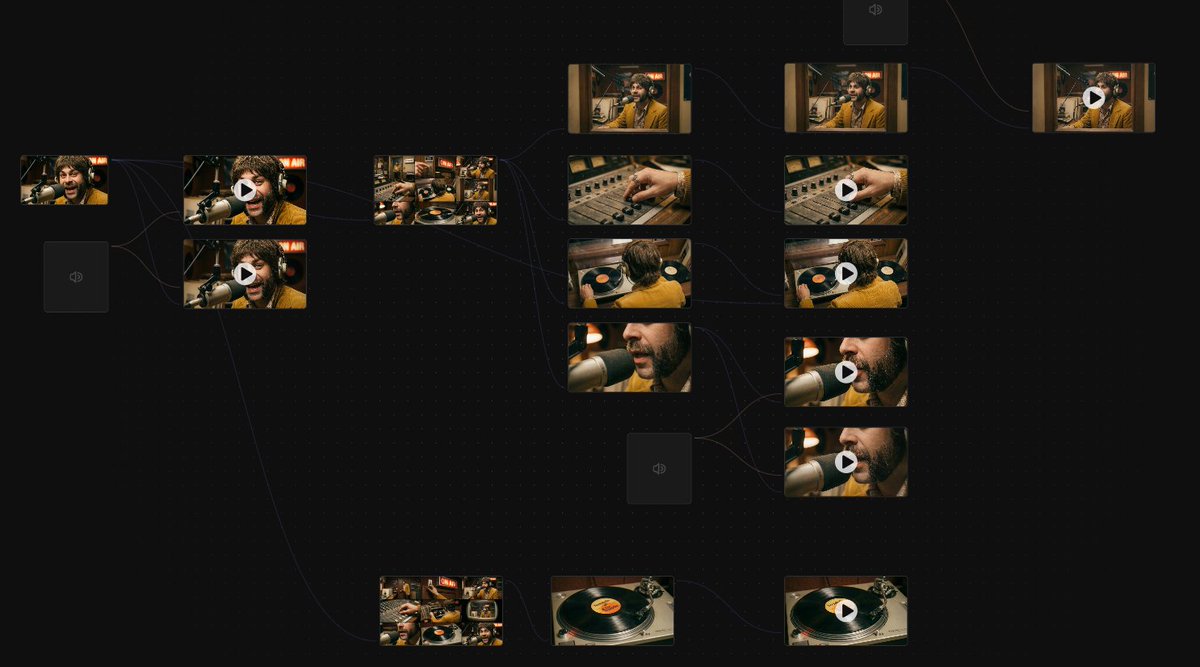
The song turned out so good I just had to make the music video for it...

and here's how I did it with AI on freepik! 👇
This is one of the craziest Spaces I've ever crafted on @freepik, cause it combines lipsync with cool animations, keeping the vibe and the characters consistent all along the clip.

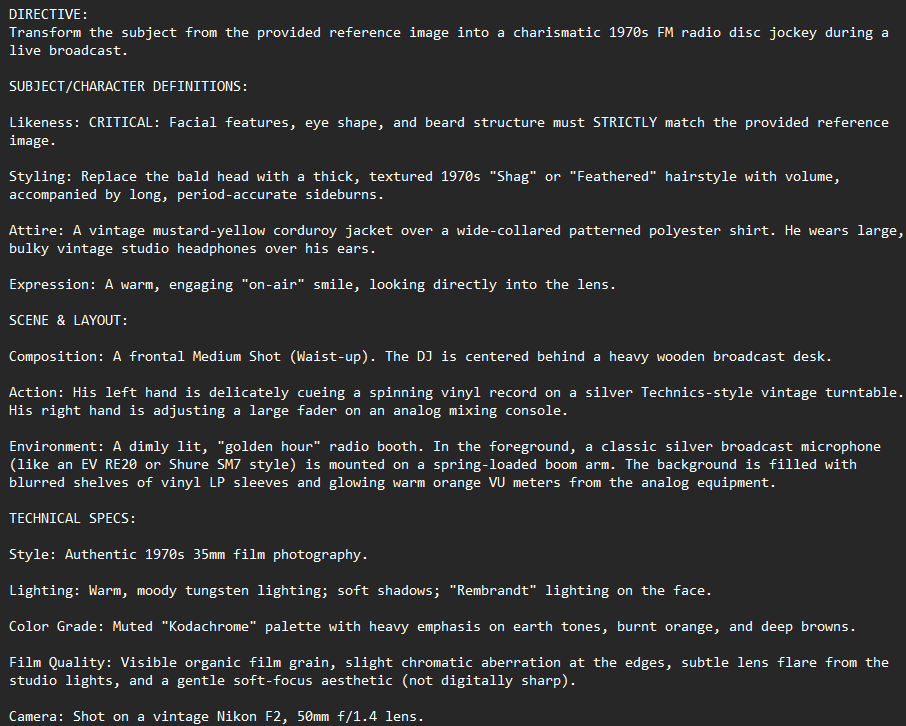
Buy you are here for the prompts, right? Lfg!👇 Image
Image
Let's start with a cool prompt for transforming a reference image into a 70s vibes radio dj.

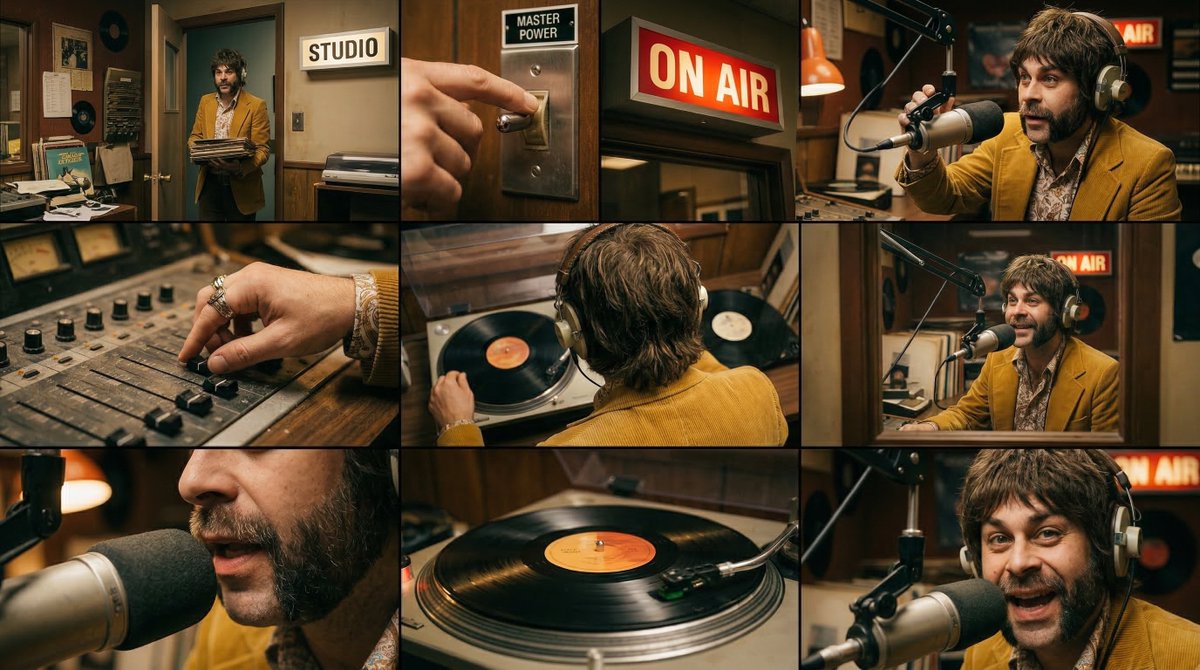
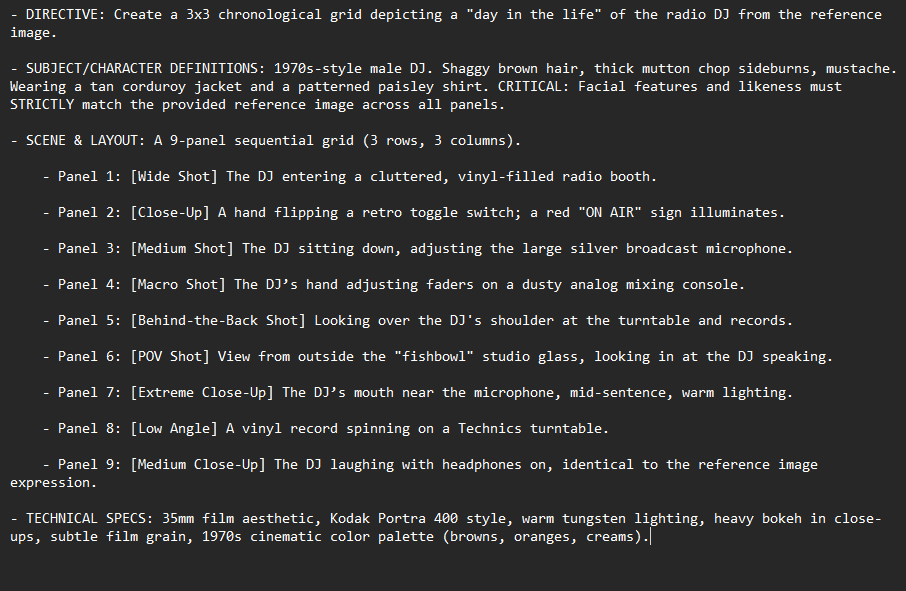
Then generate a 3x3 grid, we need more shots to fill the scene.

We are using Nano Banan 2 here. Image
Image
Image
Image
Read 11 tweets
Mar 3
Vibe coded this customizable video game entirely with AI.

You can add custom nano banana tiles and 3D models from Tripo.

It's open sourced (repo at the end) and here's how it works 👇
I’m going to walk you through how it works step by step, how I built it over time, and access to the full code at the end.

But first, you need @tripoai to create usable 3D models, you can do it here. I’ll explain how everything works in a second:
The AI stack I used is this:

> Cursor backed by Opus 4.6 to build all the code

> Nano Banana 2 for generating tiles and reference images

>Tripo, like I mentioned, for 2D to 3D

Let’s get into it 👇
Read 10 tweets
Mar 1
this prompt for Nano Banana will save you a ton of time.

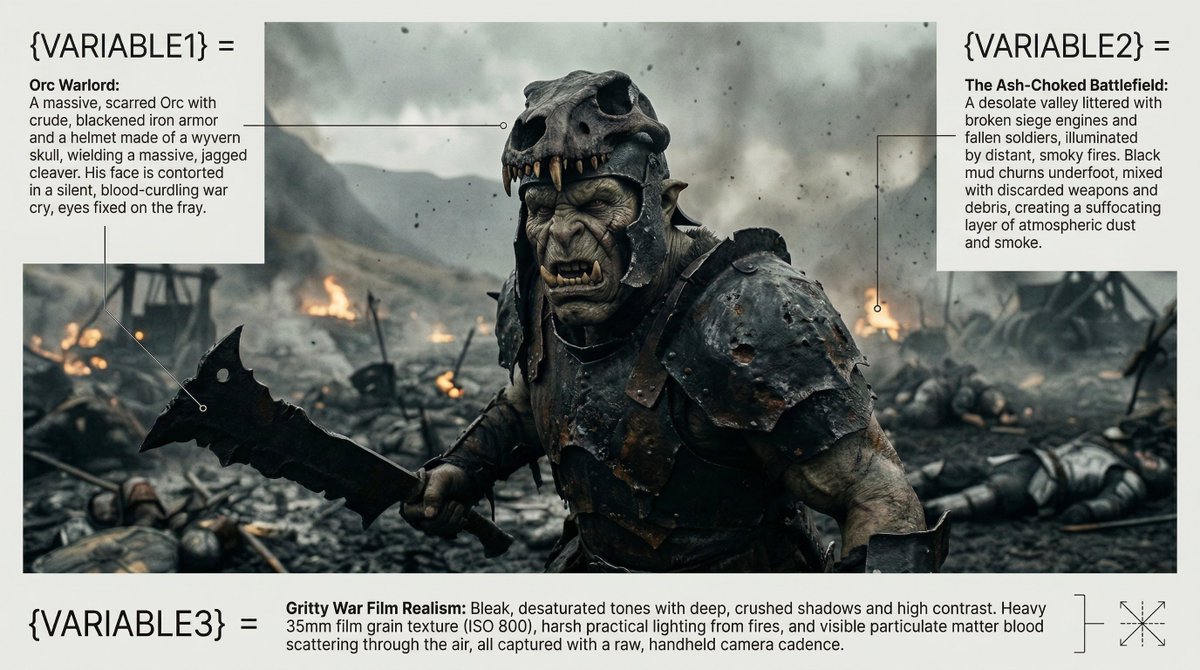
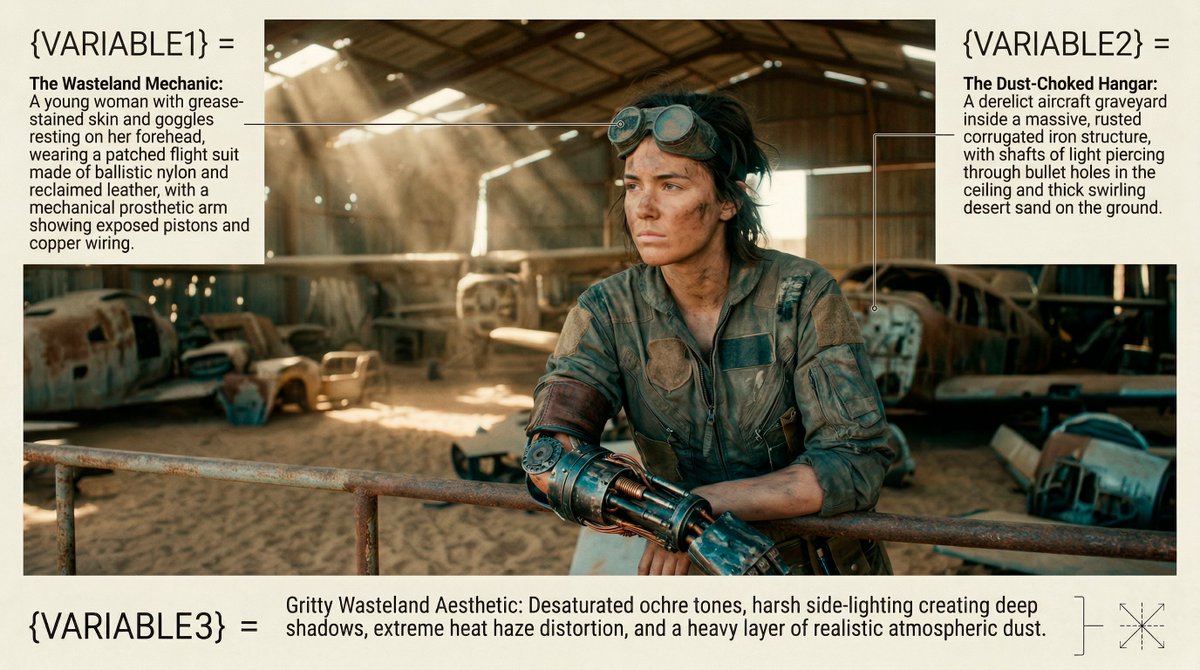
with just 3 variables, it helps you create HD cinematic stills!

examples made in freepik, master prompt below 👇 Image
Nano Banana 2 was released just a few days ago, and the @freepik team has already integrated it into their suite. Not only is it much faster, but it also delivers incredibly high resolution results.

Save these variables to try them out later! Image
As you can see, it's perfect for photorealistic shots, capturing incredible detail even when including non-natural elements.

By the way, the template you see here was also AI-generated, but I’m saving that for a future tutorial! 😉 Image
Read 6 tweets

Did Thread Reader help you today?

Support us! We are indie developers!


This site is made by just two indie developers on a laptop doing marketing, support and development! Read more about the story.

Become a Premium Member ($3/month or $30/year) and get exclusive features!

Become Premium

Don't want to be a Premium member but still want to support us?

Make a small donation by buying us coffee ($5) or help with server cost ($10)

Donate via Paypal

Or Donate anonymously using crypto!

Ethereum

0xfe58350B80634f60Fa6Dc149a72b4DFbc17D341E copy

Bitcoin

3ATGMxNzCUFzxpMCHL5sWSt4DVtS8UqXpi copy

Thank you for your support!

Follow Us!

:(