TechHalla Profile picture
Jun 20 7 tweets 4 min read Read on X
Total consistency in Veo 3 is now possible.

Tutorial thread on how to keep characters and style consistent in your videos using Freepik 🧵👇

Includes prompts. examples and all the info.
Let’s get started: first thing we need to do is lock in our character and style.

You can use your own LoRA like I did, or generate any character. I used Mystic on @freepik.

Set up the scene with your prompt and choose a style so the entire clip has a consistent look. Image
Image
Now comes the fun part.

We take the image and use it as a ref for Flux Kontext in Freepik. We keep the style we selected earlier and use the prompt to tell it what we want in the composition.

Check it out! Image
Image
Image
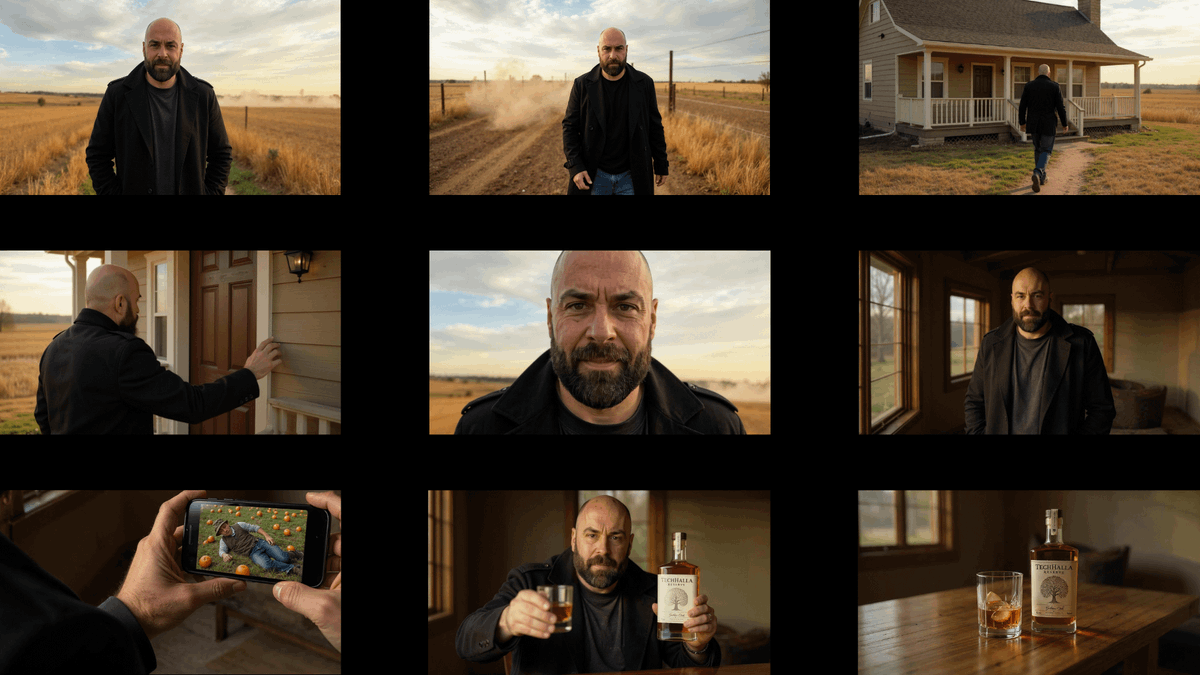
From here, I recommend creating a pseudo-storyboard like the one you see attached, with the different scenes that will make up the final clip.

This will help you get a clear idea and have the stills ready for animation later. Now let’s get to it. Image
Again, in Freepik, we go to video. Choose Veo 3 and upload the frame you want to animate.

It won’t just generate the video but also the audio, so we can include that in the prompt too.

I used JSON prompting. Take a look. Prompt's in the ALT👉
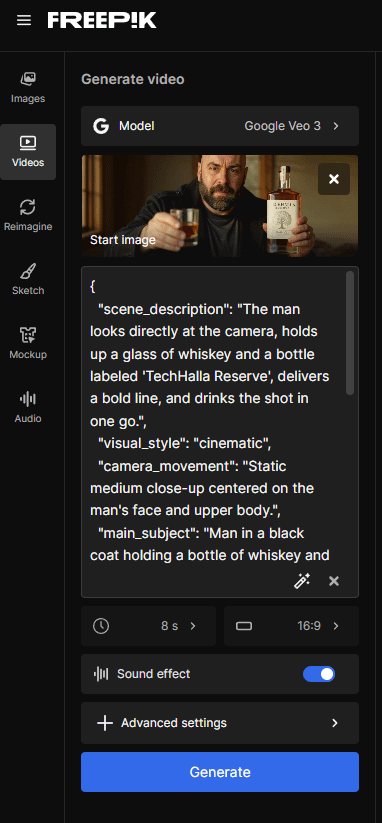
{   "scene_description": "The man looks directly at the camera, holds up a glass of whiskey and a bottle labeled 'TechHalla Reserve', delivers a bold line, and drinks the shot in one go.",   "visual_style": "cinematic",   "camera_movement": "Static medium close-up centered on the man's face and upper body.",   "main_subject": "Man in a black coat holding a bottle of whiskey and a glass, speaking directly to camera.",   "background_setting": "Interior of a rustic, warmly lit room with large windows...
And from here on, it’s all about constant iteration.

So, once you’ve got everything locked in, you can keep building the story consistently with Kontext and bring it to life using Veo 3!

Here’s a Freepik link that includes 30% off Premium plans!
Hope you liked it! Let me know if there’s any image or video prompt you’re missing and I’ll be happy to share it.

Follow me at @techhalla for more updates on generative AI, and don’t forget to like, repost, and bookmark the main post, it helps me a ton!

• • •

Missing some Tweet in this thread? You can try to force a refresh

 

Keep Current with TechHalla

TechHalla Profile picture

Stay in touch and get notified when new unrolls are available from this author!

Read all threads

This Thread may be Removed Anytime!

PDF

Twitter may remove this content at anytime! Save it as PDF for later use!

Try unrolling a thread yourself!

how to unroll video
  1. Follow @ThreadReaderApp to mention us!

  2. From a Twitter thread mention us with a keyword "unroll"
@threadreaderapp unroll

Practice here first or read more on our help page!

More from @techhalla

Jun 21
I'm sure you've seen tons of AI videos of animals at the swimming Olympics...

Here's how you can make them yourself in this thread!

7 example prompts + info🧵👇
I made all these videos using @Hailuo_AI 02 text-to-video and the following prompt (just swap the animal)

1. televised footage of a CAT is doing an acrobatic dive into a swimming pool at the olympics, from a 10m high diving board, flips and spins
2. Alpaca
Read 12 tweets
Jun 18
I'm sure you've seen tons of epic AI generated selfie videos.

Wanna learn how to make them yourself? I’ll show you how in this thread.

13 example prompts using Veo 3 on LTX 🧵👇
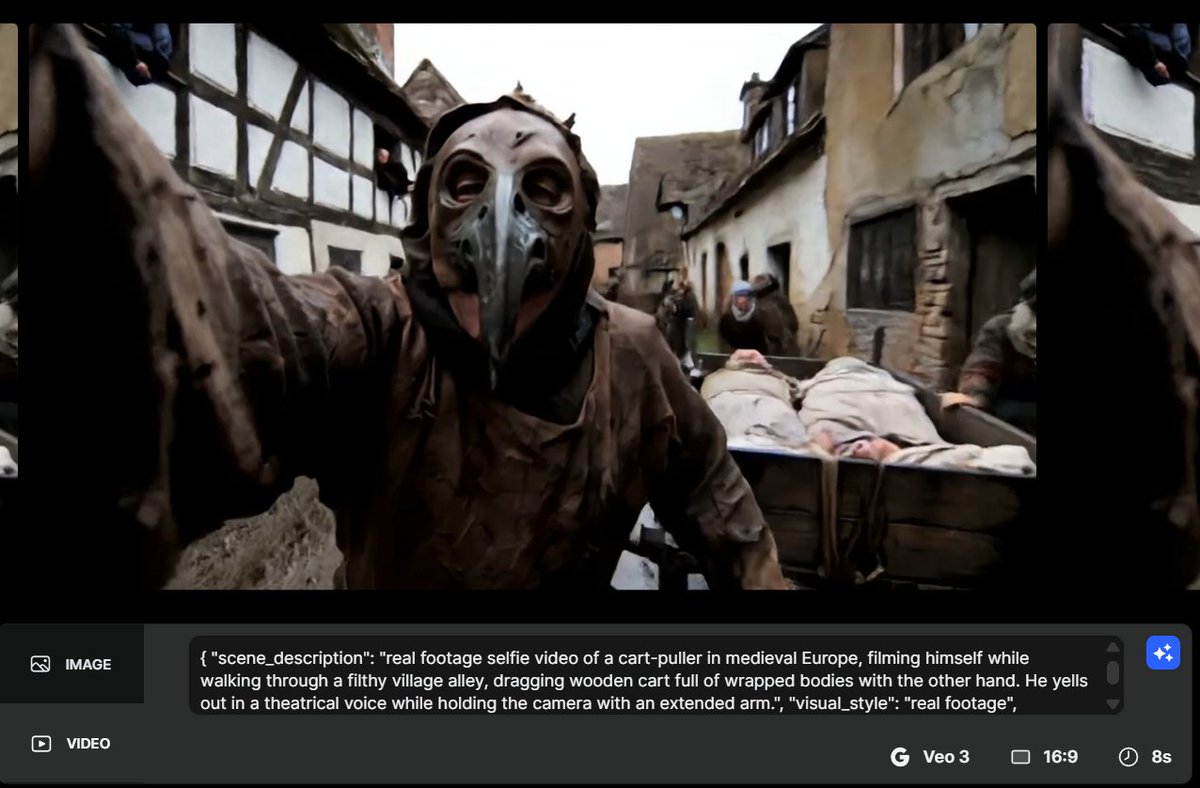
1. Plague cart man on Medieval streets

Prompt in the ALT 👉
{   "scene_description": "real footage selfie of a plague cart-puller walking through a filthy medieval alley, dragging a cart full of wrapped bodies and shouting theatrically.",   "visual_style": "real footage",   "camera_movement": "handheld selfie with slight bounce from walking and cart movement, occasional tilt to show the cart",   "main_subject": "a ragged man in a beaked plague mask and stained tunic, grinning while pulling the cart",   "background_setting": "muddy street in a medieval Euro...
2. War nurse on the front line

Prompt in the ALT 👉
{   "scene_description": "real footage selfie of a British nurse outside a Crimean War field hospital, speaking solemnly as wounded soldiers arrive behind her.",   "visual_style": "real footage",   "camera_movement": "handheld selfie with light shake from wind and tension, slight tilt as she adjusts her bonnet",   "main_subject": "a nurse in 1850s gray wool dress, white apron, and linen cap, with soot on her face and rolled-up sleeves",   "background_setting": "Crimean battlefield hospital with te...
Read 16 tweets
Jun 16
I went to Yosemite and things got totally out of hand...

All I had was my phone and the prompts + tips below for Motion 2.0 🧵👇
First, we need to record a video of ourselves. In my case, I took advantage of a trip to San Francisco to swing by Yosemite, and it was amazing! The place is absolutely stunning... so I recorded a few clips like this one!

Now we grab the last frame.
Image
Now we head over to @LeonardoAi_, upload the frame we just grabbed, choose "motion" as the video model, and pick the "Flood" motion control. Just like you see in the screenshot.

The prompt is in the ALT text of the image 👉
{ "scene_description": "The waterfall suddenly overflows, flooding the forest trail. The man in the foreground turns around in shock and runs toward the camera as water rapidly surges behind him.", "visual_style": "realistic", "camera_movement": "static shot that intensifies with slight shake as the man runs directly toward the camera", "main_subject": "the man fleeing in fear, running toward the camera with a flooded trail and chaotic crowd behind him", "background_setting": "natural forest with ...
Read 6 tweets
Jun 11
I’ve cloned myself with AI and now I’m a food vlogger!

Not sure if I’ll make a living off it... but still, here’s the tutorial on how to use Flux Kontext in Higgsfield, their latest feature!

Prompts + all the info, below 🧵👇
Let’s get to the point. @higgsfield_ai just added Flux Kontext and you can upload a photo of yourself and tweak it HOWEVER you want.

The prompt’s in the ALT, but basically I asked it to put me in a fast food restaurant holding a burger. the bald man is holding a super sized hamburguer with one hand and the other hand is out of the scene as an UGC content. The background is a fast food restaurant interior.
Image
From here on, it’s all about finding the right poses and making small tweaks to build the full story.

I went bald trying to figure out what to tell you, storytelling’s the key here (kidding).

Another example here. Change the background to a modern white restaurant. Swap the burger for a giant milkshake. Keep the same face but make it fatter.
Image
Read 8 tweets
Jun 1
Creating a video with Veo 3 costs around $3.

That’s why coming up with a solid prompt can save you a ton of cash on your video project!

Let me show you how using JSON prompting 🧵👇
If you’ve never heard of JSON before, let me explain, it’s super simple:

It’s a lightweight text format commonly used in JavaScript, but we can totally use it for our prompts too. It helps us organize parameters in a neat and structured way. Image
I picked the following parameters, which I think are essential for a good video, but tweak it to fit your style:

· Scene description
· Visual style
· Camera movement
· Main subject
· Background setting
· Lighting/mood
· Audio cue
· Color palette
· Dialog
· Subtitles (on/off)
Read 6 tweets
May 31
Veo 3 is out of control right now!

13 wild examples, prompts included 🧵👇

1. A chimpanzee operating a jackhammer on a city sidewalk
2. A gibbon in a fitted apron stands behind the counter of a modern coffee shop, operating a professional espresso machine and carefully pouring steamed milk into a cappuccino with visible latte art technique, while soft indie music plays
3. A bonobo wearing a navy pilot uniform with silver stripes walks confidently through an airport terminal, pulling a wheeled suitcase behind him as he nods at other crew members, moving with purpose toward a boarding gate
Read 14 tweets

Did Thread Reader help you today?

Support us! We are indie developers!


This site is made by just two indie developers on a laptop doing marketing, support and development! Read more about the story.

Become a Premium Member ($3/month or $30/year) and get exclusive features!

Become Premium

Don't want to be a Premium member but still want to support us?

Make a small donation by buying us coffee ($5) or help with server cost ($10)

Donate via Paypal

Or Donate anonymously using crypto!

Ethereum

0xfe58350B80634f60Fa6Dc149a72b4DFbc17D341E copy

Bitcoin

3ATGMxNzCUFzxpMCHL5sWSt4DVtS8UqXpi copy

Thank you for your support!

Follow Us!

:(