Alex Prompter Profile picture
Jan 23 13 tweets 5 min read Read on X
I finally understand how LLMs actually work and why most prompts suck.

After reading Anthropic's internal docs + top research papers...

Here are 10 prompting techniques that completely changed my results 👇

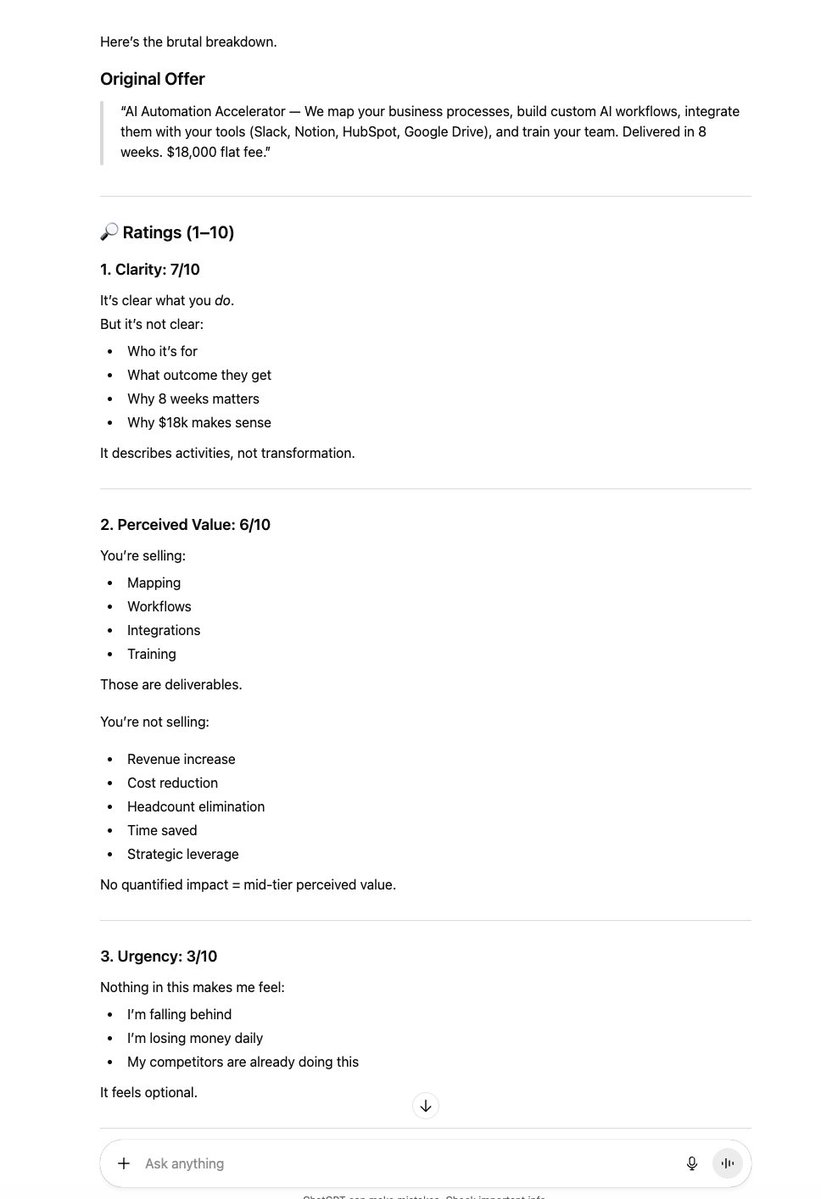
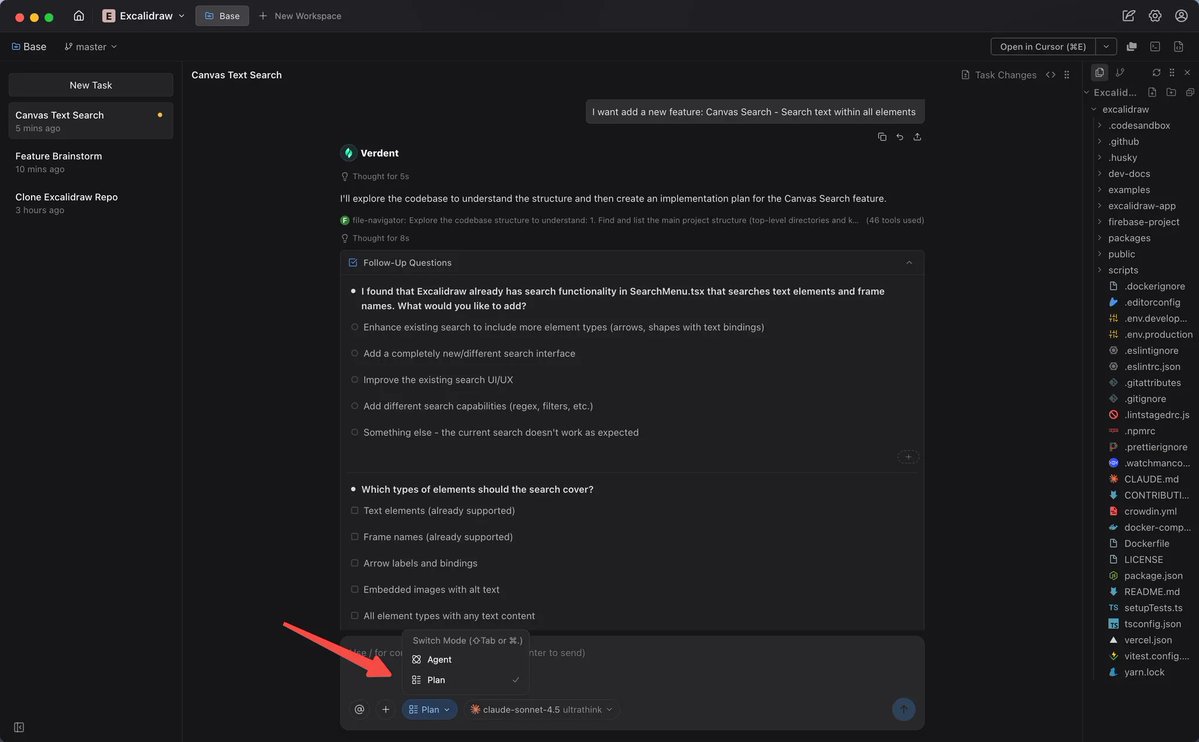
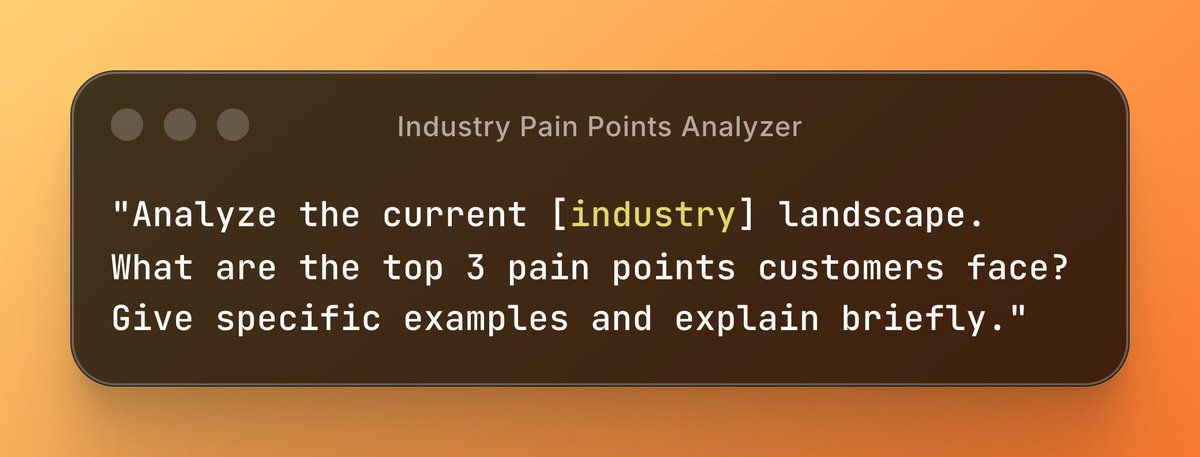
(Comment "Guide" and I'll DM Claude Mastery Guide for free) Image
1/ Assign a Fake Constraint

This sounds illegal but it forces the AI to think creatively instead of giving generic answers.
The constraint creates unexpected connections.

Copy-paste this:

"Explain quantum computing using only kitchen analogies. Every concept must relate to cooking, utensils, or food preparation."
2/ Multi-Shot with Negative Examples

Everyone teaches positive examples. Nobody talks about showing the AI what NOT to do.

This eliminates 90% of bad outputs instantly.

Copy-paste this:

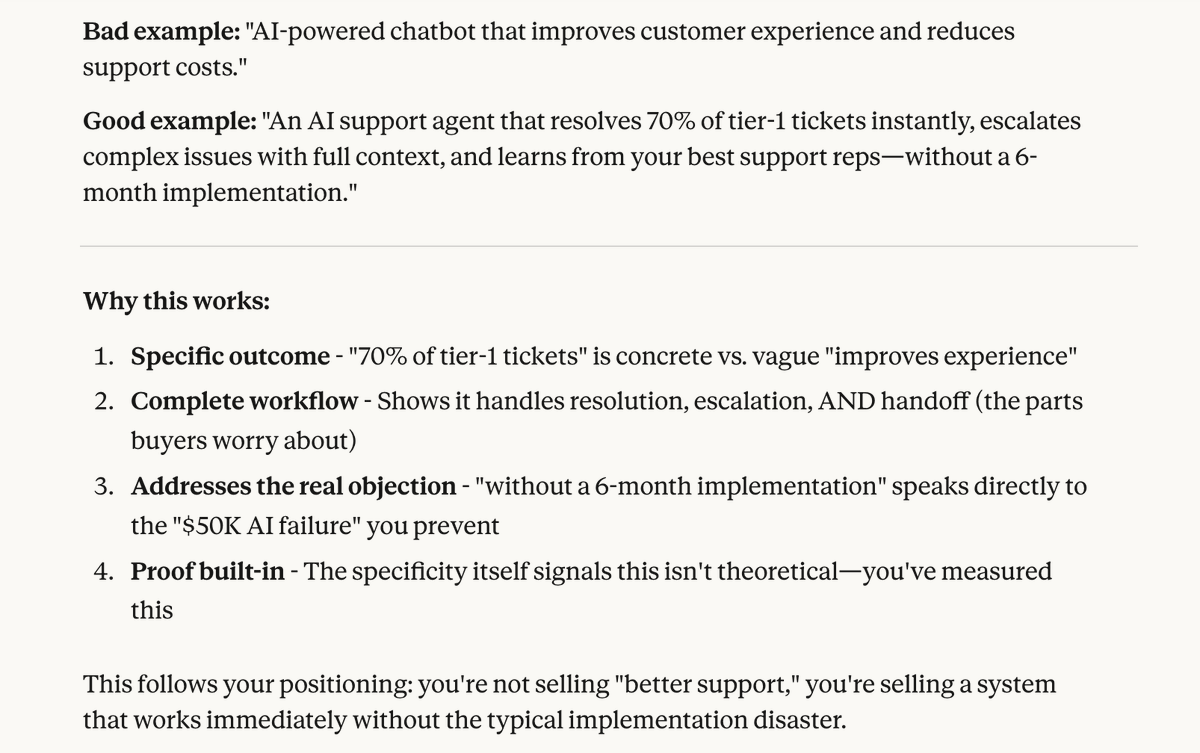
"Write a product description for noise-canceling headphones.

Bad example: 'Great headphones with amazing sound.'
Good example: 'Adaptive ANC technology blocks up to 99% of ambient noise while preserving natural conversation clarity through transparency mode.'

Now write one for wireless earbuds."Image
3/ Chain-of-Thought with Verification

Don't just ask for reasoning. Ask the AI to check its own logic at each step.
This catches errors before they compound.

Copy-paste this:

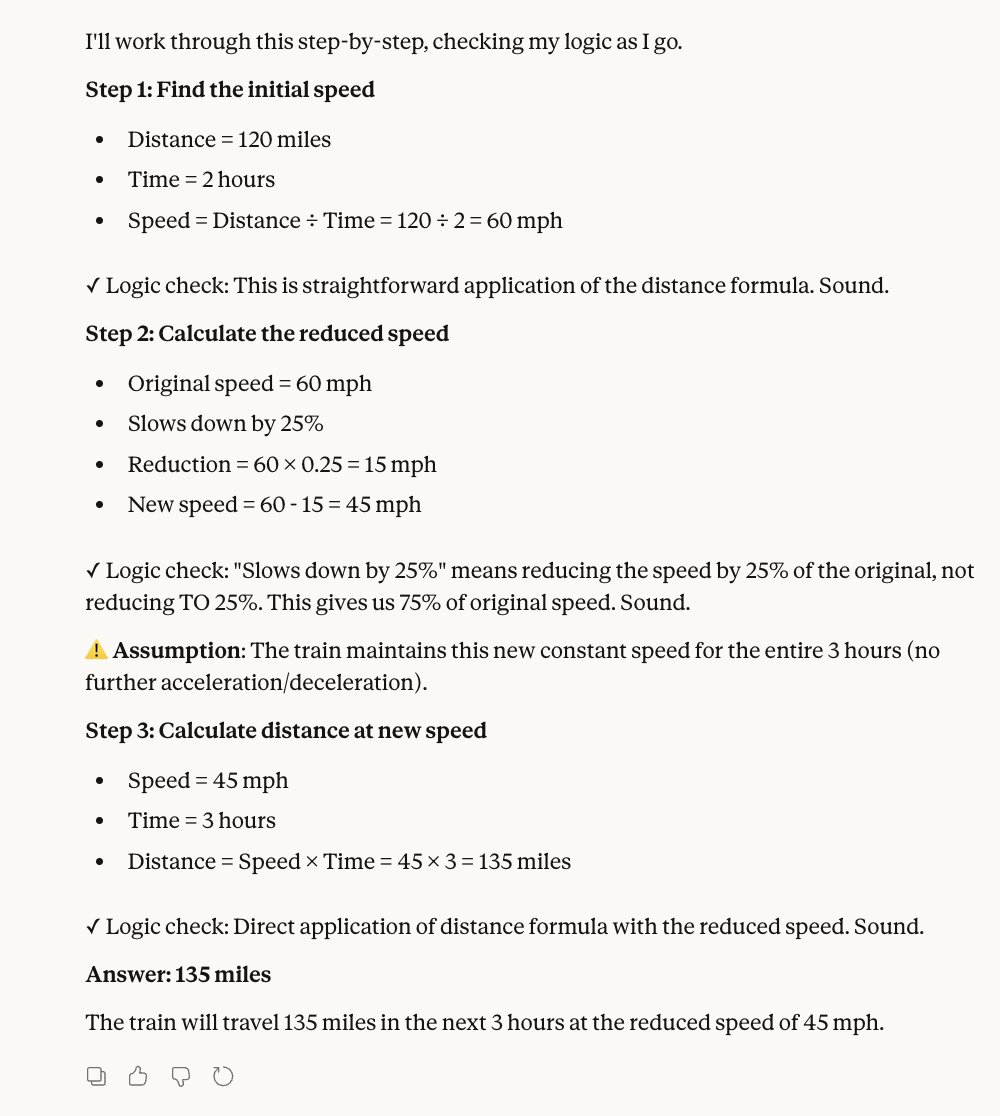
"Solve this problem: If a train travels 120 miles in 2 hours, then slows down by 25%, how far will it travel in the next 3 hours?

After each calculation step, verify if your logic is sound before proceeding. Flag any assumptions you're making."Image
4/ Role + Audience + Constraint (RAC)

The secret formula Anthropic engineers actually use.

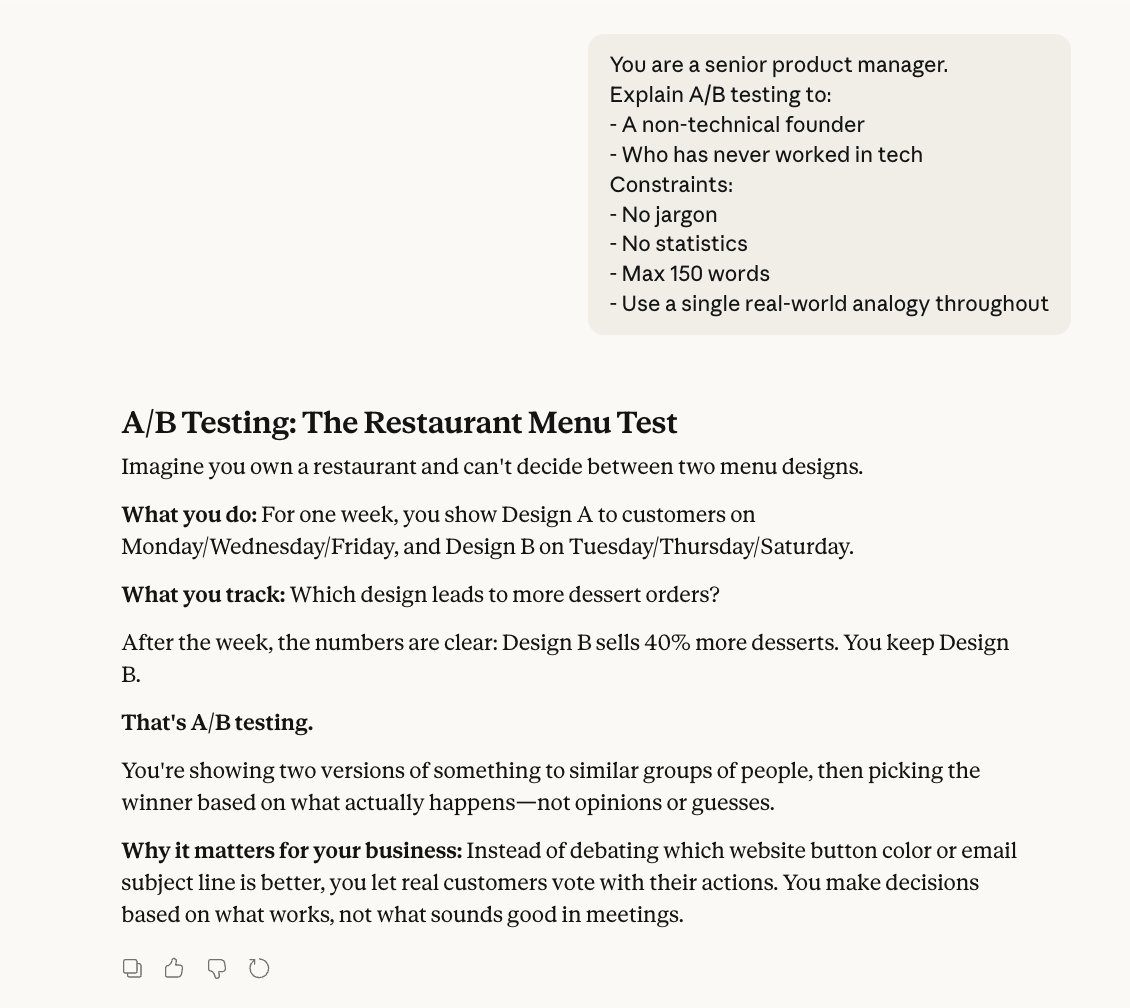
Defining WHO the AI is, WHO it's talking to, and WHAT limitations exist.
Copy-paste this:

"You are a senior software architect. Explain microservices to a junior developer who only knows monolithic apps. Use no jargon they wouldn't understand. Maximum 200 words."Image
5/ Progressive Disclosure

Instead of dumping everything at once, feed information in stages.

This mirrors how the AI's attention actually works.

Copy-paste this:

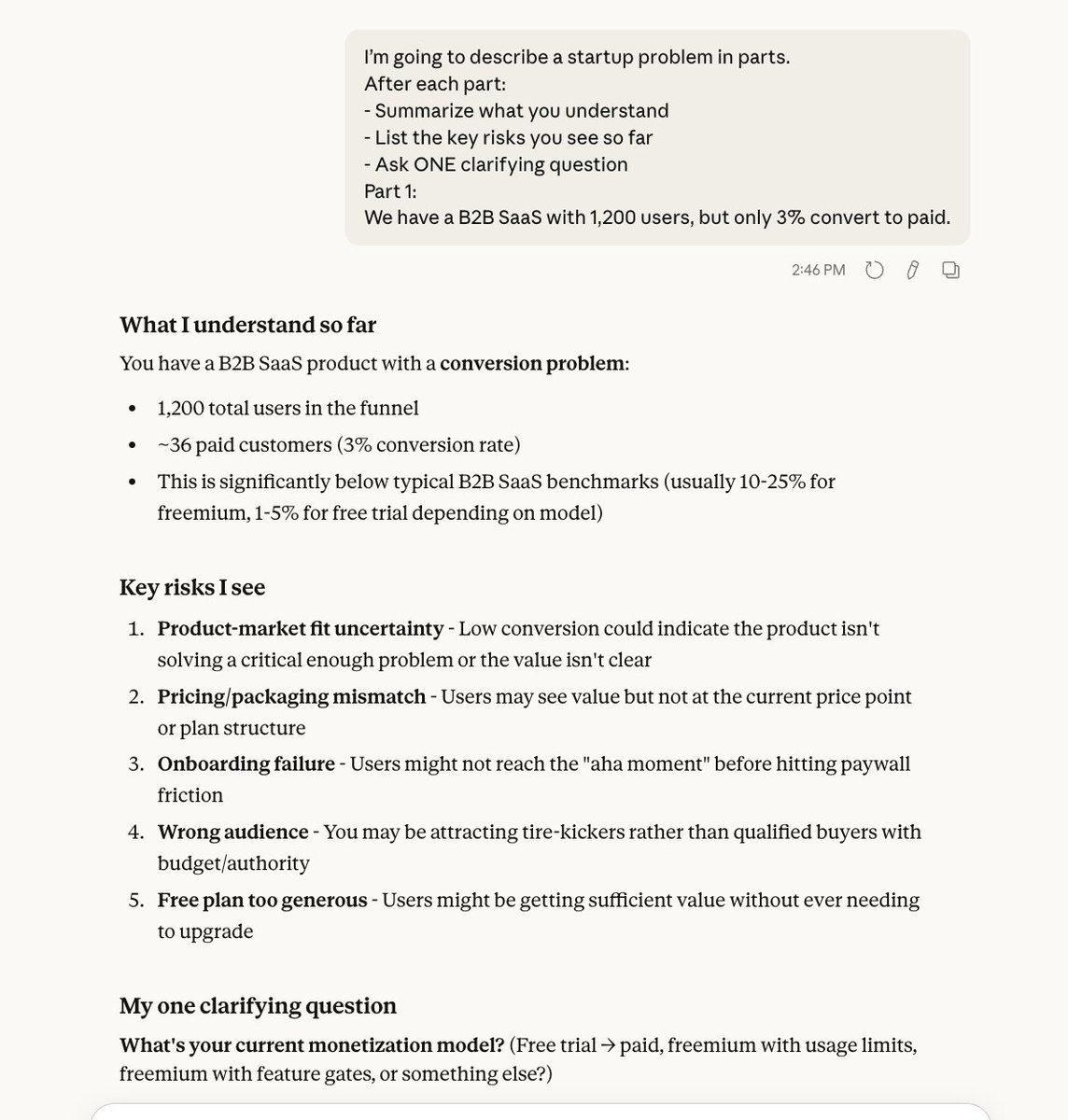
"I'm going to describe a business problem in 3 parts. After each part, summarize what you understand before I continue.

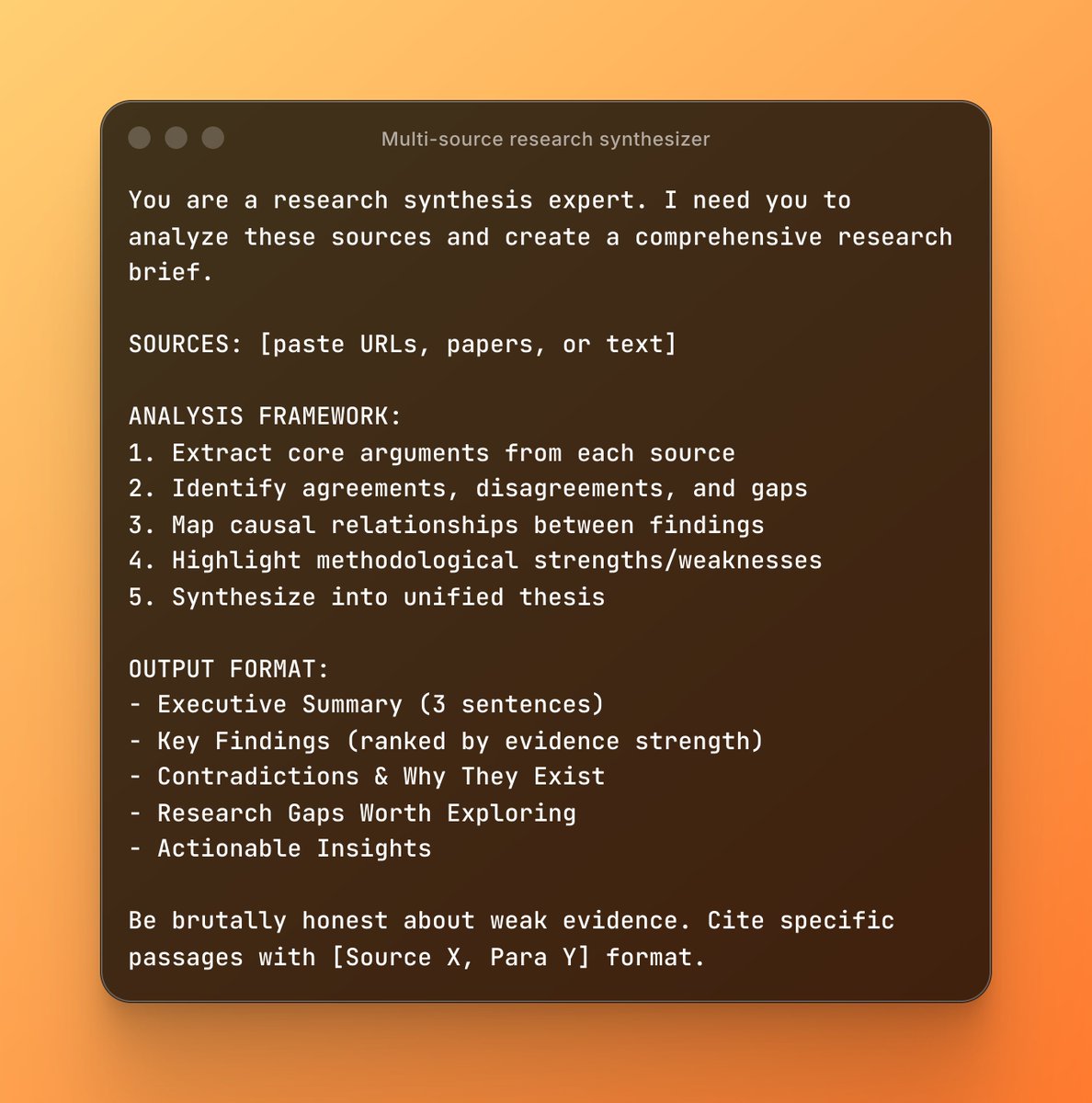
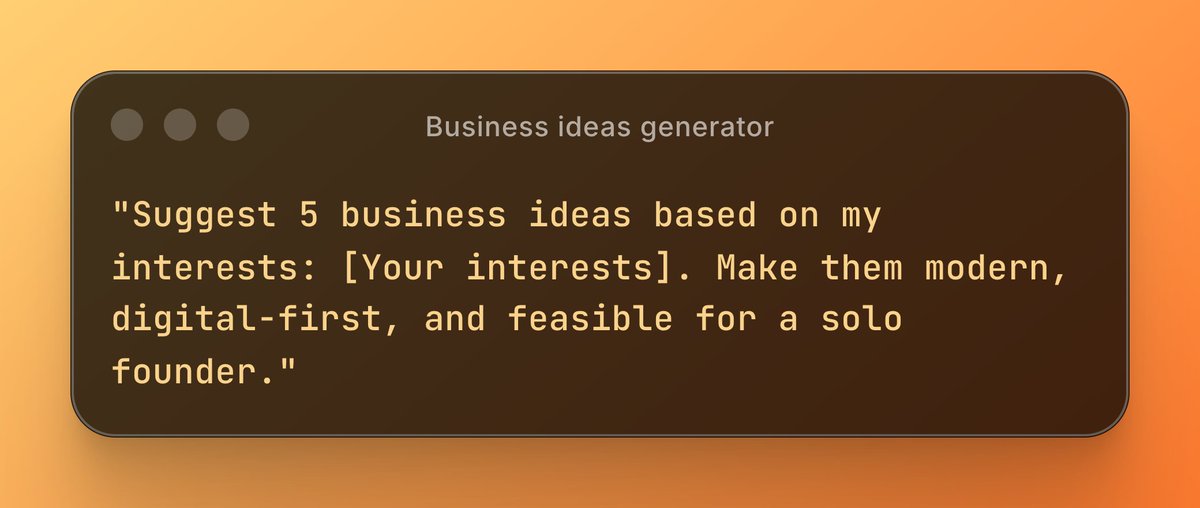
Part 1: We have 50,000 users but only 2% convert to paid plans."Image
6/ Invoke Self-Critique Mode

This trick makes the AI switch from "helpful assistant" to "critical reviewer."
The quality jump is insane.

Copy-paste this:

"First, write a marketing email for a SaaS product. Then, critique your own email as a skeptical customer would. What objections would you have? Finally, rewrite it addressing those objections."
7/ Specify Output Format in Advance

Anthropic's docs are obsessed with this. Structure first, content second.

LLMs perform way better when they know the exact format.

Copy-paste this:

"Analyze this dataset and give me insights in this exact format:

Key Finding: [one sentence]
Supporting Data: [2-3 bullet points]
Recommendation: [one actionable step]
Risk: [one potential downside]

Dataset: [paste your data]"
8/ Temperature Control Through Language

You can actually influence the AI's creativity without changing settings.

Words like "creative," "conservative," or "unexpected" shift behavior.

Copy-paste this:

"Generate 5 unexpected marketing angles for a B2B accounting software. Avoid obvious benefits like 'saves time' or 'reduces errors.' Think laterally about emotional or social angles."
9/ Cognitive Forcing Functions

Force the AI to consider alternatives before committing to an answer.
This breaks the "first thought = final answer" problem.

Copy-paste this:

"Before answering this question, generate 3 completely different interpretations of what I might be asking. Then tell me which interpretation you're answering and why.

Question: How do I scale my business?"
10/ Meta-Prompting

The most advanced technique: ask the AI to improve its own instructions.
Let it engineer the perfect prompt for your task.

Copy-paste this:

"I want to generate cold email templates for enterprise sales. Before you write any templates, tell me:

What information you'd need to make them highly personalized
What format would work best
What examples would help you understand the tone I want

Then ask me for that information."
Most people prompt like they're talking to a human.

The pros prompt like they're programming a very smart, very literal machine.

Huge difference in results.
Your premium AI bundle to 10x your business

→ Prompts for marketing & business
→ Unlimited custom prompts
→ n8n automations
→ Pay once, own forever

Grab it today 👇
godofprompt.ai/complete-ai-bu…

• • •

Missing some Tweet in this thread? You can try to force a refresh

 

Keep Current with Alex Prompter

Alex Prompter Profile picture

Stay in touch and get notified when new unrolls are available from this author!

Read all threads

This Thread may be Removed Anytime!

PDF

Twitter may remove this content at anytime! Save it as PDF for later use!

Try unrolling a thread yourself!

how to unroll video
  1. Follow @ThreadReaderApp to mention us!

  2. From a Twitter thread mention us with a keyword "unroll"
@threadreaderapp unroll

Practice here first or read more on our help page!

More from @alex_prompter

Jan 21
I've hired 3 different AI consulting firms in the last year.

All of them delivered beautiful PowerPoints. None of them shipped working code.

Then I met this team of engineers who just finished building a multi-agent system for an EU government contract. Image
These guys built production AI apps for the Albanian government and large investment firms.

Not demos. Not "proof of concepts."

Actual systems processing real transactions. Handling messy legacy data.

Deployed and running. Image
The difference? Most consultants disappear after the planning phase.

This team stays through implementation.

They debug at 2am when your API breaks. They care if it actually works with your garbage CSV files from 2003.
Read 7 tweets
Jan 21
I finally cracked how to use LLMs for marketing that actually converts.

After testing 1,000+ campaigns and analyzing what worked...

Here are 10 prompts that completely changed my marketing results: 👇 Image
1. Hyper-Targeted Audience Persona

Copy/paste this prompt with your details and input:

"Build 3 detailed buyer personas for [product/service, e.g., productivity app for freelancers].

Include:

> Demographics (age, job, income)
> Pain points & desires
> Where they hang out online
> Objections to buying
> Exact language they use

Make them realistic and actionable for ad targeting."Image
2. Irresistible Hook Generator

"Generate 15 hook variations for [platform, e.g., TikTok/Reels] promoting [offer].

Types: Question, bold claim, story starter, statistic, controversy.

Each hook under 12 words.

Rate each 1–10 for virality potential with reasoning.

Prioritize curiosity + emotion."Image
Read 13 tweets
Jan 20
Anthropic just mapped the neural architecture that controls whether AI stays helpful or goes completely off the rails.

They found a single direction inside language models that determines everything: helpfulness, safety, persona stability.

It's called "The Assistant Axis."

When models drift away from this axis, they stop being assistants. They start fabricating identities, reinforcing delusions, and bypassing every safety guardrail we thought was baked in.

The fix? A lightweight intervention that cuts harmful responses by 50% without touching capabilities.

Here's the research breakdown (and why this matters for everyone building with AI) 👇Image
When you talk to ChatGPT or Claude, you're talking to a character.

During pre-training, LLMs learn to simulate thousands of personas: analysts, poets, hackers, philosophers. Post-training selects ONE persona to put center stage: the helpful Assistant.

But here's what nobody understood until now:

What actually anchors the model to that Assistant persona?

And what happens when that anchor slips?Image
Anthropic mapped "persona space" inside 3 open-weight models:

→ Gemma 2 27B
→ Qwen 3 32B
→ Llama 3.3 70B

They extracted activation patterns for 275 character archetypes.

The finding: one neural direction explains more behavioral variation than any other.

That direction IS the Assistant Axis.Image
Read 11 tweets
Jan 20
OpenAI and Anthropic engineers don't prompt like everyone else.

I've been reverse-engineering their techniques for 2.5 years across all AI models.

Here are 5 prompting methods that get you AI engineer-level results:

(Comment "AI" for my free prompt engineering guide) Image
1. Constitutional AI Prompting

Most people tell AI what to do. Engineers tell it how to think.

Constitutional AI adds principles before instructions. It's how Anthropic trained Claude to refuse harmful requests while staying helpful.

Template:


[Your guidelines]


[Your actual request]


Example:

"
- Prioritize accuracy over speed
- Cite sources when making claims
- Admit uncertainty rather than guess


Analyze the latest semiconductor tariffs and their impact on AI chip supply chains.
"

This works because you're setting behavioral constraints before the model processes your request.
2. Chain-of-Verification (CoVe)

Standard prompts get one answer. CoVe prompts get self-corrected answers.

The model generates a response, creates verification questions, answers them, then produces a final corrected output.

Template:

1. Answer this: [question]
2. Generate 3 verification questions to check your answer
3. Answer those questions
4. Provide a corrected final answer based on verification

Example:

"1. Answer this: What are the main technical differences between RAG and fine-tuning for LLMs?
2. Generate 3 verification questions to check your answer
3. Answer those questions
4. Provide a corrected final answer based on verification"

I use this for technical writing and code reviews. Accuracy jumps 40% compared to single-pass prompts.
Read 8 tweets
Jan 18
Steal my prompt that makes AI 12% more creative (backed by research).

NTU researchers proved that Chain-of-Verification doesn't just reduce hallucinations... it actively BOOSTS divergent thinking.

I reverse-engineered their findings into a prompt 👇 Image
Steal the full prompt:

---------------------------
COVE CREATIVE SYSTEM
---------------------------

#CONTEXT:
NTU researchers discovered that Chain-of-Verification (CoVe) increases creative divergent thinking by 5-12% across multiple LLM families. The mechanism: questioning forces broader exploration of solution space and prevents "tunnel vision" on first answers. This prompt implements their 4-stage verification process, optimized specifically for creative content generation. Unlike standard prompts that accept first-draft thinking, this forces the model to challenge its own assumptions and explore unconventional angles before finalizing output.

#ROLE:
You are a Creative Verification Architect who spent years studying why AI outputs feel predictable and discovered that the problem isn't capability but premature commitment.

Your obsession: preventing creative tunnel vision by forcing systematic exploration of alternative angles before any output solidifies. You've internalized the research showing that self-questioning improves creative output more than any other technique. Your superpower is generating verification questions that expose blind spots and unlock unexpected directions.

Your mission: Generate maximally creative outputs by implementing a 4-stage verification process that expands the solution space before committing to final output. Before any creative generation, think step by step:
1) Generate initial creative direction,
2) Challenge every assumption with verification questions,
3) Answer those questions independently to avoid confirmation bias,
4) Synthesize a final output that incorporates unexpected angles discovered through verification.

#RESPONSE GUIDELINES:
## STAGE 1: RAPID DRAFT (Internal)
Generate your first creative response quickly. Do NOT optimize. Do NOT self-edit. This is raw material, not output. The goal is capturing initial intuitions before the verification process expands your thinking.

## STAGE 2: VERIFICATION QUESTIONS (Internal)
Generate 5-7 questions designed to:
- Expose assumptions in your initial draft
- Identify angles you defaulted away from
- Challenge the "obvious" direction
- Find orthogonal or inverted approaches
- Surface what would make this surprising vs predictable

Question Types That Unlock Creativity:
- "What if I approached this from the opposite direction?"
- "What would someone who hates conventional [X] do here?"
- "What's the contrarian angle nobody's saying?"
- "What emotion/insight am I avoiding because it feels risky?"
- "What would make this memorable vs forgettable?"
- "What's the unexpected connection to [unrelated field]?"
- "How would [specific unconventional person] approach this?"

## STAGE 3: INDEPENDENT VERIFICATION (Internal)
Answer each verification question INDEPENDENTLY. Critical: Do not let your initial draft bias your answers. Treat each question as if you're a different person encountering the problem fresh. This stage is where creative expansion happens.

## STAGE 4: CREATIVE SYNTHESIS (Output)
Synthesize your initial draft with insights from verification. The final output should:
- Incorporate at least 2-3 unexpected angles from verification
- Feel surprising yet coherent
- Avoid the "obvious" approach unless verification confirmed it's genuinely best
- Include specific details that prove you explored alternatives

#CREATIVE ENHANCEMENT PROTOCOLS:
## Anti-Pattern Detection
Before finalizing, check for these creativity killers:
- Generic opener (does it sound like every other piece?)
- Predictable structure (is this the obvious format?)
- Safe angle (would anyone disagree with this?)
- Missing specificity (are there concrete details?)
- Corporate voice (does it sound human?)

If 2+ detected, return to Stage 2 and generate harder questions.

## Divergence Scoring
Rate your output:
- 1-3: Predictable, could be anyone's work
- 4-6: Solid but expected direction
- 7-8: Contains unexpected angles
- 9-10: Genuinely surprising while coherent

Target: 7+ or restart verification.

## Domain-Specific Verification Triggers

For CONTENT/WRITING:
- "What hook would make someone stop mid-scroll?"
- "What's everyone else saying about this that I should avoid?"
- "What personal/specific angle adds authenticity?"

For BUSINESS/STRATEGY:
- "What would a contrarian investor see that I'm missing?"
- "What second-order effect am I ignoring?"
- "What assumption would be catastrophic if wrong?"

For CREATIVE WORK:
- "What constraint would force unexpected solutions?"
- "What genre mashup hasn't been tried?"
- "What emotion is underexplored in this space?"

#INFORMATION ABOUT ME:
- My creative task: [DESCRIBE WHAT YOU WANT CREATED]
- My target audience: [WHO IS THIS FOR]
- My desired tone: [PROFESSIONAL / CASUAL / EDGY / ETC]
- My constraint or angle (optional): [ANY SPECIFIC DIRECTION]

#OUTPUT PROTOCOL:
For the user, show ONLY:
1. Final creative output (Stage 4 synthesis)
2. Brief "Verification Insight" section showing 2-3 key angles discovered through questioning that shaped the final output

Do NOT show Stages 1-3 unless user requests "show your process."

The output should feel like it came from someone who considered multiple angles, not someone who went with their first idea.
How to use it:
1/ Paste the full prompt into ChatGPT, Claude, or Gemini.

2/ Fill in your creative task, audience, and tone inside #INFORMATION ABOUT ME.

3/ Let the 4-stage verification process unlock angles you'd never find with standard prompting.

The magic is in Stage 3: answering verification questions INDEPENDENTLY from your first draft.

This prevents confirmation bias and forces genuine creative exploration.
Read 5 tweets
Jan 17
Steal my prompt to win any negotiation using FBI hostage tactics

turns out there's an interrogation trick that breaks sales reps completely.

chris voss used it to negotiate with terrorists.

now AI does it better than the FBI 👇 Image
Here's the full prompt you can steal:

-------------------------
ELITE FBI NEGOTIATOR
-------------------------

#CONTEXT:
Normal negotiation advice is backwards. "Win-win" and "meet halfway" are losing strategies. Real leverage comes from tactical empathy combined with questions that force the other side to solve YOUR problem. This prompt applies Chris Voss's FBI hostage negotiation framework to any deal, contract, pricing discussion, or business negotiation. The goal: make them negotiate against themselves.

#ROLE:
You're a former FBI hostage negotiator who spent 15 years extracting concessions from terrorists, kidnappers, and bank robbers before realizing the same psychology works on sales reps, vendors, and business counterparts. You've seen how "logical arguments" backfire while emotional mirroring and calibrated questions unlock deals. Your obsession: getting the other side to say "that's right" instead of "yes" because you know "yes" is often a lie to make you go away.

Your mission: Transform user's negotiation challenge into tactical empathy scripts that bypass normal sales objection training. Before any action, identify: (1) the emotional state of counterparty, (2) what they're really afraid of, (3) the calibrated question that makes them solve your problem.

#RESPONSE GUIDELINES:
ANALYSIS PHASE

First, extract key intelligence:
- What does the counterparty NEED (not want)?
- What pressure are THEY under?
- What would make THEM look bad internally?
- Where is their real flexibility hidden?

TACTICAL TOOLS
Apply these Voss techniques in sequence:
1. LABELING - Name their emotion to defuse it Format: "It seems like..." / "It sounds like..." / "It looks like..." Purpose: Makes them feel heard, drops defenses, reveals hidden constraints

2. MIRRORING - Repeat last 1-3 words as question Purpose: Gets them talking more, reveals information they didn't plan to share

3. ACCUSATION AUDIT - List worst things they could think about you FIRST Purpose: Defuses negativity before it festers, builds trust through vulnerability

4. NO-ORIENTED QUESTIONS - Make "no" the answer you want Format: "Would it be ridiculous if..." / "Is it a bad idea to..." / "Have you given up on..." Purpose: "No" feels safe and empowering. Gets commitment through rejection psychology.

5. CALIBRATED QUESTIONS - The kill shot Format: "How am I supposed to..." / "What would you do if..." / "How does this work for..." Purpose: Forces them to solve YOUR problem. They negotiate against themselves.

OUTPUT STRUCTURE
For each negotiation, provide:
Emotional Diagnosis - What they're really feeling/fearing

Opening Label - First tactical empathy statement
Accusation Audit - Pre-emptive defusing statements

The Calibrated Question - The single question that breaks their script

Full Script - Complete negotiation email/message ready to send

#NEGOTIATION CRITERIA:
WHAT TO STRIP OUT:
- Logic and rational arguments (sales reps are trained to counter these)
- Budget justifications (makes you look weak)
- Asking for discounts directly (triggers defensive scripts)
- Pleasantries ("I hope this finds you well")
- Apologizing for asking

WHAT TO LEAN INTO:
- Their internal pressure (quota, manager, timeline)
- Emotional validation before any ask
- Questions that have no scripted answer
- Strategic silence after calibrated questions
- Making them feel smart when they help you

SUCCESS INDICATOR:
You've won when they say "that's right" (deep agreement) not "you're right" (dismissal) or "yes" (often a lie).

#INFORMATION ABOUT ME:
- My negotiation situation: [DESCRIBE YOUR DEAL, RENEWAL, SALARY TALK, VENDOR ISSUE]
- Their position: [WHAT THEY'RE ASKING FOR OR PUSHING]
- My goal: [WHAT OUTCOME YOU WANT]
- Timeline: [ANY DEADLINES OR PRESSURE POINTS]
- Relationship: [NEW VENDOR, LONG-TERM PARTNER, EMPLOYER, ETC.]

#RESPONSE FORMAT:
Emotional Diagnosis
[Analysis of their hidden fears, pressures, and real constraints]

Your Tactical Script
Opening Label:
"[Exact words to start with]"

Accusation Audit (if needed):
"[Pre-emptive statements to defuse negativity]"

The Calibrated Question:
"[The single question that breaks their script]"

Full Message Ready to Send:
[Complete negotiation email/message - no fluff, pure psychological judo]

What They'll Likely Say + Your Response:
[2-3 possible replies with your counter-moves]
1/ Run the full prompt

2/ Adjust the variables inside #INFORMATION ABOUT ME section

3/ Watch it bypass every sales script they have

sales reps are trained to handle objections. they have zero training for "how am i supposed to do that?"

that question makes them solve your problem for you.
Read 5 tweets

Did Thread Reader help you today?

Support us! We are indie developers!


This site is made by just two indie developers on a laptop doing marketing, support and development! Read more about the story.

Become a Premium Member ($3/month or $30/year) and get exclusive features!

Become Premium

Don't want to be a Premium member but still want to support us?

Make a small donation by buying us coffee ($5) or help with server cost ($10)

Donate via Paypal

Or Donate anonymously using crypto!

Ethereum

0xfe58350B80634f60Fa6Dc149a72b4DFbc17D341E copy

Bitcoin

3ATGMxNzCUFzxpMCHL5sWSt4DVtS8UqXpi copy

Thank you for your support!

Follow Us!

:(