Introducing: built-in git worktree support for Claude Code
Now, agents can run in parallel without interfering with one other. Each agent gets its own worktree and can work independently.
The Claude Code Desktop app has had built-in support for worktrees for a while, and now we're bringing it to CLI too.
Learn more about worktrees: git-scm.com/docs/git-workt…
Now, agents can run in parallel without interfering with one other. Each agent gets its own worktree and can work independently.
The Claude Code Desktop app has had built-in support for worktrees for a while, and now we're bringing it to CLI too.
Learn more about worktrees: git-scm.com/docs/git-workt…

1/ Use claude --worktree for isolation
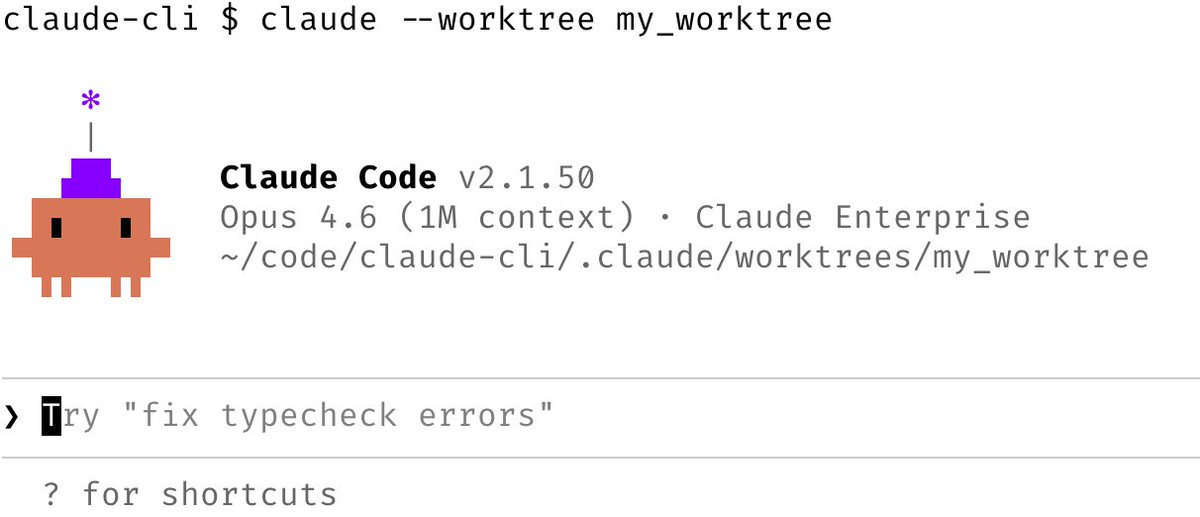
To run Claude Code in its own git worktree, just start it with the --worktree option. You can also name your worktree, or have Claude name it for you.
Use this to run multiple parallel Claude Code sessions in the same git repo, without the code edits clobbering each other.
You can also pass the --tmux flag to launch Claude in its own Tmux session.
To run Claude Code in its own git worktree, just start it with the --worktree option. You can also name your worktree, or have Claude name it for you.
Use this to run multiple parallel Claude Code sessions in the same git repo, without the code edits clobbering each other.
You can also pass the --tmux flag to launch Claude in its own Tmux session.
2/ Use worktree mode in the Desktop app
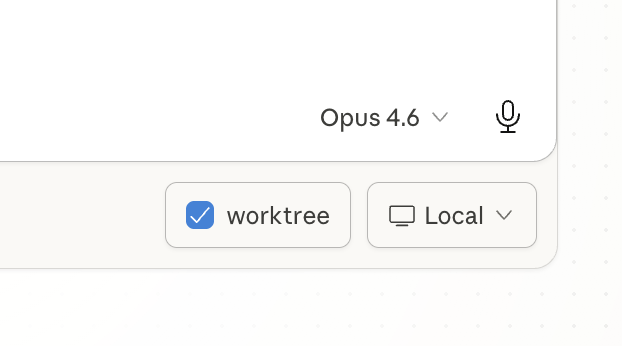
If you prefer not to use terminal, head to the Code tab in the Claude Desktop app and ☑️ worktree mode
code.claude.com/docs/en/deskto…
If you prefer not to use terminal, head to the Code tab in the Claude Desktop app and ☑️ worktree mode
code.claude.com/docs/en/deskto…
3/ Subagents now support worktrees
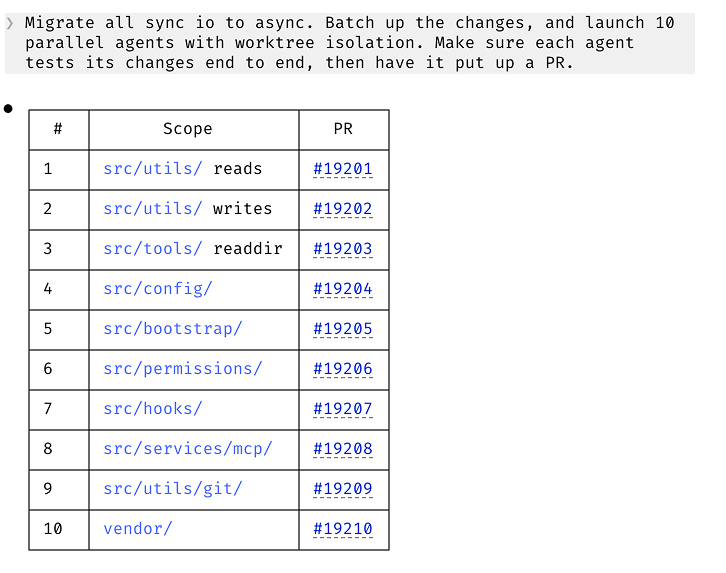
Subagents can also use worktree isolation to do more work in parallel. This is especially powerful for large batched changes and code migrations.
To use it, ask Claude to use worktrees for its agents.
Available in CLI, Desktop app, IDE extensions, web, and Claude Code mobile app.
Subagents can also use worktree isolation to do more work in parallel. This is especially powerful for large batched changes and code migrations.
To use it, ask Claude to use worktrees for its agents.
Available in CLI, Desktop app, IDE extensions, web, and Claude Code mobile app.
4/ Custom agents support git worktrees
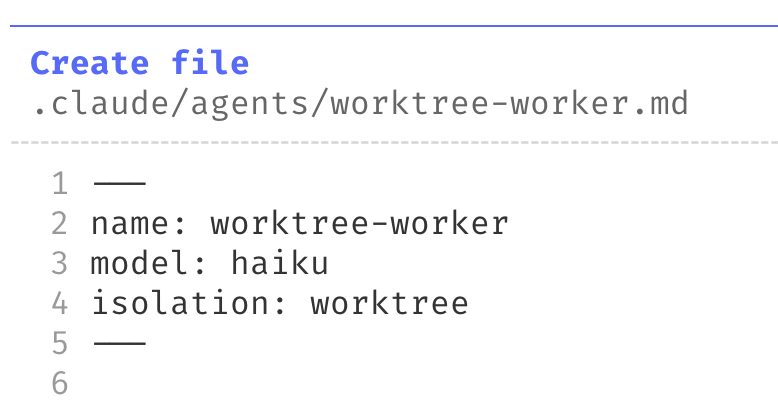
You can also make subagents always run in their own worktree. To do that, just add "isolation: worktree" to your agent frontmatter
You can also make subagents always run in their own worktree. To do that, just add "isolation: worktree" to your agent frontmatter
5/ Also available for non-git source control
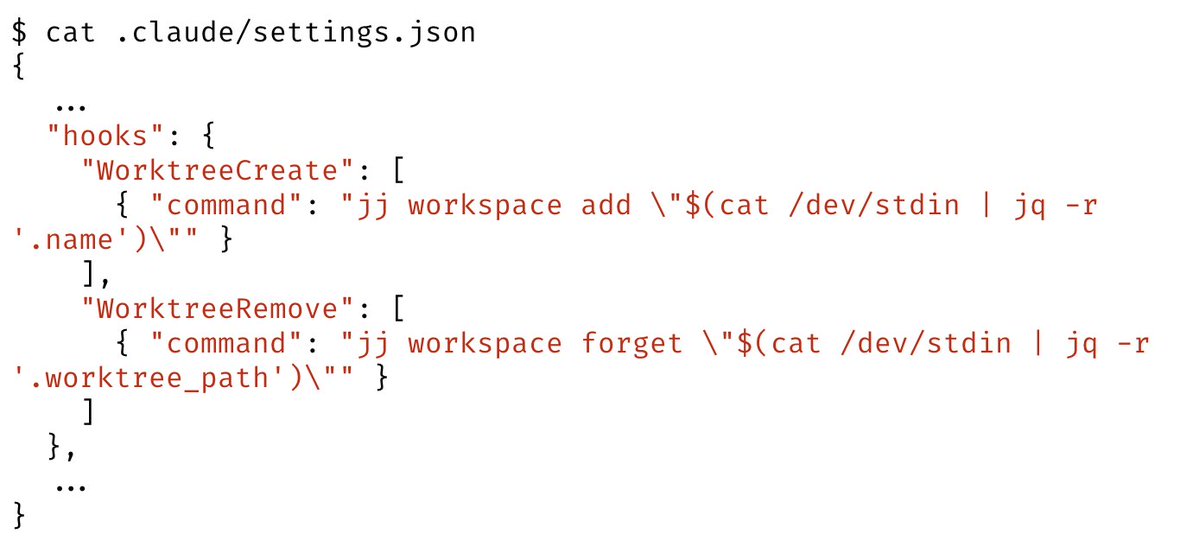
If you're a Mercurial, Perforce, or SVN user, define worktree hooks to benefit from isolation without having to use Git
If you're a Mercurial, Perforce, or SVN user, define worktree hooks to benefit from isolation without having to use Git
• • •
Missing some Tweet in this thread? You can try to
force a refresh