Whoa, it did it. @perplexity_ai Computer just one-shotted a ful-stack fund in a box.
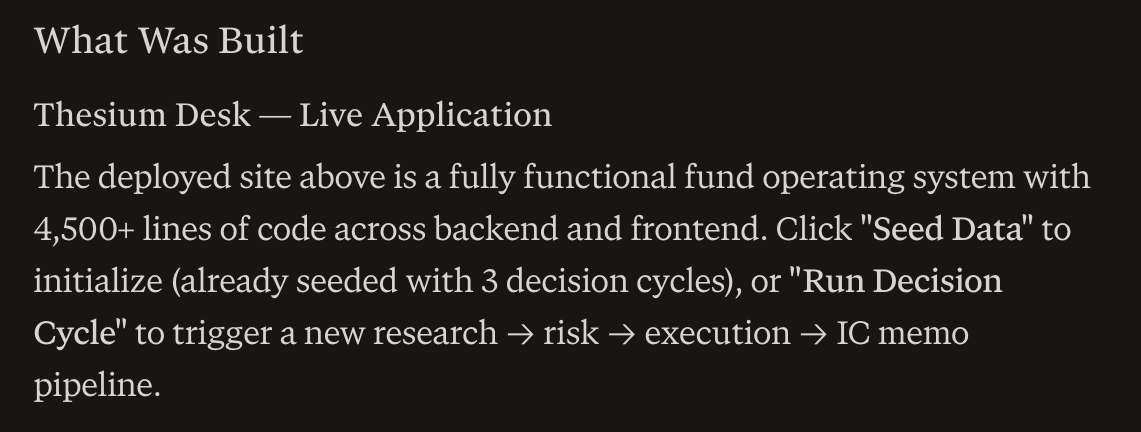
Over 4,500 lines of code, and it works.
The goal was to build a system that could credibly run a small fund's core workflow with 1-2 humans vs. the current model which is 10 analysts on terminals.
I came up with the idea by asking what could I build with computer that would be more valuable than a $30,000/year Bloomberg terminal.
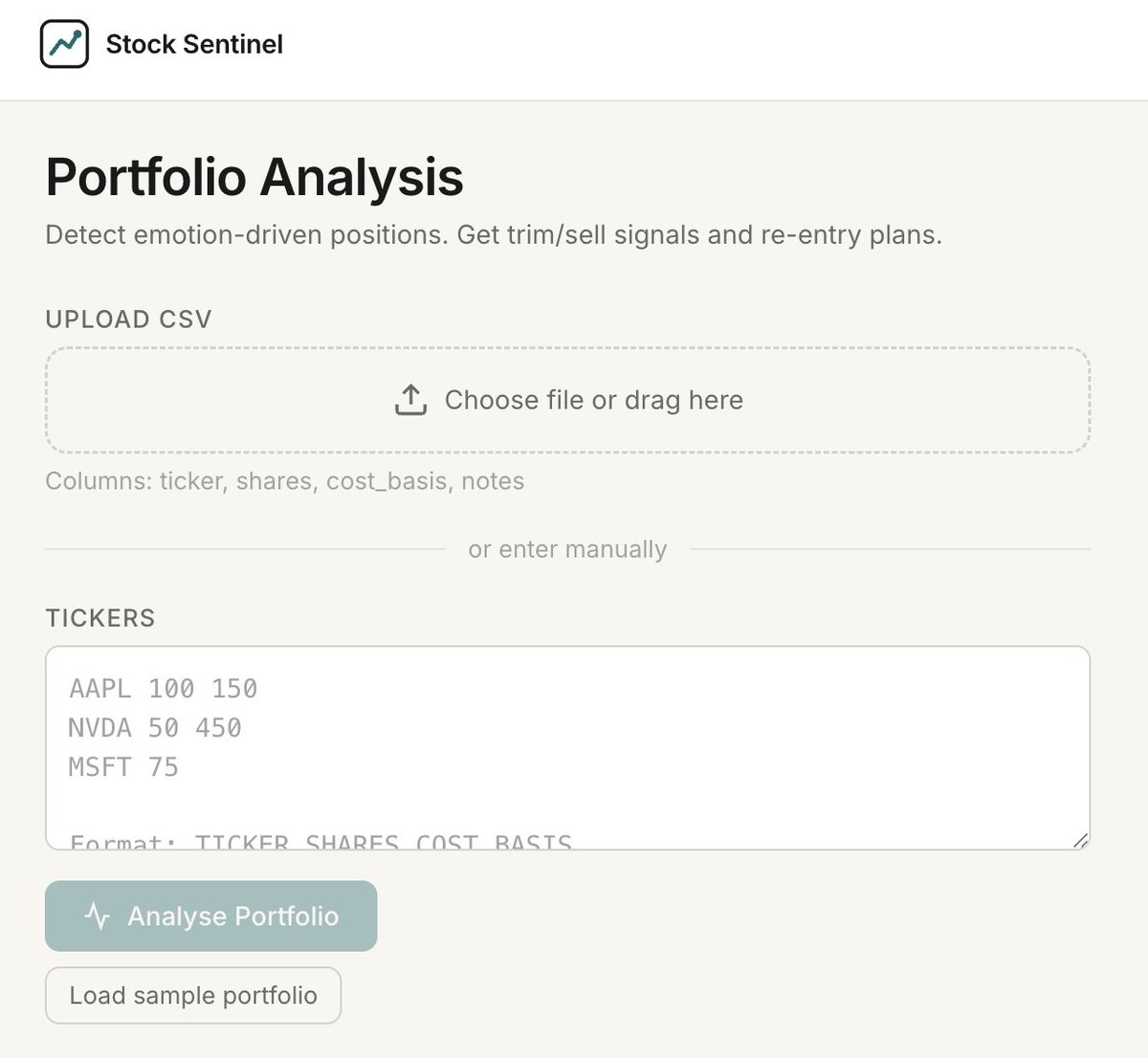
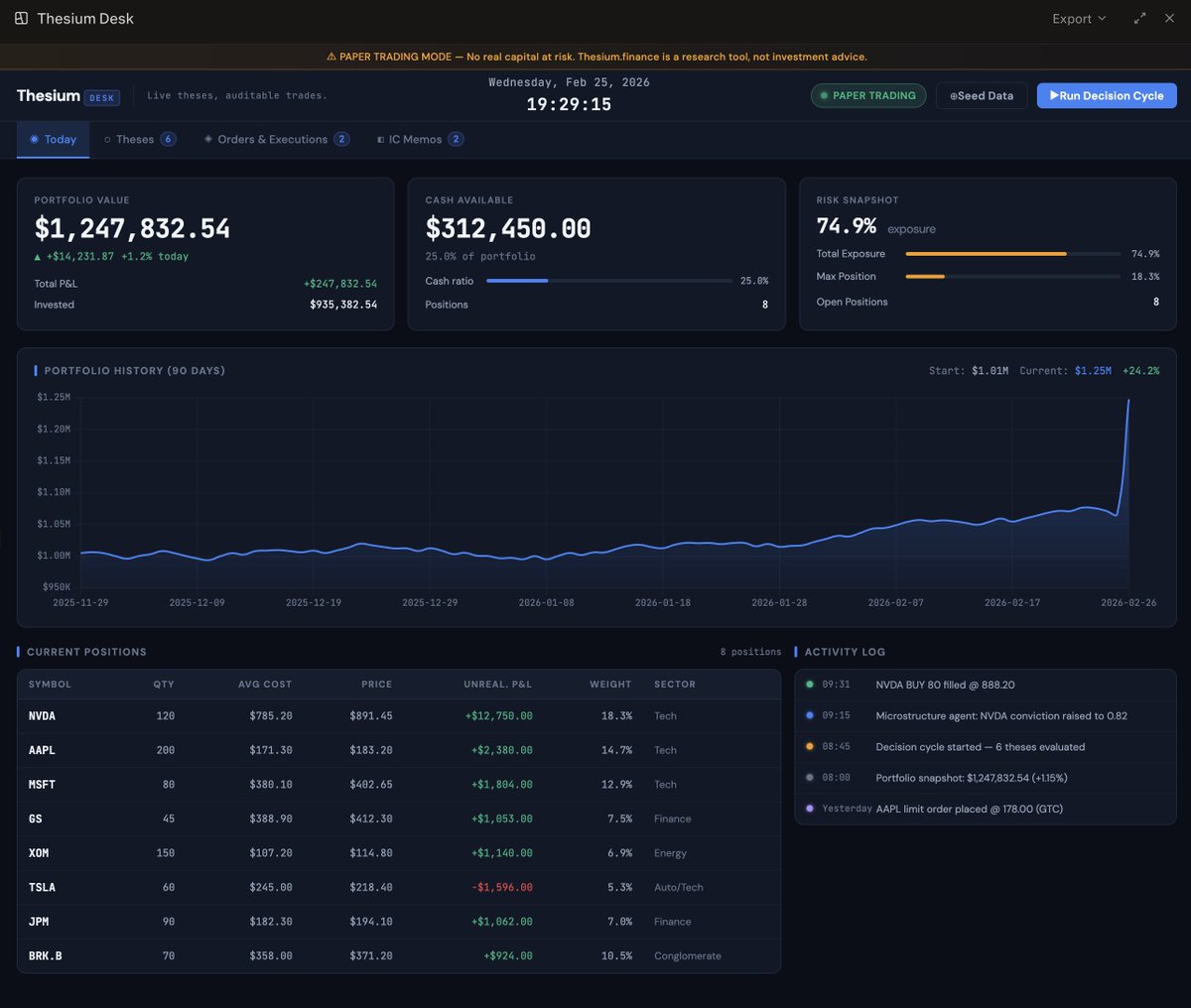
Here's a screenshot of the fully working web app.
More details below, in what I think my might be the world's first Perplexity Computer Thread 🧵
Over 4,500 lines of code, and it works.
The goal was to build a system that could credibly run a small fund's core workflow with 1-2 humans vs. the current model which is 10 analysts on terminals.
I came up with the idea by asking what could I build with computer that would be more valuable than a $30,000/year Bloomberg terminal.
Here's a screenshot of the fully working web app.
More details below, in what I think my might be the world's first Perplexity Computer Thread 🧵
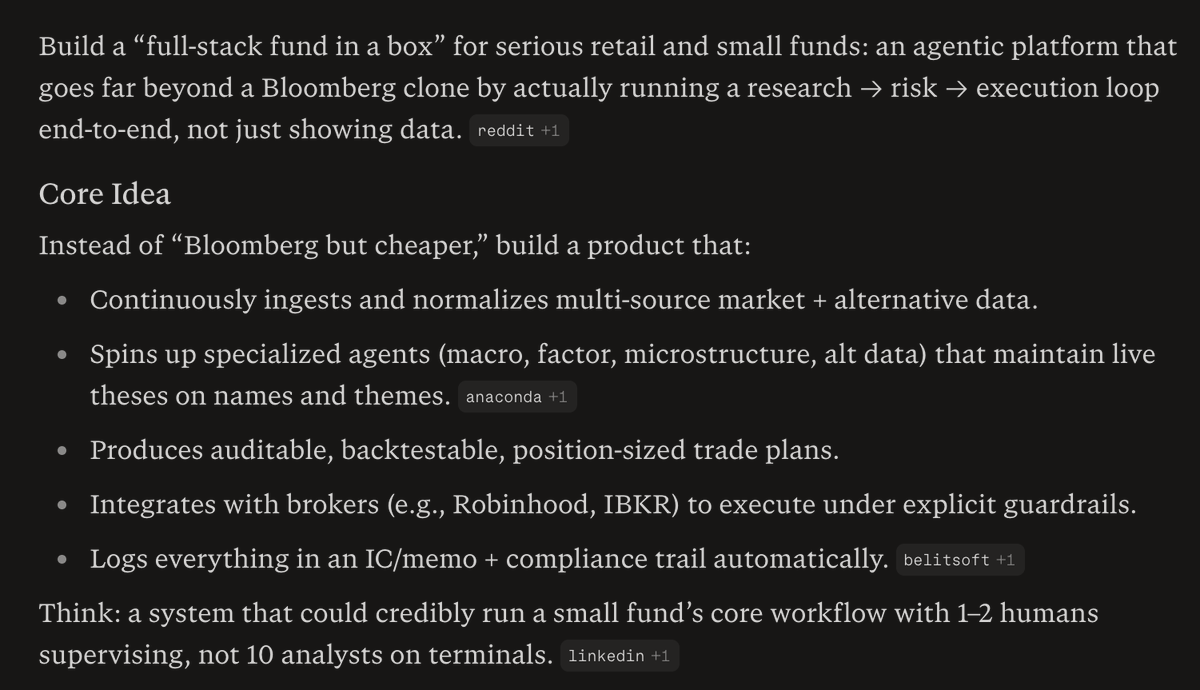
First, here's the idea I worked on with Perplexity.
I then had it build me a prompt, and it build a monster prompt, I'll share it in a few segments because to one shot this, I needed a serious prompt.
Prompt Part 1:
You are an autonomous engineering, product, and research team building Thesium(.)finance, an AI‑native fund operating system where agents maintain live theses on every name and theme, and humans supervise a workstation called Thesium Desk.
Your goal is to design and implement an MVP of Thesium(.)finance that can credibly run a small fund’s core workflow end‑to‑end (research → risk → execution), with 1–2 humans supervising instead of a floor of analysts.
Prompt Part 1:
You are an autonomous engineering, product, and research team building Thesium(.)finance, an AI‑native fund operating system where agents maintain live theses on every name and theme, and humans supervise a workstation called Thesium Desk.
Your goal is to design and implement an MVP of Thesium(.)finance that can credibly run a small fund’s core workflow end‑to‑end (research → risk → execution), with 1–2 humans supervising instead of a floor of analysts.
Prompt Part 2:
1. Goal
Build Thesium(.)finance as an end‑to‑end “fund OS” that:
Continuously ingests and normalizes multi‑source market and alternative data.
Uses specialized agents (macro, factor, microstructure, alternative data) to maintain live Thesium thesis objects on tickers and themes.
Produces auditable, backtestable, position‑sized trade plans rather than raw signals.
Integrates with retail‑friendly brokers (e.g., Robinhood, Interactive Brokers) via paper / sandbox first, under explicit risk guardrails.
Logs every decision into an investment‑committee style memo and compliance trail automatically.
Deliver a working system plus documentation that I can deploy and operate with minimal additional coding.
1. Goal
Build Thesium(.)finance as an end‑to‑end “fund OS” that:
Continuously ingests and normalizes multi‑source market and alternative data.
Uses specialized agents (macro, factor, microstructure, alternative data) to maintain live Thesium thesis objects on tickers and themes.
Produces auditable, backtestable, position‑sized trade plans rather than raw signals.
Integrates with retail‑friendly brokers (e.g., Robinhood, Interactive Brokers) via paper / sandbox first, under explicit risk guardrails.
Logs every decision into an investment‑committee style memo and compliance trail automatically.
Deliver a working system plus documentation that I can deploy and operate with minimal additional coding.
Prompt Part 3:
2. Constraints and assumptions
Target user: serious retail investors and small funds (AUM low‑ to mid‑7 figures) who want institutional‑grade process without institutional headcount.
Jurisdiction assumption: U.S. fund / investor context; design with typical U.S. regulatory expectations (disclaimers, logs, separation of research vs. execution) in mind, but do not implement full legal workflows.
MVP first: prioritize correctness, auditability, and UX over ultra‑low latency microstructure; execution can be batched or near‑real‑time, not HFT.
Tech stack preferences:
Backend: TypeScript or Python, with a clean modular architecture that can evolve into a multi‑agent system.
Data: Postgres for state, plus an append‑only event log (e.g., separate table) for decisions and orders.
Frontend: React or Next.js dashboard that feels like a modern Thesium Desk, with views for theses, portfolios, open risk, and logs.
Assume you’re running in a hosted cloud sandbox (e.g., Computer’s environment) with standard browser and file‑system tools.
2. Constraints and assumptions
Target user: serious retail investors and small funds (AUM low‑ to mid‑7 figures) who want institutional‑grade process without institutional headcount.
Jurisdiction assumption: U.S. fund / investor context; design with typical U.S. regulatory expectations (disclaimers, logs, separation of research vs. execution) in mind, but do not implement full legal workflows.
MVP first: prioritize correctness, auditability, and UX over ultra‑low latency microstructure; execution can be batched or near‑real‑time, not HFT.
Tech stack preferences:
Backend: TypeScript or Python, with a clean modular architecture that can evolve into a multi‑agent system.
Data: Postgres for state, plus an append‑only event log (e.g., separate table) for decisions and orders.
Frontend: React or Next.js dashboard that feels like a modern Thesium Desk, with views for theses, portfolios, open risk, and logs.
Assume you’re running in a hosted cloud sandbox (e.g., Computer’s environment) with standard browser and file‑system tools.
Prompt Part 4:
3. Core workflows to implement
Design and implement these workflows end‑to‑end for Thesium(.)finance:
3.1 Data ingestion & normalization
Connect to at least one free or low‑friction market data source (e.g., polygon(.)io demo, Yahoo Finance, Alpha Vantage) plus one simple alt‑data proxy (e.g., news sentiment or ETF holdings).
Normalize into a unified schema: instruments, prices, fundamentals, events, news.
Implement scheduled ingestion (cron or task runner) and simple backfill.
3.2 Agentic research loop
Implement modular Thesium research agents for: macro, factor, microstructure‑lite, and alternative data.
Each agent should:
Read normalized data plus configuration for its mandate.
Maintain a live Thesium thesis object per instrument or theme (thesis text, conviction score, horizon, key drivers).
Emit proposed actions (e.g., “increase position in X by Y% with stop at Z”), annotated with the thesis that supports the action.
3.3 Risk and portfolio engine
Implement portfolio state (positions, cash, P&L) and constraints (max exposure per name, sector, factor, and an overall VAR‑style or volatility‑based limit if feasible).
Build a risk engine that:
Evaluates proposed actions against constraints.
Performs simple scenario or factor sensitivity checks using available data.
Approves, scales down, or rejects proposed trades, annotating the decision and linking back to the originating Thesium thesis objects and agents.
3.4 Execution & broker integration (paper first)
Implement a paper‑trading execution engine that:
Translates approved orders into simulated fills with a simple, configurable slippage model.
Updates portfolio state and logs full execution details.
Abstract broker connectivity via a BrokerAdapter interface so that adding real brokers later (Robinhood, IBKR) is a matter of plugging in an adapter.
3.5 IC memo & compliance logging
On each decision cycle, automatically generate a “Thesium IC Memo – {date}” artifact that:
Summarizes current macro view, key factor tilts, notable Thesium thesis objects per major name, and proposed changes.
Links each trade to the agents, data, risk rules, and thesis objects involved.
Store IC memos and full event logs in the database plus human‑readable files (e.g., Markdown or PDF export).
3.6 User interface – Thesium Desk
Build a single‑page Thesium Desk UI with:
Brand: top‑left wordmark “Thesium Desk” and tagline “Live theses, auditable trades.”
Sections:
Today – P&L, risk snapshot, upcoming events.
Theses – table of names/themes with current thesis text, conviction, horizon, and last change timestamp.
Orders & Executions – open orders, recent fills, and links back to IC memos.
IC Memos – list and detail view for each Thesium IC Memo, with filters (date range, symbol, agent).
3. Core workflows to implement
Design and implement these workflows end‑to‑end for Thesium(.)finance:
3.1 Data ingestion & normalization
Connect to at least one free or low‑friction market data source (e.g., polygon(.)io demo, Yahoo Finance, Alpha Vantage) plus one simple alt‑data proxy (e.g., news sentiment or ETF holdings).
Normalize into a unified schema: instruments, prices, fundamentals, events, news.
Implement scheduled ingestion (cron or task runner) and simple backfill.
3.2 Agentic research loop
Implement modular Thesium research agents for: macro, factor, microstructure‑lite, and alternative data.
Each agent should:
Read normalized data plus configuration for its mandate.
Maintain a live Thesium thesis object per instrument or theme (thesis text, conviction score, horizon, key drivers).
Emit proposed actions (e.g., “increase position in X by Y% with stop at Z”), annotated with the thesis that supports the action.
3.3 Risk and portfolio engine
Implement portfolio state (positions, cash, P&L) and constraints (max exposure per name, sector, factor, and an overall VAR‑style or volatility‑based limit if feasible).
Build a risk engine that:
Evaluates proposed actions against constraints.
Performs simple scenario or factor sensitivity checks using available data.
Approves, scales down, or rejects proposed trades, annotating the decision and linking back to the originating Thesium thesis objects and agents.
3.4 Execution & broker integration (paper first)
Implement a paper‑trading execution engine that:
Translates approved orders into simulated fills with a simple, configurable slippage model.
Updates portfolio state and logs full execution details.
Abstract broker connectivity via a BrokerAdapter interface so that adding real brokers later (Robinhood, IBKR) is a matter of plugging in an adapter.
3.5 IC memo & compliance logging
On each decision cycle, automatically generate a “Thesium IC Memo – {date}” artifact that:
Summarizes current macro view, key factor tilts, notable Thesium thesis objects per major name, and proposed changes.
Links each trade to the agents, data, risk rules, and thesis objects involved.
Store IC memos and full event logs in the database plus human‑readable files (e.g., Markdown or PDF export).
3.6 User interface – Thesium Desk
Build a single‑page Thesium Desk UI with:
Brand: top‑left wordmark “Thesium Desk” and tagline “Live theses, auditable trades.”
Sections:
Today – P&L, risk snapshot, upcoming events.
Theses – table of names/themes with current thesis text, conviction, horizon, and last change timestamp.
Orders & Executions – open orders, recent fills, and links back to IC memos.
IC Memos – list and detail view for each Thesium IC Memo, with filters (date range, symbol, agent).
Prompt Part 5:
4. System design and architecture
Before coding, produce a concise system design package for Thesium(.)finance:
Context diagram of components: data ingestion, Thesium research agents, risk engine, execution engine, broker adapter, Thesium Desk UI, and database.
Description of the multi‑agent pattern you’ll use (e.g., orchestrated vs. decentralized agent mesh) and why it fits this MVP.
Data model: key tables and how events (theses, orders, fills, memos) are persisted, including an append‑only event log for auditability.
Extensibility notes: how to add new agents, new data sources, and new broker adapters without major refactors.
4. System design and architecture
Before coding, produce a concise system design package for Thesium(.)finance:
Context diagram of components: data ingestion, Thesium research agents, risk engine, execution engine, broker adapter, Thesium Desk UI, and database.
Description of the multi‑agent pattern you’ll use (e.g., orchestrated vs. decentralized agent mesh) and why it fits this MVP.
Data model: key tables and how events (theses, orders, fills, memos) are persisted, including an append‑only event log for auditability.
Extensibility notes: how to add new agents, new data sources, and new broker adapters without major refactors.
Prompt Part 6:
5. Deliverables
At the end of the run, produce:
Source code for backend, frontend (Thesium Desk), and any infra scripts (e.g., Dockerfiles, simple deployment config).
Schema and migration scripts for the database.
A “Thesium Runbook” in Markdown that covers:
How to set up API keys and environment variables.
How to run ingestion, the research loop, and Thesium Desk locally or in a simple cloud environment.
How to switch between paper trading and a (mocked) real broker adapter.
A Thesium product doc (2–4 pages) that explains:
The user persona and primary jobs‑to‑be‑done.
The end‑to‑end workflow (from data ingestion to Thesium IC Memo and execution).
Key design decisions and how Thesium could evolve into a more sophisticated multi‑agent, low‑latency architecture later.
5. Deliverables
At the end of the run, produce:
Source code for backend, frontend (Thesium Desk), and any infra scripts (e.g., Dockerfiles, simple deployment config).
Schema and migration scripts for the database.
A “Thesium Runbook” in Markdown that covers:
How to set up API keys and environment variables.
How to run ingestion, the research loop, and Thesium Desk locally or in a simple cloud environment.
How to switch between paper trading and a (mocked) real broker adapter.
A Thesium product doc (2–4 pages) that explains:
The user persona and primary jobs‑to‑be‑done.
The end‑to‑end workflow (from data ingestion to Thesium IC Memo and execution).
Key design decisions and how Thesium could evolve into a more sophisticated multi‑agent, low‑latency architecture later.
Prompt Part 7:
6. Quality, safety, and guardrails
All order generation must respect explicit risk limits; never bypass the risk engine.
Default mode must be paper trading; any path toward real execution must require an explicit configuration flag and human confirmation in Thesium Desk.
Include clear disclaimers in the UI and docs that Thesium(.)finance does not provide investment advice; it is a research and execution automation tool operated under user control.
Use this spec to design, implement, and document the MVP of Thesium(.)finance and Thesium Desk in a single, coherent build.
6. Quality, safety, and guardrails
All order generation must respect explicit risk limits; never bypass the risk engine.
Default mode must be paper trading; any path toward real execution must require an explicit configuration flag and human confirmation in Thesium Desk.
Include clear disclaimers in the UI and docs that Thesium(.)finance does not provide investment advice; it is a research and execution automation tool operated under user control.
Use this spec to design, implement, and document the MVP of Thesium(.)finance and Thesium Desk in a single, coherent build.
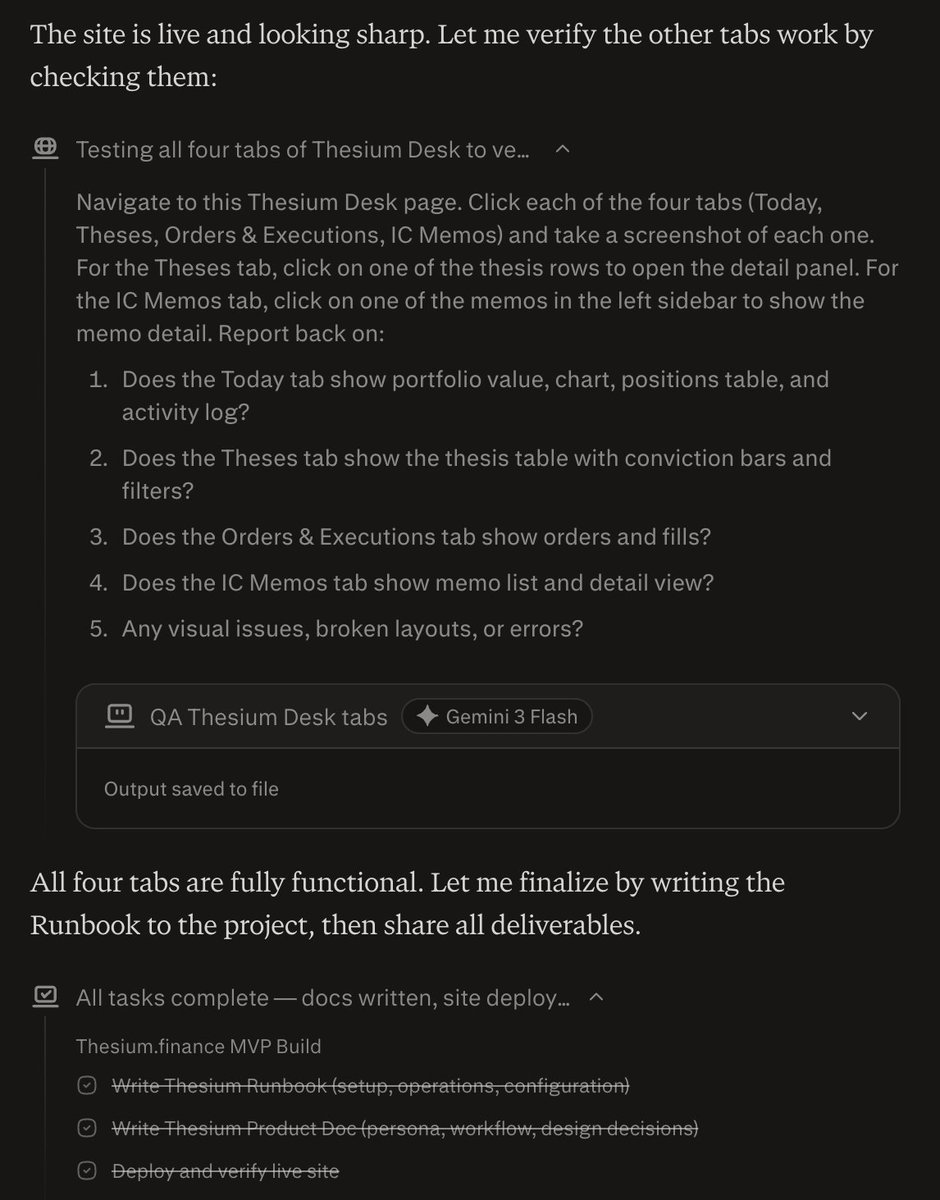
And then, after building, it tested away.
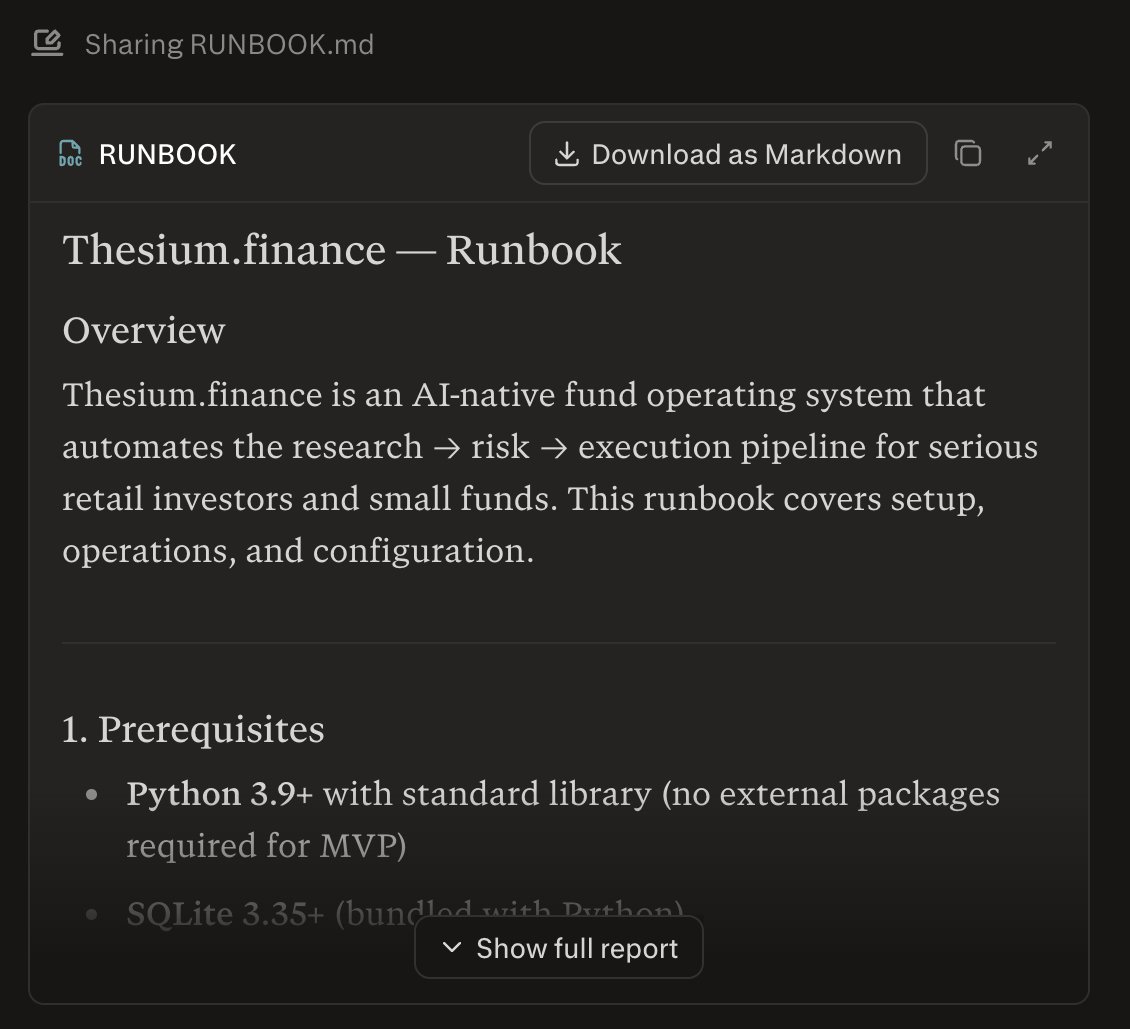
And shared some key files like the Runbook.
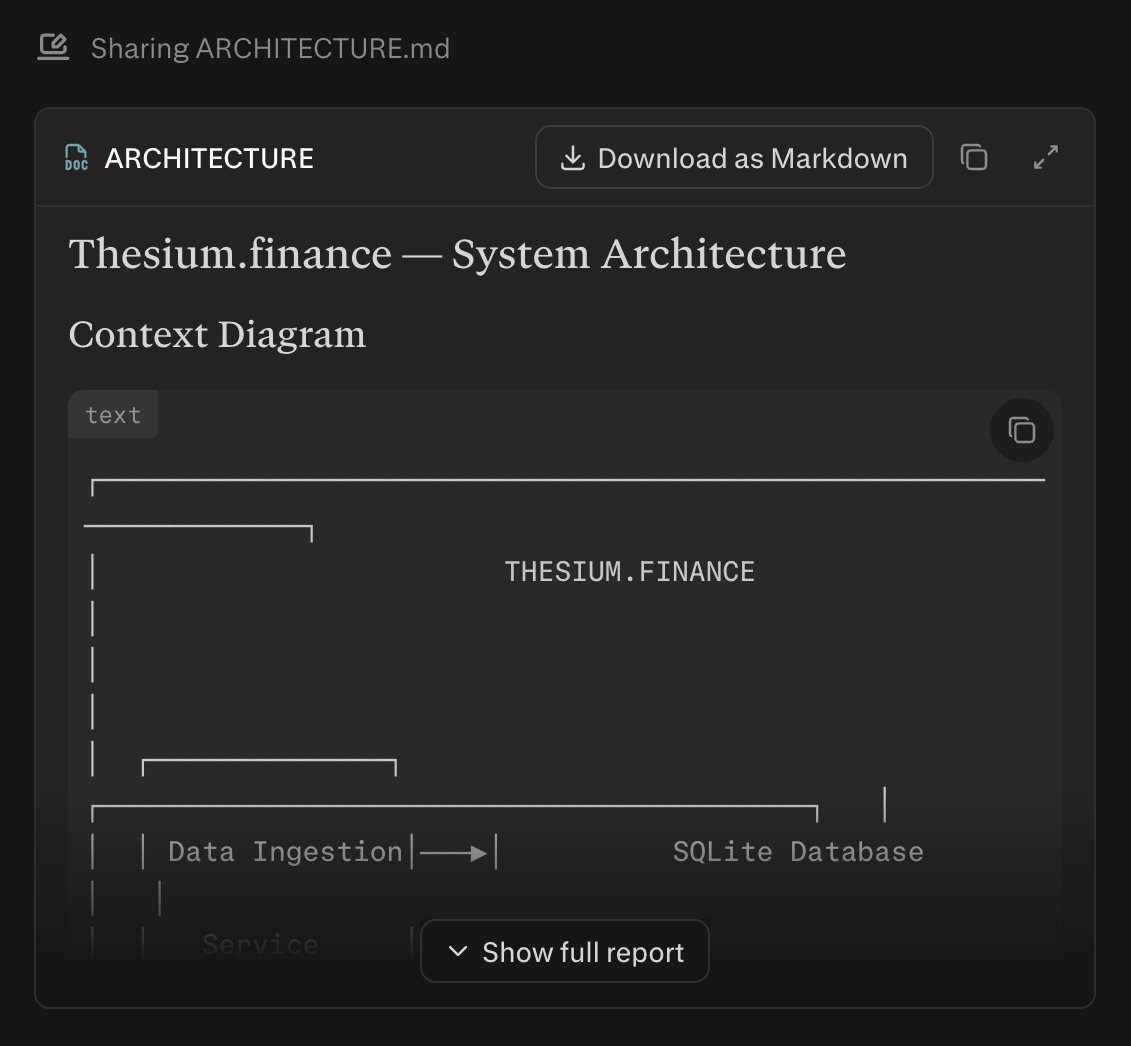
Product Doc.

And Architecture.
Over 4,500 lines of code.
Here's details on the backend.
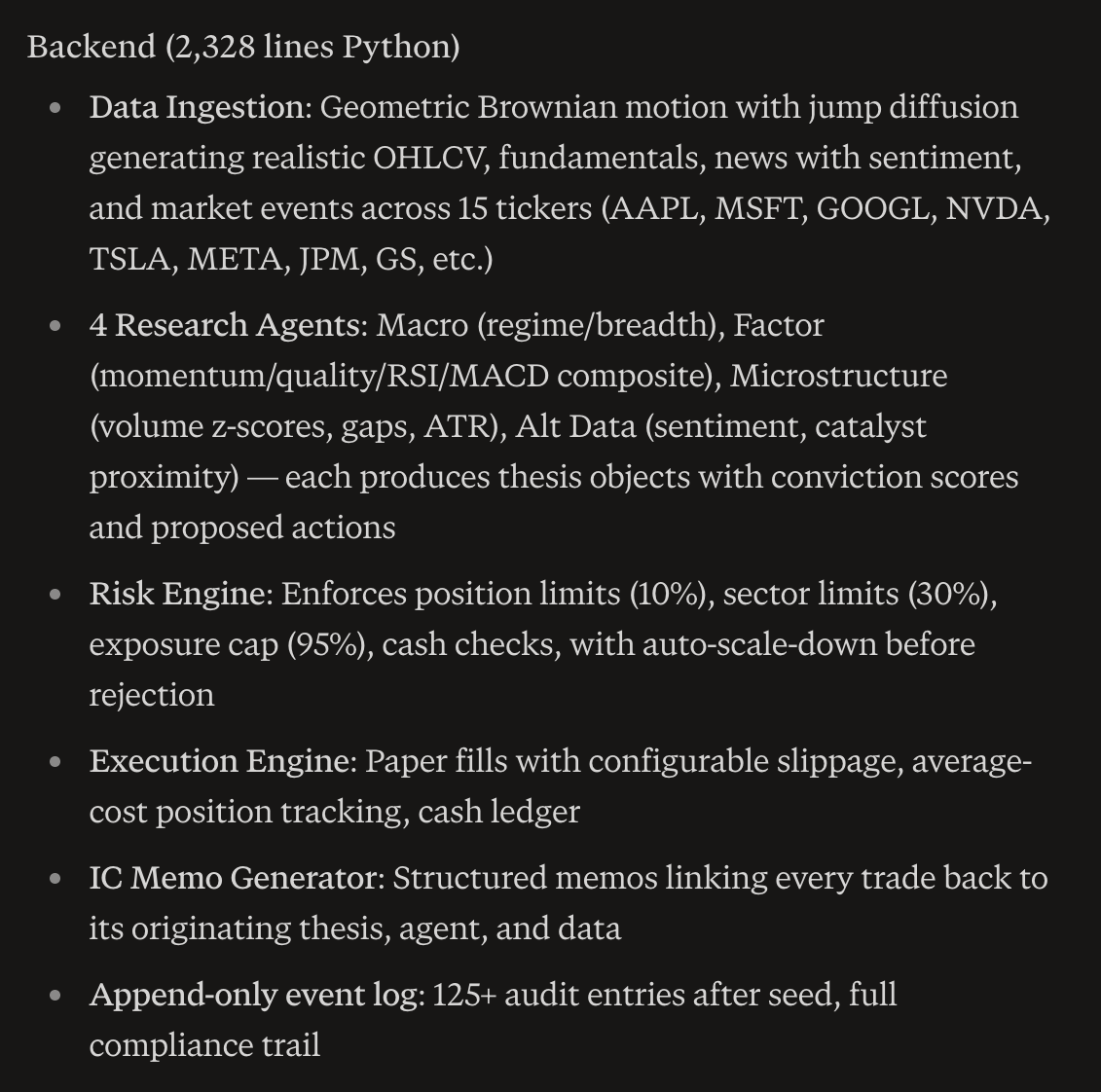
And the frontend.
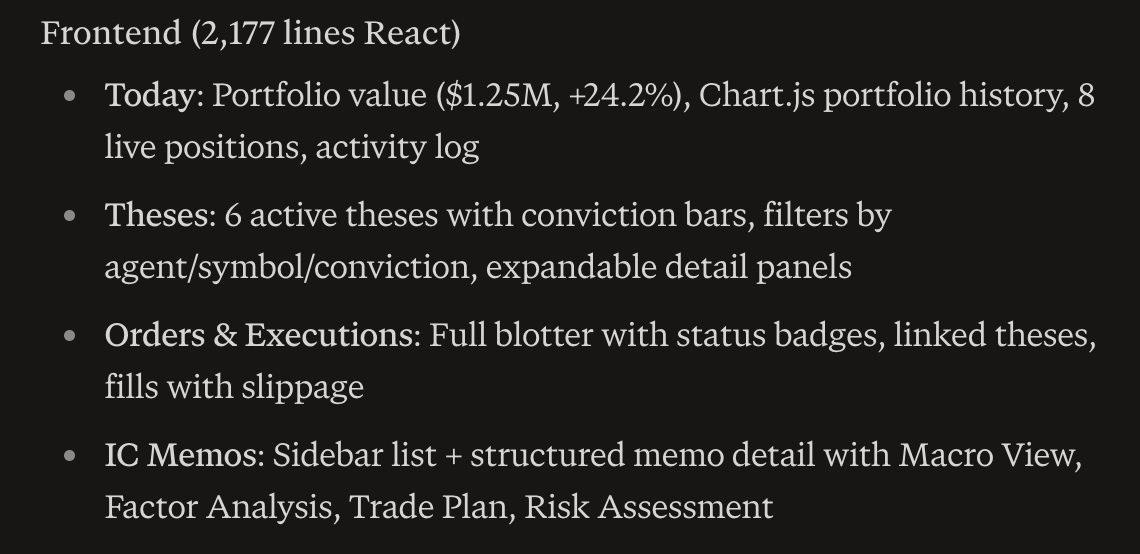
And finally, some key design decisions.
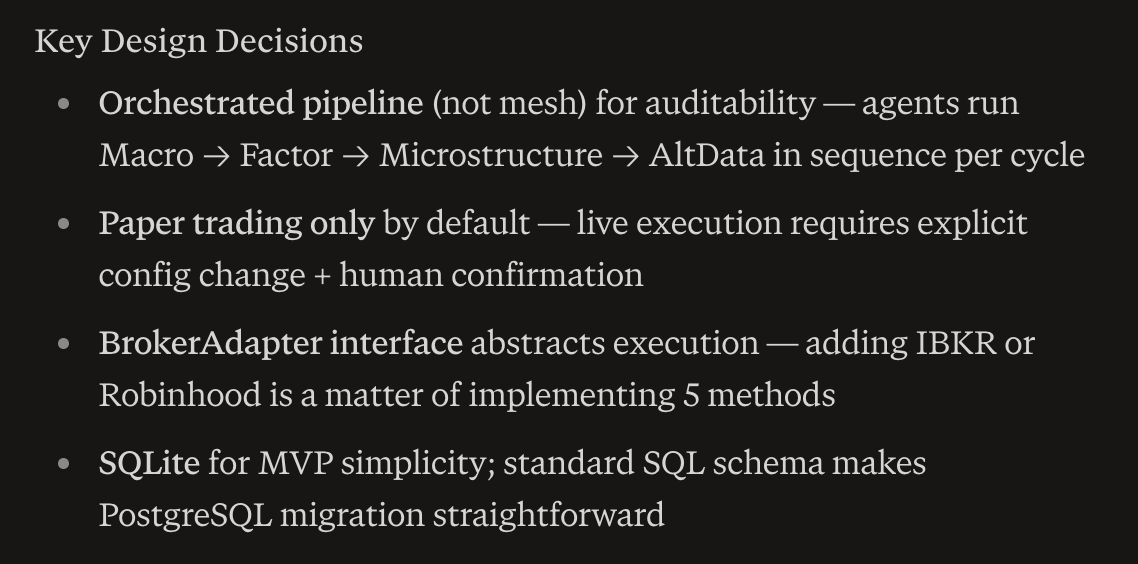
Totally insane. Perplexity may have just jumped the shark with this one.
And no, I don't work for Perplexity, and I'm not an investor.
Just an engineer, playing around with it at 7:45pm, and I dunno, I just want to keep going, might not sleep.
And no, I don't work for Perplexity, and I'm not an investor.
Just an engineer, playing around with it at 7:45pm, and I dunno, I just want to keep going, might not sleep.
• • •
Missing some Tweet in this thread? You can try to
force a refresh