Abhishek Profile picture
Mar 18 11 tweets 2 min read Read on X
STOP TELLING CLAUDE "CHECK MY GRAMMAR".

Bad prompt = Bad result.

Here are the prompts that actually work: Image
1. The Voice Match

"Rewrite this to sound like me, not AI.

Here's how I actually talk: [paste 3 real messages/emails]

Match my sentence length, line breaks, and rhythm. Don't copy words. Copy patterns.

Now rewrite: [your draft]"
2. The Word Filter

"Words I avoid: [list them]

Words I use constantly: [list them]

Rewrite this using only MY vocabulary: [paste draft]

If you catch yourself using words from my avoid list, stop and replace immediately."
3. The Thinking Out Loud

"Write about [topic] like I'm recording a voice memo while walking.

Incomplete thoughts = fine

Starting with 'And' or 'But' = fine

Grammar shortcuts = fine

Make it sound raw, not rehearsed."
4. The Generic Filter

"Go through this line by line: [draft]

Delete every sentence that could apply to ANY topic.

Test: if it works for both [your topic] and 'how to cook pasta,' it's too generic.

Replace with something only YOU can say."
5. The Strong Opinion

"This draft is too safe: [paste it]

Rewrite the opening with a strong take.

Name what most people get wrong about [topic].

If this doesn't make 20% of readers disagree, push harder."
6. The Context Builder

"Review this for clarity: [draft]

Identify where readers need background info.

Define any terms that aren't obvious.

Bridge knowledge gaps without over-explaining."
7. The Vague Sentence Hunter

"Find every vague sentence in this: [draft]

Examples: 'The process was managed' or 'Results were positive'

Rewrite each one with specifics:

Who did it? What exactly happened? When? How?"
Pro tip:

Use Claude Projects to save these prompts.

Upload your writing samples once.

Claude remembers your voice forever.

No need to paste examples every time.
The difference:

Before: "Please check my writing for errors"
After: Specific instructions + your voice + context

Claude goes from basic grammar checker to your personal editor.
Bookmark this and follow @HeyAbhishek for more AI tutorials that actually work.

And like and share this post below with your friends and family:

• • •

Missing some Tweet in this thread? You can try to force a refresh

 

Keep Current with Abhishek

Abhishek Profile picture

Stay in touch and get notified when new unrolls are available from this author!

Read all threads

This Thread may be Removed Anytime!

PDF

Twitter may remove this content at anytime! Save it as PDF for later use!

Try unrolling a thread yourself!

how to unroll video
  1. Follow @ThreadReaderApp to mention us!

  2. From a Twitter thread mention us with a keyword "unroll"
@threadreaderapp unroll

Practice here first or read more on our help page!

More from @HeyAbhishek

Mar 8
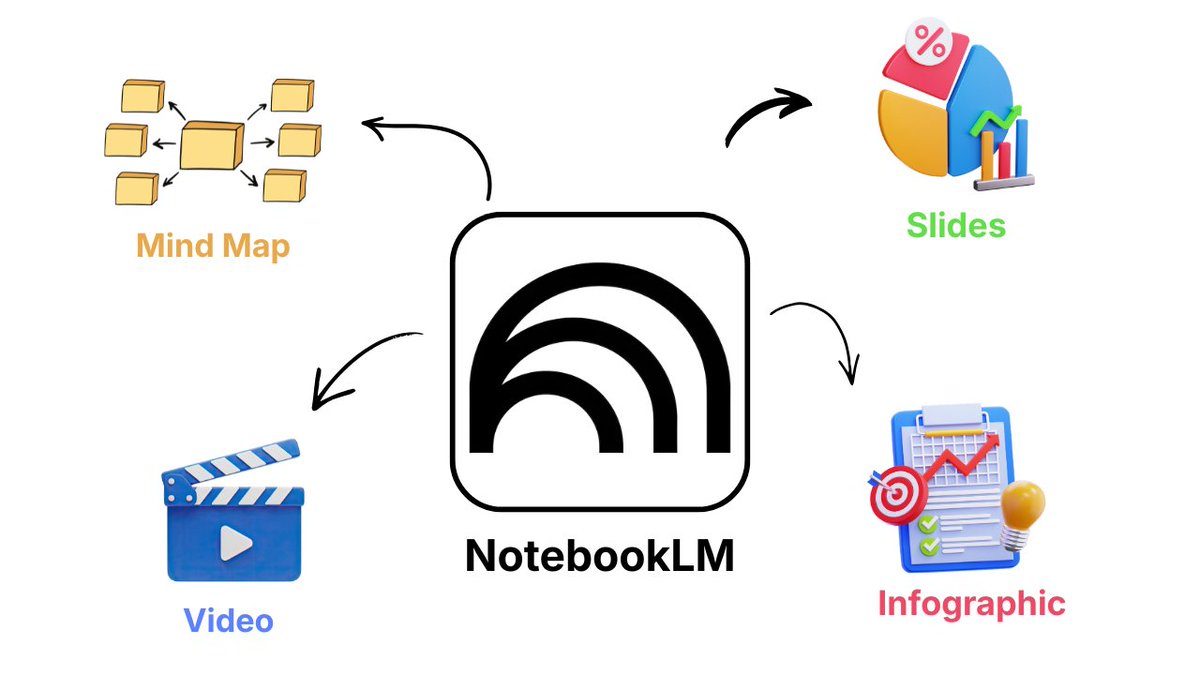
NotebookLM now auto-designs your study materials.

Turn research notes into professional infographics, slides, videos and mind maps in seconds.

Here's the workflow most people are missing: Image
1. Upload Your Sources

NotebookLM accepts:
- PDFs and documents
- YT Videos
- Website URLs
- Google Drive files
- Audio recordings (auto-transcribed)

Dump everything related to your topic.
2. Turn Everything Into Cinematic Videos (New)

New "Cinematic Video Overviews" feature:

Uses Gemini + Veo to create:
- Fluid animations
- Detailed visuals
- Narrated explanations of your sources
Read 10 tweets
Feb 28
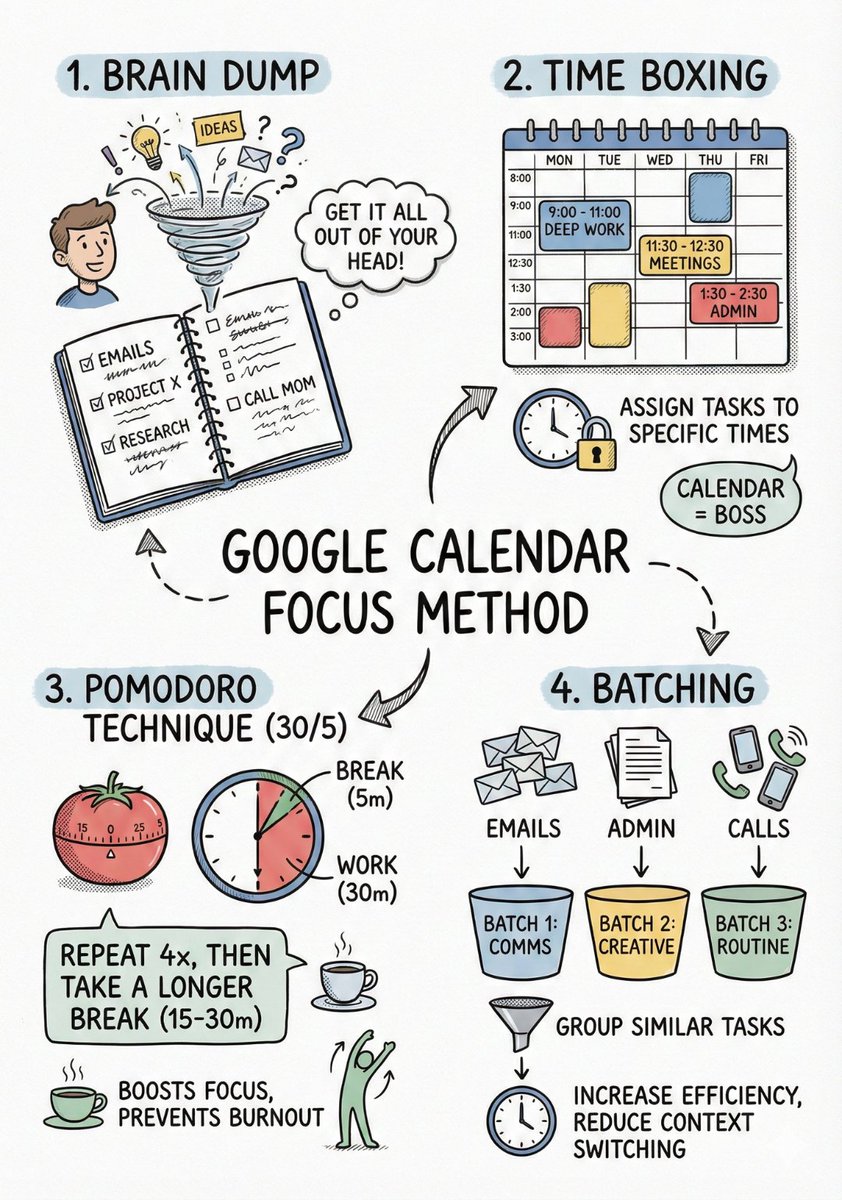
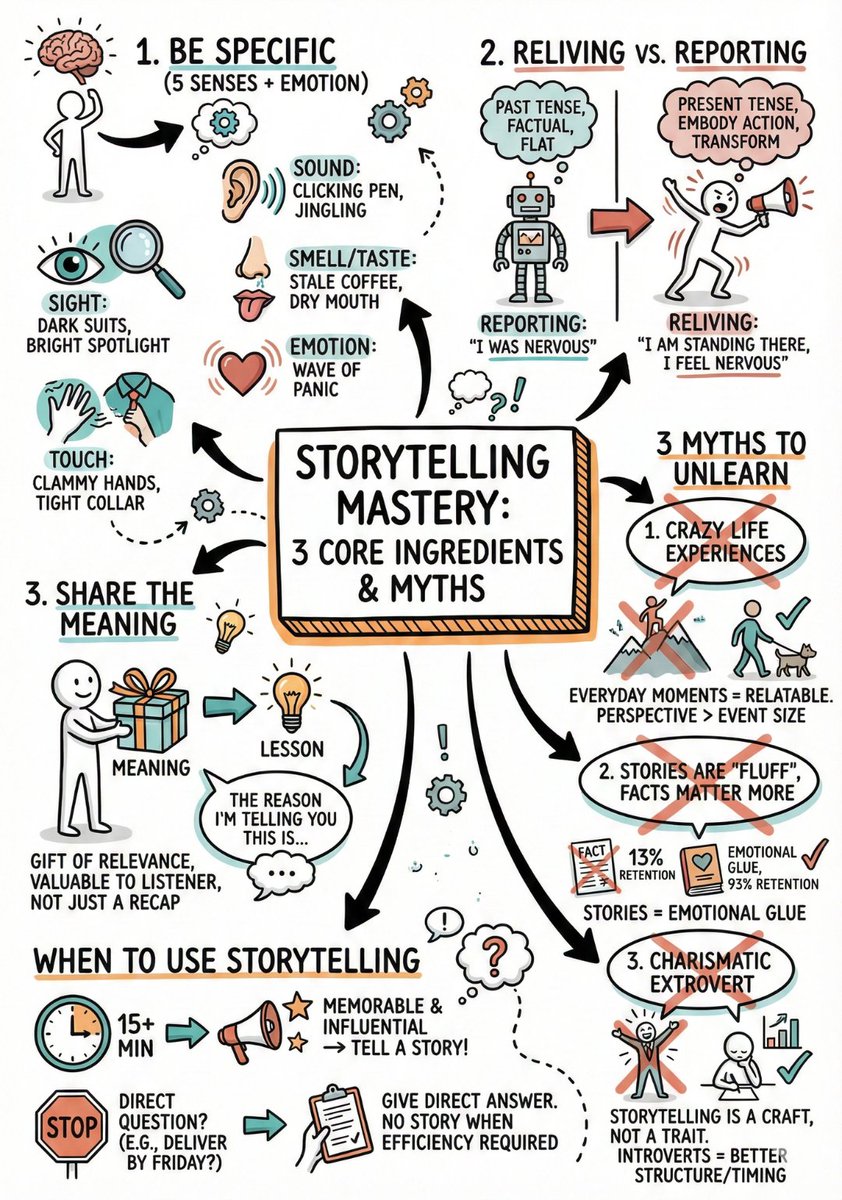
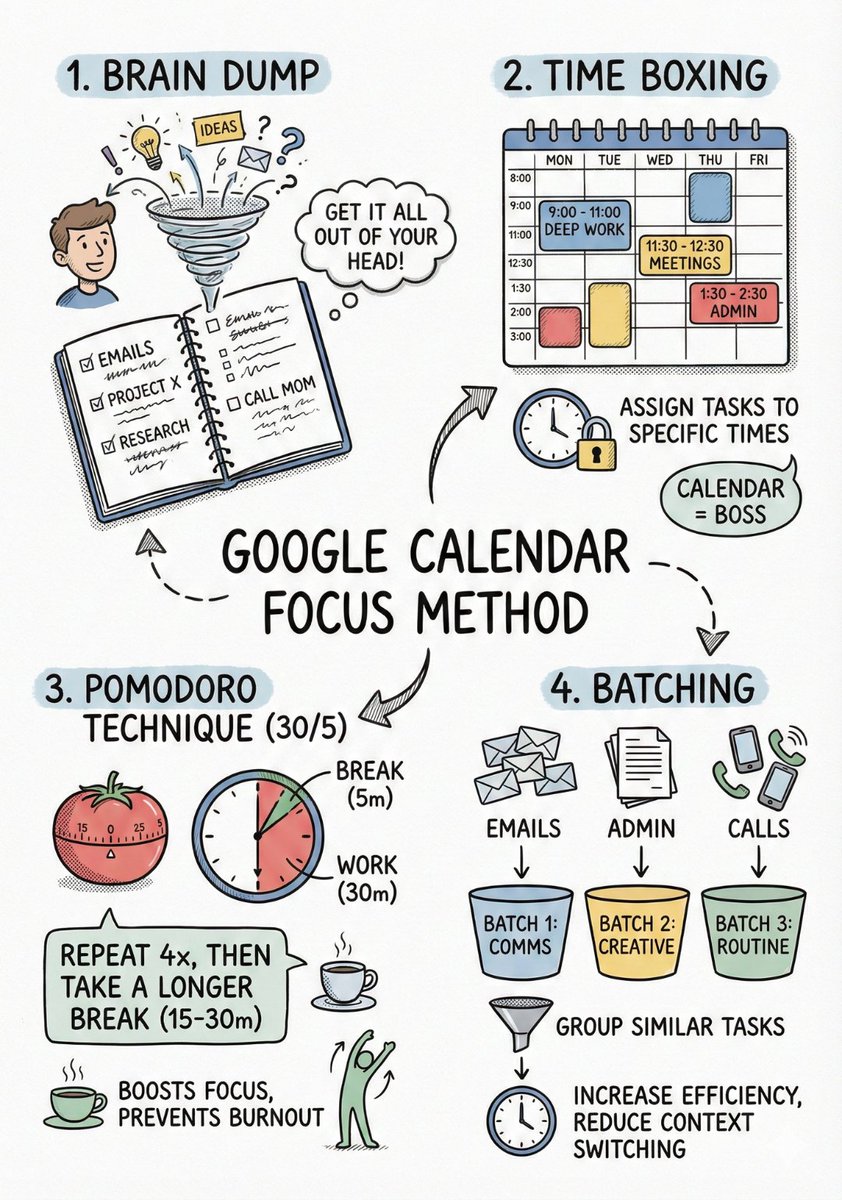
AI can't write readable text inside images.

Except it can with the right prompt structure.

Here's the framework for perfect sketchnotes every time: Image
Image
First: break your content down.

Dump everything into ChatGPT and ask:

"Summarize this into short concepts I can learn quickly"

Take that output.
Next: the actual prompt.

- Open Gemini
- Hit "Create Image"
- Drop your text
- Use this:

"Create a hand-drawn sketchnote visual summary of these notes. Use a pristine white paper background (no lines). The art style should be 'graphic recording' or 'visual thinking' using black ink fine-liners for clear outlines and text. Use colored markers (specifically teal, orange, and muted red) for simple shading and accents. Center the main title in a 3D-style rectangular box. Surround the title with radially distributed simple doodles, business icons, stick figures, and graphs that explain the concepts. Use arrows to connect ideas. The text should be distinct, handwritten, all-caps printing, legible and organized like a professional brainstorming session. Layout should be A4."
Read 5 tweets
Feb 27
I collected most powerful NotebookLM prompts writers are using to fix their drafts faster.

They went viral across Reddit and X for a reason.

15 prompts that catch what Grammarly misses: Image
1) Clarity Audit

Prompt:
Analyze my writing for clarity issues.
Identify:
- sentences over 25 words
- abstract language that could be concrete
- vague phrases ("many", "often", "significant")
- unclear antecedents (confusing pronouns)
- technical jargon without explanation

For each issue, show:
- the original sentence with citation
- why it's unclear
- a clearer rewrite
2) Remove the Fluff

Prompt:
Find every instance of filler language in my writing.
Flag:
- throat-clearing intros ("I think", "It seems", "In my opinion")
- redundant pairs ("each and every", "first and foremost")
- qualifier overload ("really", "very", "quite", "somewhat")
- empty transitions ("Furthermore", "In addition", "That said")

Show original vs. tighter version for each.
Cite sources.
Read 17 tweets
Feb 25
I spent hours testing NotebookLM so you don't have to.

They’ll upgrade your learning and save you hours.

Here are 15 prompts to use right now: Image
1) Active Recall Tutor Mode

Prompt:
Act like a strict but supportive exam tutor.

Use my sources to quiz me one question at a time (no answers yet).
Rules:
- mix recall, application, and comparison questions
- do not repeat the same order each round
- wait for my answer
- grade it (0–2 scale)
- show the ideal answer with citations
- explain what I missed briefly
Track weak topics as we go.
2) Core Questions Builder (better than summary)

Prompt:
Read all selected sources and convert them into 5–7 “big understanding questions” that capture the core ideas, relationships, and conclusions.

Then:
- answer each question using only my sources
- include citations
- add 1 “why this matters in an exam” note per question
- add 1 likely misconception per question
Read 17 tweets
Feb 19
I spent hours testing NotebookLM so you don't have to.

They’ll upgrade your research and save you hours.

Here are 15 prompts to use right now: Image
1. Feynman breakdown (learn fast)

This exact structure shows up constantly in “best prompts” threads.

Prompt:
Explain the topic using the Feynman technique:
1) Simple explanation (no jargon)
2) Identify gaps or confusing parts in my sources
3) Rewrite the explanation clearer
4) Give 3 analogies + 3 real examples
Finish with 5 self-test questions (with answers).
Cite sources.
2. Chapter mastery guide

Turns messy PDFs into a structured map.

Prompt:
Turn this into a chapter mastery guide:
- 2-3 sentence overview
- Learning objectives
- Outline: main topics -> subtopics -> details
- Key frameworks/formulas and when to use them
- 3 hardest sections and why
- Explain the hardest idea like I'm 12
- 10 bullet review sheet for night-before revision
Cite sources.
Read 17 tweets
Jan 15
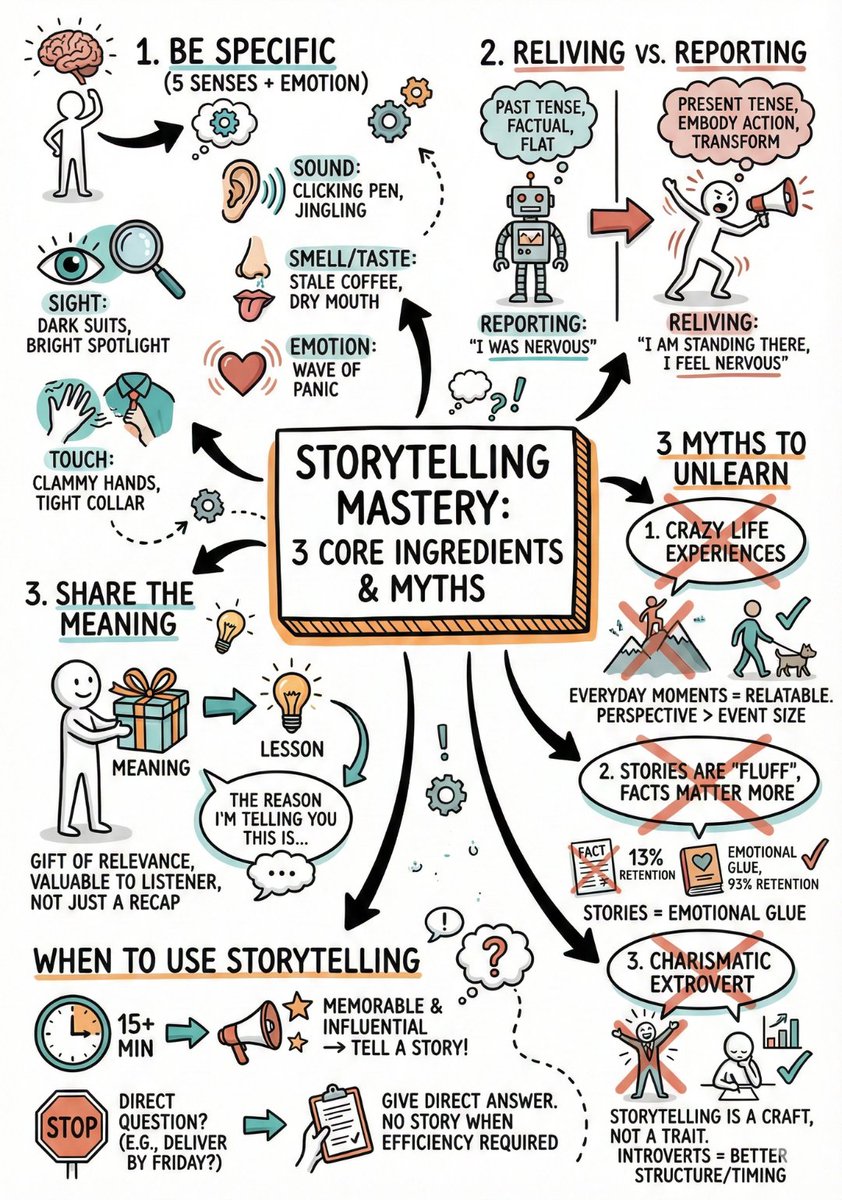
Stop asking AI to "draw a diagram."

The text usually comes out messy and unreadable.

Use this specific prompt framework for perfect Sketchnotes: Image
Image
Step 1: The Prep

Don't feed the AI a whole book. It needs structure.

Paste your content into ChatGPT and ask:

"Summarize this into short, concepts to learn this easily"

Copy that summary.
Step 2: The Prompt

- Open Gemini
- select “Create Image”
- Upload or add your text
- and use this exact prompt.

Copy/Paste Prompt:

“Create a hand-drawn sketchnote visual summary of these notes. Use a pristine white paper background (no lines). The art style should be 'graphic recording' or 'visual thinking' using black ink fine-liners for clear outlines and text. Use colored markers (specifically teal, orange, and muted red) for simple shading and accents. Center the main title in a 3D-style rectangular box. Surround the title with radially distributed simple doodles, business icons, stick figures, and graphs that explain the concepts. Use arrows to connect ideas. The text should be distinct, handwritten, all-caps printing, legible and organized like a professional brainstorming session. Layout should be A4.”
Read 5 tweets

Did Thread Reader help you today?

Support us! We are indie developers!


This site is made by just two indie developers on a laptop doing marketing, support and development! Read more about the story.

Become a Premium Member ($3/month or $30/year) and get exclusive features!

Become Premium

Don't want to be a Premium member but still want to support us?

Make a small donation by buying us coffee ($5) or help with server cost ($10)

Donate via Paypal

Or Donate anonymously using crypto!

Ethereum

0xfe58350B80634f60Fa6Dc149a72b4DFbc17D341E copy

Bitcoin

3ATGMxNzCUFzxpMCHL5sWSt4DVtS8UqXpi copy

Thank you for your support!

Follow Us!

:(