Abhishek Profile picture
Sharing practical ways to use Al for you and your business | latest AI tools, tutorials, trends and AI news | ✉️ DM or hey@AbhishekAI.com
23 subscribers
Mar 18 11 tweets 2 min read
STOP TELLING CLAUDE "CHECK MY GRAMMAR".

Bad prompt = Bad result.

Here are the prompts that actually work: Image 1. The Voice Match

"Rewrite this to sound like me, not AI.

Here's how I actually talk: [paste 3 real messages/emails]

Match my sentence length, line breaks, and rhythm. Don't copy words. Copy patterns.

Now rewrite: [your draft]"
Mar 8 10 tweets 4 min read
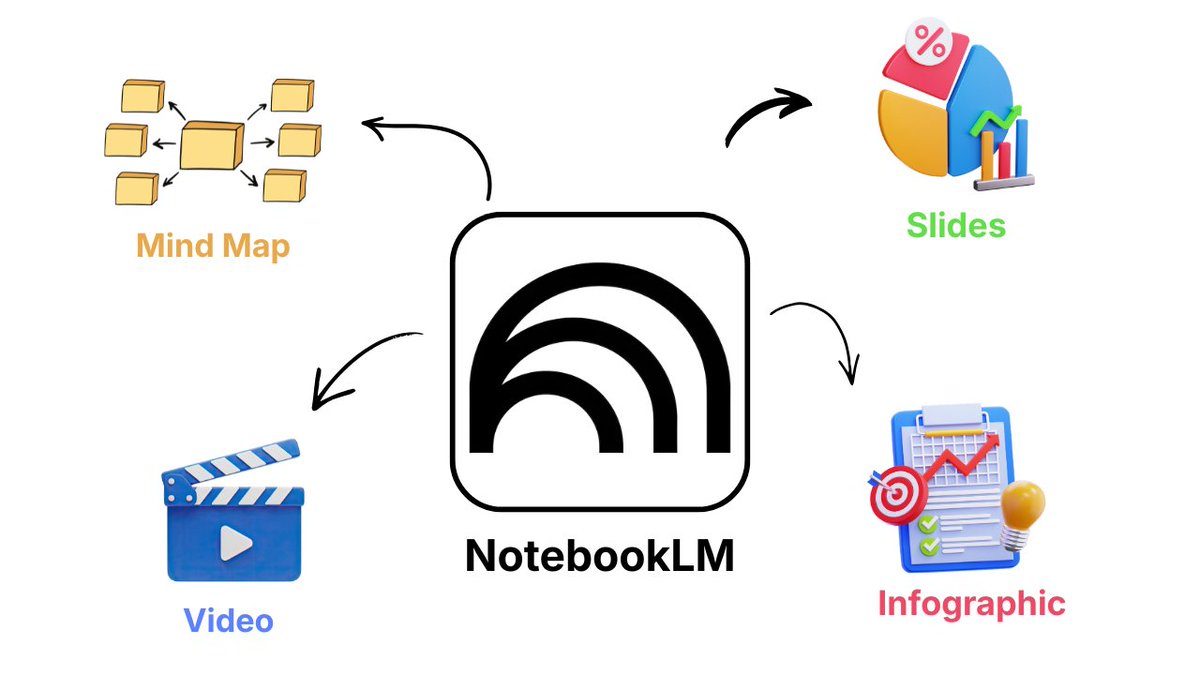
NotebookLM now auto-designs your study materials.

Turn research notes into professional infographics, slides, videos and mind maps in seconds.

Here's the workflow most people are missing: Image 1. Upload Your Sources

NotebookLM accepts:
- PDFs and documents
- YT Videos
- Website URLs
- Google Drive files
- Audio recordings (auto-transcribed)

Dump everything related to your topic.
Feb 28 5 tweets 3 min read
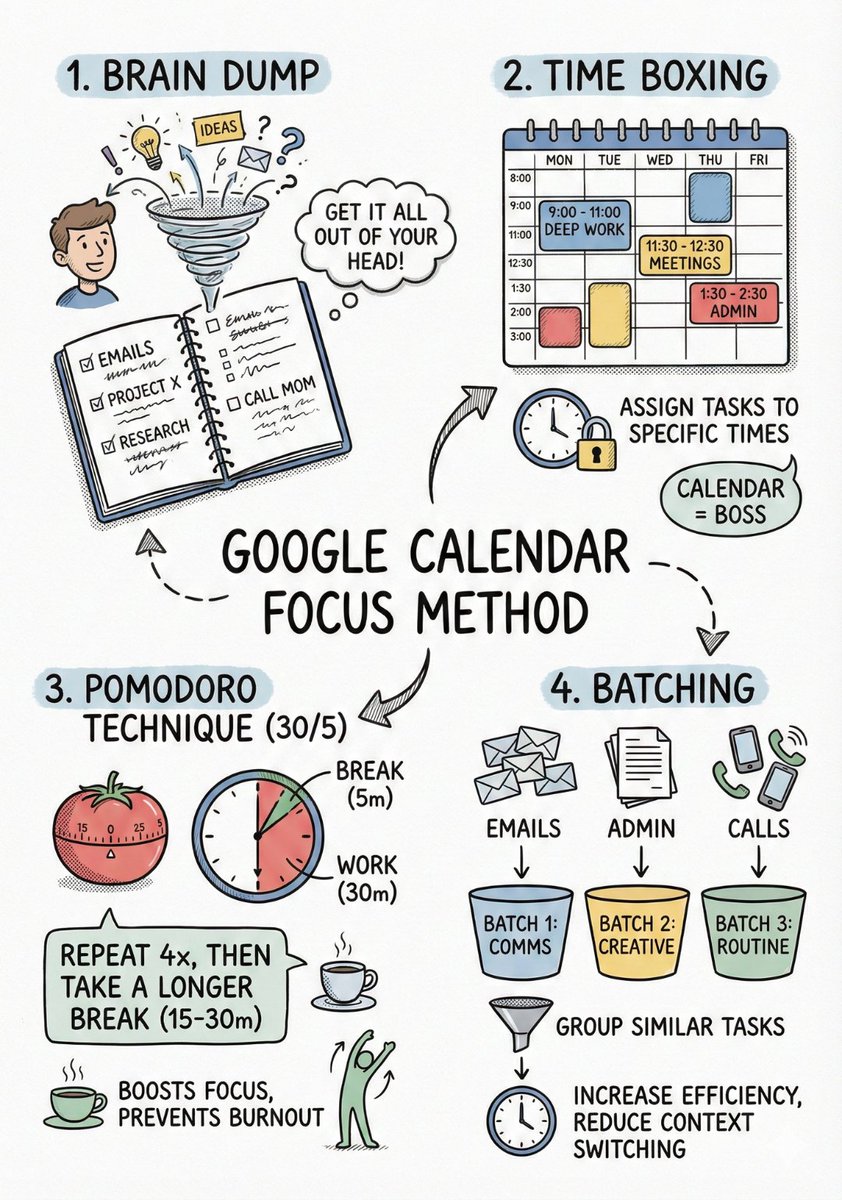
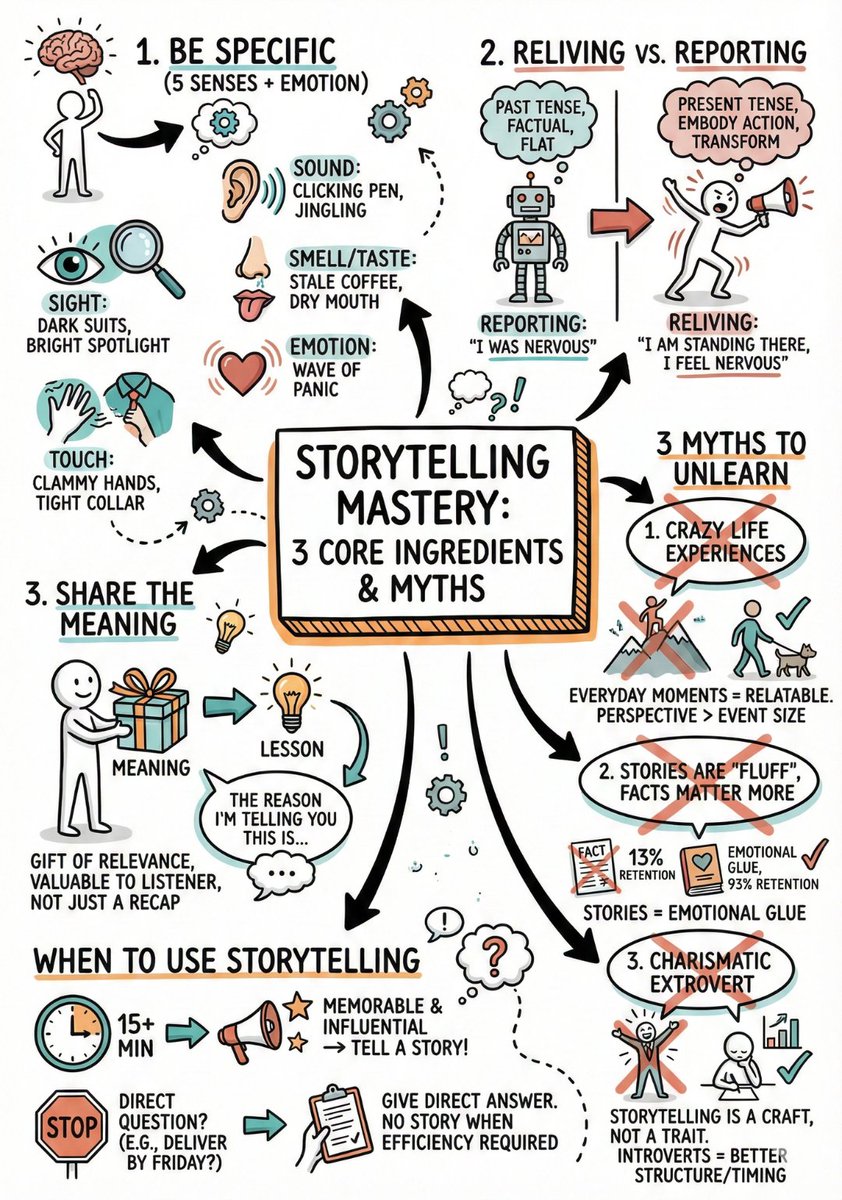
AI can't write readable text inside images.

Except it can with the right prompt structure.

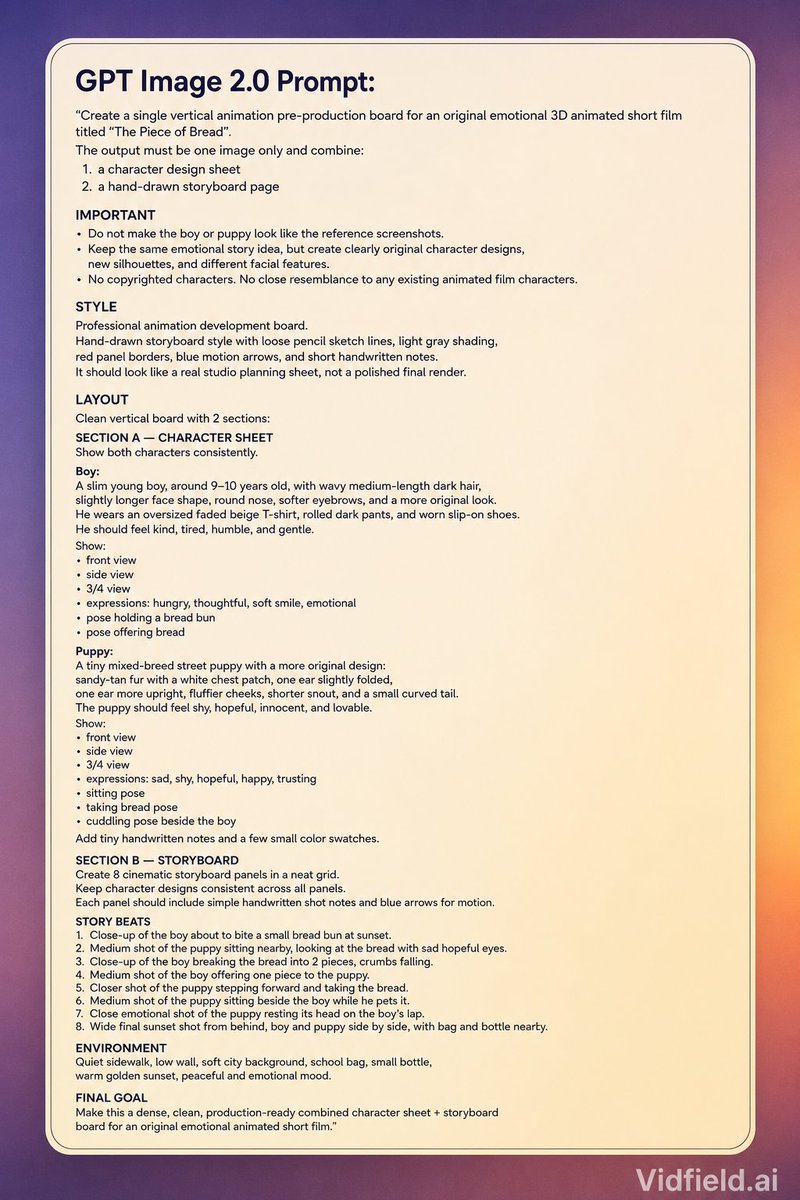
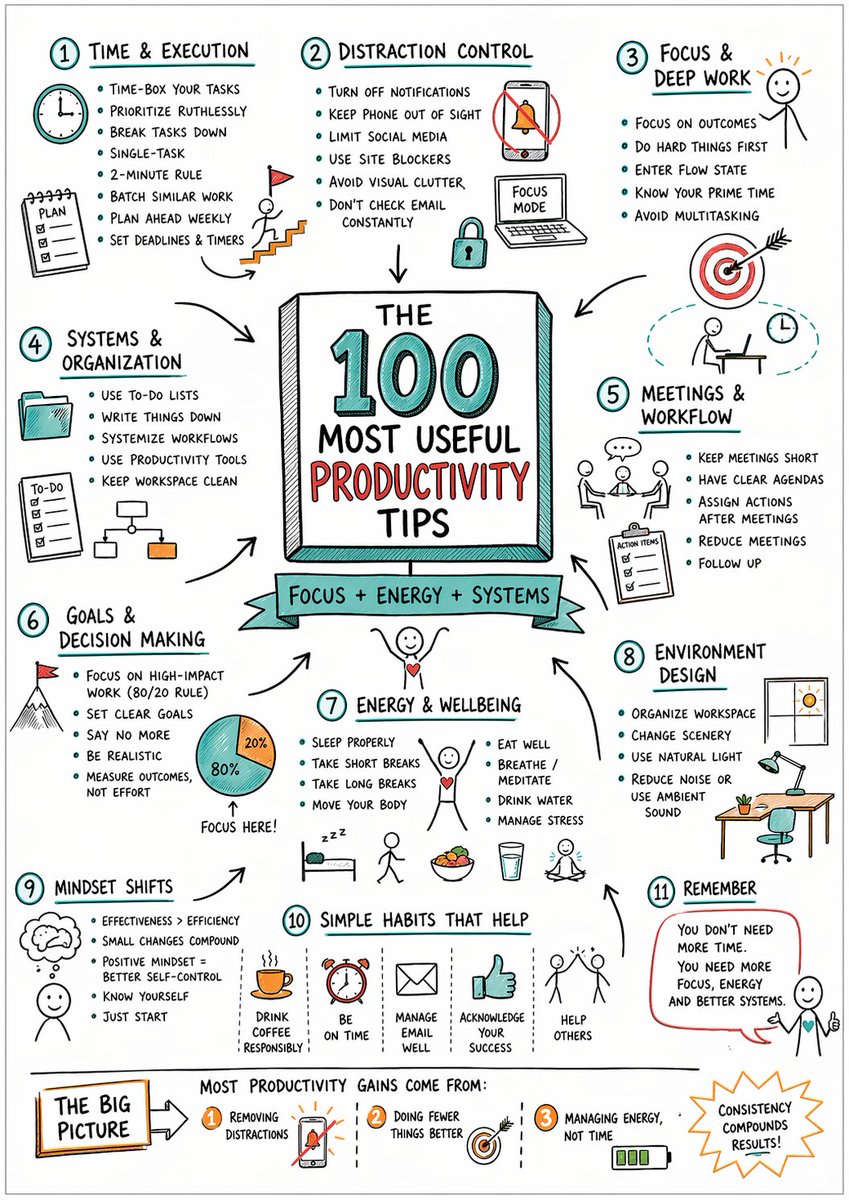
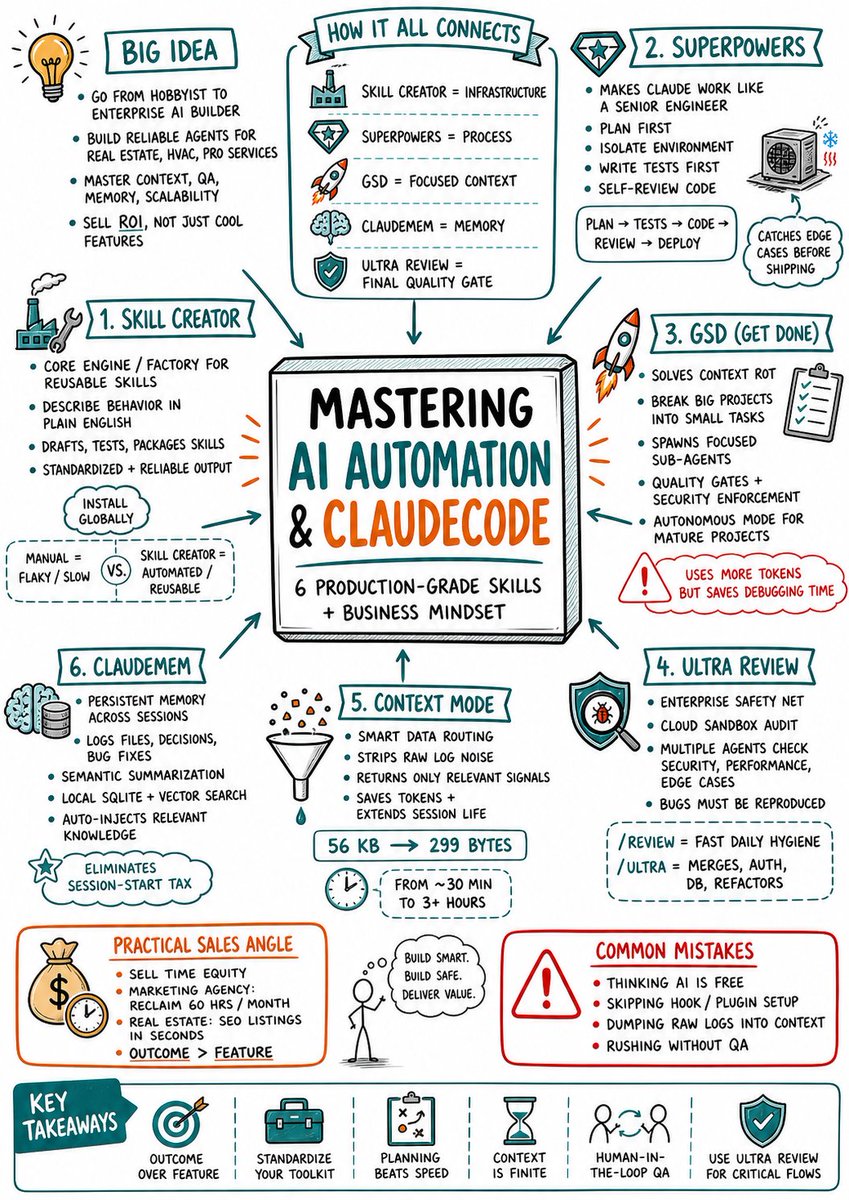
Here's the framework for perfect sketchnotes every time: Image
Image
First: break your content down.

Dump everything into ChatGPT and ask:

"Summarize this into short concepts I can learn quickly"

Take that output.
Feb 27 17 tweets 4 min read
I collected most powerful NotebookLM prompts writers are using to fix their drafts faster.

They went viral across Reddit and X for a reason.

15 prompts that catch what Grammarly misses: Image 1) Clarity Audit

Prompt:
Analyze my writing for clarity issues.
Identify:
- sentences over 25 words
- abstract language that could be concrete
- vague phrases ("many", "often", "significant")
- unclear antecedents (confusing pronouns)
- technical jargon without explanation

For each issue, show:
- the original sentence with citation
- why it's unclear
- a clearer rewrite
Feb 25 17 tweets 5 min read
I spent hours testing NotebookLM so you don't have to.

They’ll upgrade your learning and save you hours.

Here are 15 prompts to use right now: Image 1) Active Recall Tutor Mode

Prompt:
Act like a strict but supportive exam tutor.

Use my sources to quiz me one question at a time (no answers yet).
Rules:
- mix recall, application, and comparison questions
- do not repeat the same order each round
- wait for my answer
- grade it (0–2 scale)
- show the ideal answer with citations
- explain what I missed briefly
Track weak topics as we go.
Feb 19 17 tweets 4 min read
I spent hours testing NotebookLM so you don't have to.

They’ll upgrade your research and save you hours.

Here are 15 prompts to use right now: Image 1. Feynman breakdown (learn fast)

This exact structure shows up constantly in “best prompts” threads.

Prompt:
Explain the topic using the Feynman technique:
1) Simple explanation (no jargon)
2) Identify gaps or confusing parts in my sources
3) Rewrite the explanation clearer
4) Give 3 analogies + 3 real examples
Finish with 5 self-test questions (with answers).
Cite sources.
Jan 15 5 tweets 3 min read
Stop asking AI to "draw a diagram."

The text usually comes out messy and unreadable.

Use this specific prompt framework for perfect Sketchnotes: Image
Image
Step 1: The Prep

Don't feed the AI a whole book. It needs structure.

Paste your content into ChatGPT and ask:

"Summarize this into short, concepts to learn this easily"

Copy that summary.
Jan 6 9 tweets 3 min read
CHATGPT HAS A SECRET MODE.

It turns your goals into a step-by-step roadmap.

Here are 7 prompts to upgrade your habits (feels illegal to know): Image 1. The Atomic Habit Designer

Goal: Create habits that actually stick by making them too small to fail.

Prompt:
"I want to start a new habit: [insert habit, e.g., morning exercise]. Using the principles of 'Atomic Habits,' help me design a 2-minute version of this habit to start today. Give me a 'Habit Stack' (After [Current Habit], I will [New Habit]) and identify one 'Environment Design' trick to make the cue for this habit impossible to miss."
Jan 5 9 tweets 3 min read
CHATGPT HAS A "WAR ROOM" MODE.

It can think like a Ruthless Strategist.

Here are 7 prompts that feel like a Cheat Code for business: Image 1. The "Corporate Wargamer"

Goal: Outmaneuver competitors before they move.

Prompt:
"Act as a ruthless corporate strategist and game theorist. I am currently [insert situation/business model]. Conduct a 'Red Team' exercise against me. Identify my 3 biggest blind spots, predict how a competitor would kill my business in 6 months, and then give me the exact counter-strategy to bulletproof my position. Be harsh."
Jan 4 5 tweets 3 min read
Stop asking AI to "draw a diagram."

The text usually comes out messy and unreadable.

Use this specific prompt framework for perfect Sketchnotes: Image
Image
Step 1: The Prep

Don't feed the AI a whole book. It needs structure.

Paste your content into ChatGPT and ask:

"Summarize this into short, concepts to learn this easily"

Copy that summary.
Dec 24, 2025 10 tweets 2 min read
BREAKING: ChatGPT writing gets flagged instantly now.

AI detectors are getting scary good.

Use these prompts that make your writing undetectable: 1. The Hemingway Simplifier

Prompt: "Edit the following text to lower the reading grade level to an 5th-grade level. Remove all jargon, adverbs, and complex vocabulary. Use active voice only. If a sentence has more than 20 words, split it into two. Prioritize clarity and punch over academic tone. The goal is to sound like a smart friend talking over coffee, not a professor."
Dec 15, 2025 8 tweets 3 min read
OpenAI launched free online courses.

Enjoy learning without any cost.

Here are the top AI courses you’ll want to explore in 2025: Image 1/ ChatGPT on Campus​

Learn how to use ChatGPT for academic success.

From personalized tutoring to career prep, this course covers it all.
Nov 5, 2025 7 tweets 3 min read
🚨 this AI just crushed every PDF tool I’ve used before

you can now extract anything from PDFs.

text → clean Markdown
tables → perfect JSON
forms → structured data

here’s how it works (with live examples) 👇 Image 1. document chaos is over (this is mad)

upload a messy PDF: regulatory filing, financial report, legal contract

Doctly turns it into clean Markdown, JSON or CSV with unmatched accuracy.

🔗 doctly.ai
Oct 20, 2025 8 tweets 3 min read
GPT-5, Claude 4.1, Google Veo 3, and Kling are incredibly powerful.

However, I’m not willing to pay $200 just to use them.

I discovered a secret website where you can access them all in one place.

Here’s how 👇 Image Meet GlobalGPT—the all-in-one AI assistant.

With GlobalGPT, you get access to GPT-5, Claude 4.1, Google Veo 3, Kling, image and video generators, and research tools—all in one account.

Quick step-by-step tutorial below:
Oct 19, 2025 6 tweets 3 min read
Grok can help create Mind Maps for books.

No more wasting hours creating visuals for studying or breaking down complex books.

Here’s how to create a mind map in just few minutes: Image 1. Head over to Grok

Begin by identifying the concept or process you want to map.

Then Write your concept with a tailored prompt.

Prompt → "Create a mind map of [Your Topic]. List topics as central ideas, main branches, and sub-branches."
Sep 4, 2025 13 tweets 5 min read
Google loves keeping valuable websites from you a secret.

Here, 11 cool websites you probably don’t know existed (until now) :

10/10 would bookmark: Image 1. Vibepost AI

It helps you create AI videos with just text in under few seconds.

All the footage in the video comes from Vibepost.

🔗 vibepost.app
Aug 21, 2025 13 tweets 5 min read
Google loves keeping valuable websites from you a secret.

Here, 11 cool websites you probably don’t know existed (until now) :

10/10 would bookmark: Image 1. Higgsfield AI

It helps you create AI videos with just text in under few seconds.

All the footage in the video comes from Higgsfield.
Jul 26, 2025 13 tweets 5 min read
Google loves keeping valuable websites from you a secret.

Here, 11 cool websites you probably don’t know existed (until now) :

10/10 would bookmark: Image 1. Higgsfield AI

It helps you create AI videos with just text in under few seconds.

All the footage in the video comes from Higgsfield.
Jul 20, 2025 6 tweets 2 min read
Everyone’s using Claude Sonnet 4.

But almost no one’s using it to auto-generate full presentations.

Here’s Claude and Gamma combo to save countless hours: Image Step 1:

Use Claude Sonnet 4 to research any topic.

Prompt it to:
→ Pull insights from across the web
→ Highlight key takeaways
→ Organize everything clearly

It’s like having a research assistant on demand.
Jul 19, 2025 6 tweets 3 min read
Grok 4 can help create McKinsey-style visuals.

No more spending hours formatting diagrams or building charts from scratch.

Here’s how to create stunning graphics in just few minutes: Image Step 1: Expand your ideas with Grok 4

Write a few bullets like:
“Uses of AI in marketing:
→ Predictive analytics
→ Content generation
→ Audience segmentation”

Then Prompt Grok:
“Expand these into presentation-ready paragraphs.”
Jul 12, 2025 5 tweets 2 min read
Grok 4 is a freaking monster.

You can literally turn Grok 4 into a $20k Growth Consultant.

Here’s how to do it in 2 easy steps: 🧵👇 Image 1. Prep & Paste Prompt

In Grok, paste the full prompt and replace placeholders with your company details.

For example:
- {{COMPANY}} → AcmeAI
- {{INDUSTRY}} → AI Productivity Tools
- Growth challenges → (e.g. high churn, rising CAC)

This sets your business context for analysis.