Chris Laub Profile picture
Apr 16 12 tweets 2 min read Read on X
After 3 years of testing every AI tool, I can say Claude is the only one I actually pay for.

So here are 10 prompts that make it 10x more powerful than most people realize:
1/ The "Ghost Editor" prompt

Paste your draft and say:

"Rewrite this in my voice. Keep every idea. Cut every word that doesn't earn its place. Make it punchy."

Claude doesn't just edit. It preserves your thinking while making it 3x sharper.
2/ The "Devil's Advocate" prompt

After writing anything important, I run:

"Steelman the strongest argument against everything I just wrote."

In 60 seconds, Claude finds every weak point before your audience does.
3/ The "Explain Like I'm Busy" prompt

"Explain [complex topic] in 5 bullets. Assume I'm smart but pressed for time. No filler."

I use this every morning on research papers, earnings calls, and long articles.

Saves me 2 hours a day.
4/ The "Persona Mirror" prompt

"Here are 3 samples of my writing: [paste]. Now write [new piece] in this exact style."

Claude reverse-engineers your voice with terrifying accuracy.

I use this for ghostwriting clients. They can't tell the difference.
5/ The "First Principles" prompt

"Break [topic] down to its most fundamental truths. Ignore conventional wisdom. What's actually true?"

This is how I generate contrarian takes that perform 4x better than generic content.
6/ The "Compression" prompt

"Take this 2,000-word article and compress it to 200 words. Zero fluff. Every sentence must carry weight."

Claude finds the 10% of content doing 90% of the work.

I use this before every thread I write.
7/ The "Stress Test" prompt

"You're a skeptical reader who hates being sold to. Read this and tell me every moment you'd stop reading and why."

Most copywriters charge $500/hour for this feedback.

Claude does it in 10 seconds.
8/ The "Pattern Interrupt" prompt

"Give me 10 hook variations for this post. Each one must use a different psychological trigger: curiosity, fear, controversy, data, story, contrast."

I pick the best one. My click rate went up 40% using this system.
9/ The "Interview Mode" prompt

"Don't write anything yet. Ask me 10 questions that will help you understand what I'm actually trying to say."

This forces clarity before output.

The content Claude produces after this is always 2x better.
10/ The "Future Reader" prompt

"Imagine someone reads this 5 years from now with no context about today. What's missing? What won't age well?"

This is how I write content that stays relevant.

Timeless > trending. Every time.
I hope you've found this thread helpful.

Follow me @ChrisLaubAI for more.

Like/Repost the quote below if you can:

• • •

Missing some Tweet in this thread? You can try to force a refresh

 

Keep Current with Chris Laub

Chris Laub Profile picture

Stay in touch and get notified when new unrolls are available from this author!

Read all threads

This Thread may be Removed Anytime!

PDF

Twitter may remove this content at anytime! Save it as PDF for later use!

Try unrolling a thread yourself!

how to unroll video
  1. Follow @ThreadReaderApp to mention us!

  2. From a Twitter thread mention us with a keyword "unroll"
@threadreaderapp unroll

Practice here first or read more on our help page!

More from @ChrisLaubAI

May 1
SHOCKING: I stopped using YouTube tutorials.

Gemini now teaches me any topic in whatever format I want.

Here are 8 prompts that turned it into a personalized tutor 👇
1. The “Explain Like I Learn Best” Prompt

Teach me [topic] in the exact format that matches my learning style.
Ask me 3 questions first to detect my style (visual, conceptual, example-first, hands-on).
Then rebuild the explanation from scratch based on my answers.

→ This destroys generic tutorials because it adapts to you, not the algorithm.
2. The Rapid Mastery Blueprint

Break down [topic] into 5 levels:
Level 1: Intuition
Level 2: Fundamentals
Level 3: Techniques
Level 4: Edge cases
Level 5: Expert mental models

Teach me Level 1 → wait for me to say “next.”

→ Feels like a structured course built in real time.
Read 10 tweets
Apr 18
Whenever I'm stuck on a business decision for more than 3 days, I run these 10 Claude prompts and get more clarity in 15 minutes than 3 weeks of overthinking ever gave me.

Copy and paste them into any chat: Image
1. THE REAL QUESTION FINDER

Before you solve anything, you need to know what you're actually solving.

Most business decisions feel hard because you're asking the wrong question.

Paste this:

"I've been stuck on this decision for [X] days: [describe the decision]. Before giving me advice, reframe this for me.

Tell me:

1) What the surface-level question appears to be,
2) What the actual underlying question I'm wrestling with really is,
3) What fear or assumption is driving my indecision,
4) What the real decision would look like if I stripped away the noise."

You'll realize you've been debating the wrong thing the entire time.
2. THE 10/10/10 RULE

Suzy Welch built her entire career on this framework.

Claude applies it in 30 seconds.

"Run my current decision through the 10/10/10 test:

1) How will I feel about this decision 10 minutes from now,
2) How will I feel about it 10 months from now,
3) How will I feel about it 10 years from now,
4) Based on all three time horizons, tell me which option creates the most long-term value and which one I'm avoiding out of short-term discomfort."

Most bad decisions look smart at 10 minutes and stupid at 10 years.
Read 12 tweets
Apr 17
Holy shit…Professors at NYU, Stanford, and Case Western stopped building courses by hand.

They're using NotebookLM to do it in hours and one just called it the biggest shift in academic research in 20 years.

Here's the exact workflow they shared publicly:
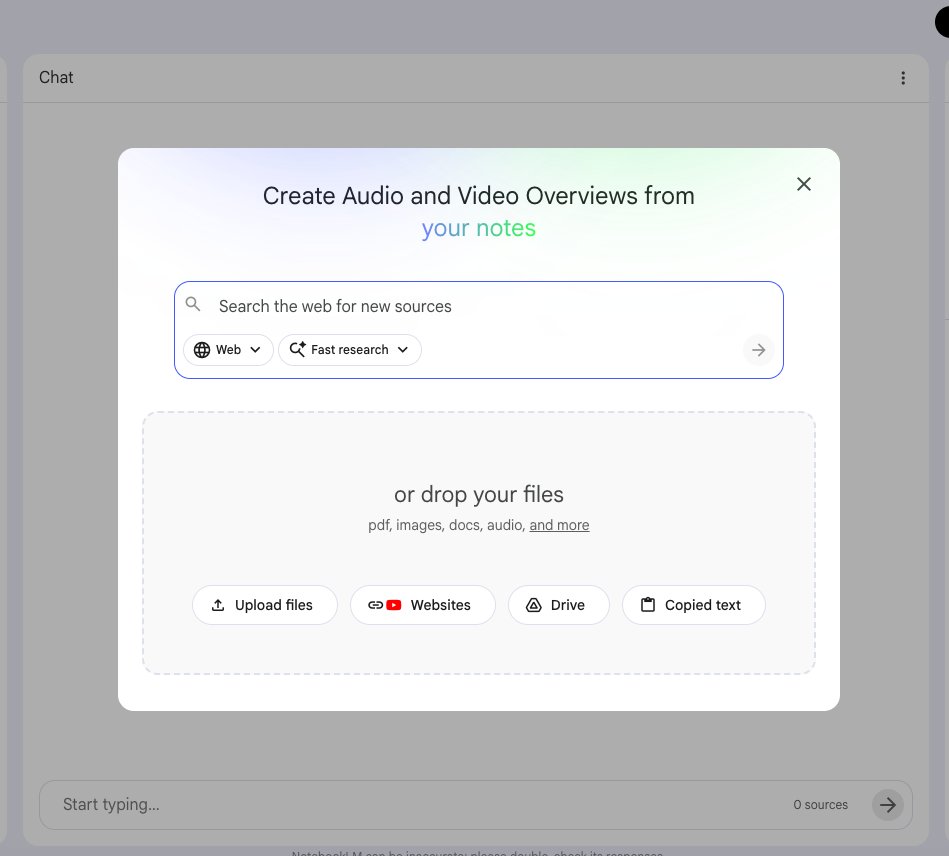
Step 1 - The source upload strategy that changes everything.

Most people upload one or two documents.

Professors building full courses upload their entire reading list at once.

Up to 50 sources per notebook on the free tier.
500,000 words per source.
PDFs, Google Docs, URLs, YouTube lectures, audio files, images with OCR.

One notebook = one course unit.

The workflow Stanford faculty documented publicly:

→ Upload all assigned readings for a unit
→ Upload the course syllabus
→ Upload previous years' exam questions
→ Upload any relevant primary sources

NotebookLM now has a 1-million token context window.

It holds the entire unit in its head simultaneously and reasons across all of it at once.

No AI on the market does this grounded in YOUR specific sources.Image
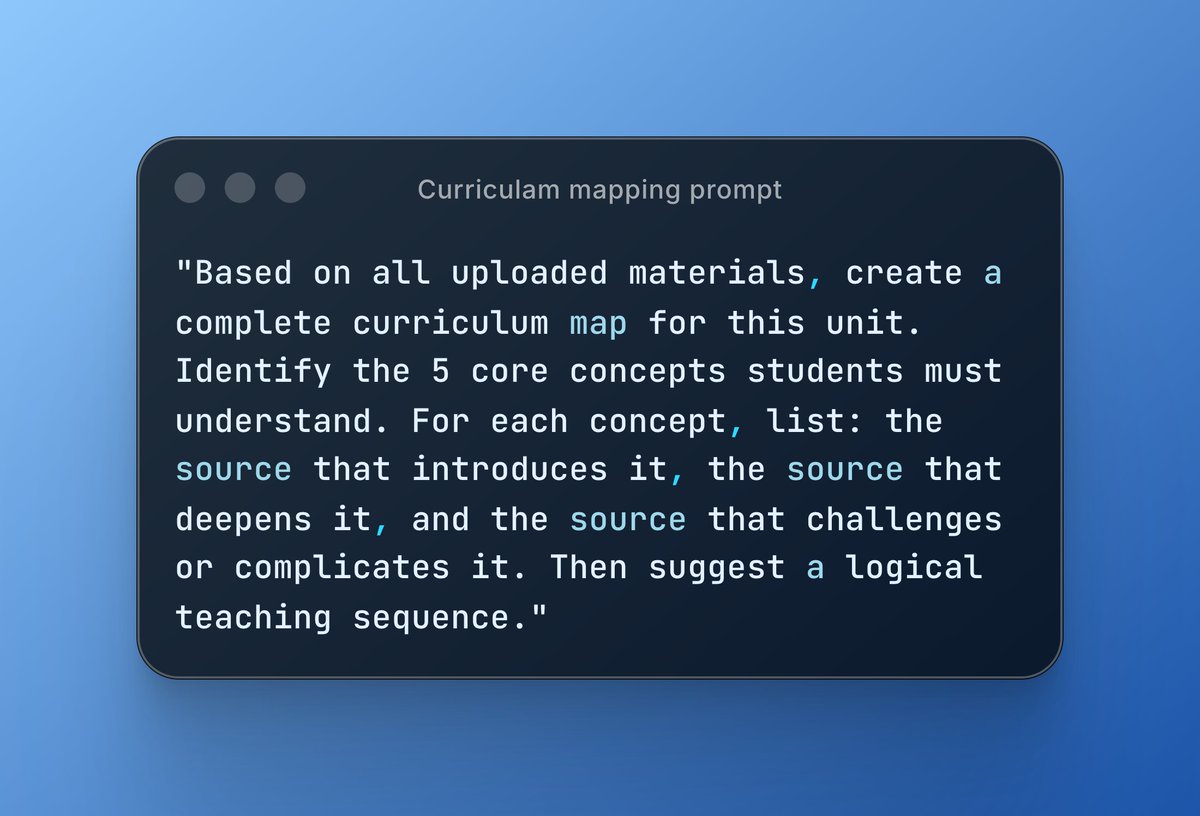
Step 2 - The curriculum mapping prompt.

Once sources are uploaded, this is the first prompt professors run:

"Based on all uploaded materials, create a complete curriculum map for this unit. Identify the 5 core concepts students must understand. For each concept, list: the source that introduces it, the source that deepens it, and the source that challenges or complicates it. Then suggest a logical teaching sequence."

What comes back is a structured roadmap of the entire unit with every claim cited back to the exact uploaded source.

NYU's Assistant Dean used a version of this to identify course equivalencies across an entire revised curriculum for student advising.

What used to require weeks of manual cross-referencing across departments happened in one session.Image
Read 11 tweets
Apr 2
This blew my mind.

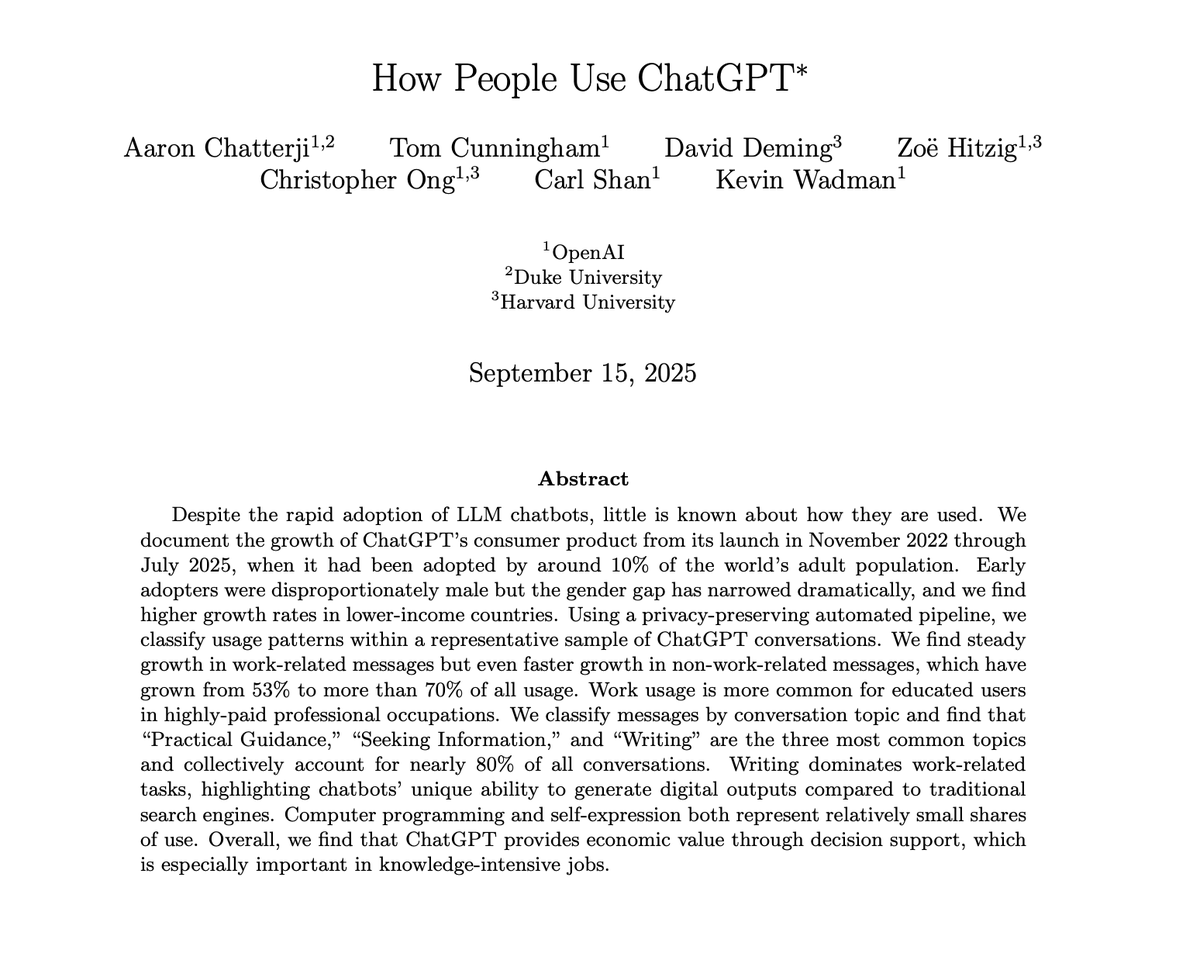
OpenAI just published the first comprehensive study of how 700 million people actually use ChatGPT.

The results destroy every assumption about AI adoption.

Here's everything you need to know in 3 minutes: Image
"ChatGPT is mainly for work"

Reality check: Only 27% of ChatGPT usage is work-related. 73% is personal. And the gap is widening every month.

The productivity revolution narrative completely misses how people actually use AI. Image
Top 3 use cases:

Forget coding and business automation. Here's what 700M people actually do:

1. Practical Guidance (29%) - Learning, how-to advice, tutoring
2. Seeking Information (24%) - Replacing Google searches
3. Writing (24%) - Editing emails, documents, content

These three account for 77% of ALL ChatGPT usage.Image
Read 13 tweets
Mar 30
Perplexity Computer has been quietly shipping features that make every other AI tool feel like a chatbot.

Most people don't even know these exist.

Here are 10 things it can do right now that will change how you work ↓ Image
𝟏. Scheduled Tasks That Run While You Sleep

Computer doesn't just answer questions — it runs jobs on a schedule.

→ "Every Monday at 7am, audit my website SEO and email me the report"
→ "Every morning, pull competitor pricing changes and flag anything new"
→ "Every Friday at 5pm, compile my team's weekly metrics from Slack and Sheets"

You set it once. It runs forever. No reminders. No manual work.

You wake up and the work is already done.
𝟐. 20+ AI Models. Zero Switching.

Computer doesn't use one model. It uses over 20.

And here's the part nobody realizes — it picks the best model for each step automatically.

→ Research step? Routes to the best model for web retrieval.
→ Writing step? Routes to the best model for long-form.
→ Analysis step? Routes to the best model for reasoning.
→ Image generation? Routes to the best visual model.

One prompt. Multiple models working behind the scenes.

You never switch tabs, accounts, or subscriptions again.
Read 13 tweets
Mar 23
BREAKING: AI can now analyze any stock like a Wall Street analyst (for free).

Here are 10 insane Claude prompts that replace $2,000/month Bloomberg terminals:(Save for later) Image
1. The Goldman Sachs Stock Screener

"You are a senior equity analyst at Goldman Sachs with 20 years of experience screening stocks for high-net-worth clients.

I need a complete stock screening framework for my investment goals.

Analyze and provide:

- Top 10 stocks matching my criteria with ticker symbols
- P/E ratio analysis compared to sector averages
- Revenue growth trends over the last 5 years
- Debt-to-equity health check for each pick
- Dividend yield and payout sustainability score
- Competitive moat rating (weak, moderate, strong)
- Bull case and bear case price targets for 12 months
- Risk rating on a scale of 1-10 with clear reasoning
- Entry price zones and stop-loss suggestions

Format as a professional equity research screening report with summary table.

My investment profile: [DESCRIBE YOUR RISK TOLERANCE, INVESTMENT AMOUNT, TIME HORIZON, AND PREFERRED SECTORS]"
2. The Morgan Stanley DCF Valuation

"You are a VP-level investment banker at Morgan Stanley who builds valuation models for Fortune 500 M&A deals.

I need a full discounted cash flow analysis for a specific stock.

Build out:

- 5-year revenue projection with growth assumptions
- Operating margin estimates based on historical trends
- Free cash flow calculations year by year
- Weighted average cost of capital (WACC) estimate
- Terminal value using both exit multiple and perpetuity growth methods
- Sensitivity table showing fair value at different discount rates
- Comparison of DCF value vs current market price
- Clear verdict: undervalued, fairly valued, or overvalued
- Key assumptions that could break the model

Format as an investment banking valuation memo with tables and clear math.

The stock I want valued: [ENTER TICKER SYMBOL AND COMPANY NAME]"
Read 13 tweets

Did Thread Reader help you today?

Support us! We are indie developers!


This site is made by just two indie developers on a laptop doing marketing, support and development! Read more about the story.

Become a Premium Member ($3/month or $30/year) and get exclusive features!

Become Premium

Don't want to be a Premium member but still want to support us?

Make a small donation by buying us coffee ($5) or help with server cost ($10)

Donate via Paypal

Or Donate anonymously using crypto!

Ethereum

0xfe58350B80634f60Fa6Dc149a72b4DFbc17D341E copy

Bitcoin

3ATGMxNzCUFzxpMCHL5sWSt4DVtS8UqXpi copy

Thank you for your support!

Follow Us!

:(