RetroTech Chris Profile picture
Jun 21 14 tweets 9 min read Read on X
Over the years, I've been a huge fan of XTIDE and the capabilities it has brought to retro PCs. Let's have a look at some of the XTIDE related hardware I have in my collection, and what I have done with the XTIDE Universal BIOS as well. Time for a 🧵 Image
Image
Image
Image
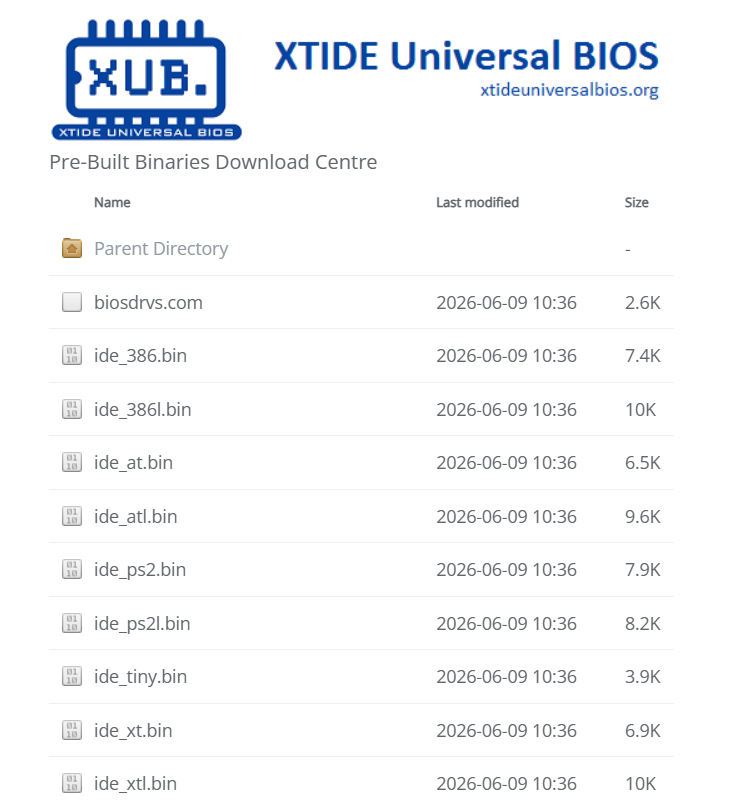
First, I imagine that many retro enthusiasts are familiar with it, but the XTIDE Universal BIOS is actively developed and offered at no cost to the retro community. If you haven't seen it before, you can read more about it here: xtideuniversalbios.orgImage
Image
Okay, time to explore. First, I am going to start with my Tandy 1000 HX. This system benefits from the development of a 3-in-1 and 4-in-1 card that have XTIDE, as well as other capabilities. These card brought storage, serial, parallel, and extra memory to the 1000 HX/EX. Image
Image
Image
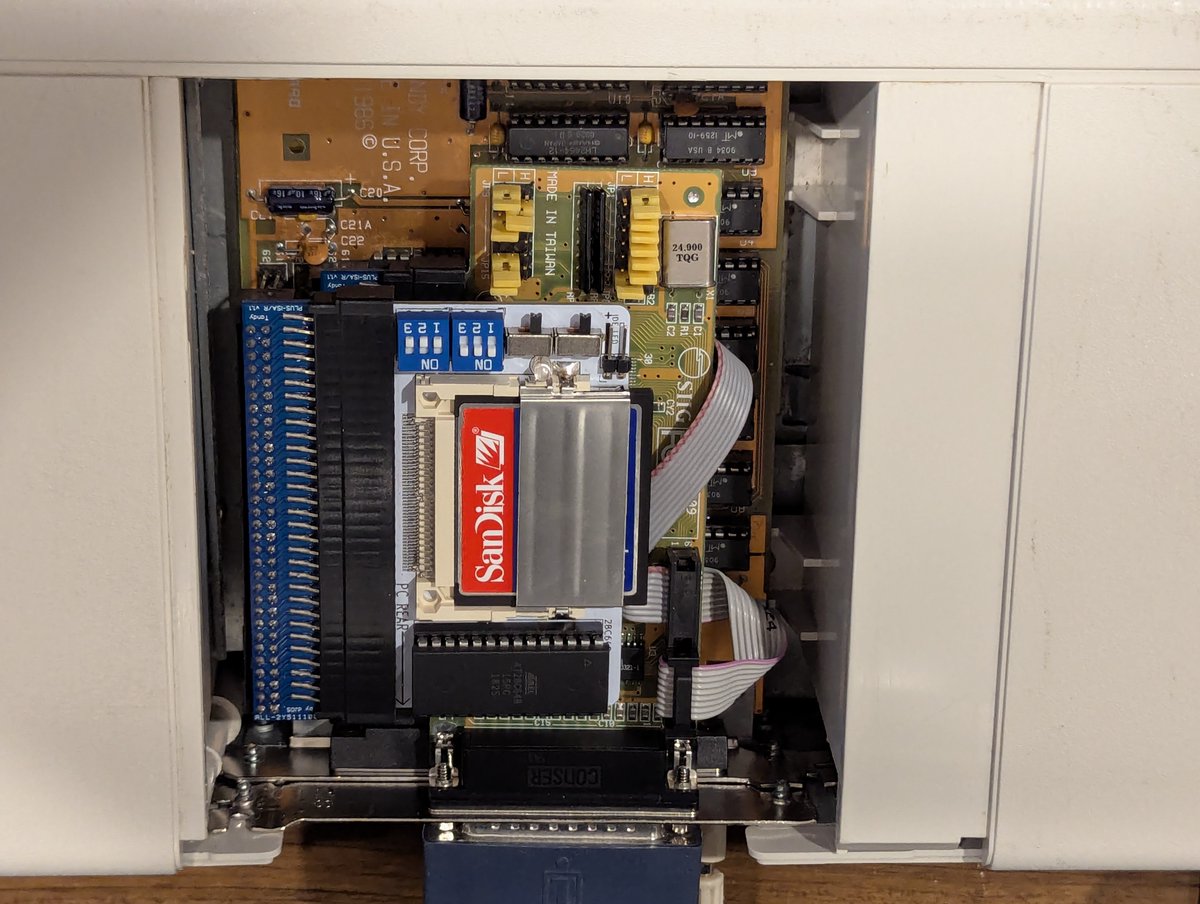
You also have the option of using adapters to install standard "small" ISA cards in these systems. I've done that so that I can benefit from DMA support (which the other solutions lack) for my Zip 100 drive! Sadly, this Monotech XT-CF Mini is out of production. Image
Image
Next, my Compaq Portable II has a XT-IDE-CF Optima card. I believe this card is no longer in production either, but it gives you the best of both worlds with both an IDE and CF connector! Image
Image
Image
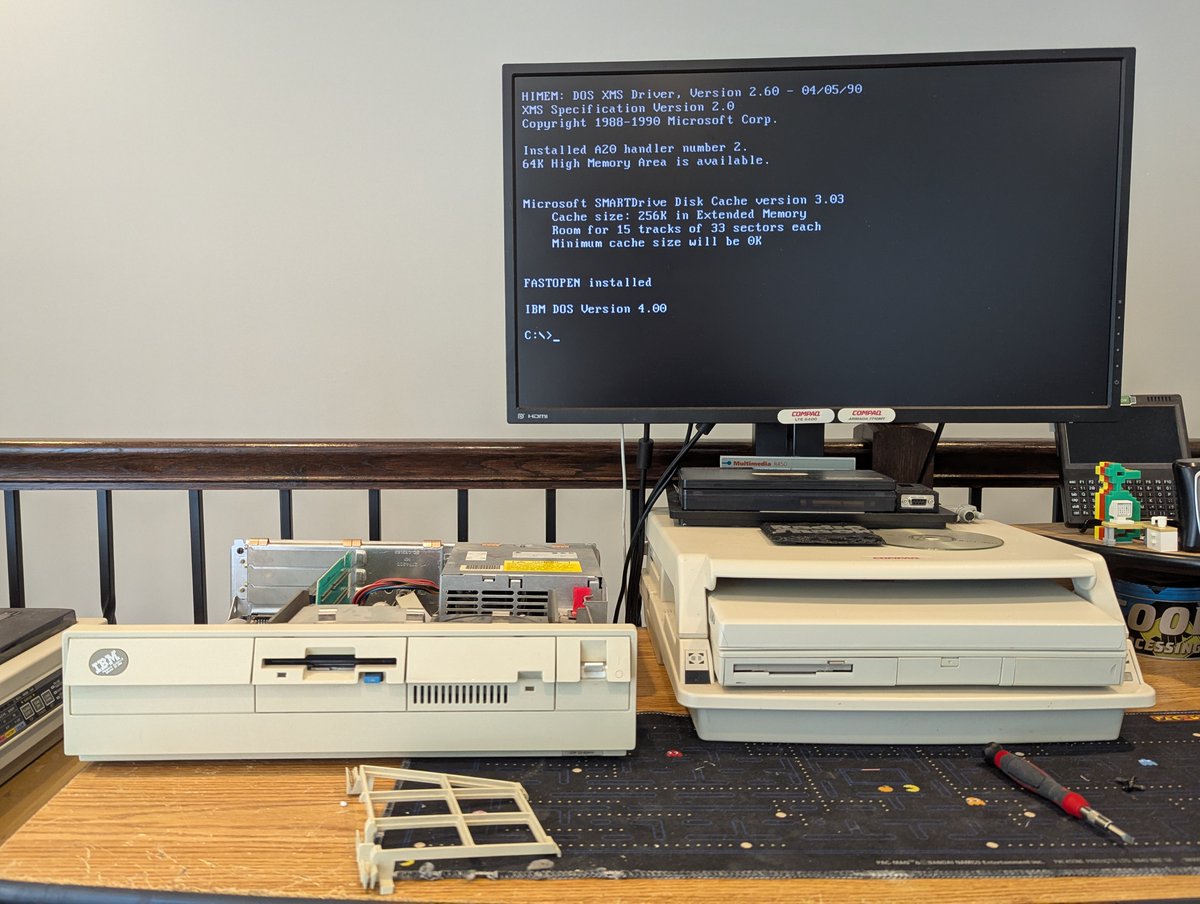
In the opening post, we saw a picture of my IBM PS/2 Model 30 286. It has an older Monotech XT-CF card in it as well, also out of production. I think this was the very first variant of XTIDE hardware that I ever purchased! These are great cards! Image
Image
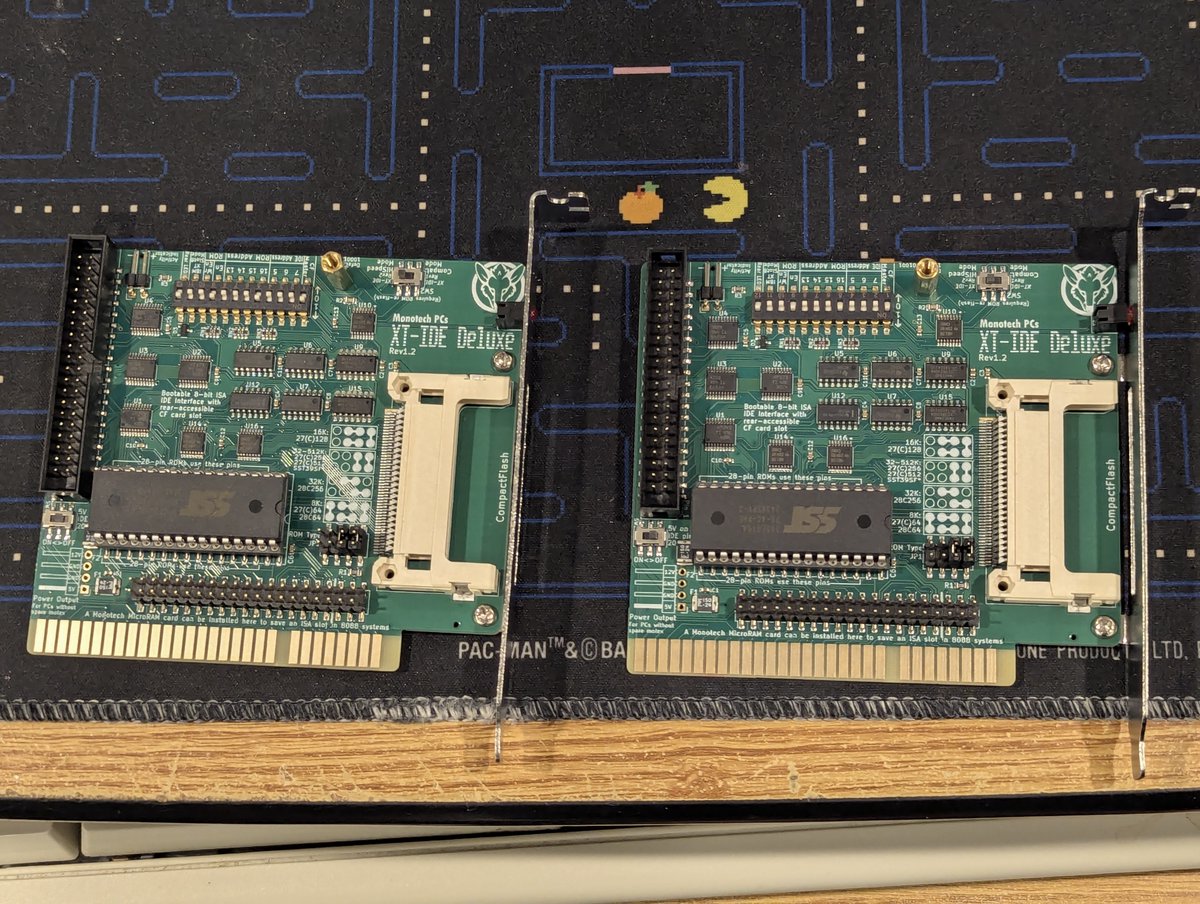
Continuing on, you also saw in the opening post a picture of my new old stock Tandy 1000 SX. It has a newer Monotech XT-IDE Deluxe card in it. I REALLY like this card. I bought two of them in the recent past. They're out of stock, I hope they come back! Image
Goodness, all of these cards are out of stock!! So what can you buy if you want one? This great Lo-tech ISA XT CF adapter or XT-CF lite from TexElec! I recently picked up an XT-CF lite at VCFSW. Image
What about Microchannel systems? Well, you have a few great options! I happen to have an McIDE-CF in my PS/2 Model 70 386, and I also have a spare McIDE card as well. Image
So, yes, there are a lot of great XTIDE hardware solutions, but I have also just used the software in some cases. Someone recently made a BIOS update for the Compaq LTE 5000 series, and I put a a 240GB SSD in my LTE 5400:
I also had a weird case where drivers for a DTC VESA Local Bus controller were wonky with cylinder counts, and XTIDE fixed it right up!
For my Kehtron 486 computer, I wanted to use a larger drive, but the BIOS didn't support it. XTIDE to the rescue!
And finally, let's talk about a cool feature: you can actually boot up a computer over serial using XTIDE! This is great for cases where perhaps you have a PC without a working FDD.
Anyway, this was fun. It's pretty incredible how much variety there is here. I love the capability that XTIDE brings to old computers! Thanks for following along.

@threadreaderapp unroll Image
Image
Image
Image

• • •

Missing some Tweet in this thread? You can try to force a refresh

 

Keep Current with RetroTech Chris

RetroTech Chris Profile picture

Stay in touch and get notified when new unrolls are available from this author!

Read all threads

This Thread may be Removed Anytime!

PDF

Twitter may remove this content at anytime! Save it as PDF for later use!

Try unrolling a thread yourself!

how to unroll video
  1. Follow @ThreadReaderApp to mention us!

  2. From a Twitter thread mention us with a keyword "unroll"
@threadreaderapp unroll

Practice here first or read more on our help page!

More from @RetroTechChris

Jun 20
I've been playing around with my SCSI emulators, in particular, the wireless networking on them a bit. I think we have done this before, but it's been a hot minute, so let's talk about it anyway 😂. Time for a 🧵 Image
Image
So, first of all, these SCSI emulators (BlueSCSI V2 and ZuluSCSI Blaster) were predominantly designed for Macintosh systems, which also tended to use DayaPort SCSI network cards like this one here. Image


As such, when I first got my BlueSCSI V2, there wasn't any DOS support for its DaynaPort emulation. I wrote a very basic and crude DOS Packet driver, and Mike Brutman greatly improved it! If you ever need it, you can find it here: github.com/mbbrutman/dayn…
Read 12 tweets
Jun 18
No need to adjust your television set, I promise you are not seeing double! But the error message on the screen is a "clue" as to why I now have two IBM PS/2 Model 30 286 systems. Let's talk about what I did this time... I guess we need to do a 🧵 Image
Well, first, let's clean up the new one. Oh boy, it is ever dirty!! Here's a before an after... I failed at getting a clear after picture. Sorry, no refunds 🤣 Image
Image
Let's test out the HDD. Woah!! It WORKS!! It does have a bad sector or two, but that's pretty incredible. Image
Image
Image
Read 13 tweets
Jun 14
Let's do a factory restore on this Packard Bell Multimedia 601. It's a Pentium 233MMX system. I've got some things on the table to help us out with the process. Let's explore a bit. Time for a 🧵 Image
Image
Image
First and foremost, we're going to need a Master CD. Which one? Well, recently I found an eBay listing with some "System Credentials" that match my PC. And I saved them off for this very reason! We can grab 175710-05 from the Internet Archive and get this going! Image
Image
Image
We're also going to need to make a floppy disk. Fortunately, the contents of it are also on the CD. Great! I wrote that out to a disk image, and also burned a CD for our usage. Image
Image
Read 14 tweets
Jun 11
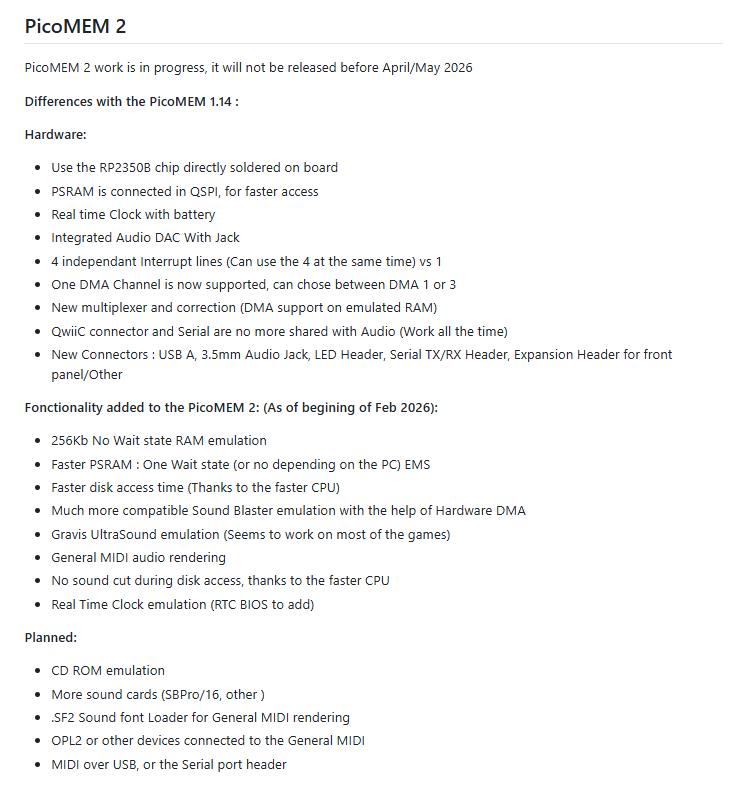
I've got one of my Tandy 1000 SX systems on the desk, let's check out some of the PicoMEM 2 capabilities on it! Time to get it installed. Let's explore together in a 🧵 here! Image
Image
First, we'll see that we're doing a good job of using up the expansion slots in this beast 😂. Oh, and before I forget, when installing any PicoMEM in a Tandy 1000, you do have to update the configuration and add Tandy to it! Image
Image
Alight, first stop is going to be checking out that NE2000 compatible wireless networking. And I am happy to report that it works just fine, I'm using MS LAN Manager here! Image
Read 7 tweets
Jun 7
I decided to play with Tandy 3-voice sound on the PicoMEM 2 today. There's a bit of a nuance with using Tandy sound on non Tandys, but this is a problem that has been solved. Let's explore a bit in a 🧵 here!
Image
First of all, the PicoMEM 2 does a FANTASTIC job at emulating Tandy sound. You can go into configuration and set the appropriate port settings, or you can use the "PMINIT" program to initialize whatever you need! I am just going to set the settings via the configuration util. Image
Next up, we need to get some patched games. Fortunately, the hard work was already done years ago, and @TheOldskoolPC very generously continues to host the patches online! We'll grab a patch for Lemmings and copy it over to our system! Thanks @FreddyVETELE for the tip here! Image
Image
Image
Read 6 tweets
Jun 7
I've been playing with the PicoMEM 2 today. I love it! I've been using my Packard Bell Multimedia 601 Pentium PC to test it, but this will work with 8 bit PCs as well. Let's look at sound (including Gravis!), HDD, wireless network, and real time clock capabilities! Time for a 🧵 Image
Image
Image
First of all, if you are not familiar with PicoMEM, it's an amazing little all in one card that brings you lots of capabilities. This card will be available for sale soon I believe. The functionality is strong and capable. You can read more about it here: github.com/FreddyVRetro/I…Image
First, let's start with some screenshots of the configuration page. This is designed to look like a system BIOS, and is incredibly well done! Image
Image
Image
Image
Read 14 tweets

Did Thread Reader help you today?

Support us! We are indie developers!


This site is made by just two indie developers on a laptop doing marketing, support and development! Read more about the story.

Become a Premium Member ($3/month or $30/year) and get exclusive features!

Become Premium

Don't want to be a Premium member but still want to support us?

Make a small donation by buying us coffee ($5) or help with server cost ($10)

Donate via Paypal

Or Donate anonymously using crypto!

Ethereum

0xfe58350B80634f60Fa6Dc149a72b4DFbc17D341E copy

Bitcoin

3ATGMxNzCUFzxpMCHL5sWSt4DVtS8UqXpi copy

Thank you for your support!

Follow Us!

:(