A recent supply chain attack against Arch leveraged a piece of malware with an eBPF rootkit to hide. It also had a very aggressive credentials harvester along with Tor C2. In this thread I'll cover some of the more interesting things it does.
It deploys an eBPF rootkit that hides the main process and Tor client. It also hides network activity. If you are running @SandflySecurity we de-cloak the processes plus other threats without any upgrades. The main process is random, but the Tor process is a bogus dbus-daemon.
The main process name is again random, and it also will pick a bogus name to masquerade as. I presume this is to allow it to hide just in case the eBPF rootkit cannot deploy. Here it is with a bogus "kworker" name to impersonate a kernel thread.
Looking at the process forensics you can see the padding used to stomp the actual name here. The secondary "dbus-daemon" is the Tor client and doesn't appear to change its name.
If the eBPF rootkit deploys, it will immediately hide itself and the Tor process. In the example here it started as PID 764. A ps listing doesn't show it running.
The process is hiding its entry in the /proc file system. When you do a listing you won't see our PID 764 listed. In the blog post at the end I show you some command line tricks you can use to de-cloak it by hand to confirm it is running though.
This variant parks the binary under /var/lib with the random name directory and matching binary name. You can see the full path in the /proc/PID/exe link when you go into it.
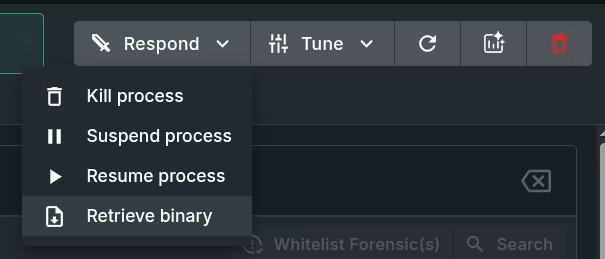
You can retrieve the process binary by hand like below, or you can cheat and use our upcoming Sandfly 5.8 release to grab it for you from the UI. To grab by hand:
cp /proc/PID/exe /tmp/recovered_bin
Here are the connections from the Tor client. The malware is trying to hide these connections, but you can see something is wrong because when you run "ss -tupna" it doesn't show the process owner info for the connection which it should. These clearly do not want to be seen.
The main process has very direct links to eBPF usage and if you dig around you can see this activity. Here I run this command and see some bad news. More again covered in the blog.
bpftool link show
More traces are under /sys/fs/bpf where it creates a directory and makes three very obviously named eBPF pinned references:
hidden_pids
hidden_inodes
hidden_names
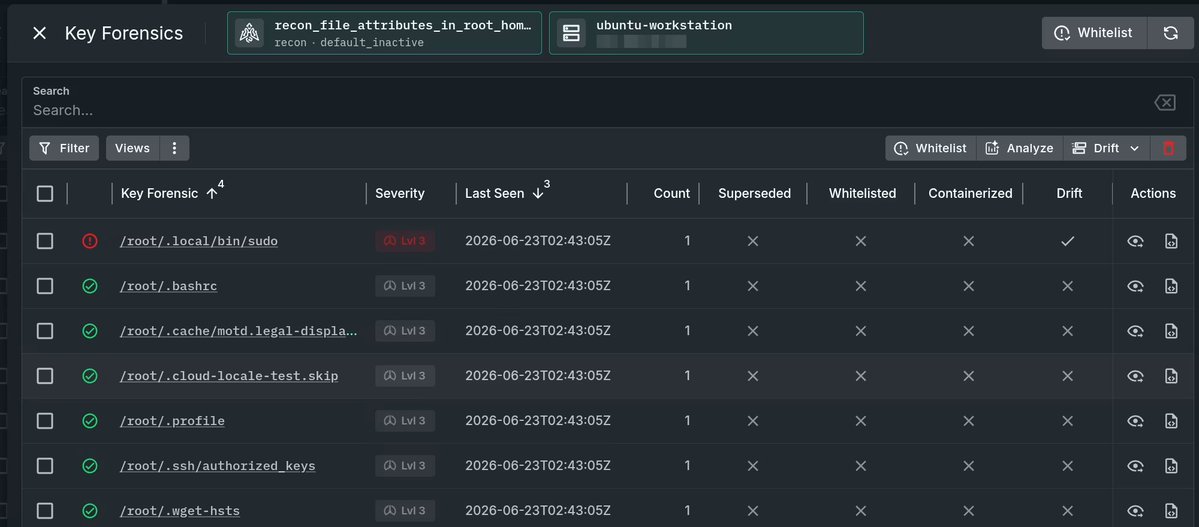
One thing I haven't seen discussed yet is in addition to aggressive credential harvesting, it also drops a trojan sudo script to grab passwords from local users. We found this under /usr/bin/.local/sudo and /root/.local/bin/sudo The script in part is below.
The malware did a bunch of other things such as systemd persistence and very aggressive credential harvesting for tokens, SSH keys, passwords, etc. If you got this on your system, you must rotate every single secret that was on it then burn the box to the ground.
I recommend reading the blog post below which has more details and command line tricks you can use to help investigate a host. The commands would also work for other eBPF style rootkits investigations as well.
I have been in the IDS/EDR industry for almost 30 years and I will say that this problem is not unique to Mitre, but every bake-off or eval you will read about online. Let me explain how evals work in this thread...
Vendors get invited into a bake-off or evaluation by someone. They all immediately spin up the marketing teams to do the "best". By "best" we mean trying to game things to make sure they score the highest. This is not a surprise.
The way this can be done is through several means. First, find out what you will be tested on and make sure your detections focus heavily on those areas with hair triggers. Triggers that nobody would ever deploy on a live network due to false positive risk.
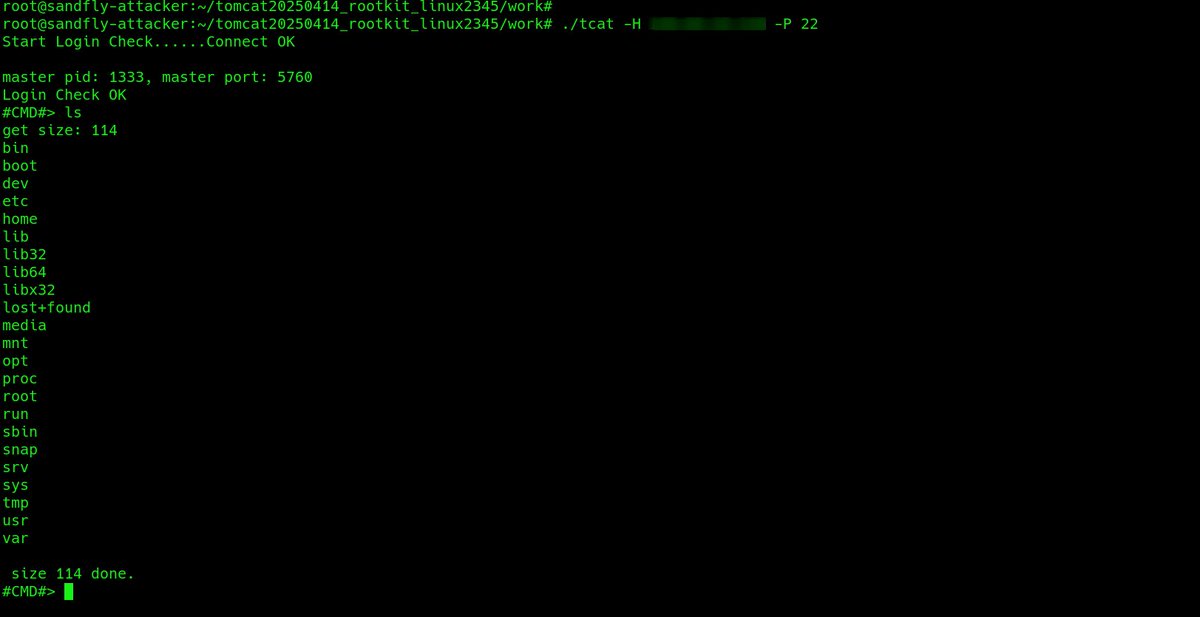
@Phrack had a great article on leaked North Korean APT operations, including a Linux stealth rootkit with backdoor. I took a look at this backdoor and and wanted to share detection tips. Full article at the end of this thread.
First, this rootkit is based on the khook library. This is a common rootkit base that allows full stealth for processes, network connections, files, etc. This is what @SandflySecurity sees when the rootkit is active. It's only stealthy if you aren't looking!
Like many LKM rootkits, it will be extremely fragile and needs to be built for the victim kernel version. When installed the first thing it does is drop persistence files and insert the module to hide them and itself. Here are some files in /etc and /lib it hides.
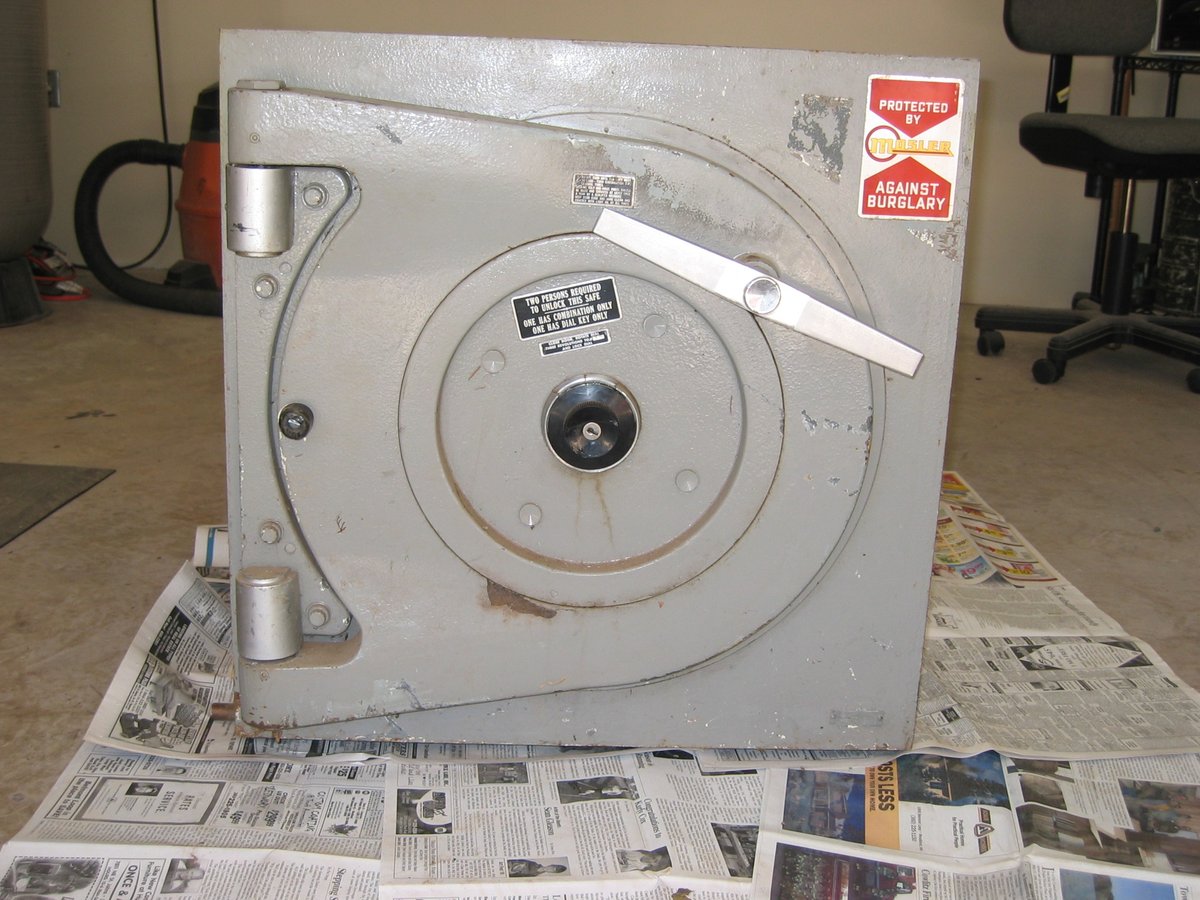
Since I apparently have so many safe fans, let's talk about my favorite safe type: Mosler Round Doors. They are absolute tanks with interesting features.
Mosler made excellent vaults and safes of superior security and design. The round doors are my favorite as they are the absolute strongest design. The door rotates and locks into lugs when you turn the T handle. The bolts just keep the door from spinning unlocked.
Here we see the open door. The strength comes from the lugs. The door lugs you see here close into the frame. When you spin the handle the entire door rotates and the door lug slips in behind the frame lugs.
I recommend placing a 24/7 monitored smoke alarm above your safe. Cutting tools make a lot of smoke and this would set off the alarm and get help dispatched while scaring off attackers. Here is a thread of burglarized safe photos I've seen or were taken by others with advice.
ISM Jeweler's safe on display floor of safe company. Attacked with oxyfuel torch. This is Hollywood tier non-sense and would never work on this type of safe.
Photo someone took of an attempted peeling attack. Safe peeling is old school method of prying at a corner to separate layers and peel the safe open. Mainly a risk to fire safes and junk gun safes which are NOT burglary safes.
The SCTP protocol on Linux provides a reliable and stealthy way to access Linux. In this thread I'm going to demonstrate a simple SCTP backdoor and how it can be missed by security teams. Then I'll show you how to look for this kind of activity.
SCTP is a protocol mainly used for telcos. It provides reliable transport like TCP, but is not TCP. Be aware that network monitoring may not be paying close attention to SCTP and packet filters can be mis-configured to not block it.
The main thing to know is that SCTP is enabled on heaps of Linux systems but it's rarely used. So if you see it being used, and you are not a telco, you need to be paying attention.
The /proc/net/packet file on Linux shows you all open raw sockets that are grabbing network traffic. I'm going to show you what is in this file and provide a script that lists all processes sniffing traffic to help find malicious sniffers.
The /proc/net directory contains files that shows protocol use on Linux. The /proc/net/packet file shows you all open raw/packet sockets which means the process is sniffing traffic. The file shows you open inodes and who owns them, but doesn't list the process doing the deed.
This file is stiched together with tools like lsof to show process data, but it can be useful to do it yourself or with a simple script to make sure you are getting the data directly and avoiding processes that may manipulate lsof, netstat, or ss output to hide.