Framer 🇱🇹 Profile picture
prev. @0xFramer 💯 Creating AI Cartoons since 2023 🎬 Follow me to learn how 🧙
Jan 20 10 tweets 4 min read
“The Parallel World”- from comics to AI cartoons 🤖

Transform any visual style into fully animated story.

Turn your ideas into motion.

Let me show you how ⬇️ Step 1: The source image.

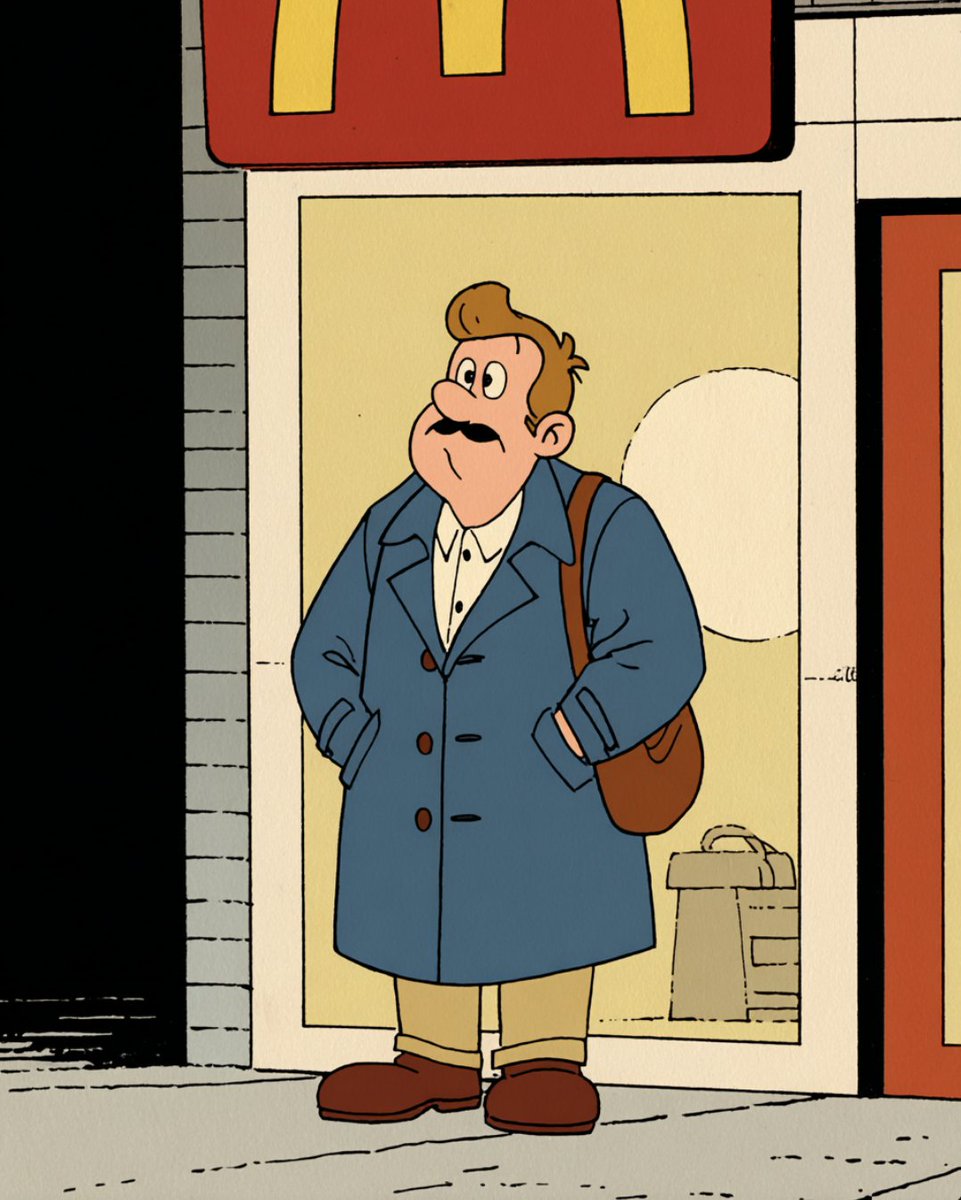
I came across a cool comic-style image on Midjourney and instantly felt inspired to create something using that style. Image
Jan 7 13 tweets 5 min read
AI ads are the future of advertising 🚀

What used to take agencies weeks and massive budgets...

Will soon be created in hours by people who know AI.

That shift creates a huge window for creators and freelancers.

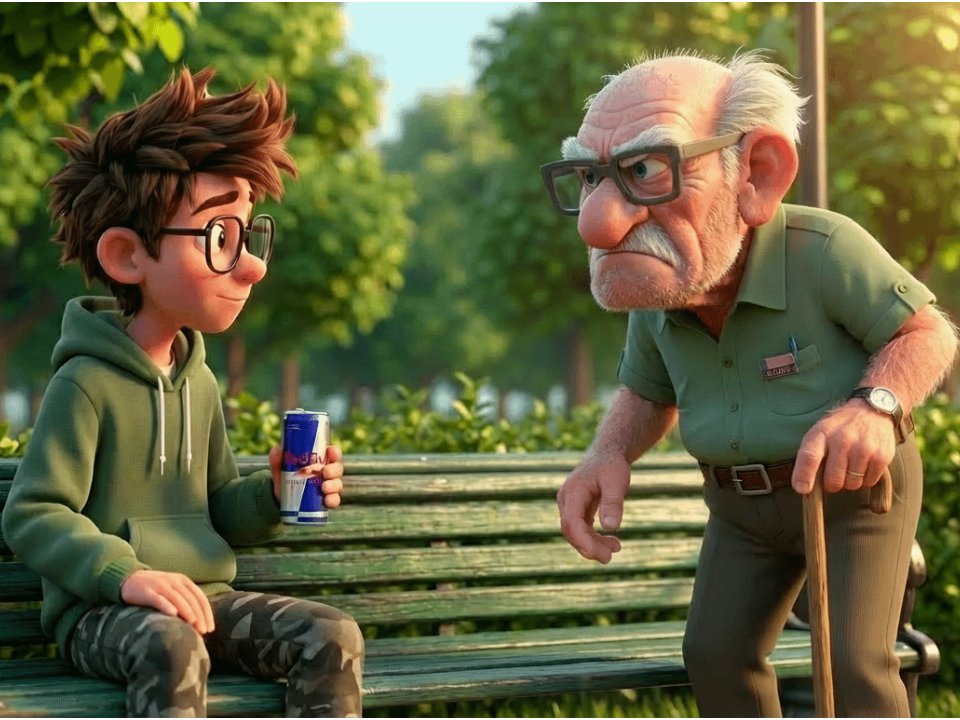
Here is how you start making them 👇 Step 1: Imagine you received a request to create AI ad for Red Bull.

Decide on the storyline idea that best fits the product.

In this example: an old man coming back to life after a sip of Red Bull from his grandson.
Dec 28, 2025 17 tweets 6 min read
Animated AI ads are the fastest way to monetize your AI skills.

Ad videos like this used to cost tens of thousands.

Now you can produce it 10–20× cheaper and faster.

That's a massive opportunity for client work.

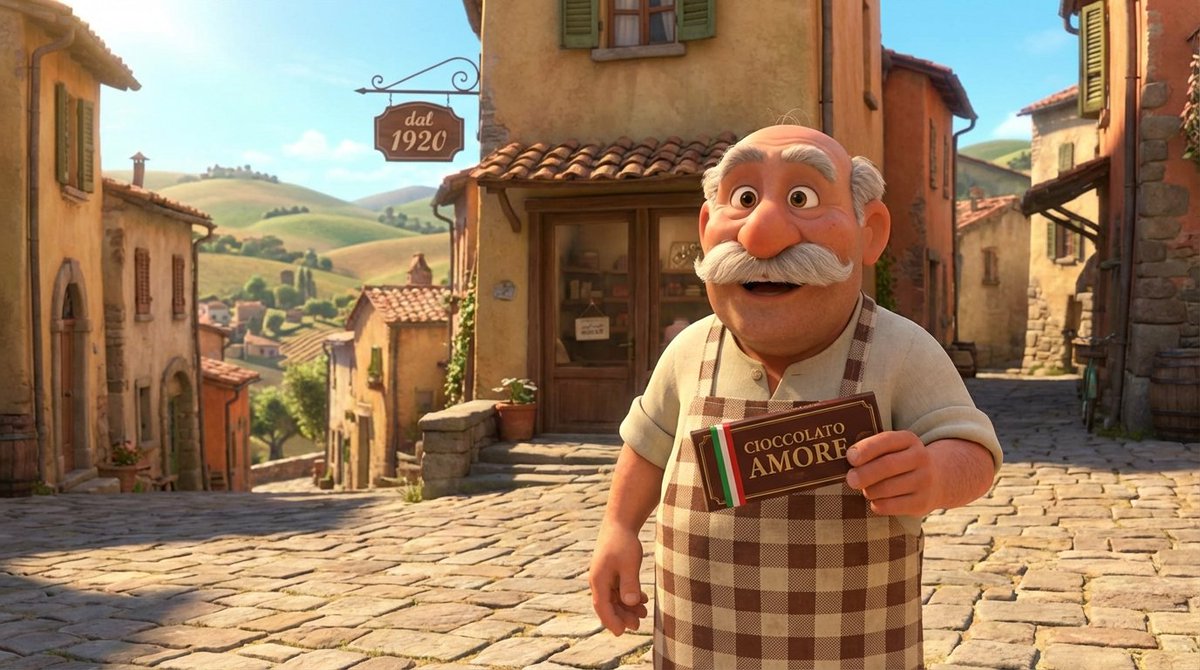
Here's how to create one 👇 Step 1: Analyze the product.

Why it’s exceptional? How it stands out? Where it wins?

Focus on what makes it special and create a story around it.

For Ferrero, it’s always been about family.
Dec 22, 2025 8 tweets 3 min read
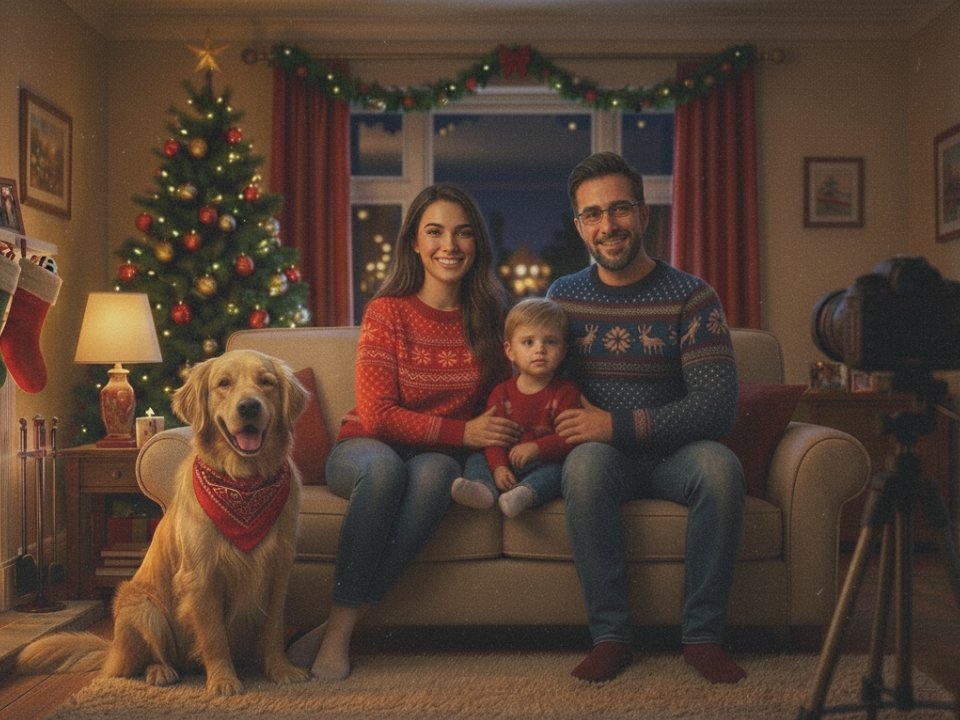
Turn your family photo into a personalized Christmas cartoon 🎄

It's easy and takes only two prompts.

Here is how 👇 Step 1: Choose your family photo you want to animate.

I created this one with Nano Banana Pro. Image
Nov 25, 2025 6 tweets 2 min read
Cartoon Hero 2.0 is LIVE! 🚀

A breakthrough workflow that lets anyone create animation 10x faster, easier, and with studio-level quality.

Homemade shows, series, and IPs - finally unlocked.

This is the next step in the AI-animation revolution.

Access link 👇 Enroll Now! 👉 cartoonhero.ai
Nov 20, 2025 8 tweets 3 min read
Create an insane boxing anime with Nano Banana Pro and Sora.

Any character. Any setup. Epic outcome.

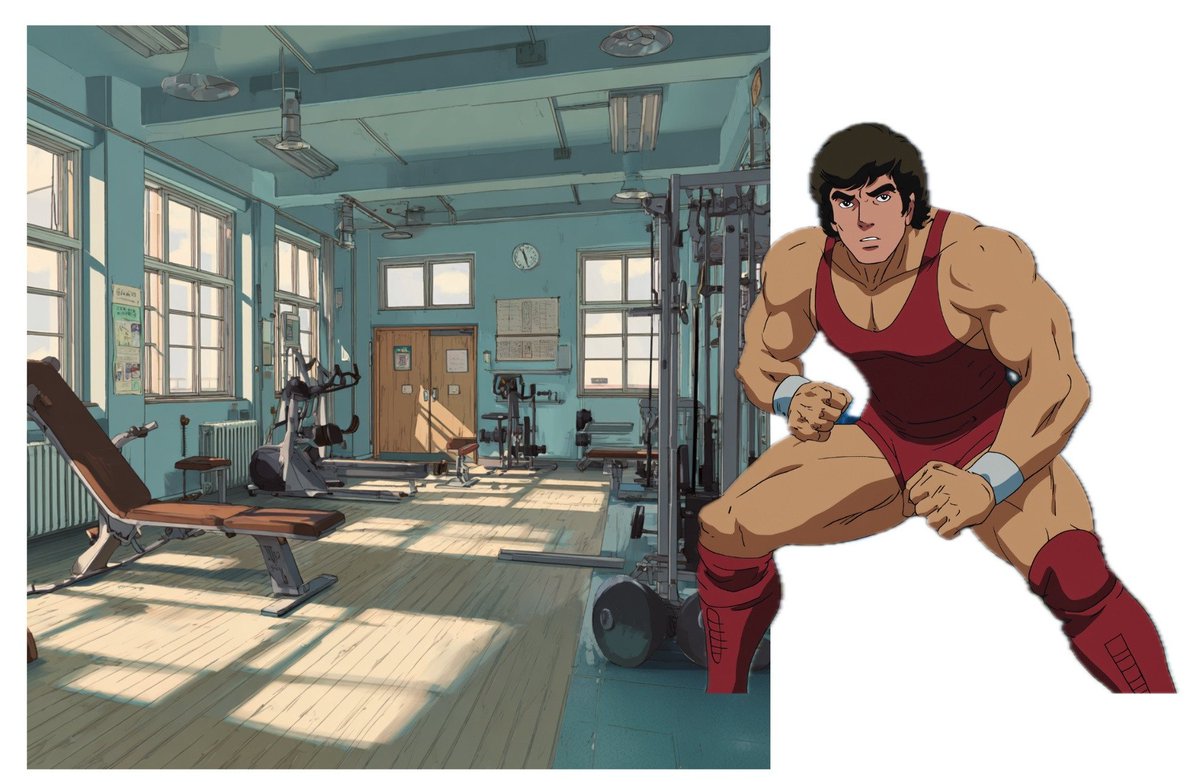
Here's how it works: Step 1:

Find and screenshot a picture of:

1. any character
2. any environment

Then put it together in one collage in Canva, Google Slides, etc.

Make a screenshot of it. Image
Oct 17, 2025 12 tweets 3 min read
Jump cuts take your animation to the next level 🚀

The trick? You only show what matters.

Let’s break them down 👇 Image WHAT IT IS 🎬

A jump cut is a direct cut between two similar shots of the same subject -
but with a visible “jump” in position, pose, or time.

You skip the in-between.

The result: an instant leap forward in motion or time.
Oct 11, 2025 5 tweets 3 min read
Create epic racing scenes with Sora 2 🏎️💨

Just drop a collage of cars and a track - then watch the magic happen

5 examples + prompts 👇 2)

Sora prompt:

[00:00-00:01] Establishing donor shot.

[00:01–00:03] Low tracking shot: a green Porsche speeds through Miami traffic, police car following.

[00:03–00:05] Aerial shot: both cars race through palm-lined streets.

[00:05–00:07] Front shot: police car chasing the Porsche, sirens blaring.

[00:07–00:09] Low tracking shot: a green Porsche speeding.

[00:09–00:10] The Porsche speeds away down the open street.

(Video was sped up thats why it's 7s length)
Oct 8, 2025 13 tweets 7 min read
“Storyboard Collage” is hands down the BEST SORA 2 HACK!

Just drop your characters and environment into one image, add a prompt - and SORA builds a full animation sequence from it.

10 insane examples + prompts (the 8th one will leave you speechless) 👇 Thanks @PJaccetturo for figuring out that this collage technique also works for Sora 2!

Oct 2, 2025 9 tweets 4 min read
AI cartoons just hit a whole new level 🤯

With SORA 2 you can make Family Guy style episodes 3x faster.

Here’s how 👇 Each AI cartoon starts with a source image.

Source image sets the cartoon visual style, main character, environment and overall tone.

We usually create it in Midjourney and then edit it with Nano Banana in Morphic (or your preferred app) Image
Sep 26, 2025 12 tweets 4 min read
We've tested 500+ images for fast-paced animation with Kling 2.5

Results? Pure magic

10 wild examples (+prompts) 👇 1) Pics were generated/taken from Midjourney.

KLING 2.5 Prompt used :

"Tracking shot of a girl sprinting down a sunny hillside path, camera glides behind her as tall grass and flowers blur past."
Aug 27, 2025 16 tweets 5 min read
Create an insane AI anime with Nano Banana and Seedance 1.0

It's easy and takes less than 2 hours

Here's what to do 👇 This animation is a killer combo of 2 tools: Seedance 1.0 + Nano Banana

Seedance animated the shots, and Nano Banana made the insane jump cuts possible.

Let’s start with Seedance 1.0
Aug 2, 2025 15 tweets 5 min read
Turn famous paintings into funny AI videos 🖼️

10 wild examples + tutorial 👇

1. Mona Lisa 2. The Lovers
Jul 22, 2025 14 tweets 6 min read
Hailuo AI is the ultimate tool for generating intense anime fight scenes 🥷

10 wild examples + tutorial + prompts 👇 First lets see of what this @Hailuo_AI model is really capable of — tutorial’s waiting at the end.

2)

Anime-style shot: two warriors collide in the center of the arena — fists fly, kicks land, the ground cracks beneath them. The camera shakes with every impact as the fight explodes in a blur of motion. Shockwaves ripple through the air, debris scatters, and the arena trembles under the force of their blows. No pauses, no words — just relentless, high-speed combat from every angle.
Jul 2, 2025 4 tweets 2 min read
This is the best workflow to generate POV images.

And it’s super simple.

Here’s how 👇 Image Go to and sign in.

Open canva window, then drag and drop your image. morphic.com
Jun 25, 2025 8 tweets 3 min read
"Wrapped Love" 🇫🇷🥖

A short AI cartoon created with Midjourney Video and Flux Kontext.

Time spent: 5 hours 13 mins

Tutorial below 👇 1. As always let's start with source image.

Source image sets the:
a) style
b) environment
c) a character/s of your cartoon.

It’s also an image you feed into the AI to generate all the other shots for your story.

Generate it with AI or grab one from MJ Explore page. Image
Jun 19, 2025 11 tweets 4 min read
I ran 100+ anime images through Midjourney Video.

The results? Pure magic.

10 examples 👇 2) Two futuristic sand bikes race across the dunes, each carrying two people dressed in sleek white-and-purple uniforms.
Jun 4, 2025 7 tweets 4 min read
Create AI anime sketch in 6 hours or less ⏰

That's how my UPDATED workflow looks like: 1. Come up with a “Source image”

The source image is what you feed into the AI to generate all the other shots for your story.

There are three main ways to create a source image:

1.Find one on Midjourney’s Explore page
2. Generate it yourself
3. Take a realistic photo and restyle it with ChatGPT

In this example, an image from Midjourney was taken and recreated using the Omni-reference feature.

But you don’t need to get that technical - just find a picture you like and go with it.Image
May 15, 2025 9 tweets 4 min read
Finally, everyone can create Claymation Style cartoons! 🥳

Just a few months ago, it was almost impossible.

Now you can make one in under a day!

Here's how: Less than a week ago, while playing with Runway’s Gen-4 model, I noticed that it can animate not only anime-style images but claymation-style images too.

Unlike most img-to-video tools, Gen-4 seems to recognize and adapt to the visual style of the input, producing motion that closely resembles stop-motion animation. Instead of generating smooth 24–30 frames per second, it often outputs motion at around 8–12 fps

This now allows creators to produce not only 3D Pixar-style or anime content, but also claymation (or stop-motion-inspired) animations—a visually unique and increasingly popular style.

OK, let's go 👇Image
May 10, 2025 6 tweets 2 min read
Take any album cover and turn it into a funny cartoon with AI 🔥

Endless ideas. One simple workflow.

Let’s break it down: 1. Upload an album cover to ChatGPT and ask it to Ghiblify it.
May 7, 2025 8 tweets 3 min read
Live Aid 1985, but it's AI Anime 🎙️

Want to turn your fav concert into cartoon too?

Follow these steps: 1) Take a short excerpt from your favorite performance.

You can simply download it from YouTube.

Keep it short — up to 30 seconds.