Saidul Profile picture
Simplifying AI, tech tools, and no-code solutions | AI enthusiast | DM for Collaborations 📩
Jun 28 9 tweets 2 min read
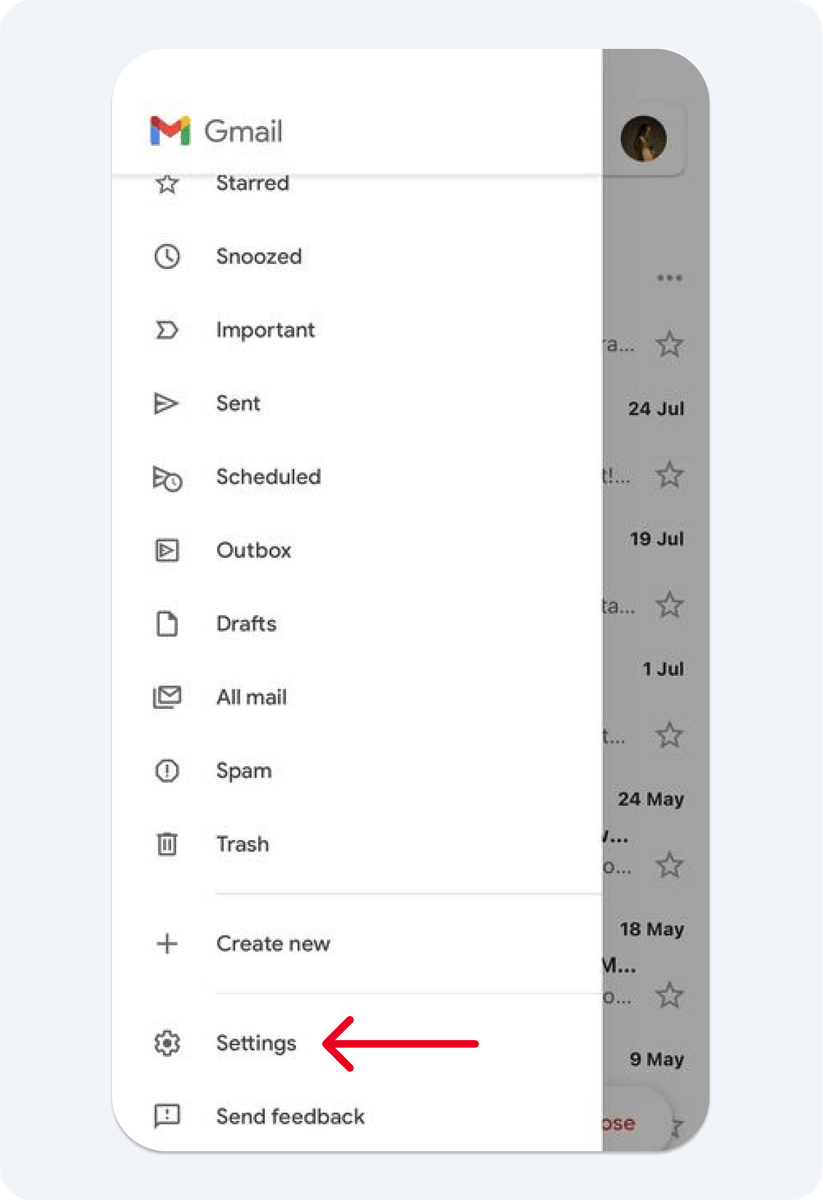
If you use Gmail, check this setting today.

Google's AI is reading your emails, attachments, receipts, travel plans, and documents right now.

You never turned it on. It was on when you signed up.

Here are 5 settings worth checking right now 👇 Image 1/ What’s actually happening?

Google introduced AI-powered features across Gmail, Chat, Meet, and Workspace.

These features can analyze:

• Emails
• Attachments
• Documents
• Conversations

to provide:

• Smart summaries
• Writing assistance
• Suggested replies
• AI-powered search

Google says Gmail content is not used to train Gemini models for everyone.

But many users still prefer to limit inbox analysis wherever possible.
Jun 24 8 tweets 2 min read
If you have a Gmail account, you need to read this.

Google's AI scans every email you receive. Bank statements. Tax files. Medical letters. All of it.

Default on. Class-action filed. Most users still have no idea.

Here are 5 moves to shut it off right now: Image Google automatically turned on AI features in Gmail, Chat, and Meet for many users in late 2025.
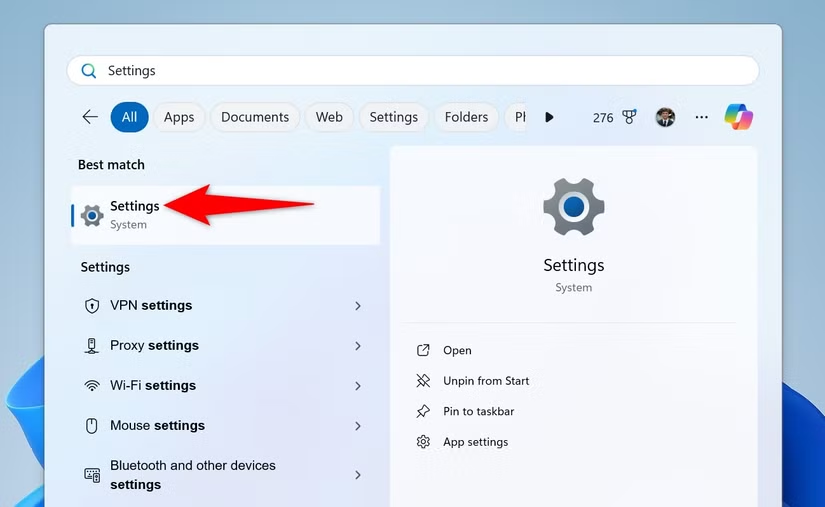
These features can read your emails, messages, and attachments to create summaries and suggestions.

Google says your emails don't train Gemini, but some users say they never clearly agreed to these AI features being enabled.

Unless you turn them off, the AI can still analyze your inbox to provide these features.
Jun 23 8 tweets 3 min read
If you use Windows, you need to read this.

Microsoft built a feature that photographs everything you look at and stores it forever.

Banking. Passwords. Private messages. None of it announced.

Here are 5 moves to shut it off tonight: Image What Just Happened

It's called Recall, a feature on new Copilot+ PCs from Microsoft.

Recall takes screenshots of your screen every few seconds and creates a searchable history of what you've seen, including websites, chats, and documents.

Microsoft says it tries to hide sensitive data like passwords and card numbers, but some security researchers found cases where private information still appeared in saved screenshots.

Here's how to check if Recall is turned on and how to disable it if you don't want it tracking your activity.
Jun 21 15 tweets 4 min read
IF YOU DIED TOMORROW, YOUR FAMILY WOULDN'T BE ABLE TO ACCESS A SINGLE THING YOU OWN DIGITALLY.

BANK ACCOUNTS. PASSWORDS. CLOUD STORAGE. ALL OF IT PERMANENTLY LOCKED AWAY.

The conversation nobody has until it is already too late.

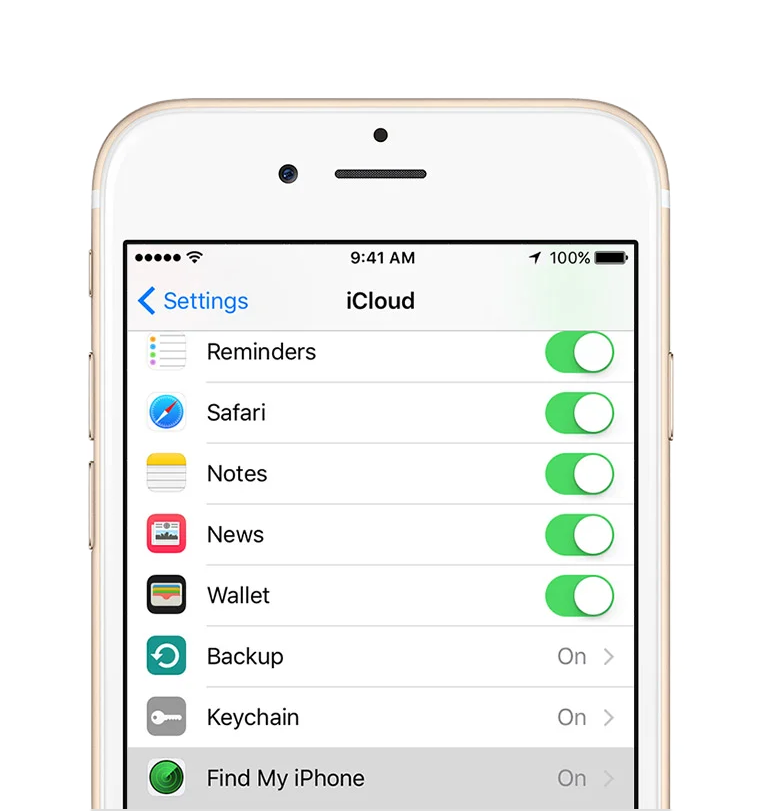
HERE'S HOW TO FIX IT IN 30 MINUTES: 1. iPhone users

Settings > your name > sign-in & security > legacy contact

Pick someone you trust. iPhone generates an access key tied to them.

If they ever need it, they can use that key plus a death certificate to access your iCloud: photos, files, email, notes. Everything.

Don’t set this up and your family could spend months fighting bureaucracy, with no guarantee they’ll get in.
May 23 9 tweets 2 min read
Delete 99.8% of your digital footprint from the internet.

Your data is out there on hundreds of sites you have never visited.

Here is a step-by-step guide 👇 Image 1/ Remove yourself from data brokers

Spokeo → Search for yourself → Opt out → Submit.

Whitepages → Find your listing → Request removal.

BeenVerified → Go to the opt-out page → Submit.

These sites sell your name, address, and phone number to anyone. Do all three. 10 minutes. Removes 90% of what strangers find.
May 20 10 tweets 3 min read
YOUR ANDROID PHONE IS SLOW BECAUSE OF A DEFAULT SETTING.

Not old hardware.

Most people buy a new phone before they ever find this:

Takes 90 SECONDS TO FIX. Here is exactly how ⤵️ Image I have been using this trick since 2012 on my first smartphone.
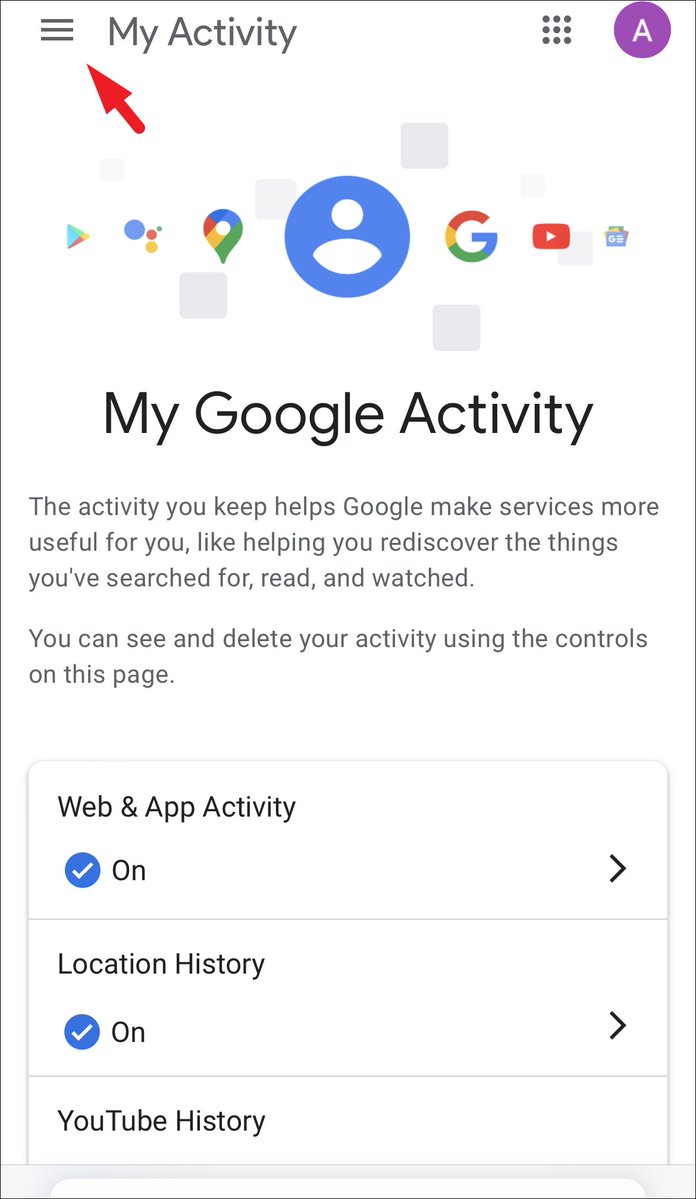
It made a single-core budget phone feel noticeably faster.

It still works on every Android in 2026. Most people have no idea it exists.
May 17 22 tweets 10 min read
Google has a recording of every search you've ever made.

Every place you've ever been.

Every YouTube video you've ever watched.

Go to myactivity.google.com right now.

You'll find searches from 2015. Voice recordings. GPS coordinates.

All stored. All linked to your name.

A decade of your life is sitting in one file. Here's how to see it and delete it:Image This isn't a conspiracy theory.

A peer-reviewed study from Trinity College Dublin found that your Android phone contacts Google's servers every 4.5 minutes.

Even when you're not touching it. Even when the screen is off.

It sends your device ID, your phone number, your SIM serial number, and your location.

Even if you never signed into a Google account.

Source: Professor Douglas Leith, Trinity College Dublin, 2021.
May 16 12 tweets 4 min read
Your Android phone's storage is full.

You delete photos, videos, apps. It's still full.

Because the real culprit is HIDDEN junk Android never shows you.

I got 23GB back yesterday without deleting a single photo.

Here's how 👇 Image Let’s start simple.

Every app on your phone quietly hoards temporary files called cache. Scroll TikTok for two hours and it saves chunks of every video you fly past. Open Shopee and it stores product photos. Day after day, it stacks up, and most of it doesn’t clear itself.

Want proof?
Settings > Apps > select an app > Storage

On my phone: TikTok is sitting on 4.7GB of cache. Instagram: 2.1GB. Shopee: 1.8GB. Chrome: 1.2GB.
That’s 10GB gone, just from four apps.
May 14 7 tweets 2 min read
Breaking: Apple keeps your deleted files and still charges you for the space they take up.

Deleting something on an iPhone does not mean it is gone.

It means Apple holds it and charges you rent:

Here is exactly where the rest is hiding and how to clear it in 20 minutes ⤵️ Image iPhone or iPad: Files > iCloud Drive > sort by size
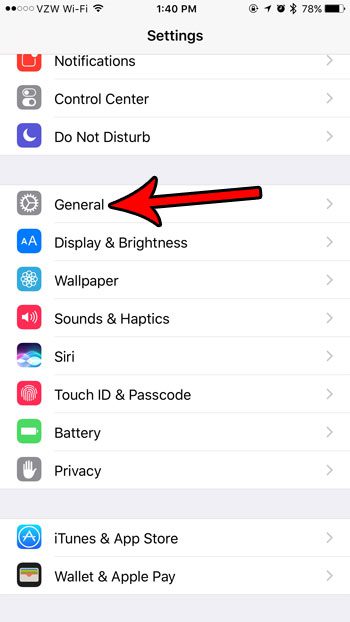
Mac: Finder > iCloud Drive > sort by size

Old video exports. Zip archives. Presentation decks from two years ago. Stuff you downloaded once and never opened again.

Sort by size and the worst offenders show up fast.

I found a 1.8GB file I’d completely forgotten was even there.
May 11 16 tweets 3 min read
If you've owned an iPhone in the last 10 years, Apple recorded you.

Medical visits. Bedroom moments. Drug deals. Apple contractors listened to the clips.

They just paid $95 million to settle it. Checks up to $100 are in the mail right now.

Most iPhone users have no idea this happened to them.

Here's how to stop it in 30 seconds:Image Start here. The story is real.

In 2019, The Guardian broke a report on Apple. A whistleblower named Thomas Le Bonniec worked for an Apple contractor in Ireland. His job? Listen to Siri recordings.

What he heard made him quit
May 1 11 tweets 3 min read
Don't change the iPhone if the battery starts to drain.

Apple intentionally set the default settings so that the battery drains quickly.

After I played around with the settings myself, the battery now lasts from 6 hours to 10 hours.

Most people will buy a new phone before they ever find this.

Here is the method: 👇Image 1/ First thing, check who's the main culprit.

- Settings → Battery

- Scroll down and see which app is consuming your battery the most.

- Usually it's not the app you use a lot. But the problematic app is the one running hidden in the background.
Apr 25 19 tweets 4 min read
After 3 years using Claude, I can say it's the technology that has revolutionized my life.

Not because it is smart. Because I learned how to use it right.

Here are 18 prompts I use daily that have transformed my day to day:

(Save this 🔖) Image 1. Daily Strategic Planning

Turn chaos into a clear execution plan.

Prompt: Act as an executive productivity coach.

Help me organize my day with the following information:

Goals for today: [list of goals]
Tasks: [list of tasks]
Meetings: [list of meetings]
Deadlines: [list of deadlines]

Then:

1. Identify my top 3 priorities
2. Suggest a structured schedule
3. Highlight tasks that can be automated or delegated
4. Recommend the highest impact activities for today
Apr 12 14 tweets 5 min read
Your Android phone is sending data to Google every 4.5 minutes.

Even when you're not touching it. Even when the screen is off.

A peer-reviewed study from Trinity College Dublin confirmed it.

Most users will never find these settings.

Here are the 12 to change right now: ⤵️ Image 1/ Turn Off WiFi Scanning (it tracks you even when WiFi is off)

You turn off WiFi. You think WiFi is off.

It’s not. Android can keep scanning for WiFi networks in the background to track your location.

This is confirmed in Google’s own developer documentation.

→ Settings → Location → Location Services → Wi-Fi Scanning → Turn OFF

Samsung: Settings → Location → Location Services → Improve Accuracy → Wi-Fi Scanning → Turn OFF
Apr 12 14 tweets 5 min read
Your iPhone is tracking every place you've ever been.

Apple turned it on the day you bought it.

Most people will never check these.

Here are 12 settings to change right now: 👇 Image 1. Turn Off "Significant Locations" (Apple's secret diary of your life)

Your iPhone logs every place you visit: GPS coordinates, timestamps, how long you stayed, and how you got there.

An MIT study found 4 location points can identify you out of 1.5 million people with 95% accuracy.

→ Settings → Privacy & Security → Location Services → System Services → Significant Locations
→ Tap "Clear History"
→ Toggle OFF

It's buried 5 menus deep. Apple requires Face ID just to view it. They know this is bad.
Mar 8 14 tweets 8 min read
BREAKING: You don’t need a consulting firm to run deep market research anymore.

These 12 Claude Opus 4.6 prompts can replace a $5,000 strategy report.

(Bookmark this) Image 1/ Market Sizing & TAM Analysis

You are a McKinsey-level market analyst. I need a Total Addressable Market (TAM) analysis for [YOUR INDUSTRY/PRODUCT].

Please provide:

• Top-down approach: Start from global market → narrow to my segment
• Bottom-up approach: Calculate from unit economics × potential customers
• TAM, SAM, SOM breakdown with dollar figures
• Growth rate projections for the next 5 years (CAGR)
• Key assumptions behind each estimate
• Comparison to 3 analyst reports or market research firms

Format as an investor-ready market sizing slide with clear methodology.

Context: My product is [DESCRIBE PRODUCT], targeting [TARGET CUSTOMER] in [GEOGRAPHY].
Mar 2 11 tweets 2 min read
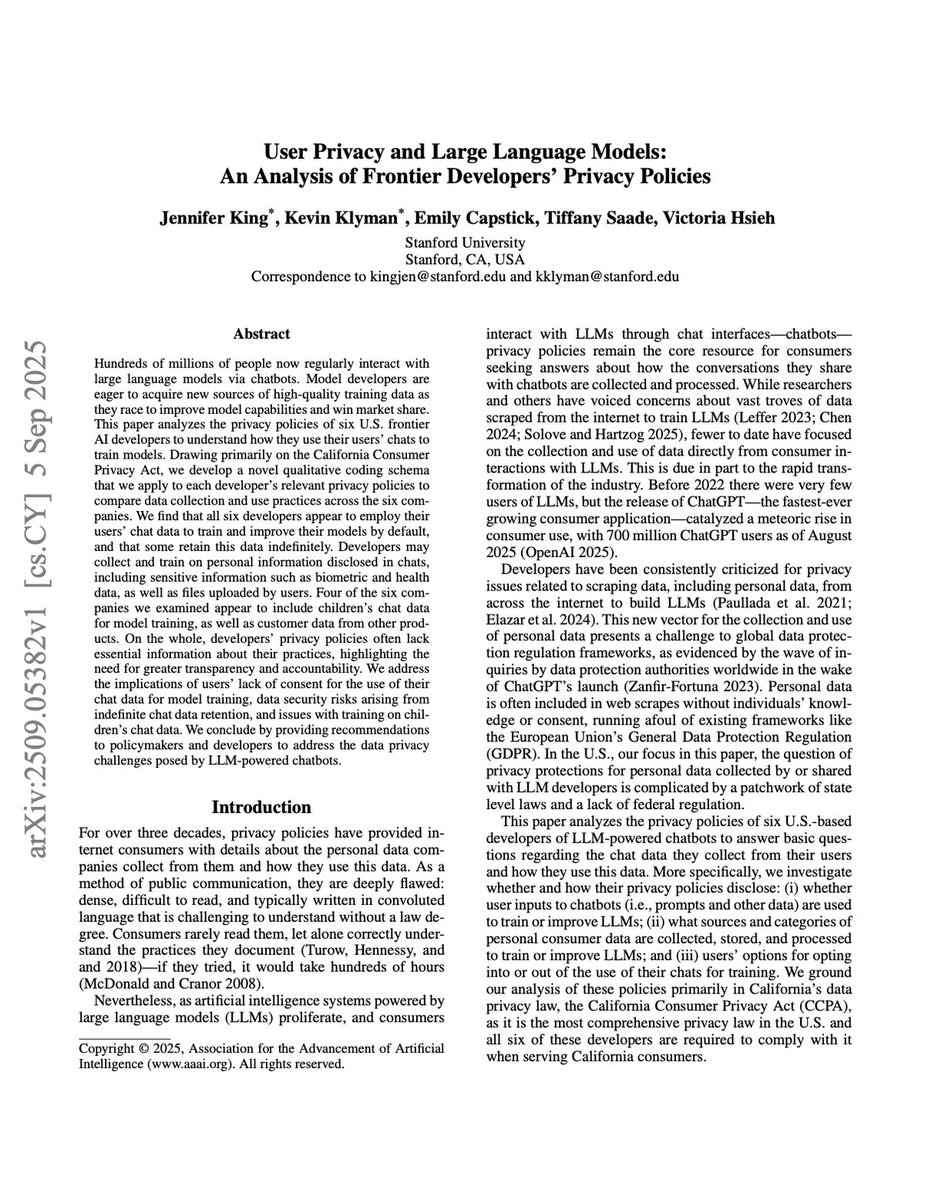
🚨 Stanford just quietly dropped a bombshell on the AI industry.

They combed through 28 privacy policy documents across OpenAI, Google, Meta, Anthropic, Microsoft, and Amazon. What they found should change how you use these tools forever.

Here's what they found:👇 Image 1/ Your conversations are training data by default
Every prompt, file, and personal detail you share feeds model training the moment you hit send. No extra confirmation. No clear warning.
Mar 1 13 tweets 6 min read
🚨Skip the search engines. Skip the $2,000 courses.

Anthropic just rolled out free AI courses, with certificates.

Here are 10 worth your time 👇 Image 1. @claudeai Code in Action

Speed up your development workflow with Claude Code

anthropic.skilljar.com/claude-code-in…
Feb 22 10 tweets 2 min read
STOP SAYING “FIX MY WRITING” TO CHATGPT.

Lazy prompt = average results.

Try these prompts and feel the upgrade: Image 1. The Professional Editor

“Act as a professional editor and rewrite the following text to correct grammar, errors, punctuation, and clarity. Keep my original meaning but dramatically improve the structure and readability. Here is the text: [paste text].”
Feb 8 10 tweets 2 min read
I STOPPED OPTIMIZING MY LINKEDIN PROFILE FOR PEOPLE.

I optimized it for recruiters.

ChatGPT helped me rewrite it in minutes.

HERE ARE THE 7 PROMPTS THAT MAKE IT WORK 👇 Image 1. Profile Positioning Reset

“Analyze my LinkedIn profile and tell me exactly how I’m currently being perceived then reposition me for clients, not recruiters.”
Feb 7 13 tweets 5 min read
Most people use Claude occasionally.

I’ve used it long enough for it to change my habits.

These are the 10 prompts that stuck and why they matter 👇 Image 1. Research

Mega prompt:

You are an expert research analyst. I need comprehensive research on [TOPIC].

Please provide:
1. Key findings from the last 12 months
2. Data and statistics with sources
3. Expert opinions and quotes
4. Emerging trends and predictions
5. Controversial viewpoints or debates
6. Practical implications for [INDUSTRY/AUDIENCE]

Format as an executive brief with clear sections. Include source links for all claims.

Additional context: [YOUR SPECIFIC NEEDS]
Feb 1 21 tweets 4 min read
Your phone isn’t personal. It’s a data sensor with a camera.

In 2026, privacy isn’t a feature. It’s a fight.

If you haven’t audited your device, you’re not the user. You’re the product.

Here’s the 18-step Ghost Protocol to take your phone back. Image 1. The "Invisible" Listener

Ever talked about "blue shoes" and seen an ad 5 minutes later? It’s not a coincidence, and they aren't "listening" to your voice. They’re tracking your ultrasonic cross-device pings. Your phone emits sounds you can't hear to talk to your smart TV and laptop. Let's kill that first.