Michael Skyba ✤ Profile picture
fast, lightweight web agents | accessibility for amnestic LLMs | applying Glyphosate to the axe
Feb 11 4 tweets 4 min read
gg ez

I made a general agent that solves all 30 steps with no determinism, level skips, or other cheats

agent time (incl. inference): 2m 36s

total real time: 4m 2s (gap is from groq's gateway network latency)

tested many, many different scaffoldings and tool formats. eventually made my own system with fast compactions and simple inter-agent commnuication

final model configuration:
- Kimi K2 Instruct 0905 (through Groq) as the primary fast agent
- Claude Opus 4.6 (through OpenRouter -> Google Vertex) as the intelligent advisor and supporter

final cost from step1 to finish:
- $1.37 for Claude
- $4.98 for Kimi (9.6M total input tokens! and 10k output tokens, across 239 agent turns)
=> $6.35 total

parallel orchestration and UI: tmux (easy to automate) + shared filesystem
final LOC: ~10,000

10 tool primitives available, all implemented through a fast, extremely agent-friendly CDP client

browser used: a real, vanilla Brave! I use these same web agent tools I built to interact with real websites on my behalf all the time, including for my startup

cc @adcock_brett @OpenRouterAI @GroqInc brief architecture summary:

there's A. a fast small agent run by Kimi, and B. a slower more intelligent agent run by Claude

Kimi gets zero context on how the challenges function and what is a distraction vs what is high-signal. it gets 10 tools and, as fast as possible, tries to apply them (including writing custom JS if needed, using the eval() tool)

one of its most important tools is a read() that compresses the page in a high-signal way to create LLM-friendly output, similar to what a screen reader does. it has zero hardcoded logic for the challenge, so initially this includes many unnecessary popups (until Claude later helps with auto-filtering them)

given the fact that reads, on any page, are the most expensive context-wise, the Kimi agent has its compactions split by read blocks. throw out the turn history of read N (inclusive) to read N+1 (exclusive), because N+1 has up to date information about the page

a good configuration for fast Groq inference is to keep caching up to a high but not absurd input size like 75k tokens, then compress down to a small size (25k in my config). the supermajority of the inference time goes towards reads, so you want to minimize the number of uncached input tokens, which means minimizing the number of prefix switches (compactions)

in the background, starting from 1 second after the Kimi agent fires, is the Claude agent. running roughly once per 5 seconds, it analyzes all of the inputs that Kimi has received since Claude's last turn, as well as all of Kimi's decisions

Claude is able to write JS, with the goal of making any sort of general web helpers that can decrease Kimi's iteration time. in this case it looks like Claude (with no prior knowledge about the page!) inferred that Kimi would benefit from a setInterval that scans for puzzle solution codes
Claude then broadcasts those codes to Kimi's attention using an inter-agent alertAgent() function that Kimi's scaffolding is designed to work with
Mar 20, 2024 18 tweets 6 min read
Here's a visual guide for enabling Memory for your ChatGPT account. This might get patched (they change their A/B system) if many people use it but it's working as of 2024-03-20.

No technical understanding is required, but you need to be able to follow instructions. 1. Go to and log into your account

(This should work regardless of if you're paying for ChatGPT Plus or not.) chat.openai.com
Image
Mar 18, 2024 11 tweets 5 min read
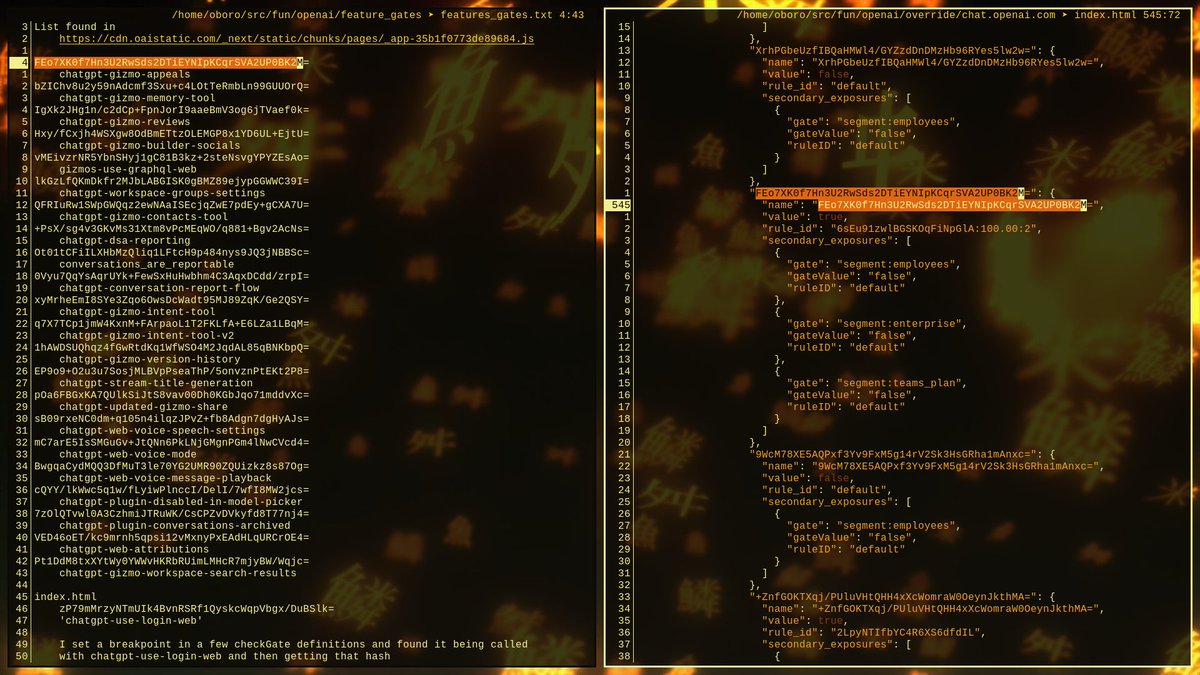
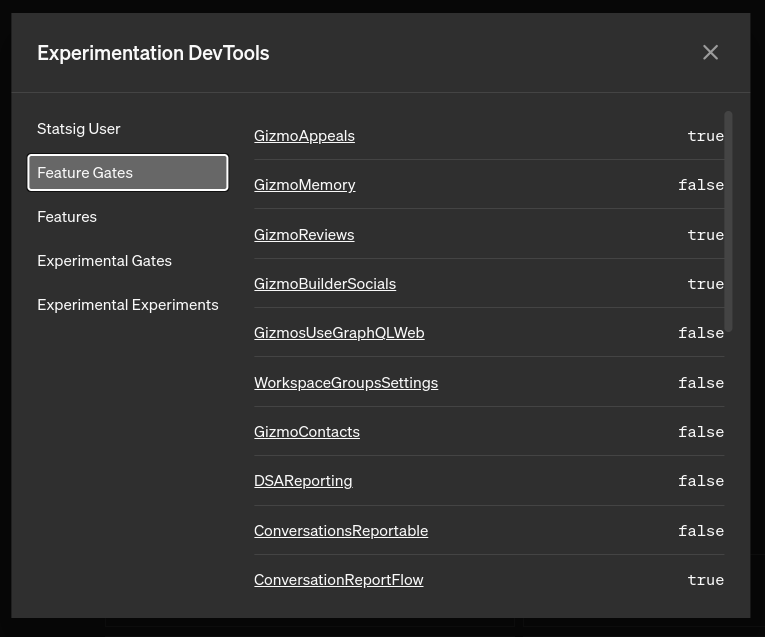
Class is starting so I'll have to put Lex and Sam on hold, but maybe I can make some progress here on replication. Using the hash I received from getHashedSpecName, I can locate the "chatgpt-gizmo-appeals" option in index.html, whose true value matches the UI.

Image
Image
Unfortunately, it's not that simple. If you modify that __NEXT_DATA__ JSON script inside the index to switch values between true and false, there's no reaction. You can even delete the entire surrouding props.pageProps.statsig.payload with no issues.
Mar 17, 2024 7 tweets 3 min read
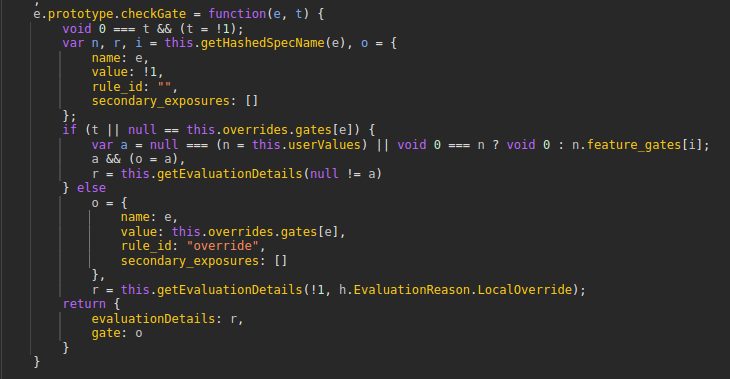
~19 hours and 2 anime episodes later, I'm back. I've learned that the real method is picrel. I think the code was written as ES6+ with regular classes and then transpiled down to use this older prototype system. e is a function: the constructor of the feature manager v class.
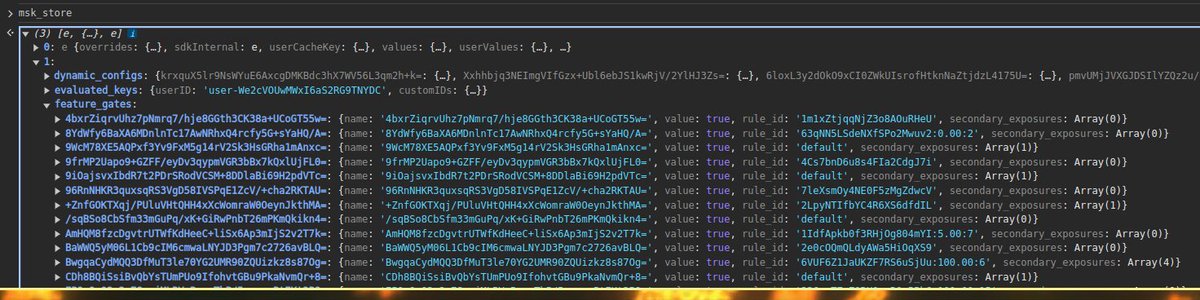
Image Welp, this is disappointing. Only two instances of that class were created... I captured both of them and overwrote all of the values in the feature_gates array, but alas... no UI reaction. Maybe these are decoys? I noticed a separate "is_user_in_experiment" key... Image
Mar 12, 2024 25 tweets 7 min read
@TheXeophon Perplexity sees it too Image @TheXeophon Welp rip chance of getting homework done today
Time to cycle through every google crawler user agent to try to hound the page