🎬AI Animation & Filmmaking
DMs for comissions and professional video (ads, film, TV, social media, enterprise video)
contact@voxelplot.com
May 8 • 6 tweets • 9 min read
Seedance 2.0 - Advanced Workflows Series
11. Cinematic Camera Angles through Video Gen + Specialized Storyboard AI Agent
Are you already getting camera shots and angles through Nano Banana Pro? Take the next step.
Seedance 2.0 has a better spatial understanding of the scene than image generation models. Because it is built to produce cinematic clips, it achieves more beautiful shots and angles than image models like Nano Banana, which are primarily made for image editing.
As an added bonus, Seedance renders the entire space of the scene, so you can get tens of shots with complete spatial and element consistency in a single generation.
Create a specific AI Agent to help you with storyboarding, and feed the input into Seedance to get the most cinematic shots.
You can access Seedance 2.0 now on insMind (link at the end of the thread).
Workflow + Prompts👇
1. Get Cinematic Compositions
You might be an expert storyboarder, a brilliant layout artist, or a very good photographer. In that case, you just need to use your knowledge to craft detailed descriptions of beautiful shots.
But if that's not the case: DON'T WORRY!
ChatGPT, Gemini, and Claude have options to build small agents specialized in specific tasks. In my case, I tried to create a LAYOUT or STORYBOARD artist within my AI.
To do this, I first asked ChatGPT, using its 5.5 Thinking model, to make an extensive report on composition rules, perspective, etc., that a professional storyboard artist knows perfectly.
ChatGPT gave me back a report that TAKES UP 12 PDF PAGES!! (I uploaded it below)
Afterward, I created a custom GPT (a small assistant) that I named ANIME LAYOUT MASTER. I established rules for its behavior and attached the 12-page PDF with the knowledge it needs to help me.
Apr 14 • 5 tweets • 5 min read
Seedance 2.0 - Advanced Workflow Series
8. Bypass Real Human Face Block
Upload realistic character references to Seedance without triggering the face detection block.
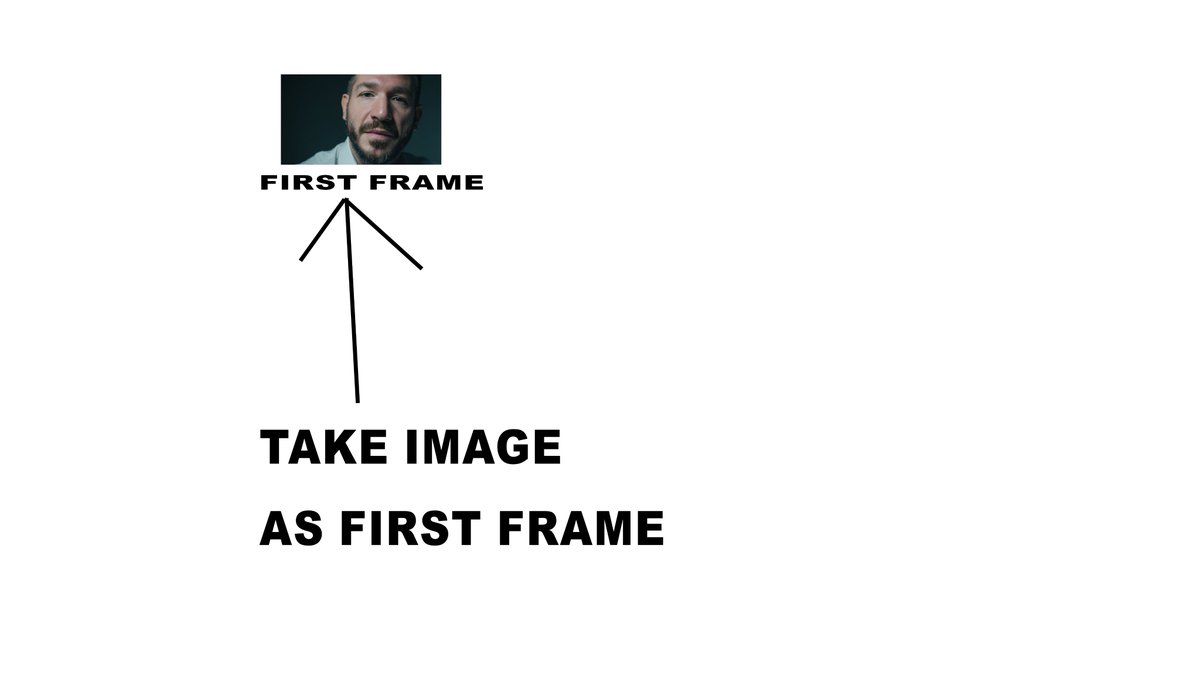
From character sheets to a close-up as the first frame.
This video is an extension of the method shared by @wtry1102
Workflow + Prompts 👇
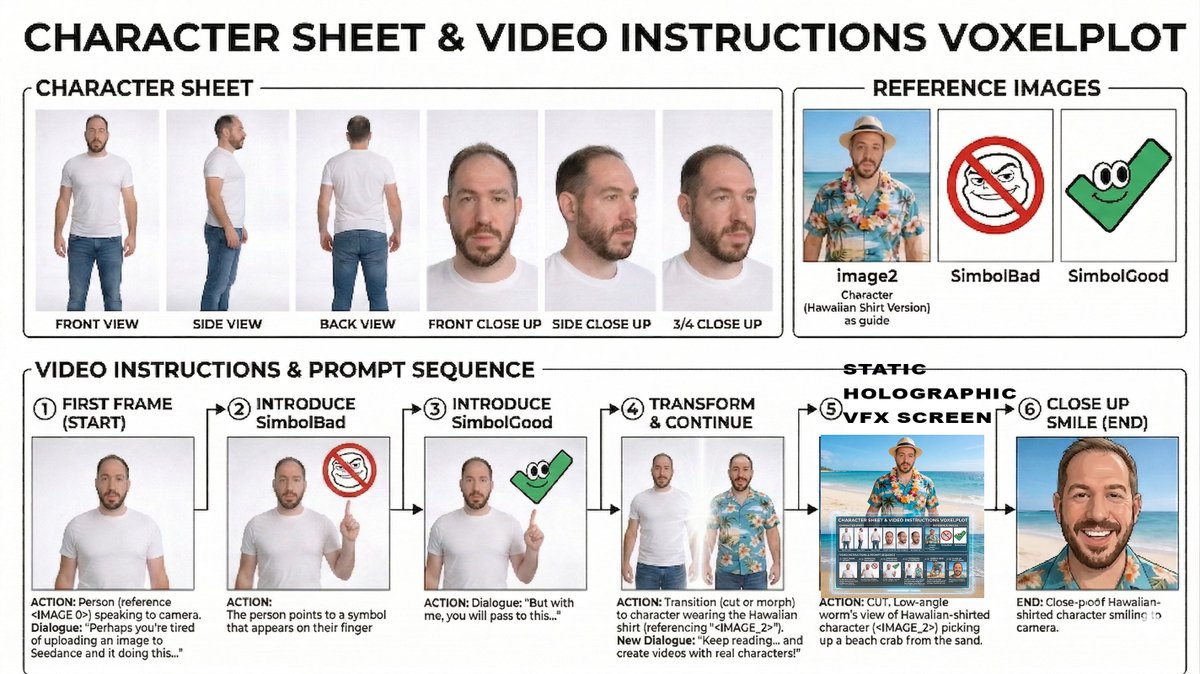
1. The secret: Make an infographic / collage with your realistic images - KEEP THE SIZE OF THE FACE SMALL COMPARED TO THE CANVAS
The realistic image filter is based on detecting human faces. There is a pixel limit where Seedance's face detector doesn't trigger.
In a 2K image, the maximum size I've tested that allows a face is around 200 pixels.
However, in a 6K image, the maximum size increases up to 800 pixels.
The key is to surround the face images with text and instructions so that Seedance reads the image as an infographic and not as a picture of a person.
In this video, I first used an infographic explaining the prompt step by step. However, I tried making a collage putting the images with the name underneath as references, and it also worked.
That is: we can use a single 6K image with small images inside with their respective names and reference them in Omni mode as if they were separately uploaded images.
Shoutout @PocketScreenAI , that shared the original post of @wtry1102 and let me know how to approach the human face blocking
Apr 13 • 6 tweets • 5 min read
Seedance 2.0 - Advanced Workflow Series 🧵
7. Storyboard to Video
Provide basic storyboards along with a character sheet and environment images.
Seedance will create a complete sequence by connecting the shots, with cuts between the different panels.
Workflow + Prompts 👇
1. Character Design
First, we will create our characters. I use two methods:
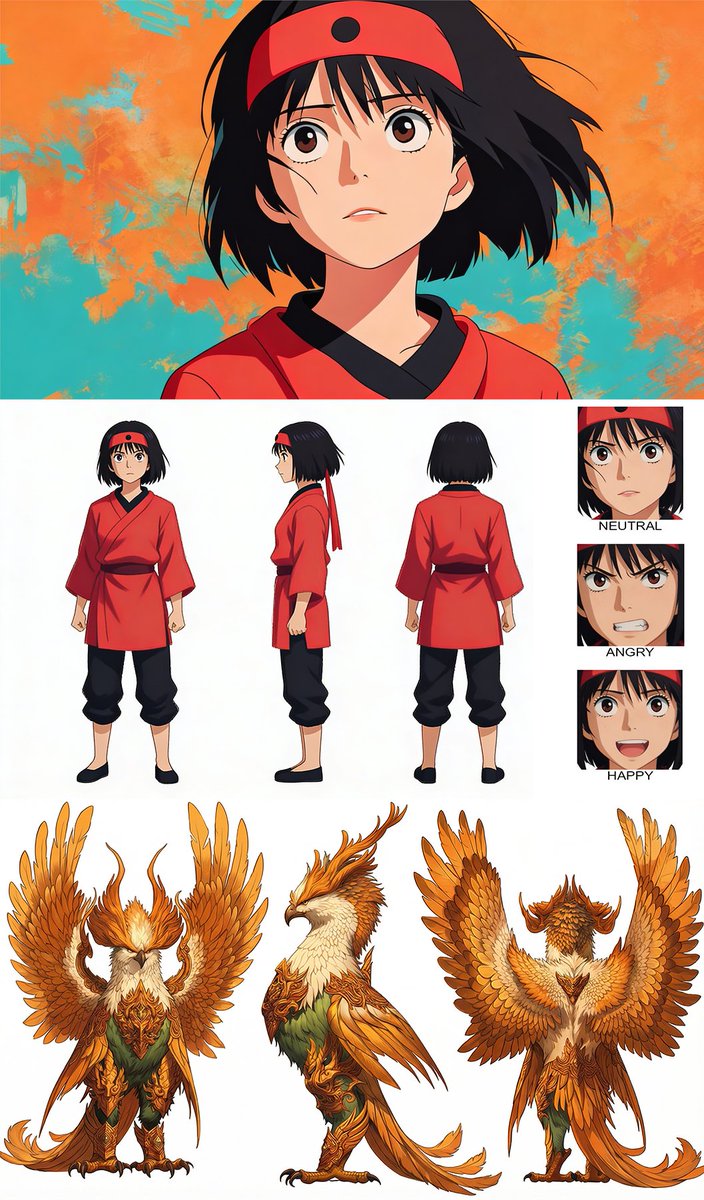
a) Create a character sheet in MJ
This is the method I used to create the phoenix:
Prompt: character sheet of a giant phoenix creature, fierce monster, traditional adventure character style, highly stilized, with frontal view, side view, back view and 3 close ups, of side, front and back view
b) Create a high-quality animation-style still frame in MJ and create the character sheet from it in Nano Banana
You can let MJ imagine a character randomly and choose the one you like from several generations. In this case, in a random test for another video, MJ generated an image of a character I liked a lot, so I decided to use it for this video:
Prompt: anime japanese shot, background is impasto technique and character traditiona 90 celuloid filmanime japanese shot, background is impasto technique and character traditional 90 celuloid film
Then, I uploaded the image to Seedream 4.5 to create a character sheet from the image.
Prompt: Create a character sheet of a this character highly stilized, full body with frontal view, side view, back view and 4 close up with expressions neutral, happy, determination and anger, in white background. Mantain 100% artstyle and character traits. Use image 1 as a reference
Tip: I alternate between Nano Banana, Seedream 4.5, and Flux Flex/Pro/Max when I want to edit or create animation images. Seedream 4.5 is especially good for creating images from references while respecting the original art style.
Apr 10 • 4 tweets • 3 min read
Seedance 2.0 - Advanced Workflow Series
6. Rough to Final Animation
Use basic sketches and provide character and environment references to Seedance to receive a full-color final animation or render.
Workflow + Prompts 👇
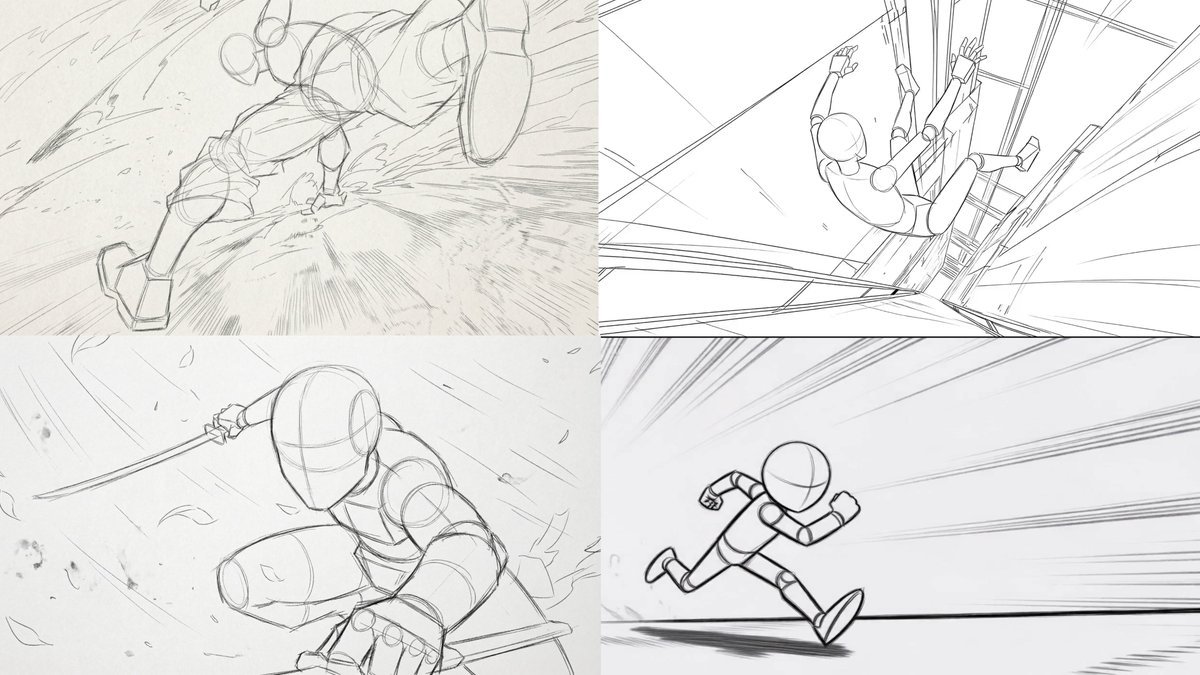
1. Basic video sketch reference
You might be a traditional animator working on a 2D animation, or a 3D animator with a basic blockout from Blender or other 3D software.
You can use AI to get an idea of what the final look will be, or simply let the AI handle all the detailing and final look while you manually guide the composition and movement.
Apr 8 • 4 tweets • 6 min read
Seedance 2.0 - Advanced Workflow Series
5. Replicate Animations with Video References
Remove the randomness from specific actions using reference animations and videos.
Workflow 👇
1. Find a reference video
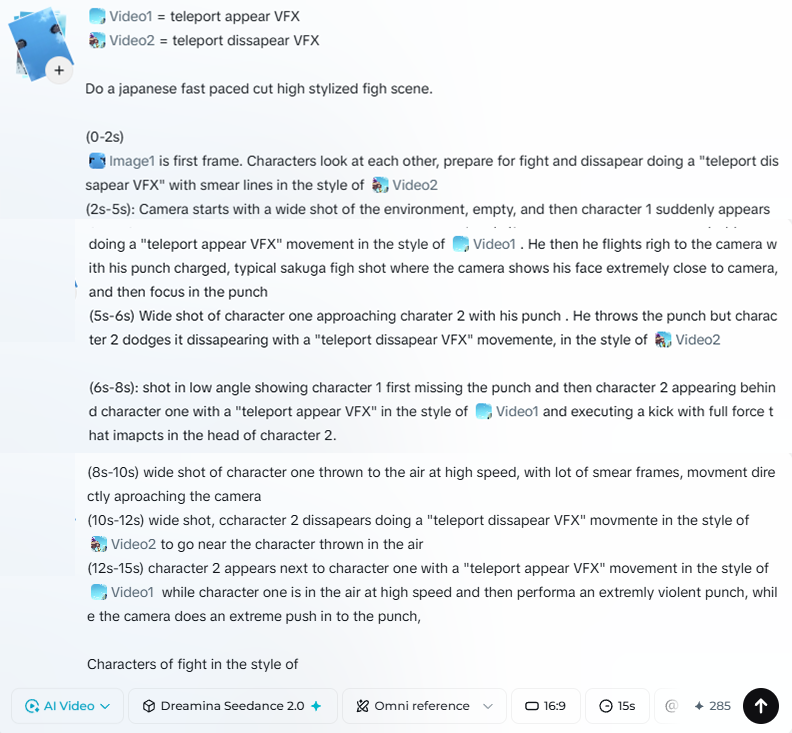
I’ve always wanted to create a fight scene where characters teleport "Dragon Ball style."
Before Seedance, every generation would render the teleportation effect differently, making it impossible to stitch various clips together into a cohesive fight where a character performs the same movement multiple times.
Now, it’s simple. First, create a short video of the teleportation effect. Since Seedance is quite restrictive regarding IP content uploads, I used Vidu Q3 to create a short clip of the effect.
To replicate the exact movement, I used an original Dragon Ball still frame as a reference. Vidu Q3 also supports references and is incredibly useful for guiding generations.
Note: I splitted the output in two different clips, first for the appear VFX and the second for the disappear VFX.
Prompt: Character of "Image1" does a teleportation VFX in dragon ball style with smeared lines. "Image2" is an example of the transition of the teleport VFX.
Apr 6 • 5 tweets • 4 min read
Seedance 2.0 - Advanced Workflow Series
4. VFX & AAA Studio Quality Look
Upgrade your visuals to match AAA studio standards. Reconstruct specific shots with stylized VFX and lighting FX to elevate the final quality.
Workflow 👇
1. Finding VFX and Lighting References
I selected images from Dragon Ball to define the visual style of the VFX for the first clip.
You can also use Midjourney to generate the VFX or the overall final look, as I did for the second and third clips.
Midjourney Prompt (2nd Clip):
"Anime style, medium shot, girl outdoors in daylight, cinematic look, golden hour with lens flare, dramatic low angle with hand in the foreground --v 7"