
Instagram Stories highlight are those tiny round circles on your Instagram page, they allow your stories live 'forever' on your profile unless you take them off! 

Ordinarily, Instagram stories live for 24 hours after which they go to your story archive until you decide to make them live longer by keeping them on your profile.
Instagram highlights are stories you want your audience to see when they visit your page, they can tap and watch them whenever they like.
See them as a catalogue of things your followers or visitors to your page would want to see.
See them as a catalogue of things your followers or visitors to your page would want to see.
They are positioned under your bio, above your feed.
This is what a page without highlight(s) looks like
This is what a page without highlight(s) looks like

For instance, most food vendors house their menu on their page's highlight.
Instead of telling you the price at all time, they simply direct you to check highlights for menu.
Instead of telling you the price at all time, they simply direct you to check highlights for menu.
The first step to creating highlights is to turn on auto archive feature.
Here's how to do this;
Go to privacy
Go to story
Turn on save to archive
Here's how to do this;
Go to privacy
Go to story
Turn on save to archive
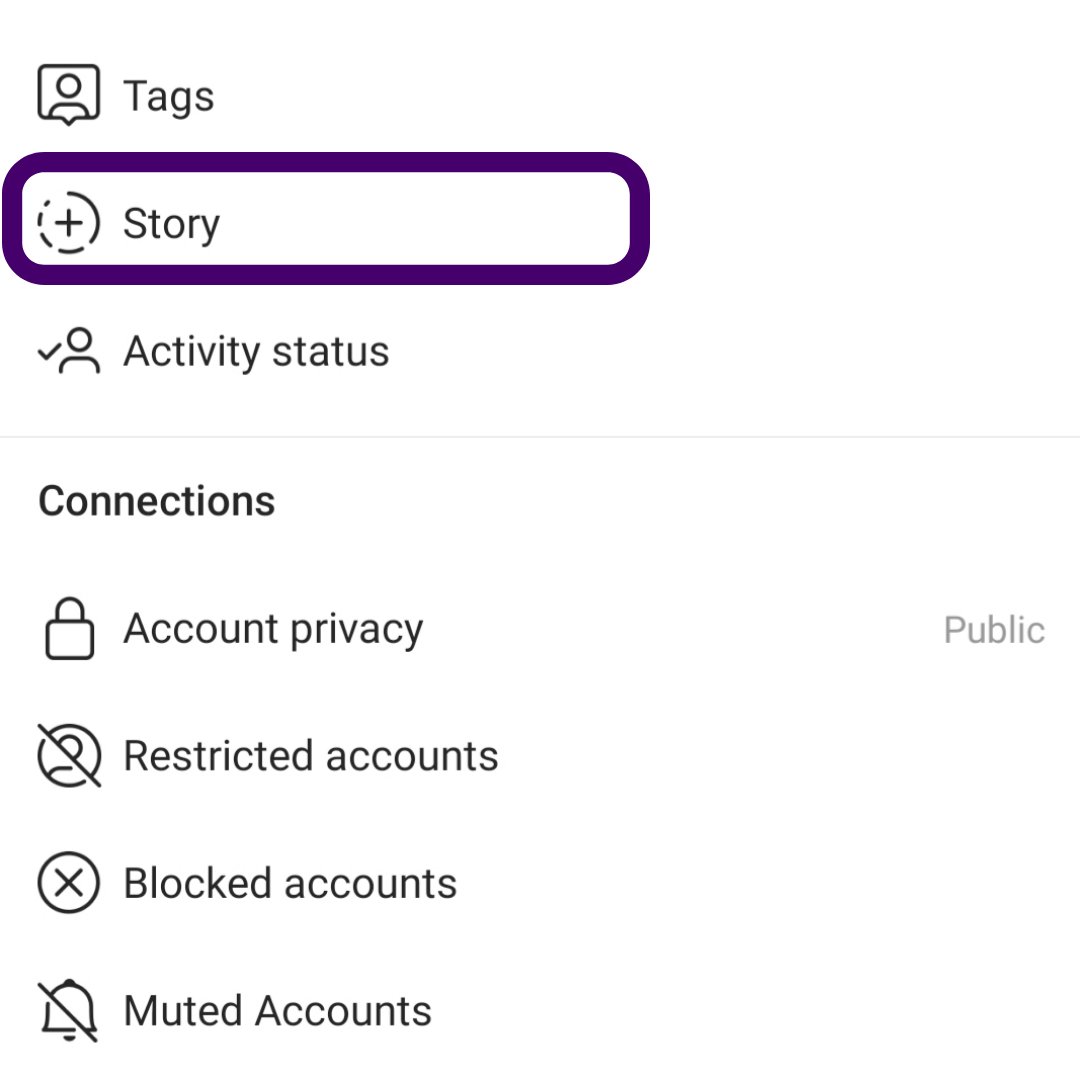
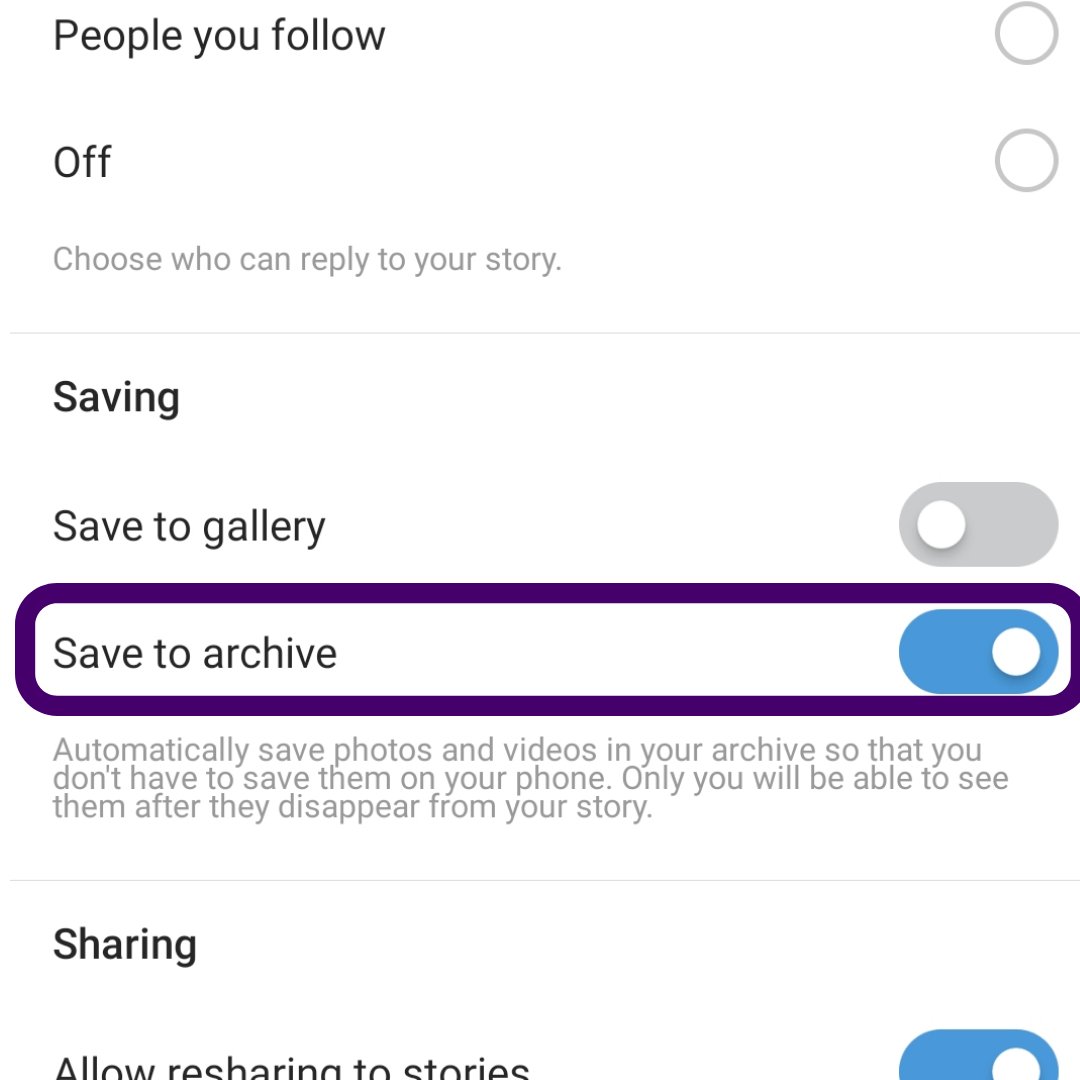
Instagram automatically saves your Instagram stories when you do this.
Next, click on the 'New' button. This allows you to select the stories you want to live on your page's highlight.
After selecting the stories, click done, it takes you to this page.
Next, click on the 'New' button. This allows you to select the stories you want to live on your page's highlight.
After selecting the stories, click done, it takes you to this page.
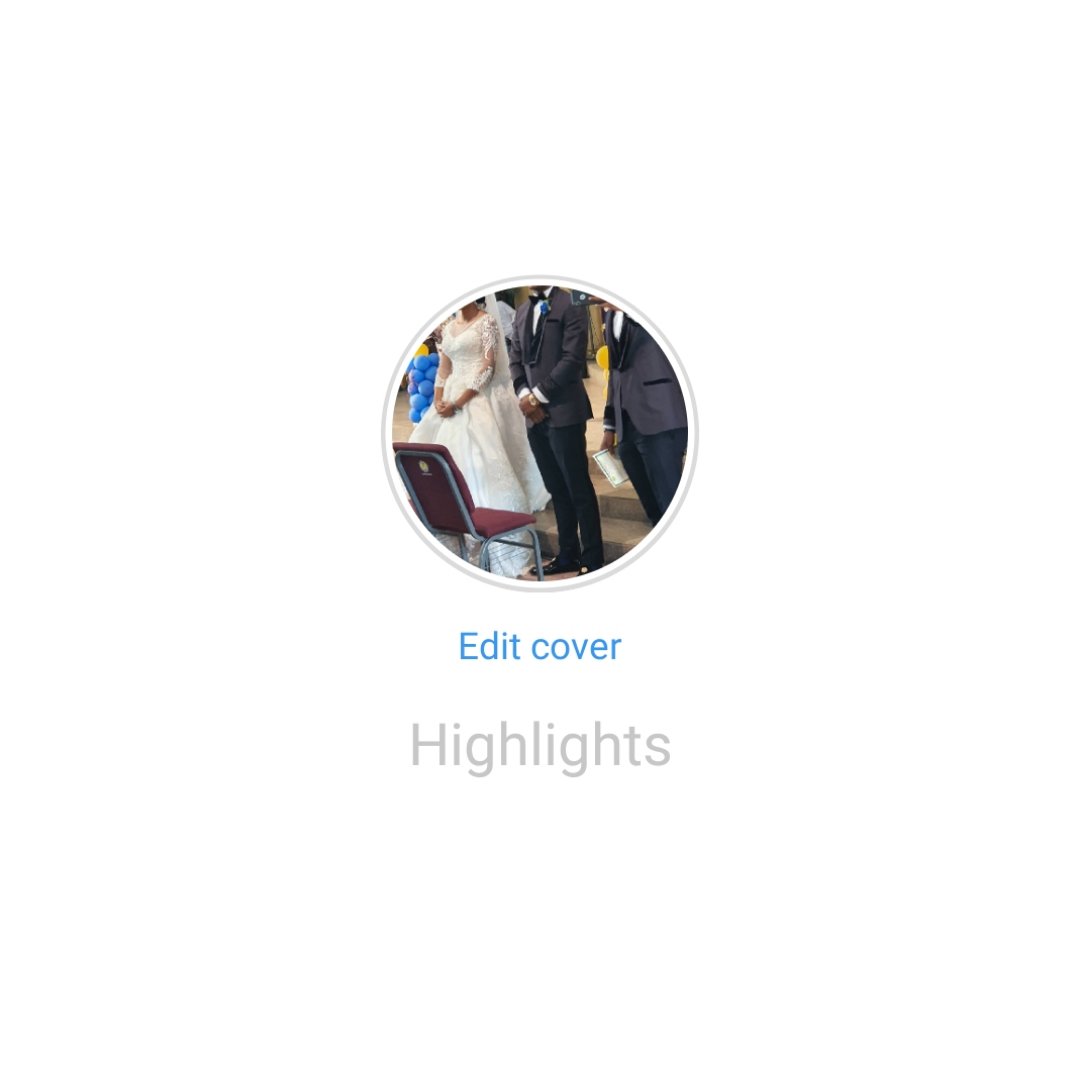
Here, you are given a chance to name that highlight and edit the cover photo.
If the picture you want to use as the cover photo is on your story archive, select it first or you could select an already designed highlight cover.
If the picture you want to use as the cover photo is on your story archive, select it first or you could select an already designed highlight cover.
Use highlights to categorize your content, this helps your audience know where to look when looking for information on your page.
P.S. the 1st money I made on Instagram from designing highlight covers on canva.
P.S. the 1st money I made on Instagram from designing highlight covers on canva.