

How to iterate at the speed of light using components ⚡
A simple 4 step process that I use 20+ times a day 👇
A simple 4 step process that I use 20+ times a day 👇
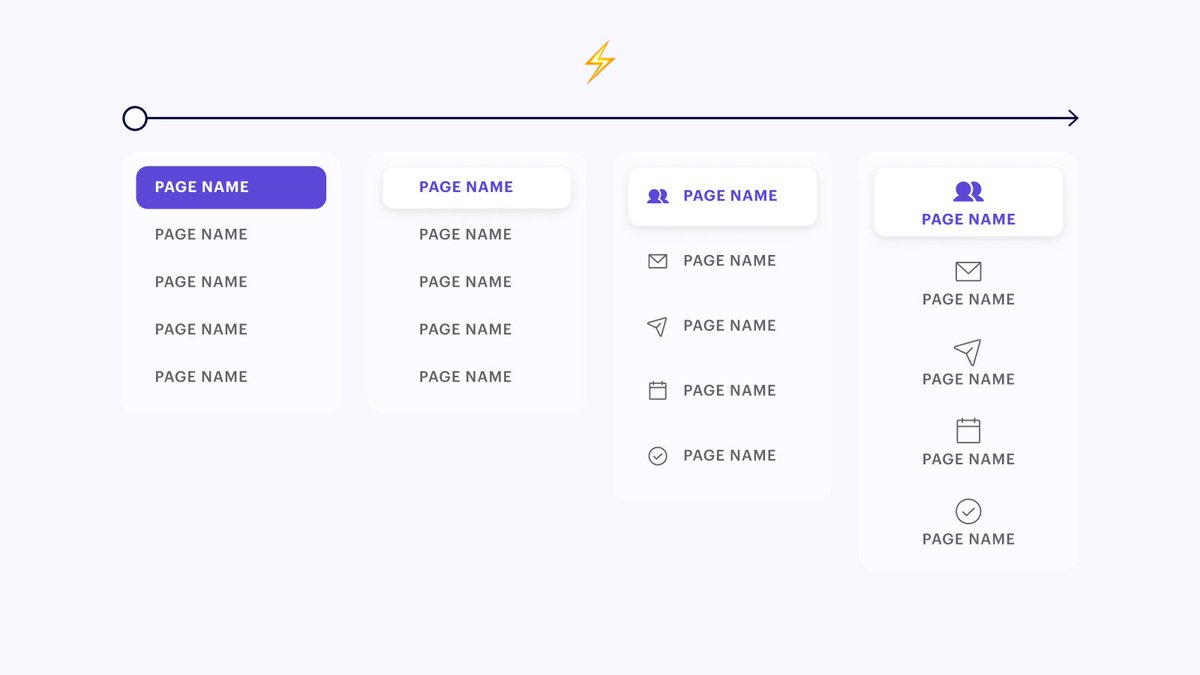
If you're like me, you spend a good amount of time tweaking the design of component groups while trying all sorts of different approaches.
But most designers I talk to don't use components until AFTER they pick the final design direction.
I'm here to propose a better way 👇
But most designers I talk to don't use components until AFTER they pick the final design direction.
I'm here to propose a better way 👇
But before we get into the details... here are the two goals of this workflow:
1. Create a bunch of iterations side by side for easy comparison
2. Work as efficiently as possible (don't make the same design tweak twice)
Ok now that we got that out of the way... let's dive in👇
1. Create a bunch of iterations side by side for easy comparison
2. Work as efficiently as possible (don't make the same design tweak twice)
Ok now that we got that out of the way... let's dive in👇
1. Duplicate my main frame and select all of the instances of my component.
2. Then run the Master plugin by typing cmd + / + master
3. Drag my main component into the auto layout and delete the duplicate
4. Make any style tweaks that I want to try on the main component!
2. Then run the Master plugin by typing cmd + / + master
3. Drag my main component into the auto layout and delete the duplicate
4. Make any style tweaks that I want to try on the main component!
Running the master plugin automatically creates a new main component and makes all other components an instance of that main component
This way I only have to adjust my style one time and the changes automatically reflect throughout my entire component group.
This way I only have to adjust my style one time and the changes automatically reflect throughout my entire component group.
This allows me to move faaaassstt 💨
In general I'm a big believer in @Julian 's "Creativity Faucet"
Sometimes you have to crank out the bad ideas to get to the good ones. This workflow just speeds up the time it takes me to get through the bad ones 😇
In general I'm a big believer in @Julian 's "Creativity Faucet"
Sometimes you have to crank out the bad ideas to get to the good ones. This workflow just speeds up the time it takes me to get through the bad ones 😇
I try not to think too much. Just duplicate and try the next idea in my mental pipeline. Repeat.
If I am doing UI work I'll crank out 10-20 iterations of something. Then I can take a step back, narrow down my list, and either continue the process or loop in other stakeholders.
If I am doing UI work I'll crank out 10-20 iterations of something. Then I can take a step back, narrow down my list, and either continue the process or loop in other stakeholders.
Here's a link to @zyumbik 's Master plugin.
Try it for free. I promise you... you're going to love it. I'd probably pay him $20/mo to keep using this plugin but don't tell him that 😉
dominate.design
Try it for free. I promise you... you're going to love it. I'd probably pay him $20/mo to keep using this plugin but don't tell him that 😉
dominate.design
• • •
Missing some Tweet in this thread? You can try to
force a refresh





