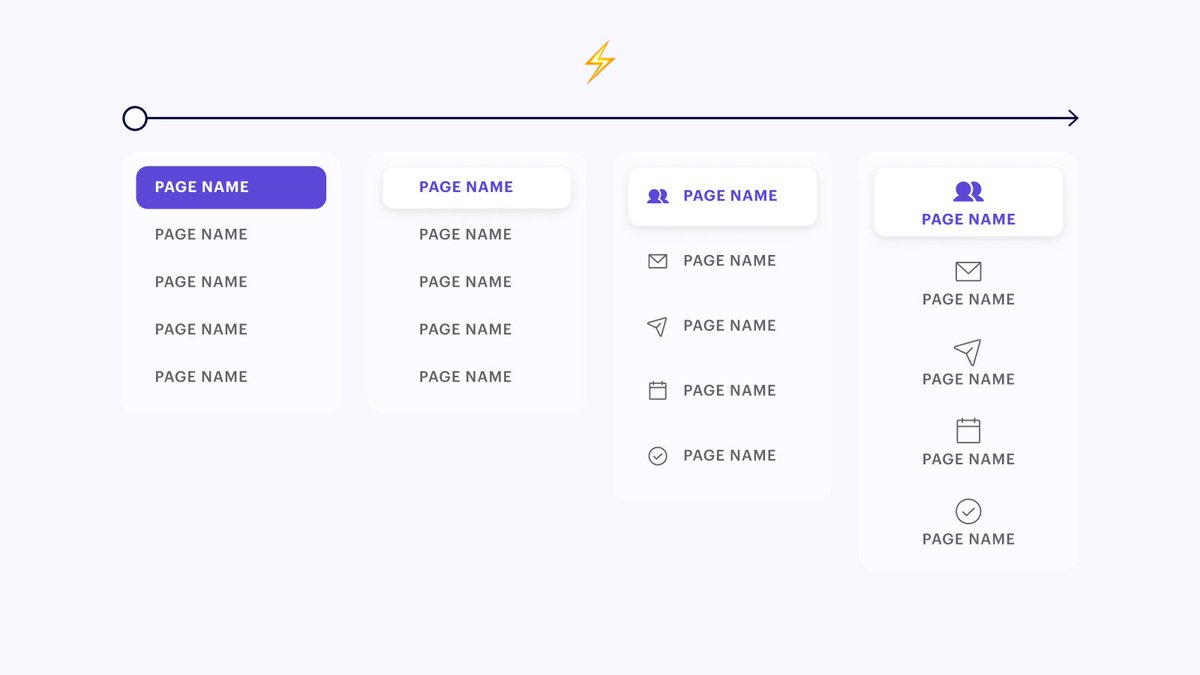
I've created the foundations of a component/library system that I'm quite proud of at Maven.
It decreases the # of levers I need to pull to make changes so that we can iterate more quickly in the early days
Here's a little peak under the hood of a real-world example 👇
It decreases the # of levers I need to pull to make changes so that we can iterate more quickly in the early days
Here's a little peak under the hood of a real-world example 👇
We're in the early stages of building an admin dashboard so we're making changes left and right...
My goal is to make those changes only one time so I can be as efficient as possible
For example, we realized the other day we wanted to decrease the sidebar width 👇
My goal is to make those changes only one time so I can be as efficient as possible
For example, we realized the other day we wanted to decrease the sidebar width 👇
Think about how many frames you can have in a dashboard... easily 100+! I just started and already have 30+
If I only have a sidebar component, my layout breaks in all 30+ mockups as soon as I change the width 🤦♂️
Here's how I updated every layout automatically 👇
If I only have a sidebar component, my layout breaks in all 30+ mockups as soon as I change the width 🤦♂️
Here's how I updated every layout automatically 👇
Like most people, I have a sidebar component comprised of subcomponents...
That means I have a single source of truth for my sidebar width.
Step 1: update the width at the component level
But the magic happens one level deeper 👇
That means I have a single source of truth for my sidebar width.
Step 1: update the width at the component level
But the magic happens one level deeper 👇

I use my sidebar/header in a larger "Template" component - This frame is one big auto layout with the "Page Content" set to "fill container"
So when I decrease the width of my sidebar, the rest of the page responds automatically.
Here's how I use the "Template" component👇
So when I decrease the width of my sidebar, the rest of the page responds automatically.
Here's how I use the "Template" component👇


You might have noticed the "Page Body" instance in the screenshot above...
That is functioning as one big slot component!!
So I can import my master "Template" component into any file and replace the body with a local component so that everything is tied to a single layout 💫
That is functioning as one big slot component!!
So I can import my master "Template" component into any file and replace the body with a local component so that everything is tied to a single layout 💫
Here's how the whole process works in 4 steps 👇
1. Import my "Template" component into new file (ex: Emails).
This way I'm pulling from that top level source of truth for the whole admin dashboard layout.
1. Import my "Template" component into new file (ex: Emails).
This way I'm pulling from that top level source of truth for the whole admin dashboard layout.

2. Create a new local "Page Body" component to hold my designs
This is where everything unique to my "Emails" page will live. Making it a component means I have one source of truth locally and can easily insert it into my "Template"
This is where everything unique to my "Emails" page will live. Making it a component means I have one source of truth locally and can easily insert it into my "Template"

3. Replace my old page body slot with the new component I just designed
This connects all of my local designs to the overarching admin dashboard "Template"
This connects all of my local designs to the overarching admin dashboard "Template"

4. Create a new "Layout (emails)" component
I'll then use instances of my layout to create and document all of the states within my local file. This way they're all tied back to my local "Page Body" component which is hooked into my top level "Template" component
I'll then use instances of my layout to create and document all of the states within my local file. This way they're all tied back to my local "Page Body" component which is hooked into my top level "Template" component

If this seems like a lot I promise it's actually quite simple once you wrap your head around it :) You'll do much LESS designing this way too
Now I can update my sidebar width and have every single frame within the entire organization update instantly 🙌
Now I can update my sidebar width and have every single frame within the entire organization update instantly 🙌
In general I'm pretty stoked about how I can use Templates + slot components to radically simplify my workflow and allow me to experiment more quickly 😇
If you're new to slot components definitely check out the tweet below
More to come!
If you're new to slot components definitely check out the tweet below
https://twitter.com/Ridderingand/status/1395571742052163589?s=20
More to come!
Easy way to head back up to the top 👇
https://twitter.com/ridderingand/status/1399907371321679876
• • •
Missing some Tweet in this thread? You can try to
force a refresh