Released shot-scraper 0.9 with a very fun new feature: you can now use it to execute JavaScript against a web page and return the result to the terminal as JSON!
github.com/simonw/shot-sc…
github.com/simonw/shot-sc…
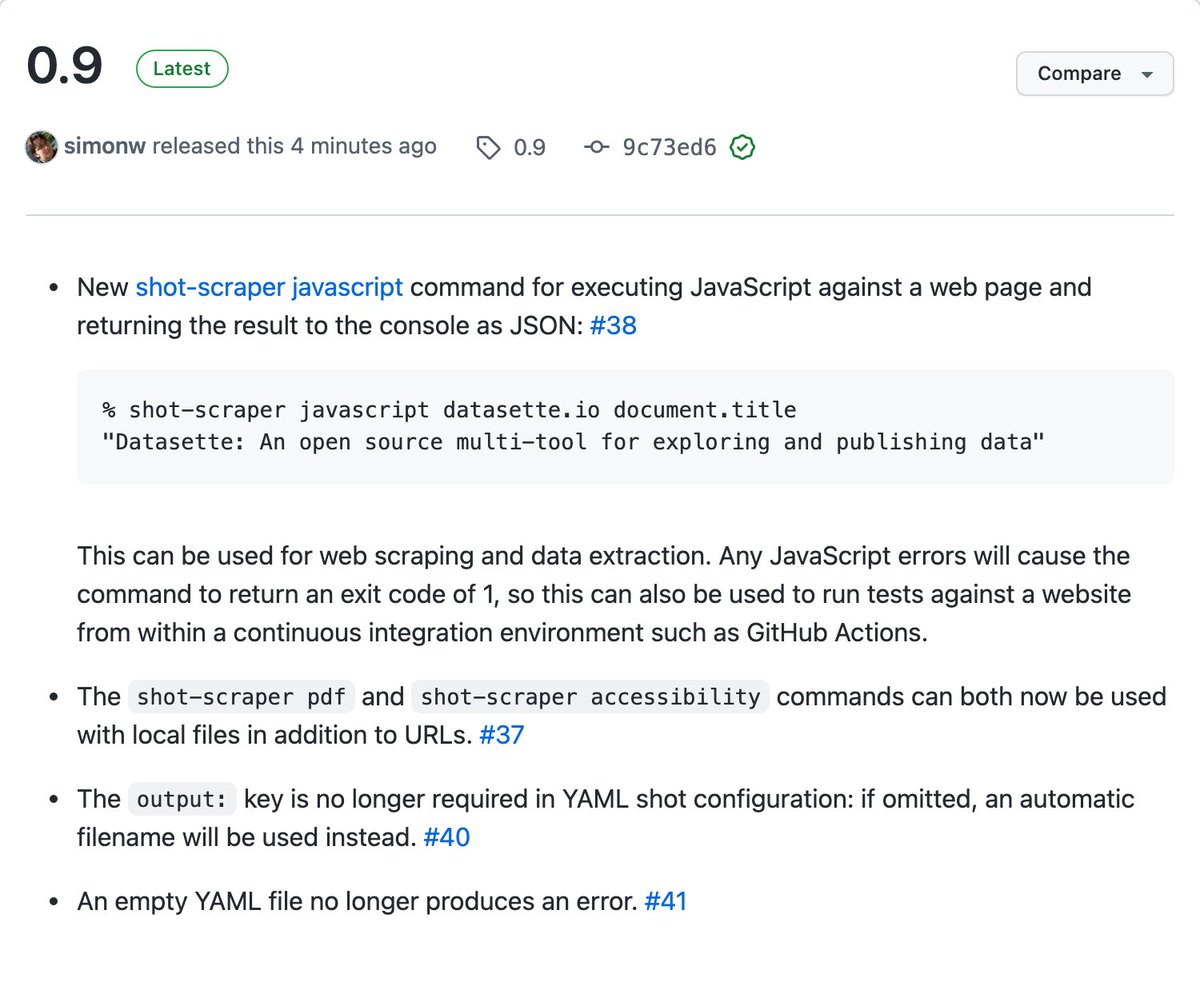
Full documentation here: github.com/simonw/shot-sc…
You can scrape pages and return a JSON object with the extracted data:
shot-scraper javascript datasette.io "({
title: document.title,
tagline: document.querySelector('.tagline').innerText
})"
You can scrape pages and return a JSON object with the extracted data:
shot-scraper javascript datasette.io "({
title: document.title,
tagline: document.querySelector('.tagline').innerText
})"
If a JavaScript exception occurs the exit status for the shot-scraper invocation will be 1, which means you can also now use shot-scraper to run basic tests as part of a CI workflow:
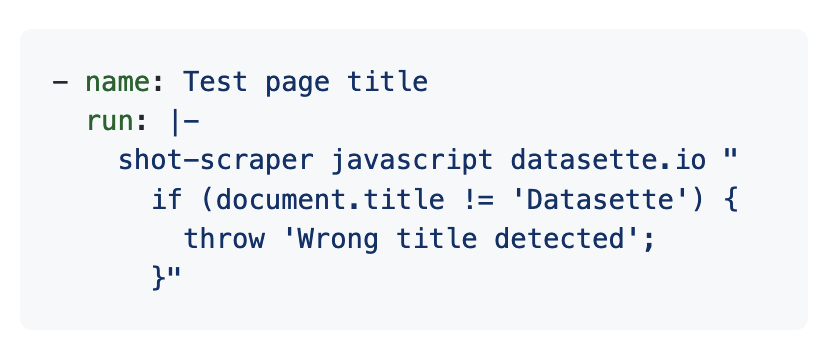
I expect this to be a really powerful technique for writing scrapers, especially when combined with GitHub Actions: fire up a headless browser, extract data with JavaScript, then write the resulting JSON back to the same repository. Classic git scraping! simonwillison.net/2020/Oct/9/git…
Previous shot-scraper releases are described in this thread
https://twitter.com/simonw/status/1501713545578246150
Just built my first git scraper with this! I wanted to keep track of how often stuff from my simonwillison.net site ends up on Hacker News
Here's their page: news.ycombinator.com/from?site=simo…
And here's my new GitHub Actions workflow that scrapes it: github.com/simonw/scrape-…
Here's their page: news.ycombinator.com/from?site=simo…
And here's my new GitHub Actions workflow that scrapes it: github.com/simonw/scrape-…
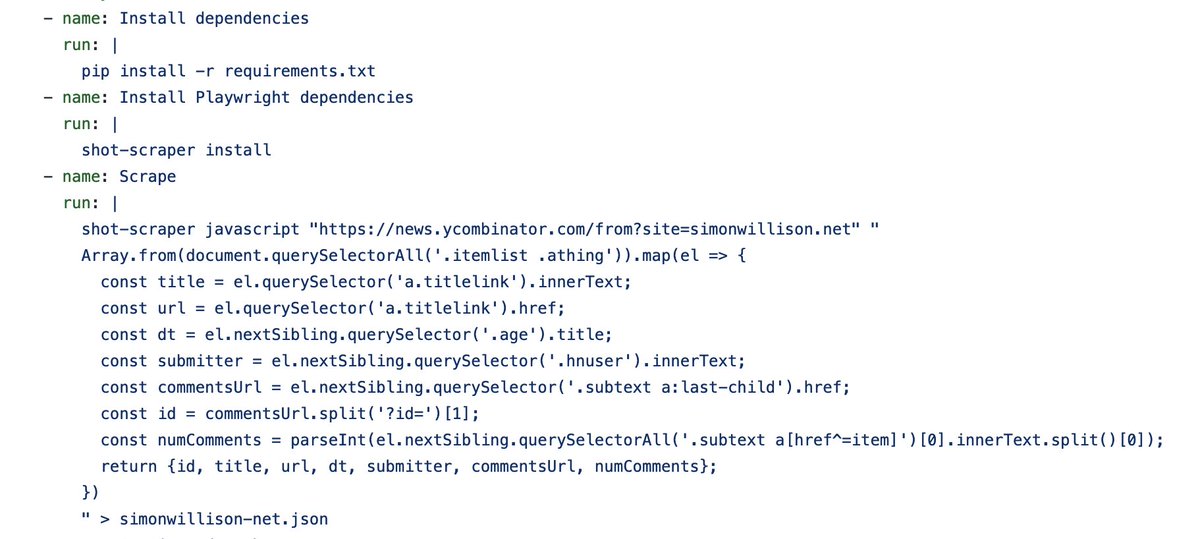
... it just spotted a new comment! github.com/simonw/scrape-…
Wrote this up on my blog: Scraping web pages from the command-line with shot-scraper
simonwillison.net/2022/Mar/14/sc…
simonwillison.net/2022/Mar/14/sc…
• • •
Missing some Tweet in this thread? You can try to
force a refresh