Instantly create a GitHub repository to take screenshots of a web page - a write-up of my new shot-scraper-template GitHub repository template simonwillison.net/2022/Mar/14/sh…
Want to take and store a screenshot of a web page?
Go to github.com/simonw/shot-sc…, enter the URL of the page you want in the "description" field, pick a name for your new repo and click the button
There is no step two
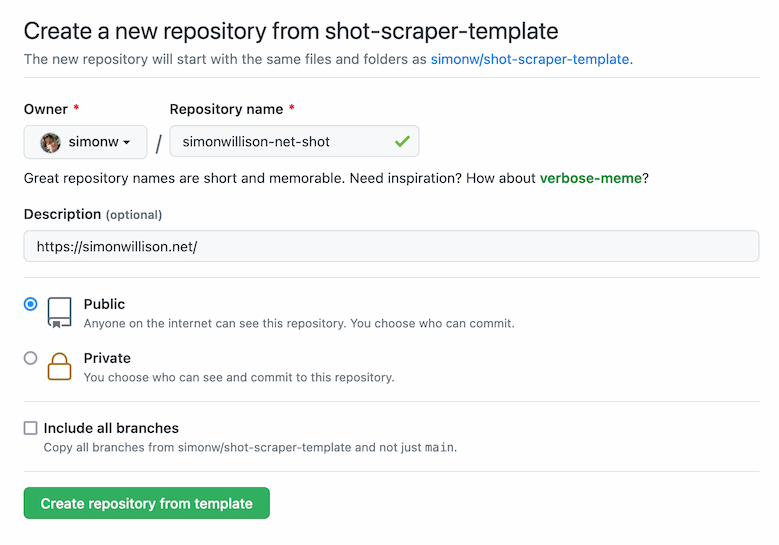
I describe how this works in the blog post: your new repo will run a GitHub Action that creates a "shots.yml" file with the URL from the description, then installs and runs "shot-scraper multi shots.yml" to take the screenshot and write it back to the repo simonwillison.net/2022/Mar/14/sh…
I used a similar trick last year to create GitHub repository templates that run cookiecutter templates when they are first copied simonwillison.net/2021/Aug/28/dy…
I'm really proud of shot-scraper, I think it's the most exciting new project I've worked on in quite a long time. Here's my full set of posts about the project: simonwillison.net/tags/shotscrap…
Here's a GitHub code search query that shows repos that people have created using the template:
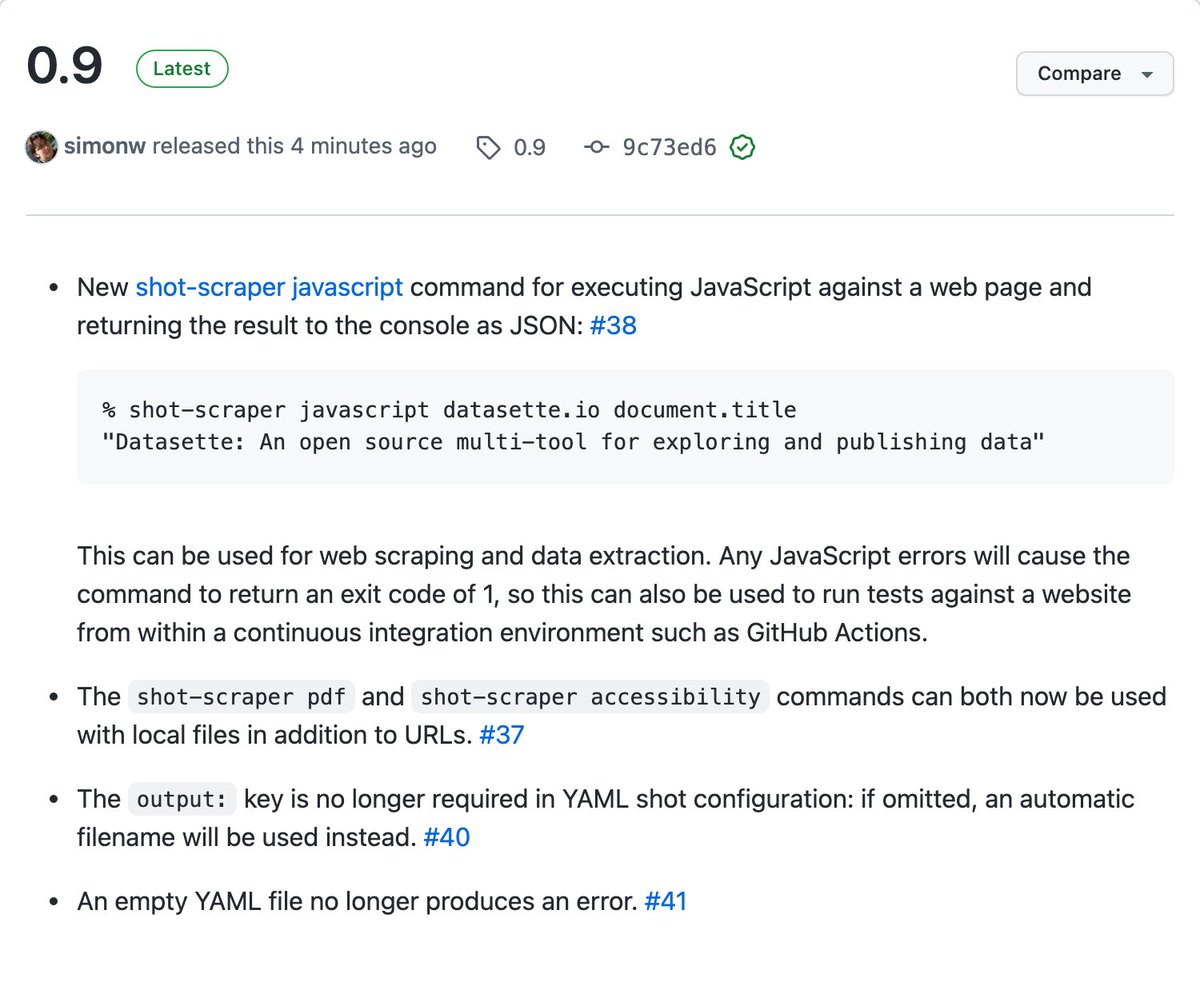
Released shot-scraper 0.9 with a very fun new feature: you can now use it to execute JavaScript against a web page and return the result to the terminal as JSON! github.com/simonw/shot-sc…
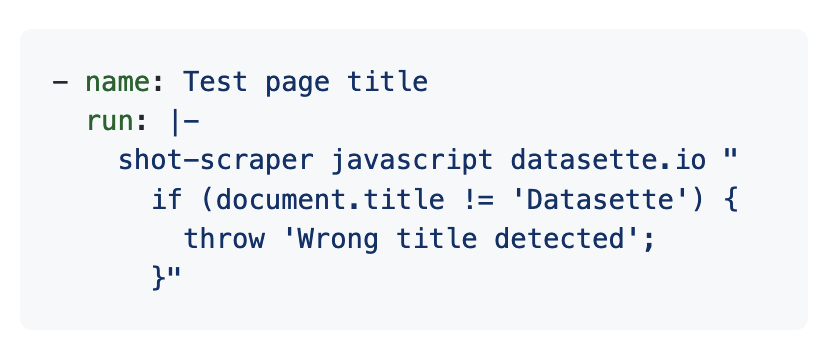
If a JavaScript exception occurs the exit status for the shot-scraper invocation will be 1, which means you can also now use shot-scraper to run basic tests as part of a CI workflow:
shot-scraper is my new tool for automating screenshots, primarily for documentation but with some devious scraping applications too simonwillison.net/2022/Mar/10/sh…
It's built on top of @playwrightweb - shot-scraper provides a CLI tool for taking a screenshot of a page (or a portion of a page):
And it looks like one of the killer apps of WebAssembly is providing 100% safe and reliable teaching environments for people who are just getting started learning complex technologies
One of the biggest productivity improvements I ever made to my blogging was when I gave up on my desire to finish everything with a sparkling conclusion that ties together the whole post
Now I embrace abruptly ending when I've run out of things to say instead
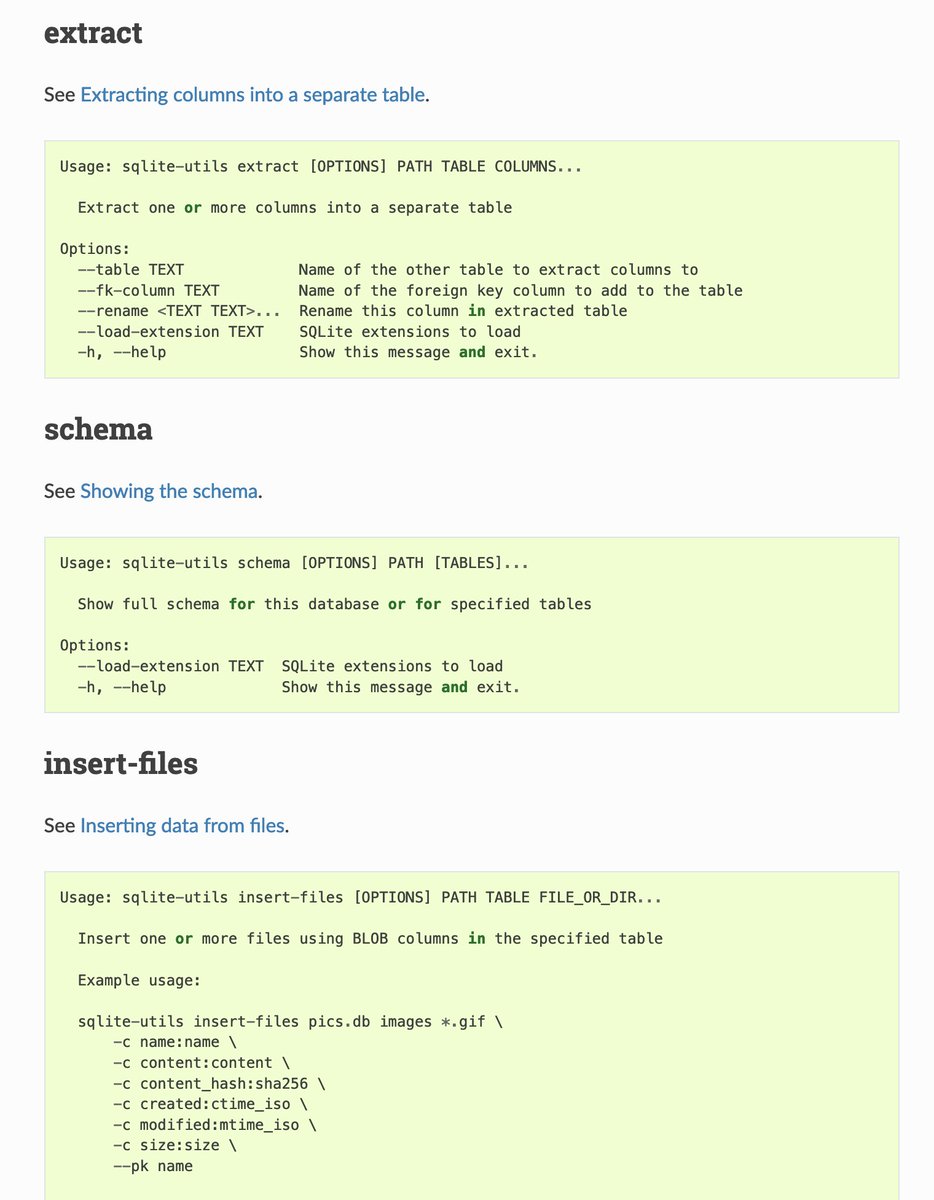
I've been solving so many documentation problems with @nedbat's cog tool recently - it's fantastic for keeping documentation automatically up-to-date, in Markdown or rST)
And here's how it works - I have a cog code block embedded in the .rst file which iterates through the commands and calls --help on each one, then writes the output to the page: github.com/simonw/sqlite-…
Final trick: my GitHub Actions test.yml file calls "cog --check docs/*.rst" to confirm that the cog scripts have been run
If the test fails, I can run "cog -r docs/*.rst" to execute them, then commit the result. github.com/simonw/sqlite-…
What’s new in sqlite-utils - annotated release notes for my SQLite Python utility library and CLI tool, v3.20 and v3.21 simonwillison.net/2022/Jan/11/sq…
A bunch of powerful new features in these releases.
The new --convert option to "sqlite-utils insert" lets you run a Python conversion function against data you are importing from JSON or CSV - and --lines lets you import raw lines of code (e.g. from log files) too
Combining the new --text option with --convert lets you load in a full unstructured/semi-structured file in one go and use a Python fragment to parse it into a list of dictionaries which then get inserted into a table