I hope you are practising SQL whilst you are learning it. This technique makes it easier to understand concepts.
Alrighty, here is another thread for SQL. 🤩
SQL - A Beginner-friendly version! 📚
(Clauses: IN, BETWEEN and LIKE)
Thread 🧵
Alrighty, here is another thread for SQL. 🤩
SQL - A Beginner-friendly version! 📚
(Clauses: IN, BETWEEN and LIKE)
Thread 🧵
🌟Which table are we working on today?
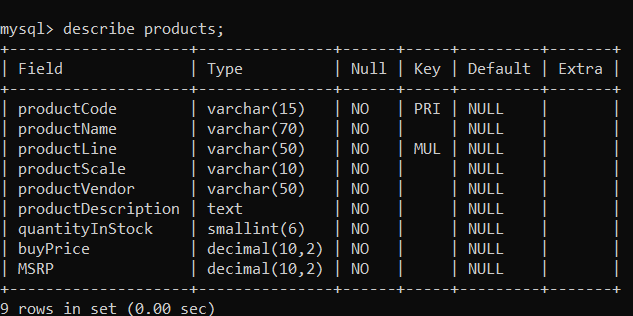
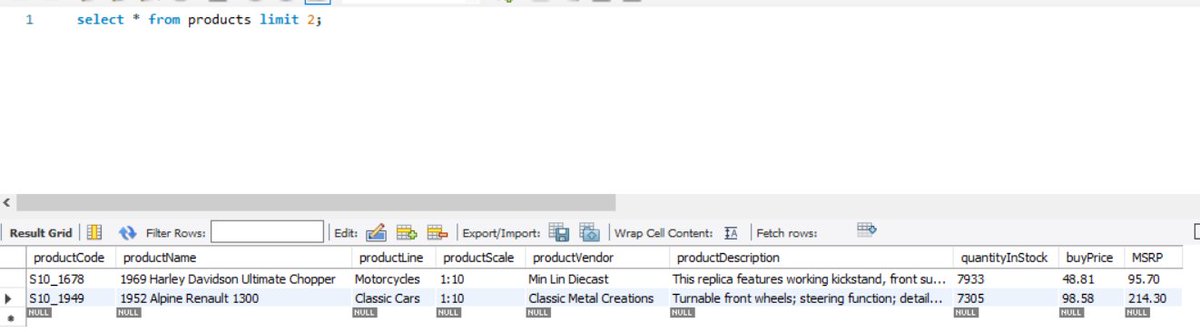
The name of the table is "products". So the columns that we have are productCode, productName, productDescription, among others.
Take a look 👇
The name of the table is "products". So the columns that we have are productCode, productName, productDescription, among others.
Take a look 👇
☑️ IN
This clause would reduce the efforts to write multiple OR conditions. It helps you find a specific match for a value.
👉 select column1, column2 from table_name where EXPRESSION IN ('value1', 'value2')
This clause would reduce the efforts to write multiple OR conditions. It helps you find a specific match for a value.
👉 select column1, column2 from table_name where EXPRESSION IN ('value1', 'value2')
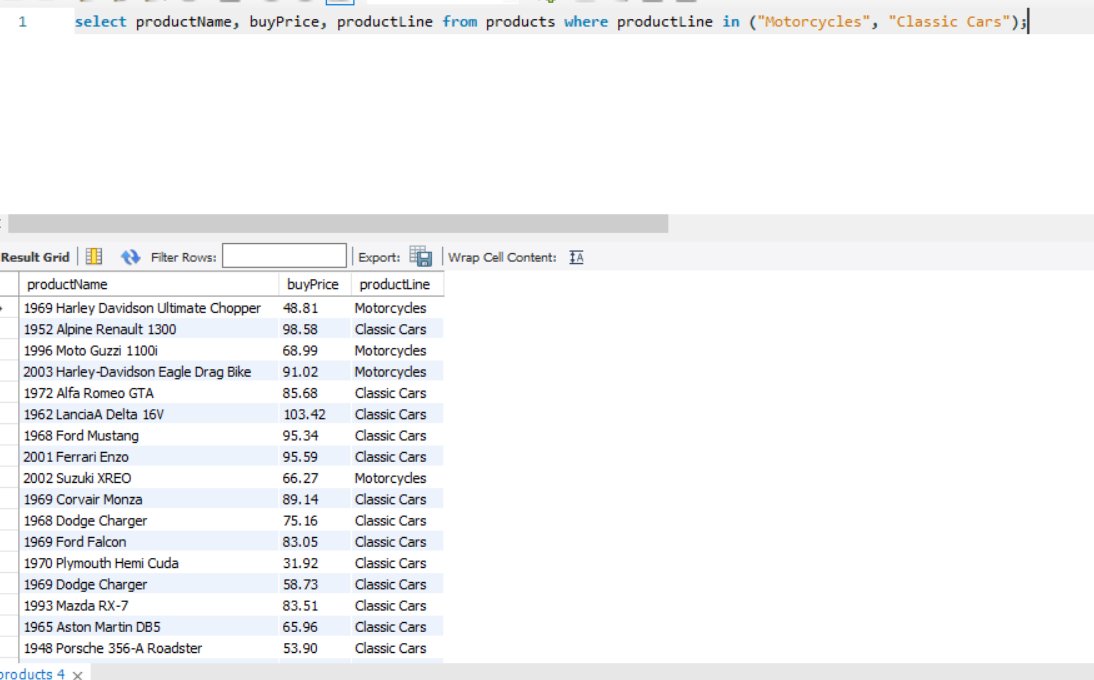
Query: Extract the columns productName, buyPrice and productLine where the productLine has values as: 'motorcycles' or 'classic cars'.
Without IN clause: select productName, buyPrice, productLine from products where productLine = "Motorcycles" or productLine = "Classic Cars";
Without IN clause: select productName, buyPrice, productLine from products where productLine = "Motorcycles" or productLine = "Classic Cars";

using IN clause:-
select productName, buyPrice, productLine from products where productLine in ("Motorcycles", "Classic Cars");
We have reduced the multiple OR conditions, so quickly.
select productName, buyPrice, productLine from products where productLine in ("Motorcycles", "Classic Cars");
We have reduced the multiple OR conditions, so quickly.
☑️ NOT IN
This clause can be used to simply negate the results of the IN clause.
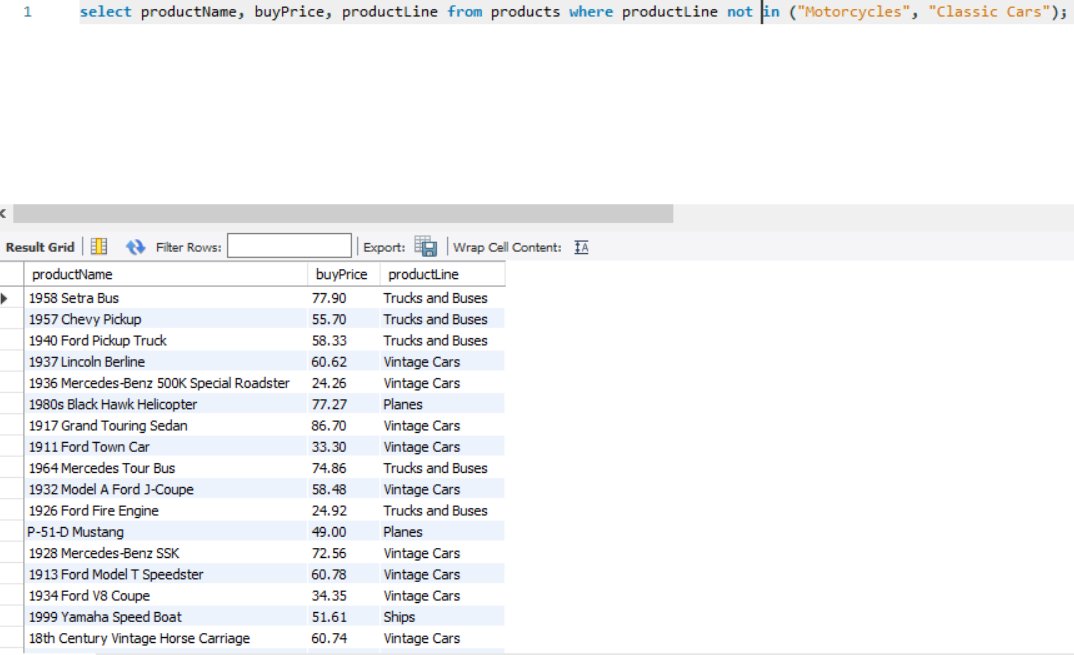
Query: Extract the columns productName, buyPrice and productLine where the productLine DOES NOT have values: 'motorcycles' or 'classic cars'.
This clause can be used to simply negate the results of the IN clause.
Query: Extract the columns productName, buyPrice and productLine where the productLine DOES NOT have values: 'motorcycles' or 'classic cars'.
SQL query: select productName, buyPrice, productLine from products where productLine not in ("Motorcycles", "Classic Cars");
☑️ BETWEEN
This clause can be used to replace the combination of the "greater than equal AND less than equal" condition.
It will return the rows where the expression is within the range of val1 and val2, inclusive.
This clause can be used to replace the combination of the "greater than equal AND less than equal" condition.
It will return the rows where the expression is within the range of val1 and val2, inclusive.
👉 select col1, col2, col3.. from table_name where col_name BETWEEN value1 AND value2;
These values can be numbers, texts or dates.
Query: Extract results for buyPrice between 40 & 50.
SQL Query: select productName, buyPrice from products where buyPrice BETWEEN 40 AND 50;
These values can be numbers, texts or dates.
Query: Extract results for buyPrice between 40 & 50.
SQL Query: select productName, buyPrice from products where buyPrice BETWEEN 40 AND 50;

☑️ NOT BETWEEN
This clause would negate the results we would obtain from using BETWEEN clause. In other words, using NOT BETWEEN would give results other than the between val1 and val2, inclusive.
This clause would negate the results we would obtain from using BETWEEN clause. In other words, using NOT BETWEEN would give results other than the between val1 and val2, inclusive.
☑️ LIKE
This clause is used in a WHERE clause to match a specified pattern in a column.
Two operators used using LIKE clause:
% -> It represents 0, 1 or multiple characters (0 to n)
_ -> The underscore operator represents a single character
This clause is used in a WHERE clause to match a specified pattern in a column.
Two operators used using LIKE clause:
% -> It represents 0, 1 or multiple characters (0 to n)
_ -> The underscore operator represents a single character
👉 select col_name(s) from table_name where column LIKE pattern;
Here, pattern means that you have to specify the kind of pattern you want the query to look up for you.
Here, pattern means that you have to specify the kind of pattern you want the query to look up for you.
🌟 We will use another table for this.
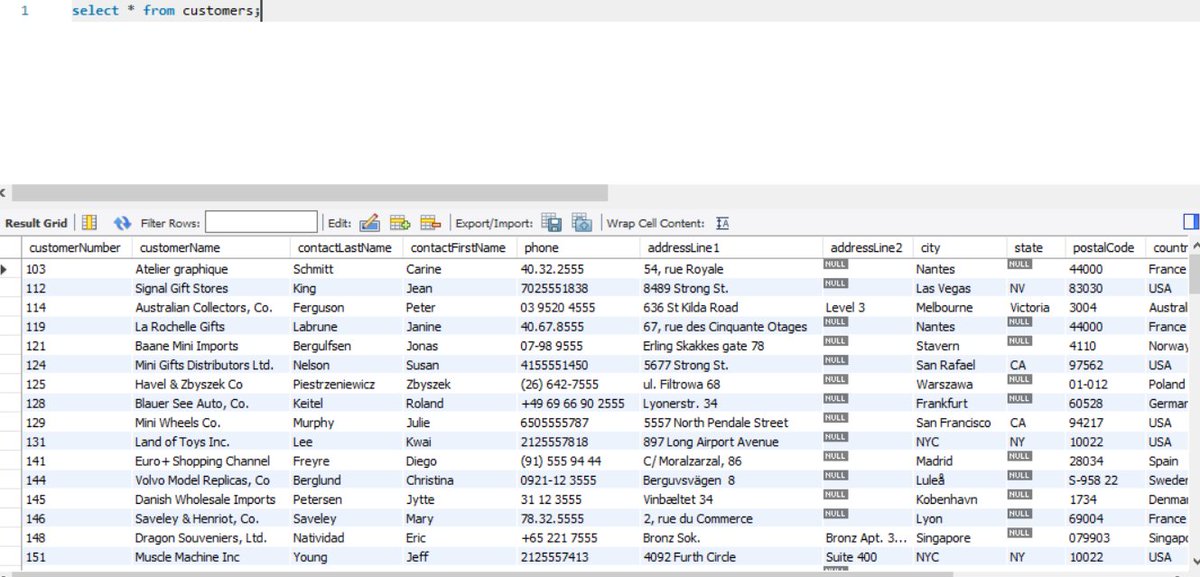
The name of the table is "customers". Take a look at the columns and values the columns holds to get an idea.
The name of the table is "customers". Take a look at the columns and values the columns holds to get an idea.
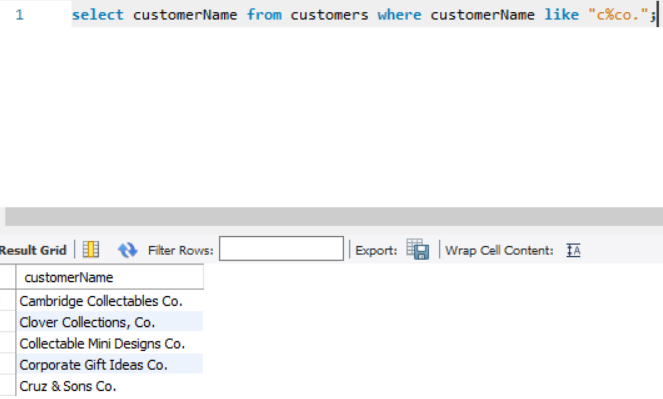
Query: List customers that start with 'c' and end with 'co.'
SQL query: select customerName from customers where customerName like "c%co.";
Explanation: The character 'c' and 'co.' would have 0 to n number of characters between them. To handle that we use % operator.
SQL query: select customerName from customers where customerName like "c%co.";
Explanation: The character 'c' and 'co.' would have 0 to n number of characters between them. To handle that we use % operator.
Some Examples:
1. like "_ss%" 👉 any single character before the two 's' and any number of characters after the two 's' at 2nd and 3rd position.
Eg: assuage
2. like "s___p" 👉 any three characters between the letters s and p (at 1st and 5th position respectively).
Eg: scalp
1. like "_ss%" 👉 any single character before the two 's' and any number of characters after the two 's' at 2nd and 3rd position.
Eg: assuage
2. like "s___p" 👉 any three characters between the letters s and p (at 1st and 5th position respectively).
Eg: scalp
• • •
Missing some Tweet in this thread? You can try to
force a refresh