

Have you ever wanted to setup a lead gen system via text?
Here's how to do it 👇
Here's how to do it 👇
I recently build one for a client using @twilio + @integromat
You can use any CRM, but we leveraged his existing @HubSpot CRM.
You can use any CRM, but we leveraged his existing @HubSpot CRM.
To start, you need to setup a @twilio account and activate your phone number.
Once in Twilio, go to Studio > Flows and create a new Flow.
Each flow starts with a trigger. This is triggered by the configuration in your phone number settings. We'll get to that shortly.
Once in Twilio, go to Studio > Flows and create a new Flow.
Each flow starts with a trigger. This is triggered by the configuration in your phone number settings. We'll get to that shortly.

Your first step should be "Split Based On" connected to the Incoming Messages node in the trigger.
The split allows you to run different workflows based on the keyword texted by your client.
The split allows you to run different workflows based on the keyword texted by your client.
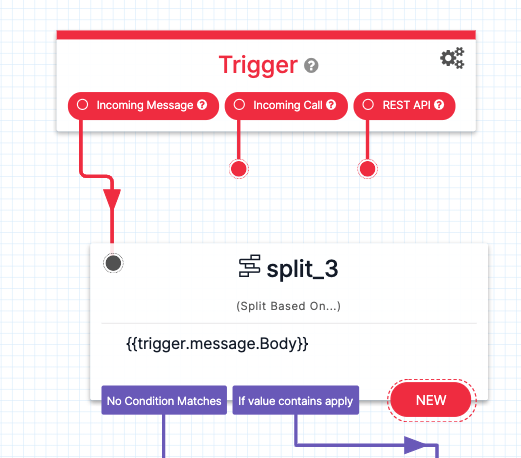
Click "New" to create a workflow path based on a specific input.
In example, when someone sends "Apply", it runs the "Welcome" path. If they send anything else, it sends the "Catch All" path.
In example, when someone sends "Apply", it runs the "Welcome" path. If they send anything else, it sends the "Catch All" path.
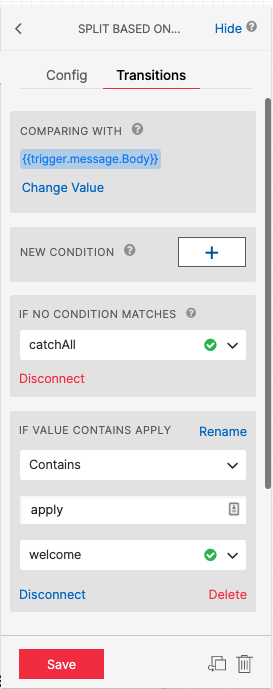
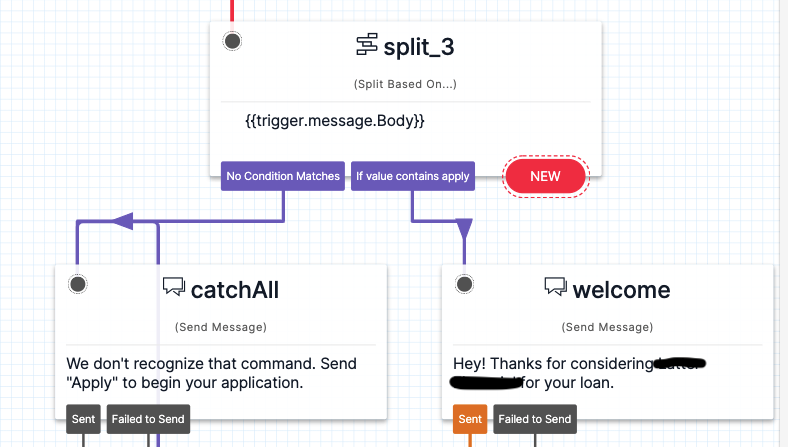
Once the "Welcome" path runs, it sends a welcome text & sends the first question.
Here, we ask for their first name using the "Send & Wait for Reply" widget.
It will ask them the question and wait for their response.
Repeat this step as many times as needed.
Here, we ask for their first name using the "Send & Wait for Reply" widget.
It will ask them the question and wait for their response.
Repeat this step as many times as needed.
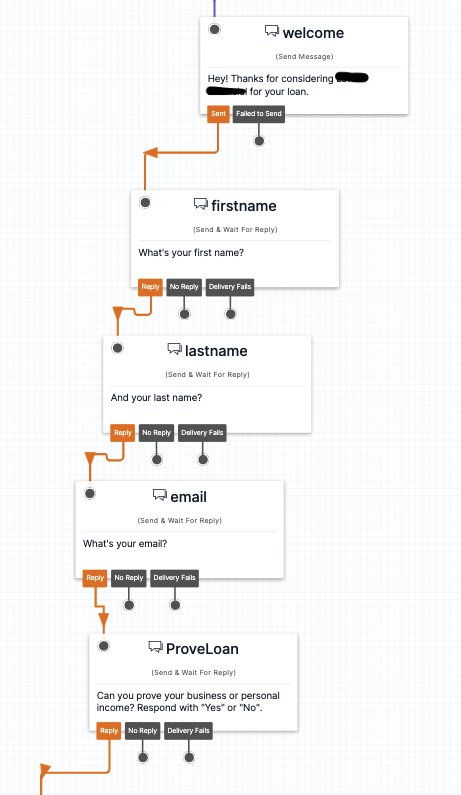
Next, we'll add some conditional logic based on their response to our final question.
The goal is to send the lead a specific link based on their answer.
The goal is to send the lead a specific link based on their answer.
We use the "Split Based On" widget again.
Define the response logic by adding new Conditionals.
If they don't make a valid response, return them to the "Catch All" message.
Define the response logic by adding new Conditionals.
If they don't make a valid response, return them to the "Catch All" message.
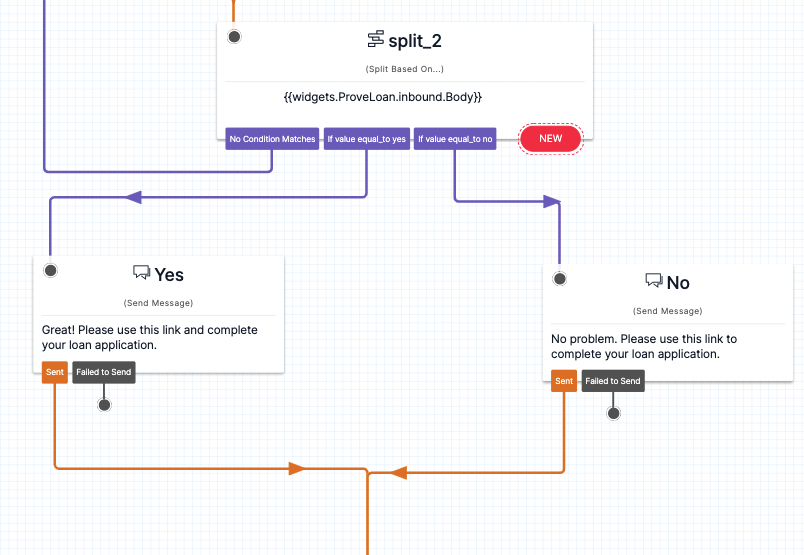
Based on their response, we send them the link that matches the condition.
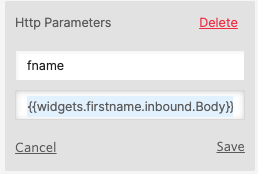
Then, we trigger an @integromat webhook and pass the data in as parameters.
Define parameters from responses with {{widgets."WidgetName".inbound.body}}
Repeat for each parameter you wish to capture.
Then, we trigger an @integromat webhook and pass the data in as parameters.
Define parameters from responses with {{widgets."WidgetName".inbound.body}}
Repeat for each parameter you wish to capture.
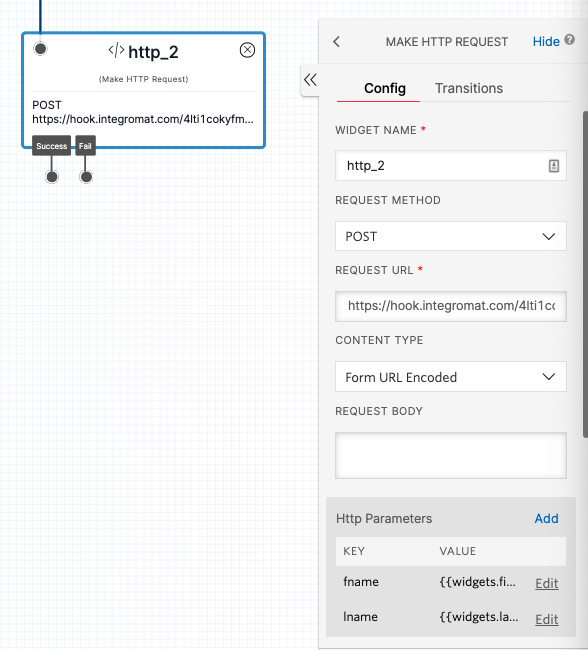
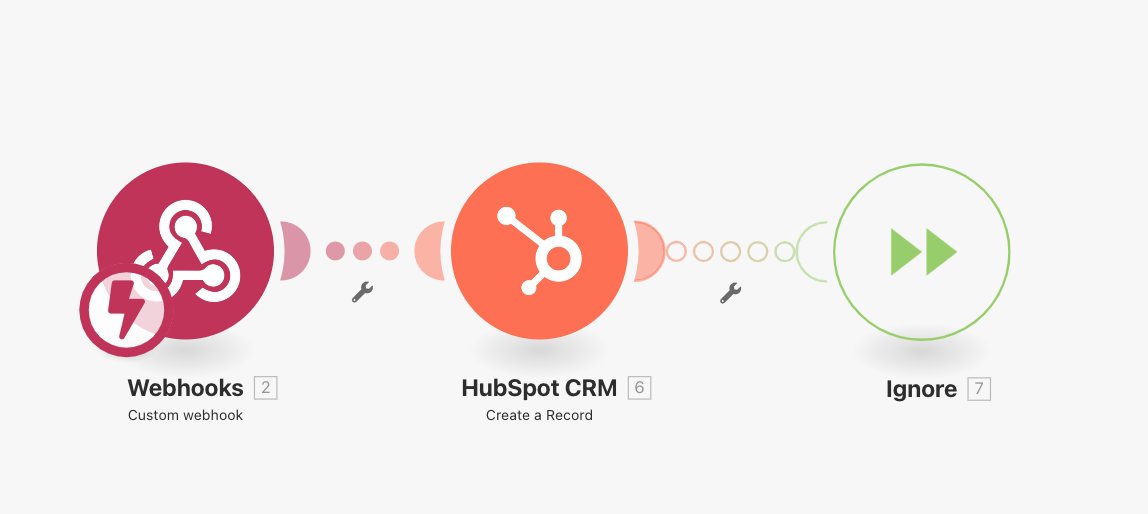
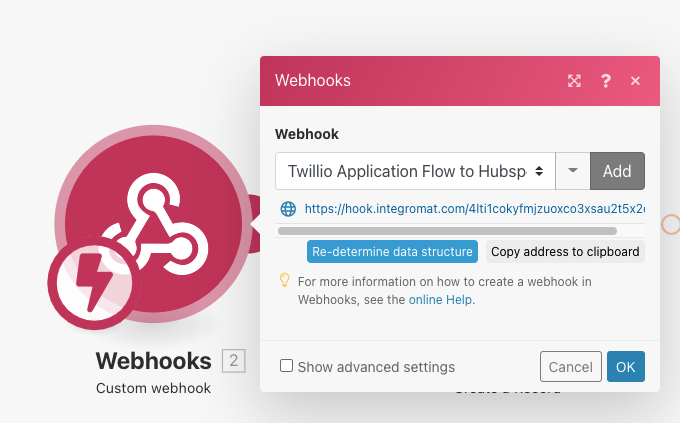
In Integromat, create a new workflow that begins with a Webhook. Use the URL in the step above.
Add a step in Integromat to add the Lead to your CRM (Hubspot in this example).
Add a step in Integromat to add the Lead to your CRM (Hubspot in this example).
Last step:
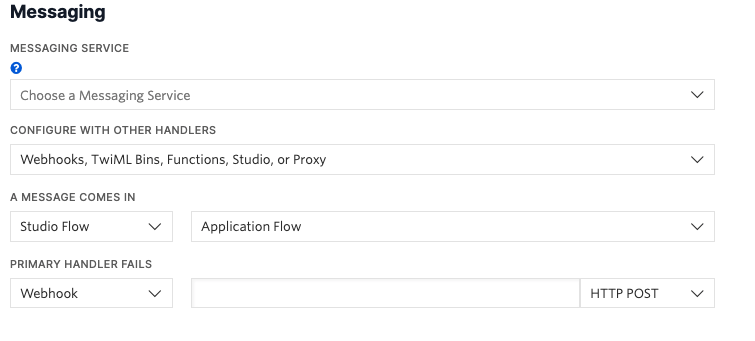
In Twilio, navigate to your Active Numbers, open settings, and scroll to the Messaging section.
Configure with Webhook & set "Message comes in" to the Studio flow you just created.
This means that when a message comes to this number, it will trigger that Flow.
In Twilio, navigate to your Active Numbers, open settings, and scroll to the Messaging section.
Configure with Webhook & set "Message comes in" to the Studio flow you just created.
This means that when a message comes to this number, it will trigger that Flow.
Now you can sit back and watch the leads roll in!
It's an easy, personal way to connect with new leads or capture info from your clients.
If this was helpful, please RT. Let me know what other automations you'd like to see!
It's an easy, personal way to connect with new leads or capture info from your clients.
If this was helpful, please RT. Let me know what other automations you'd like to see!
• • •
Missing some Tweet in this thread? You can try to
force a refresh





