Email eats 28% of the average person's workday.
A few weeks ago I committed to improving my Gmail workflow and got it dialed.
Here are the 4 things that tripled my email efficiency overnight:
A few weeks ago I committed to improving my Gmail workflow and got it dialed.
Here are the 4 things that tripled my email efficiency overnight:
This isn’t for you if your first thought is “just delegate it”
I get it, been there, I’m happy for you, but builders build.
Also, this is for Gmail.
You can probably do similar in Outlook, but you use O365 so you've got much more existential problems than email workflow. NGMI
I get it, been there, I’m happy for you, but builders build.
Also, this is for Gmail.
You can probably do similar in Outlook, but you use O365 so you've got much more existential problems than email workflow. NGMI
First - our goal is not inbox zero.
It’s processing email efficiently so you’re in the loop on what you should be, and communicate everything you need to.
If we succeed, we'll be staring at an empty inbox.
Momentary bliss.
It’s processing email efficiently so you’re in the loop on what you should be, and communicate everything you need to.
If we succeed, we'll be staring at an empty inbox.
Momentary bliss.
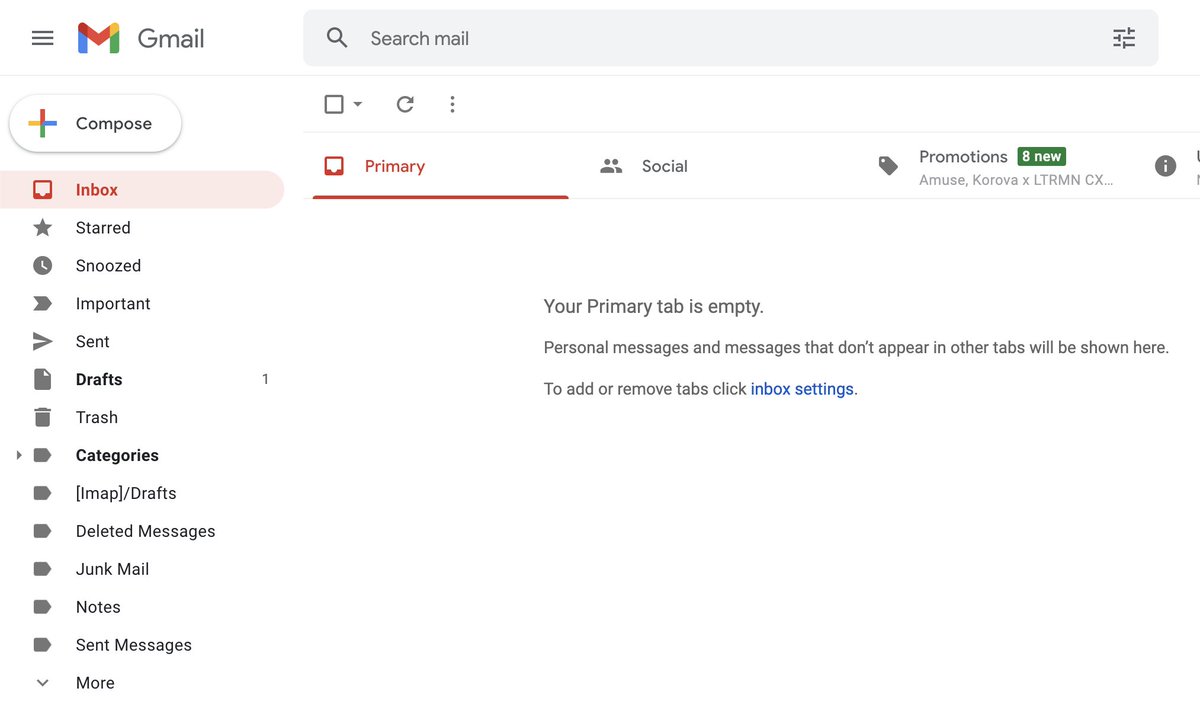
The less things we have to look at, the less we have to do, the less we have to move our hands, the less we have to think, the faster we can move.
Everything in this thread is in service of removing steps so we can move faster. It's pretty simple.
Everything in this thread is in service of removing steps so we can move faster. It's pretty simple.
There are 4 components here. If you commit to an hour of setup and a week of persistence on your Hot Keys, it's a wrap.
Here's what we're tackling:
1 - Hygiene
2 - Filters and Labels
3 - Send and Reply behavior
4 - Hot Keys (!!)
Here's what we're tackling:
1 - Hygiene
2 - Filters and Labels
3 - Send and Reply behavior
4 - Hot Keys (!!)
1/ Hygiene-
1st - An inbox is not a To Do list. Get a different system for that.
I fwd tasks to Asana using x@mail.asana.com. You can use paper. Or Google's new task thing. Just not read/unread!
2nd - When you're done with an email, archive it.
Archiving speeds up the UI.
1st - An inbox is not a To Do list. Get a different system for that.
I fwd tasks to Asana using x@mail.asana.com. You can use paper. Or Google's new task thing. Just not read/unread!
2nd - When you're done with an email, archive it.
Archiving speeds up the UI.
Archiving is critical because it speeds up the UI.
I previously had 20,000 emails in my inbox, I now rarely have more than 50.
Inbox zero isn’t zero unreads, it’s zero emails.
I previously had 20,000 emails in my inbox, I now rarely have more than 50.
Inbox zero isn’t zero unreads, it’s zero emails.
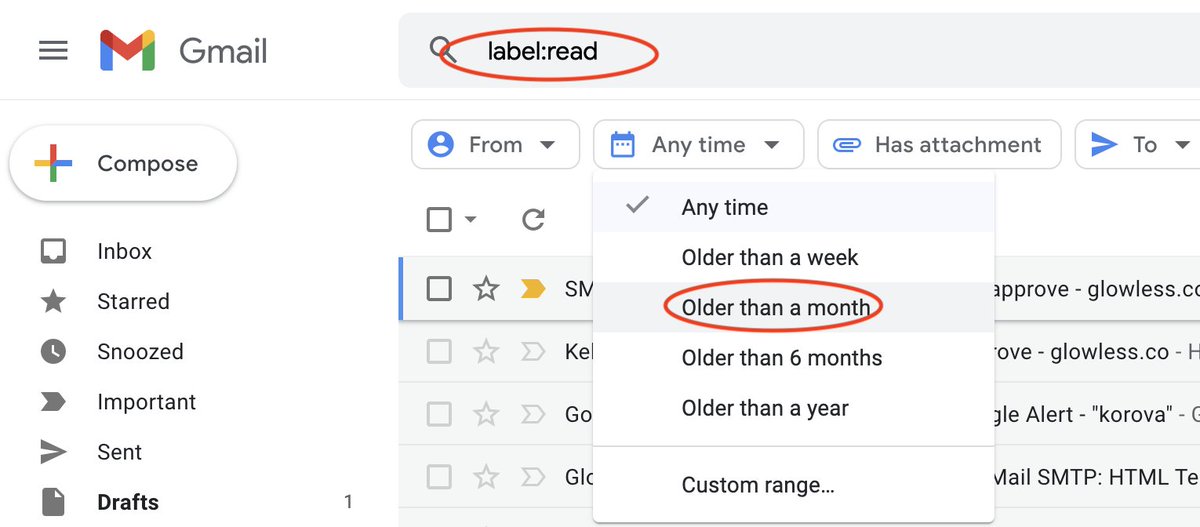
Now that you realize how Archive should be used, do a search for:
"label:read"
Now select everything more than a month old, select all, and archive that shit.
Do this at your own discretion to aggressively clean your inbox up. Just do it.
"label:read"
Now select everything more than a month old, select all, and archive that shit.
Do this at your own discretion to aggressively clean your inbox up. Just do it.
2/ Filters and Labels-
The next step is getting rid of things that clog up your inbox. Unsubscribing is obvious.
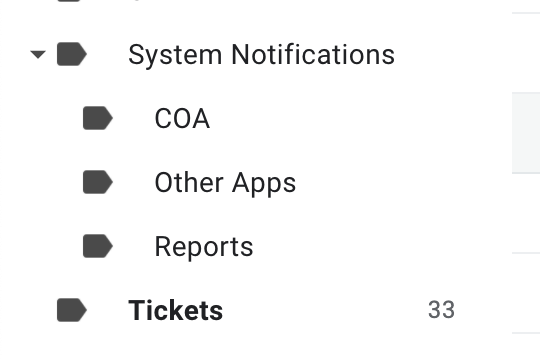
Create basic category labels for all automated emails you receive, and filters to mark them as read, add the label, and archive them as needed.
Mine:
The next step is getting rid of things that clog up your inbox. Unsubscribing is obvious.
Create basic category labels for all automated emails you receive, and filters to mark them as read, add the label, and archive them as needed.
Mine:
Example:
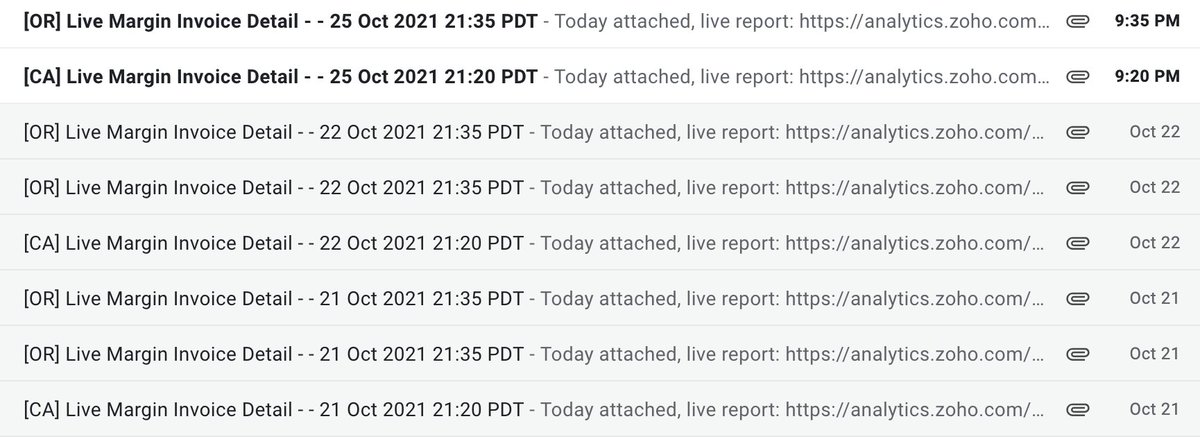
I want these daily reports, but instead of hammering my inbox every night I want them to land in the reports label.
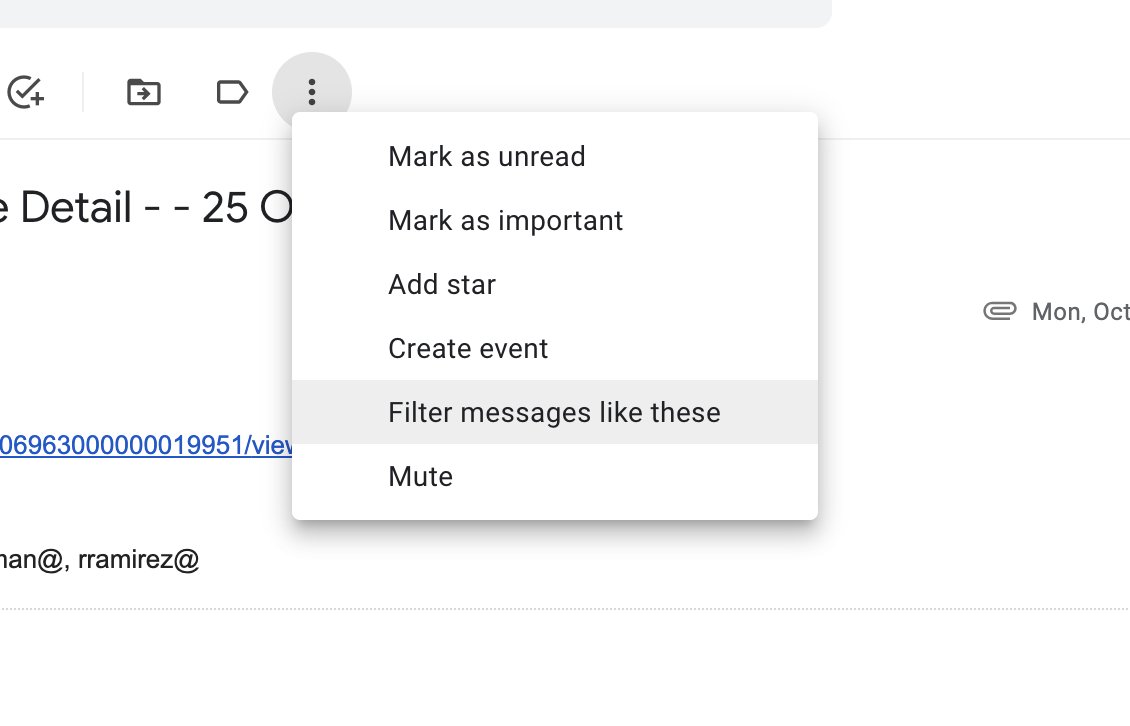
I create a filter for messages like this using the words in the subject line
I skip the inbox, bot don’t mark as read
I apply the label
I want these daily reports, but instead of hammering my inbox every night I want them to land in the reports label.
I create a filter for messages like this using the words in the subject line
I skip the inbox, bot don’t mark as read
I apply the label
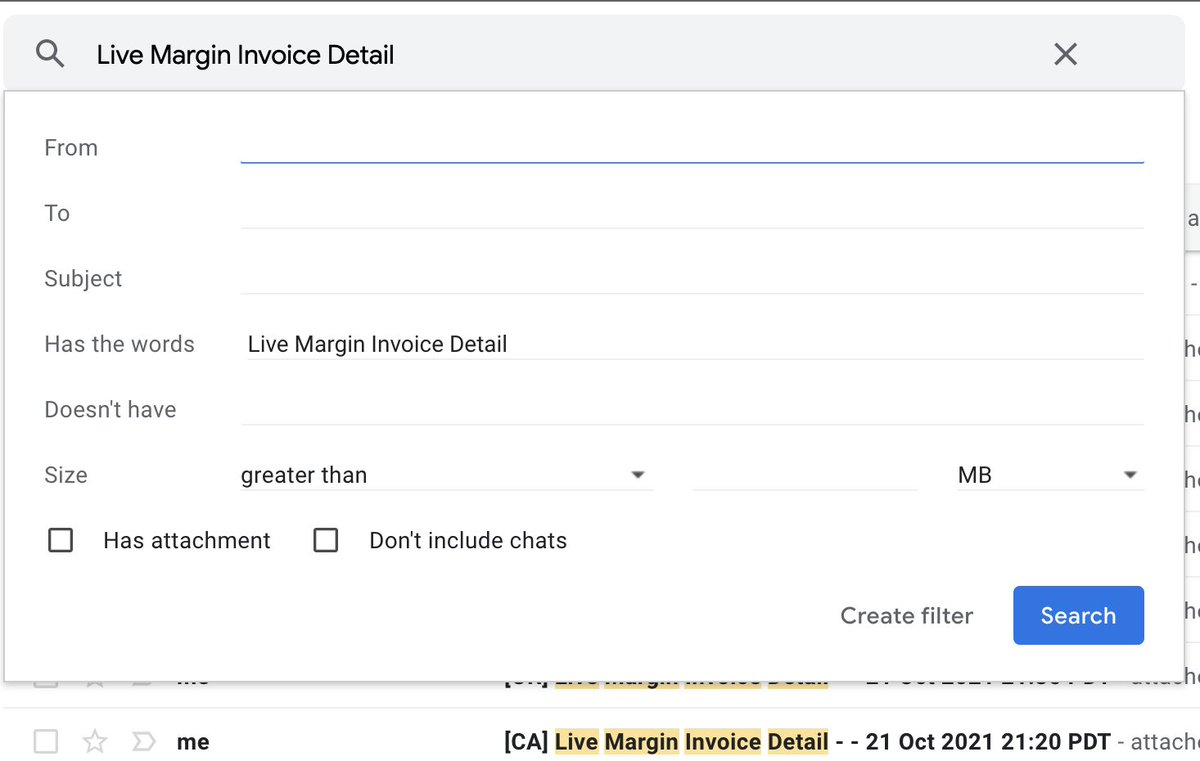
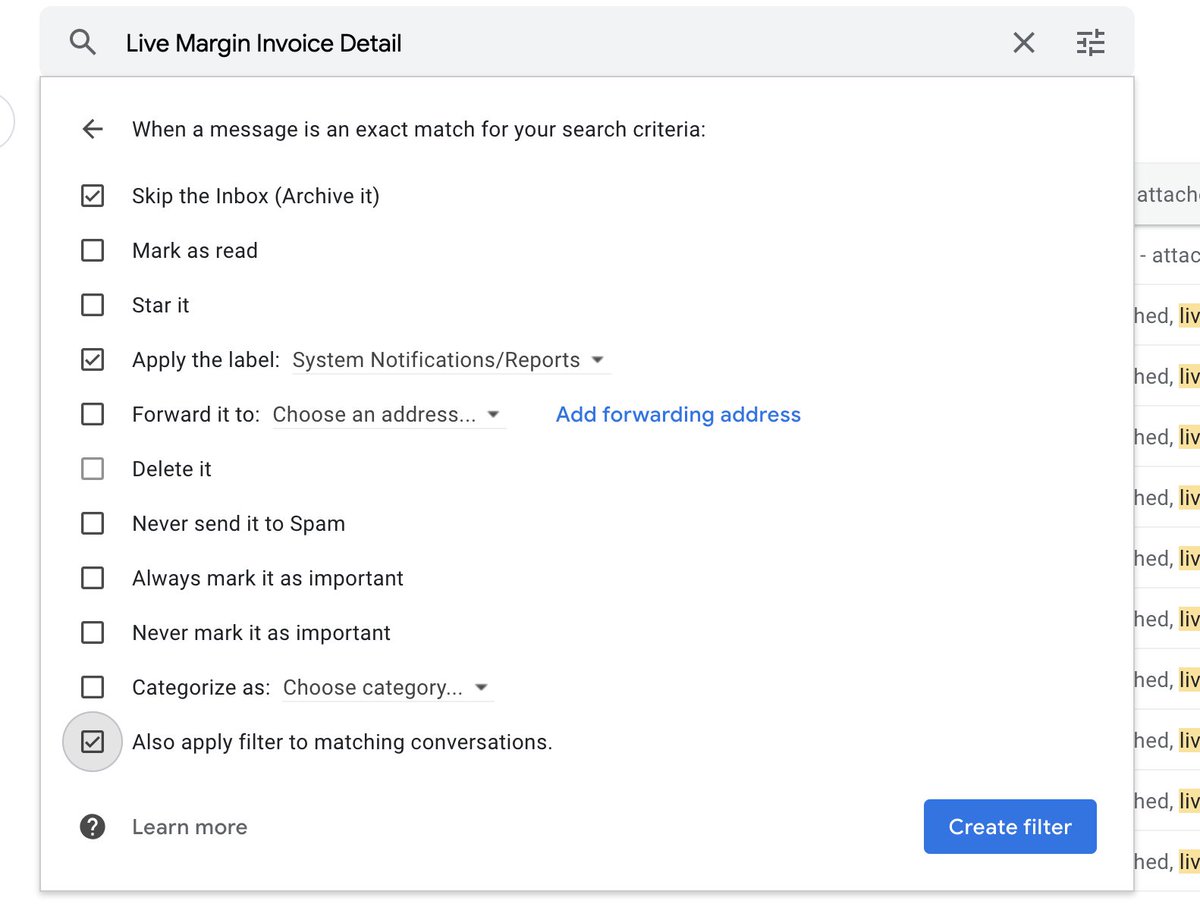
Another good example for this is ticket system auto responses.
I have filters setup for every "we have received your ticket!" email from our IT department, core software vendors, etc.
I don't want to spend an ounce of my life getting one of those automated emails out of my way.
I have filters setup for every "we have received your ticket!" email from our IT department, core software vendors, etc.
I don't want to spend an ounce of my life getting one of those automated emails out of my way.
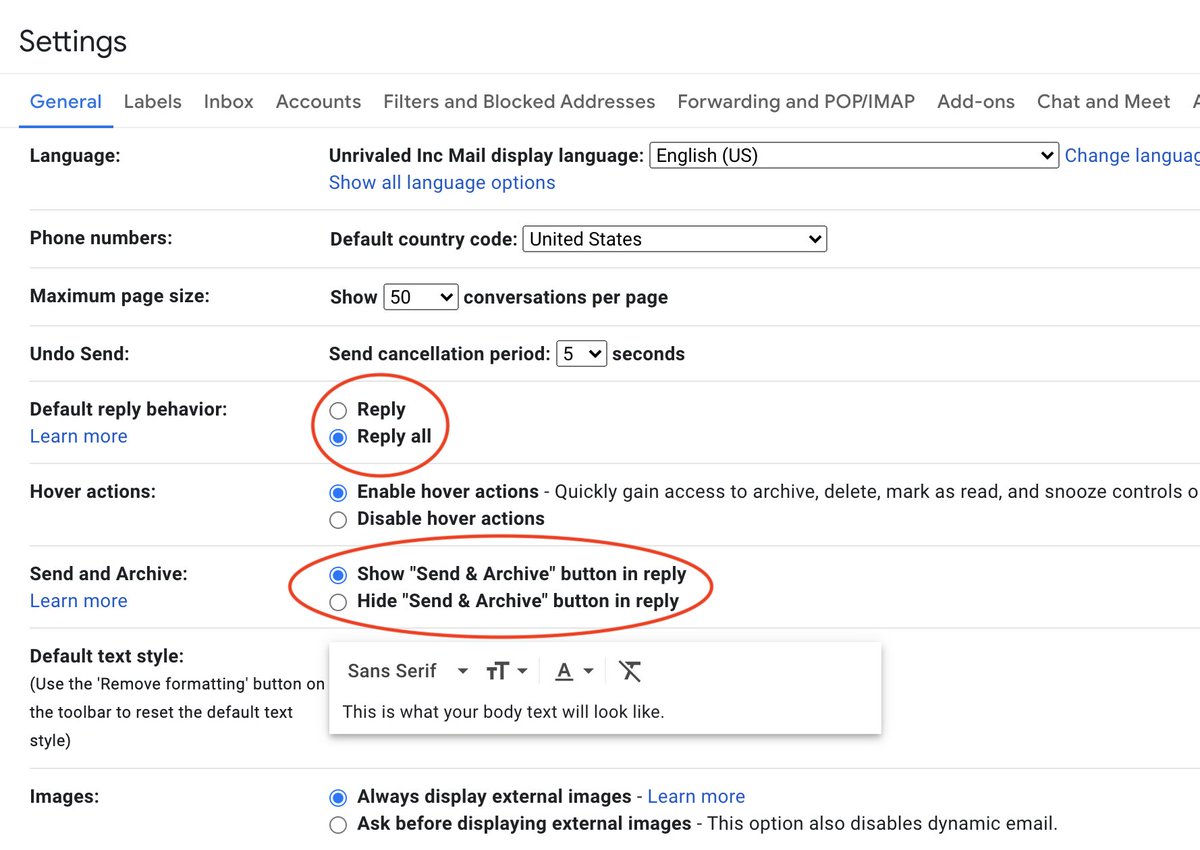
3/ Default Send/Reply Behavior -
These settings optimize for some assumptions, removing actions you'd otherwise need to make.
Send+Archive: Archives the email when you send.
Reply All: Replies to everyone, instead of just the sender.
These are critical for what's next.
These settings optimize for some assumptions, removing actions you'd otherwise need to make.
Send+Archive: Archives the email when you send.
Reply All: Replies to everyone, instead of just the sender.
These are critical for what's next.
Everything up until now is in service of giving yourself less emails to look at, less steps for every action, less mousing around and less clicks.
The final step is removing the cursor and clicking your workflow entirely, so you can navigate your entire inbox with the keyboard.
The final step is removing the cursor and clicking your workflow entirely, so you can navigate your entire inbox with the keyboard.
4/ Hot Keys -
Gmail has probably 100 hot keys, these 7 do the heavy lifting:
Arrows - Move up and down in list
X - Select emails in list
E - Archive
C - Compose new
F - Forward
A - Reply all
⌘ + Enter - Send
Work at these for a day and they'll start becoming second nature.
Gmail has probably 100 hot keys, these 7 do the heavy lifting:
Arrows - Move up and down in list
X - Select emails in list
E - Archive
C - Compose new
F - Forward
A - Reply all
⌘ + Enter - Send
Work at these for a day and they'll start becoming second nature.
4/ Hot Keys, advanced
The one above will change your life. I’m serious.
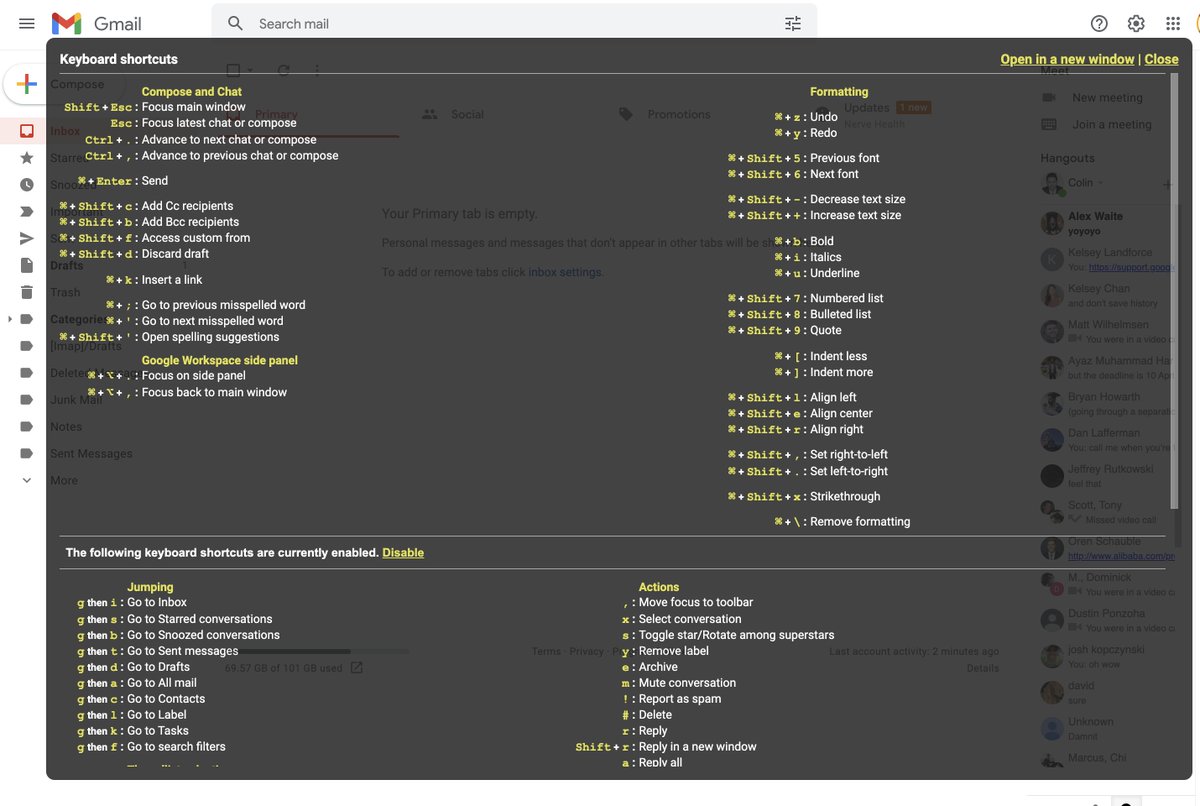
If you want to take another step, pull up the cheat sheet with Shift+?
There's way too much here. Some staples are:
/ - Search inbox
G then I - Go to inbox
G then D - Go to drafts
It goes deep.
The one above will change your life. I’m serious.
If you want to take another step, pull up the cheat sheet with Shift+?
There's way too much here. Some staples are:
/ - Search inbox
G then I - Go to inbox
G then D - Go to drafts
It goes deep.
1-2 hours of cleanup and prep, hour of new habits, and it all starts to change. You'll be shocked.
You'll be reading and sending emails faster than you ever have in a fraction of the time.
You'll also be the subject of several "have you seen them email?!" whispers.
U savage.
You'll be reading and sending emails faster than you ever have in a fraction of the time.
You'll also be the subject of several "have you seen them email?!" whispers.
U savage.
If you're new here, I'm CTO of a publicly traded cannabis co. I tweet tactical How To's about business, cannabis brands, and software everyday.
Follow me @landforce and check out this thread to get an idea of what we've been up to.
Builders build!
Follow me @landforce and check out this thread to get an idea of what we've been up to.
Builders build!
https://twitter.com/landforce/status/1427386561646104586
Sources-
McKinsey email stats:
mckinsey.com/industries/tec…
Google's settings pages and how to's
https://Iamthesourcematerial!!!.io
McKinsey email stats:
mckinsey.com/industries/tec…
Google's settings pages and how to's
https://Iamthesourcematerial!!!.io
If you found this useful, go hit me w/ a RT on the first tweet.
TLDR:
1 - Hygiene
2 - Filters and Labels
3 - Send and Reply behavior
4 - Hot Keys
5 - Builders build
TLDR:
1 - Hygiene
2 - Filters and Labels
3 - Send and Reply behavior
4 - Hot Keys
5 - Builders build
https://twitter.com/landforce/status/1453751903163072514
Before I optimized my Gmail workflow:
Broke, single, bad car, starbucks daily
After:
Wife, family, late model SUV, executive at small cap pubco
Broke, single, bad car, starbucks daily
After:
Wife, family, late model SUV, executive at small cap pubco
• • •
Missing some Tweet in this thread? You can try to
force a refresh