
,
13 tweets,
4 min read
Read on Twitter
Recently I've been experiencing a personal renaissance with regard to writing shell scripts in Ruby, like this little one that trivializes rolling back some migrations so you can either touch them up and re-run them or give up on them altogether. 

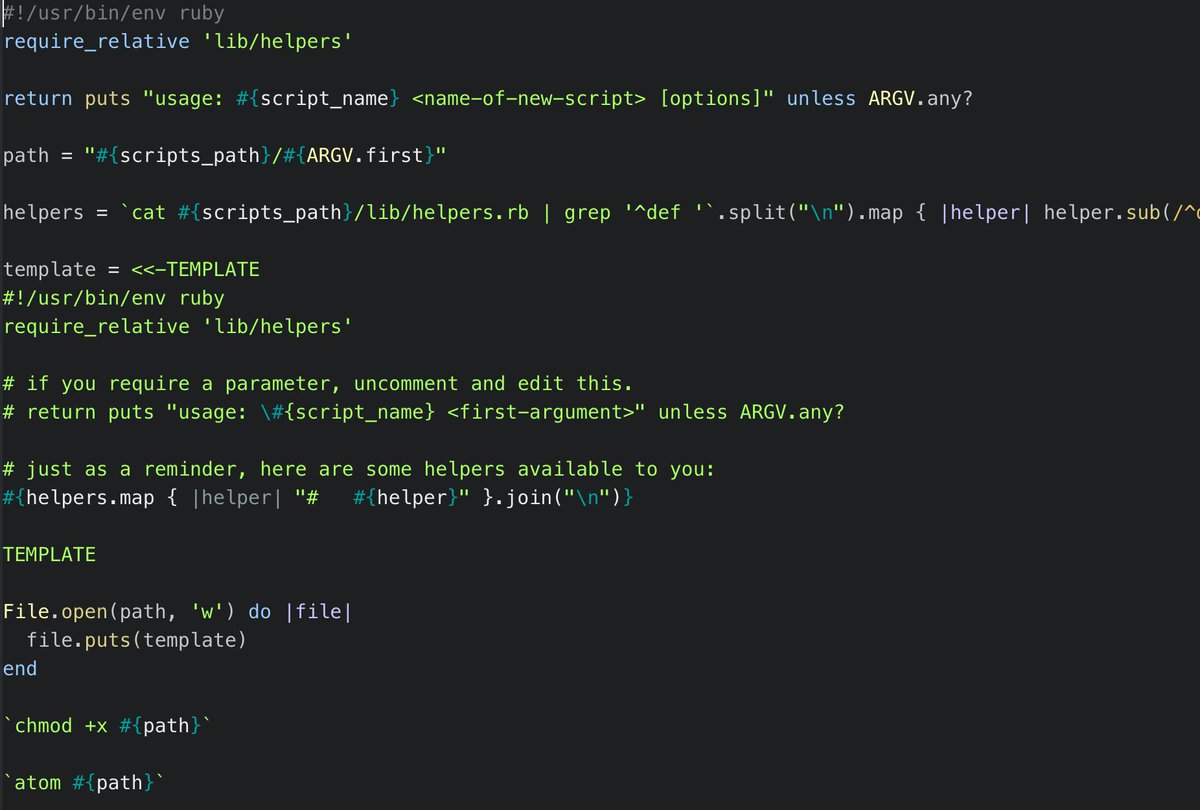
I've been creating so many Ruby shell scripts that I wrote a Ruby shell script to remove the friction of writing new Ruby shell scripts. Running `new-script some-new-script-name` invokes this script and generates the following stub within my $PATH and marks it `chmod +x`.

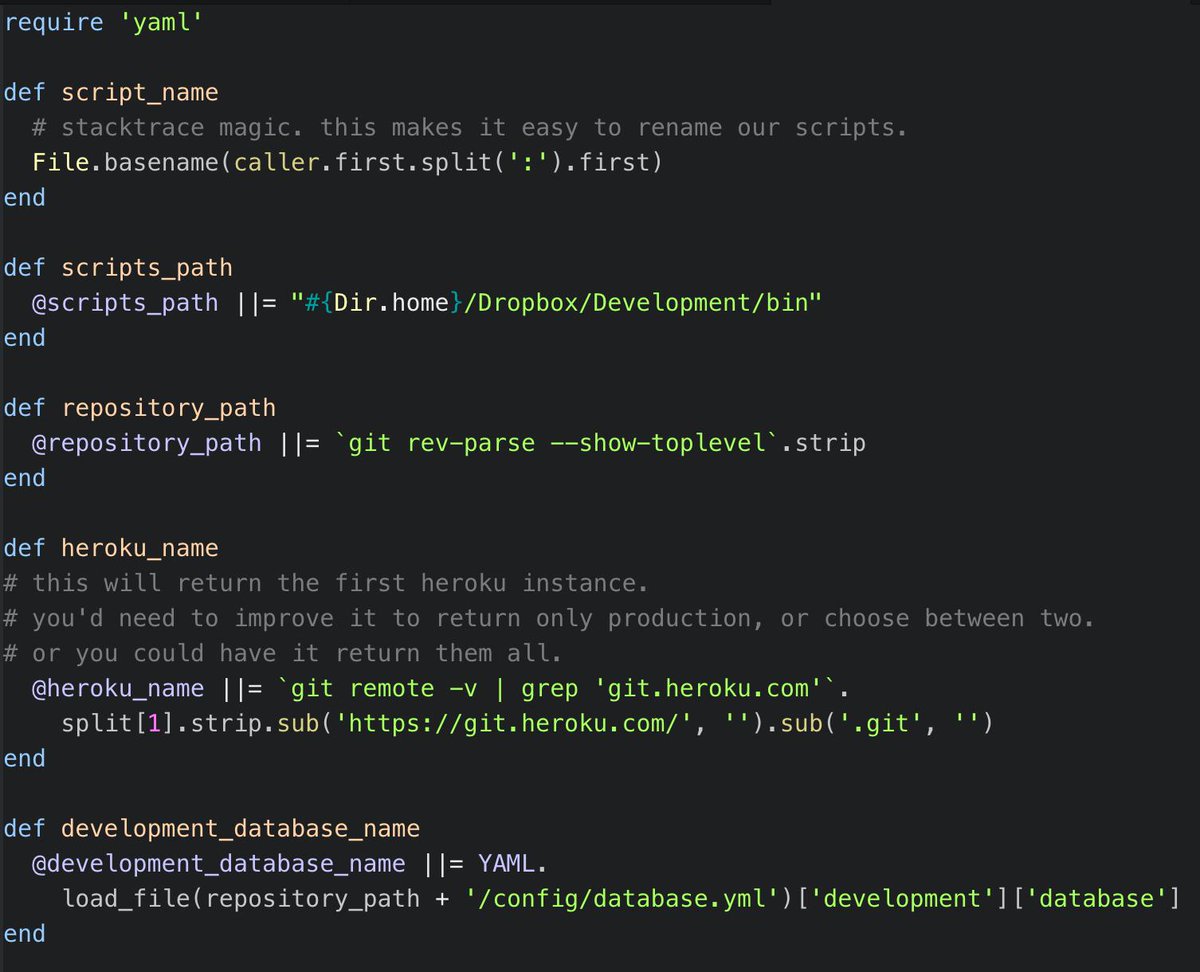
Further reducing the friction of automating repetitive development tasks are those little helper methods, which make it trivial to reference things like the base path of the repository or the current project's Heroku instance. They look like this:
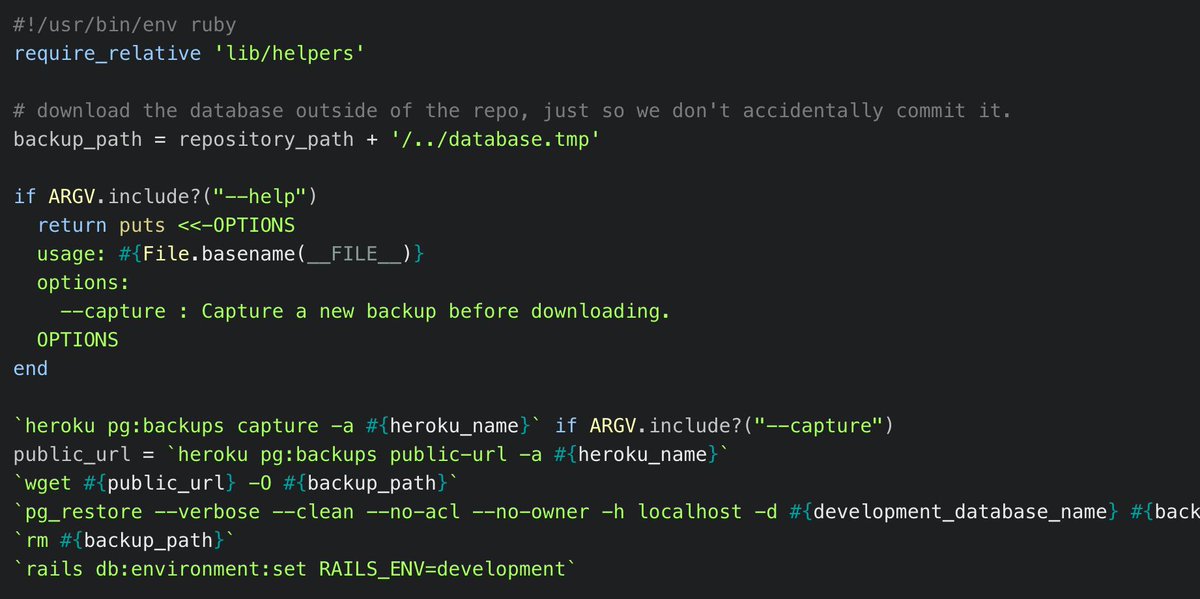
One of my favorites is `pull-production-db`, which looks at some properties of the current project in order to fetch the most recent database backup from Heroku and recreate the local database from it.
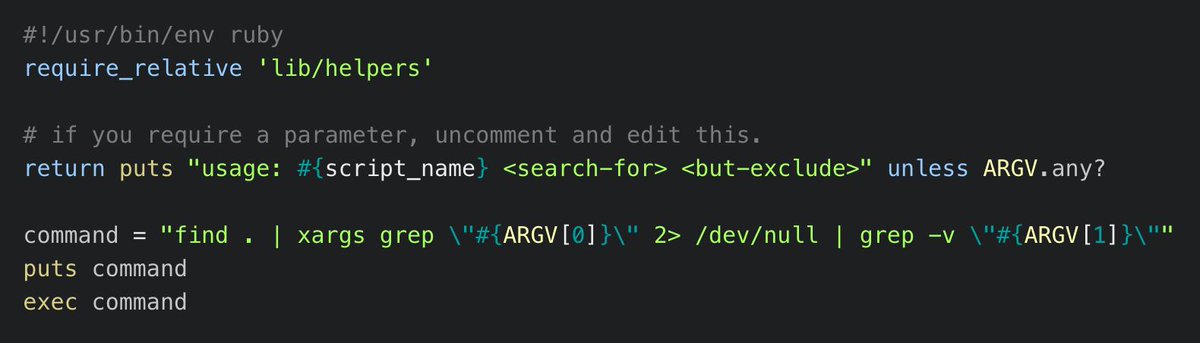
Also a big fan of `find-x-not-y`, which does exactly what it sounds like: Find all those occurrences of one thing, except where they occur with some other thing. This one does you the favor of printing the `find` + `grep` command before running it, just so you won't forget! 😜
Other recent ones are `check-upstream`, which shows a diff of any new commits in the parent branch that aren't in the current branch. `web` executes whatever the `Procfile` says is the appropriate server. `worker` does the same, with a `--flush` option to clear Redis first.
Some scripts are just simple aliases. `tunnel` just runs `ngrok start development`, but I created it the first time I thought "I need a tunnel!" but couldn't recall the `ngrok` options immediately. Before looking it up, I did `new-script tunnel`, and put the answer in the script.
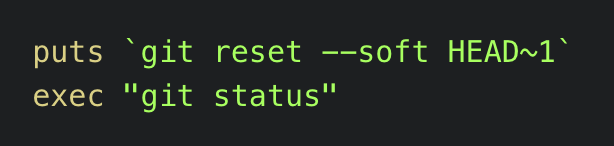
Same with `undo-commit` and `abort-merge`. Never have to look those up on Stack Overflow again!

Also, forgot to mention a small but critical detail of the `new-script` script: After stubbing out the file in $PATH, (including the commented helper method guidance to jog my memory,) and marking it `chmod +x`, it also opens it for editing in Atom. No friction whatsoever.
On web-based Twitter it looks like I wrote three tweets, and one of them looks non-sequitur, but I actually wrote about a hundred, so feel free to dive into this carefully crafted thread. I'll remember to number them next time. 😅
Aw, I forgot one of the best ones! `prod`: I type this before doing anything like `heroku run console`, and it uses AppleScript to turn the background of the terminal an ominous red, lest I forget where I am and do something stupid!
Today I created `pg-switch --internal` and `pg-switch --external`, which stops PostgreSQL and then restarts it using either the laptop's SSD or (for projects with very large databases) an external USB hard drive.
Posted this one the other day, but decided to make this thread the canonical list of my little shell scripts, so adding it now:



